This section helps the manager learn about mass and irreversible actions performed by employees, for example deleting a large number of payments or students. Such operations may be part of normal work or happen by mistake, so information about them is additionally sent to the manager.
Only the center manager receives the notification. The employee who performed the action does not see it. Details can always be checked in the company log (журнал компании).
Main blocks:
- Access to the section
- Tracked events
- Where to send
- Saving settings
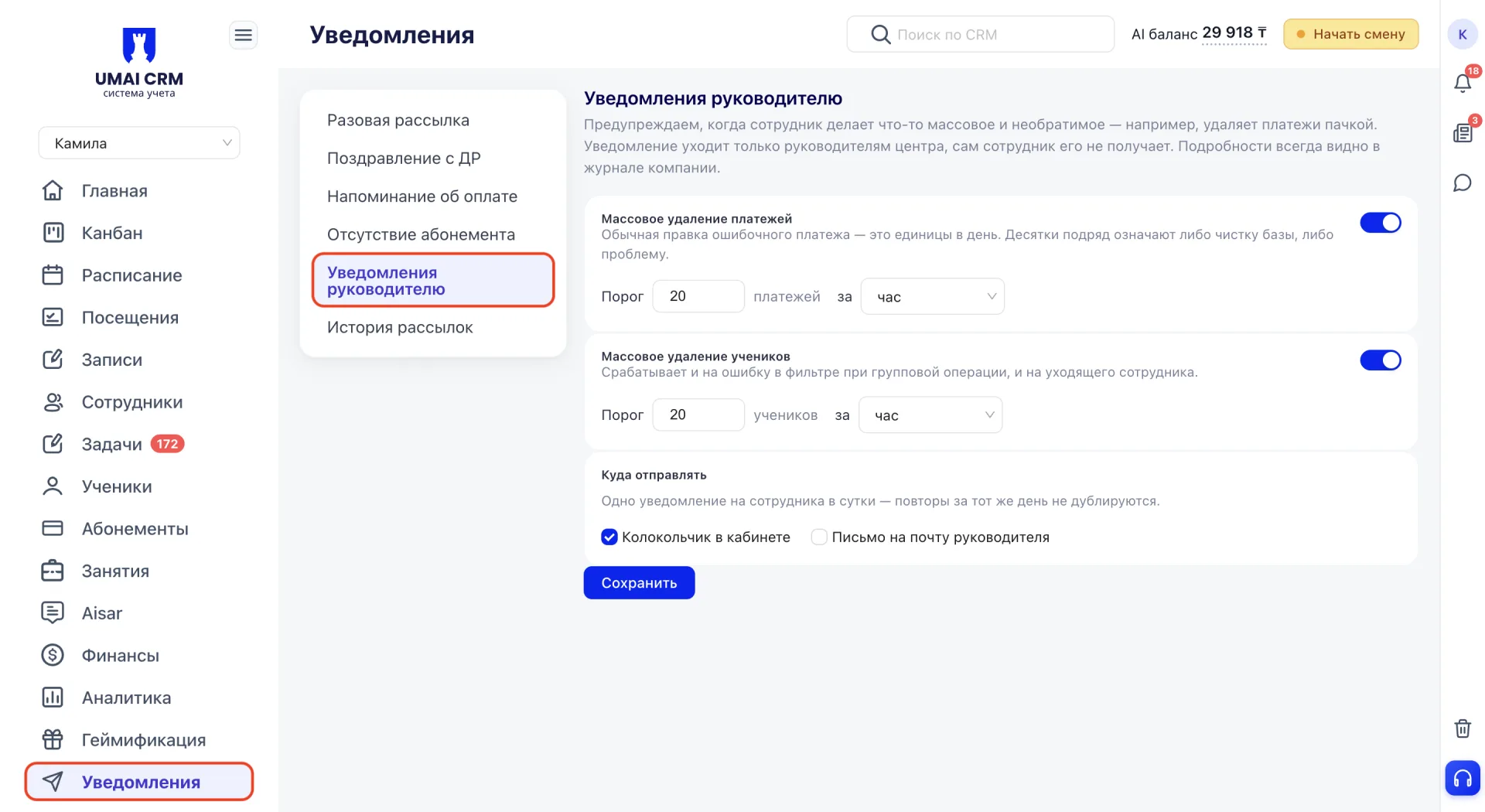
1. Access to the section
2. Tracked events
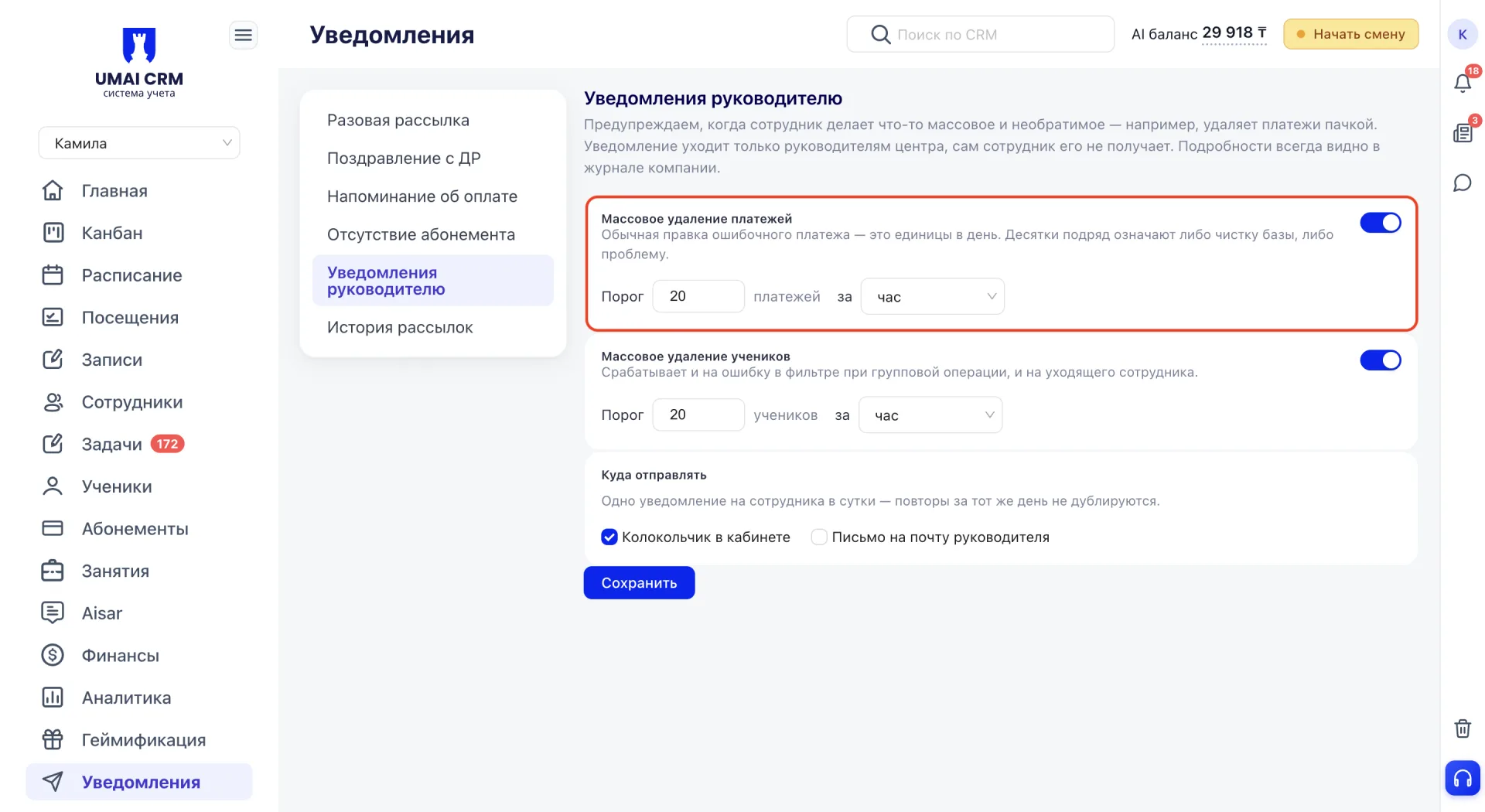
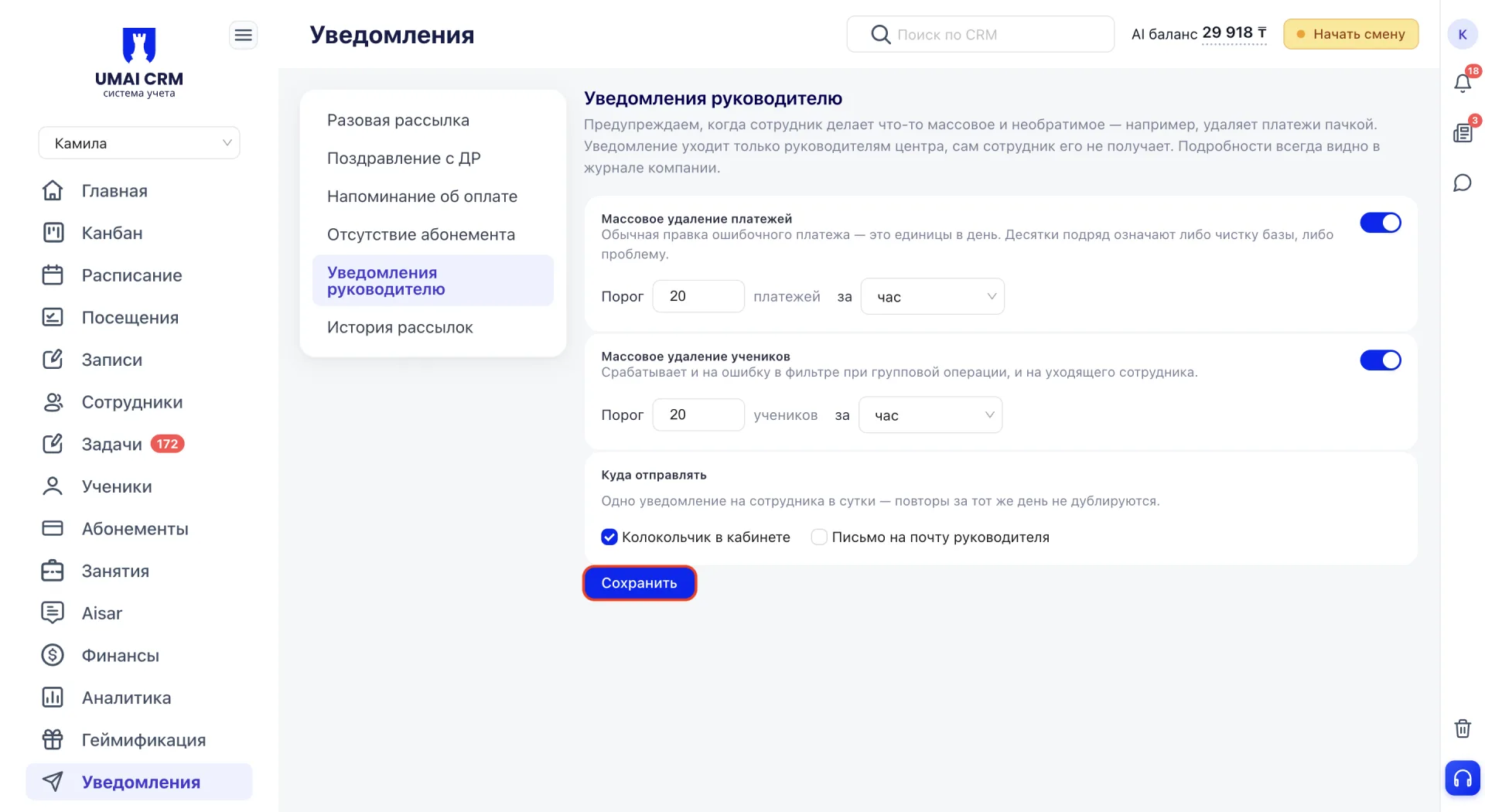
Mass deletion of payments.
Deleting a single payment does not trigger a notification. When this event is enabled, a "Threshold" field appears where you can specify the number of payments and the period during which deletions are considered mass. For example, 20 payments per hour. Both values can be changed.
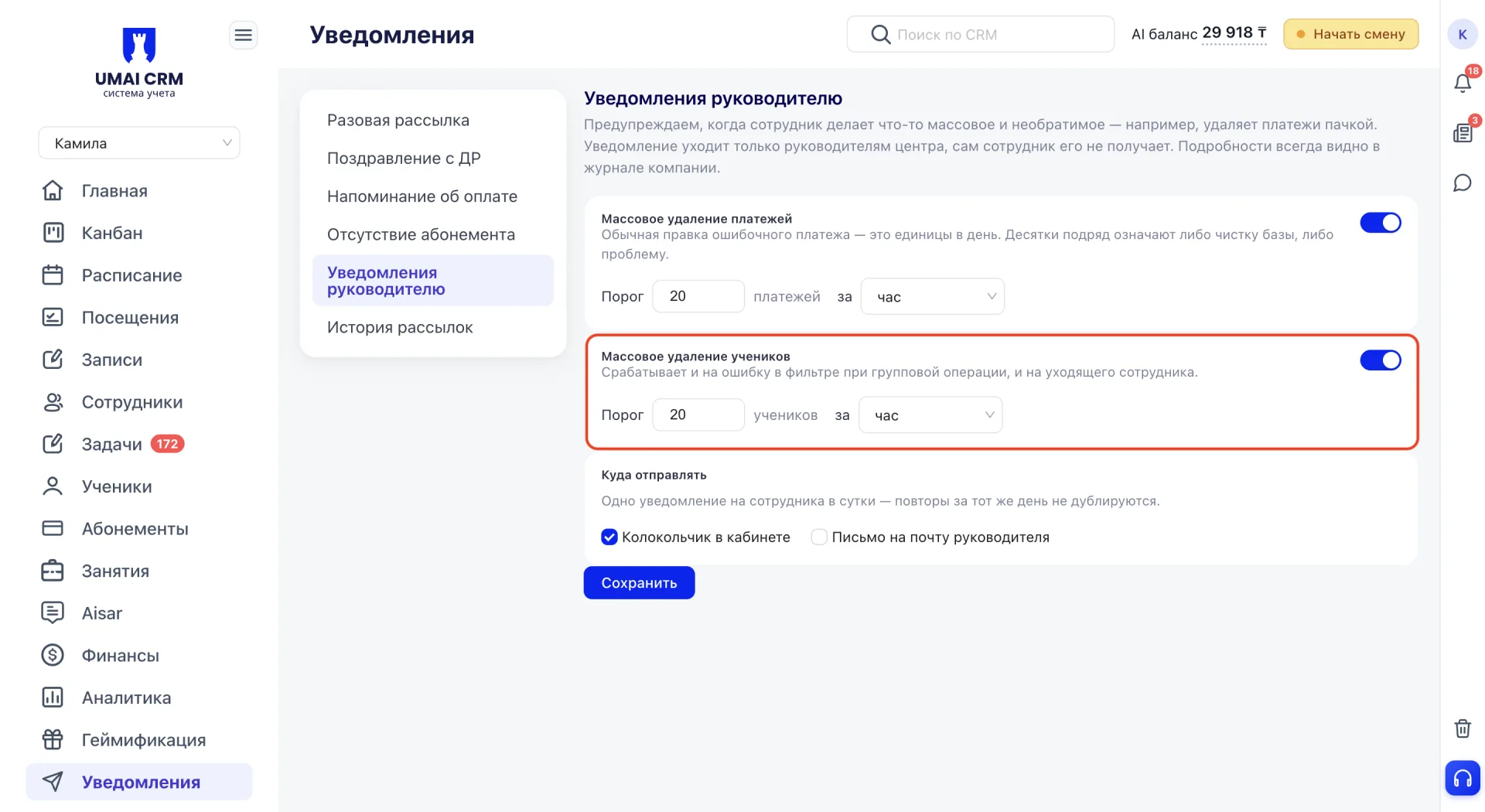
Mass deletion of students.
The notification helps draw attention to a large number of deletions, for example if extra students were included for deletion due to a filter error or an employee is removing data before dismissal. A threshold is also set for this event: the number of students and the period. For example, 20 students per hour.
3. Where to send
In the "Where to send" block, choose the delivery method:
- Bell in the cabinet — the message appears in the system, in the bell icon at the top of the screen.
- Email to the manager — the message is additionally sent to the email.
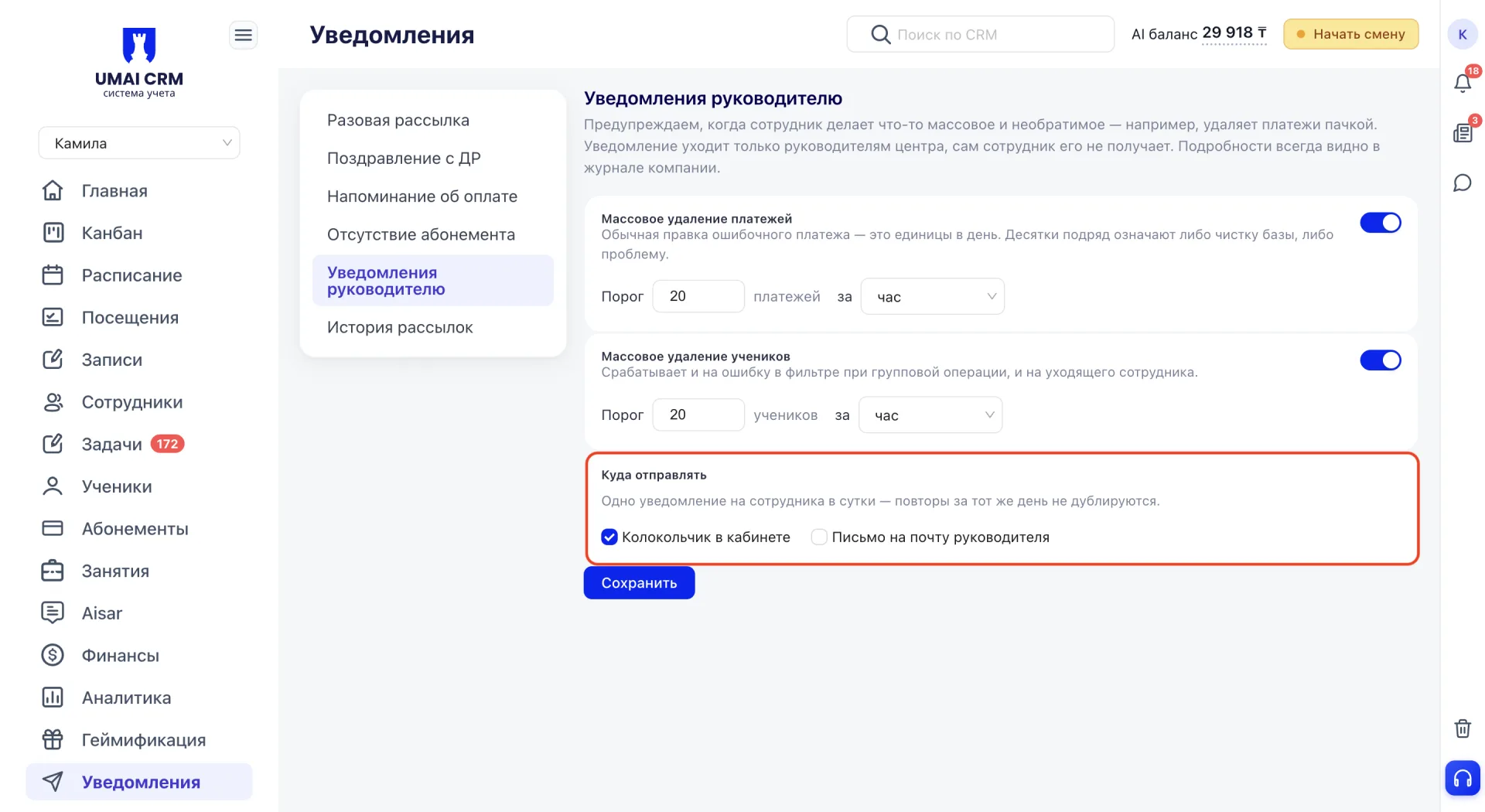
You can enable both methods at the same time. No more than one message per employee is sent per day. A duplicate notification for the same day is not sent.
4. Saving settings
- Recipients of notifications are only center managers.
- The company log (журнал компании) preserves details of each case regardless of notification settings.
- Notifications are sent only for mass and irreversible operations; single deletions do not trigger them.
- The trigger threshold is configured separately for payments and students. For each event you can specify the number of operations and the period during which they must occur.
- No more than one notification per employee is sent per day.