Without clear goals it’s hard to tell whether the business is growing or merely staying afloat. This section lets you set target metrics that will be compared with actual results in the Summary report (Сводном отчёте) — so a manager always sees where the plan is being met and where action is required.
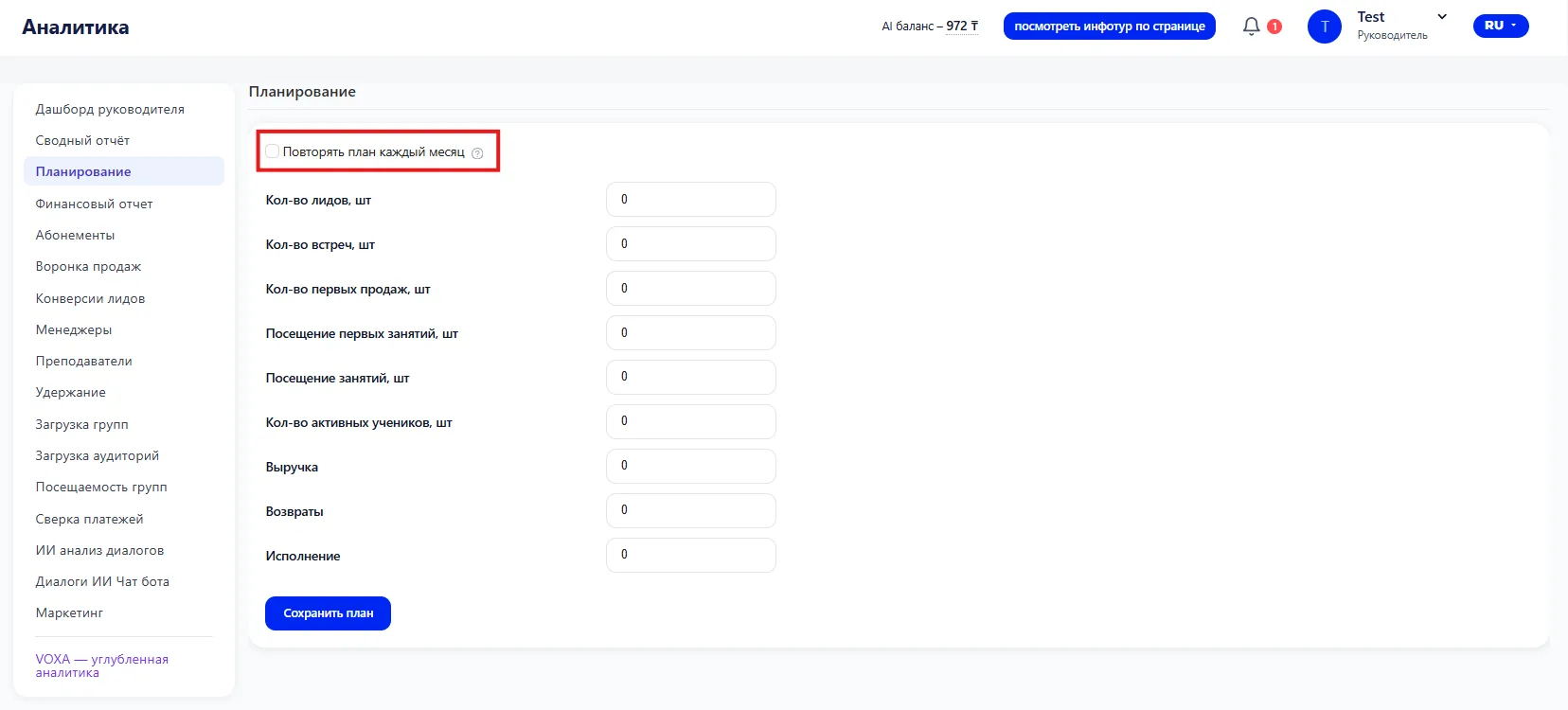
1. Repeat plan each month
If metrics are stable and do not change from month to month, there is no need to enter the same numbers every time. At the top of the section there is a checkbox “Repeat plan each month” — when enabled, the entered values are automatically applied to each subsequent month.
2. Target metrics
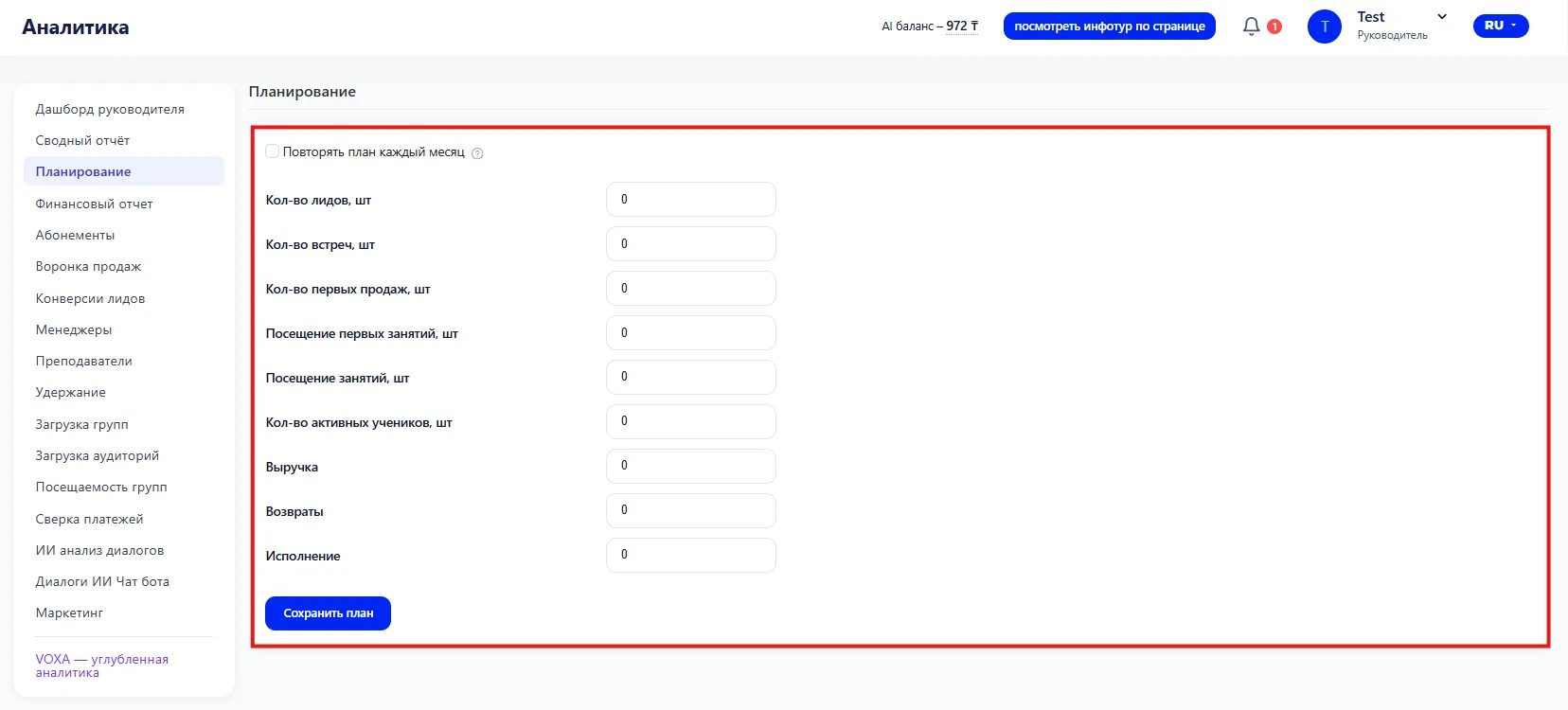
Each field corresponds to a specific parameter of the school’s operations. Values are entered manually; by default all fields are zero:
- Number of leads, pcs — how many new inquiries are planned to be received per month;
- Number of meetings, pcs — planned number of meetings or initial contacts with clients;
- Number of first sales, pcs — how many new customers should make a first purchase;
- Attendance of first classes, pcs — the planned number of new Students who will attend the first class;
- Attendance of classes, pcs — total planned number of class Visits for the period;
- Number of active Students, pcs — how many Students should be active during the month;
- Income — target amount of receipts for the period;
- Returns — acceptable planned volume of refunds;
- Execution — planned indicator of obligations to clients that must be fulfilled during the period.
3. Saving the plan
After filling in all required fields you must click the “Save plan” button. Only after saving will the target values be shown in the Summary report (Сводном отчёте) in the 'plan' columns (план) next to the actual data.
If the plan is not saved — dashes will appear in the Summary report (Сводном отчёте) opposite the target metrics.