A new Lead is created directly from the “Kanban of Leads (Канбан лидов)”.
In the desired column click “+ Add”, after which the “New Lead” window will open.
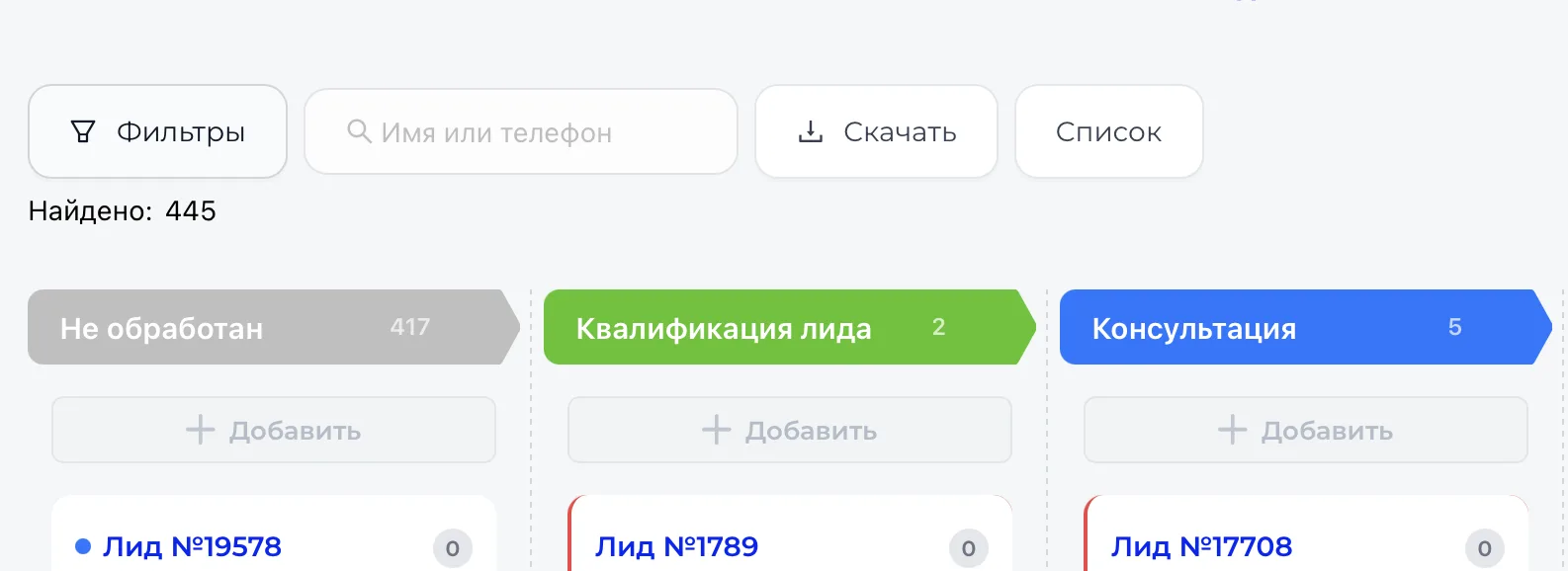
What to fill in the “New Lead” window
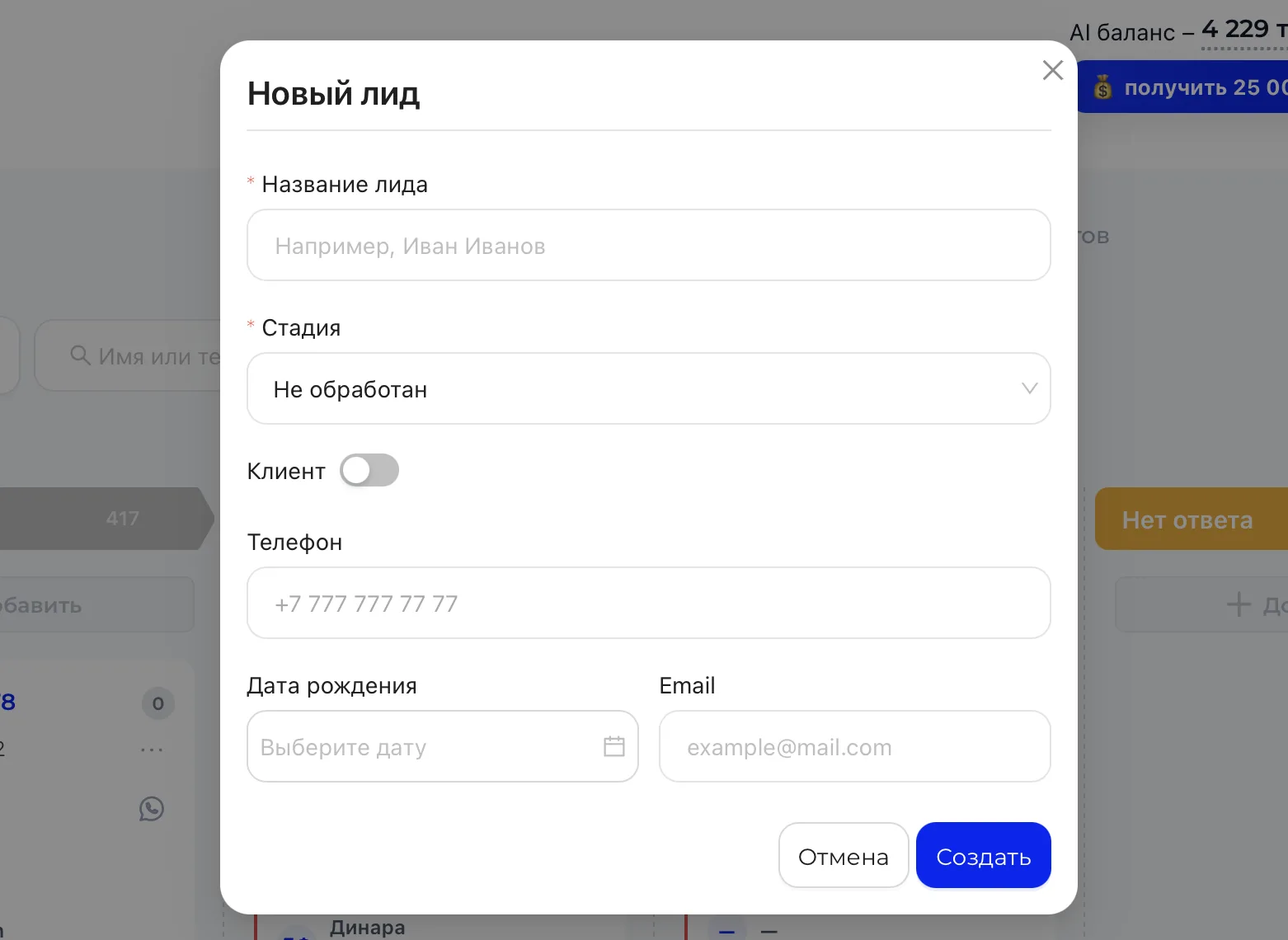
- “Lead name” — required field. Enter the name of the client or parent. This name will be displayed on the card in the Kanban and in reports.
- “Stage” — required field. Determines which column the card will appear in after saving. The selected stage directly affects the Lead’s position in the Sales funnel.
- “Client” — a toggle to link to an existing client. If enabled, the Lead will be created based on an existing record. Behavior depends on CRM database matching settings and active deal.
- “Phone” — used for contact and search. If the number already exists in the database, the system may detect a match.
- “Date of birth” — saved in the client card and can be used in analytics.
- “Email” — used for communications and mailings.
After clicking “Create”
- The card appears in the selected column.
- The creation date is recorded.
- The Lead begins to be counted in statistics and analytics.
- If notifications or automations are configured, they may trigger automatically.
The “Cancel” button closes the window without saving.