Канбан лидов показывает путь каждого обращения от первого контакта до результата. Результатом может стать продажа или отказ. Лиды распределены по этапам воронки, а карточка каждого лида хранит всю историю работы с ним.
Основные блоки:
- Этапы воронки
- Поиск и фильтры
- Список лидов
- Мультиворонки
- Смена этапа
- Действия через карточку лида
- Массовые действия
- Быстрые действия из меню
- Конвертация в клиента
- Передача в другой центр или воронку
1. Этапы воронки
Каждая колонка канбана это этап воронки, например «Не обработан», «Квалификация лида», «Консультация», «Запись на пробное», «Пробное не состоялось» и т.д. В заголовке колонки указано количество лидов на этом этапе.
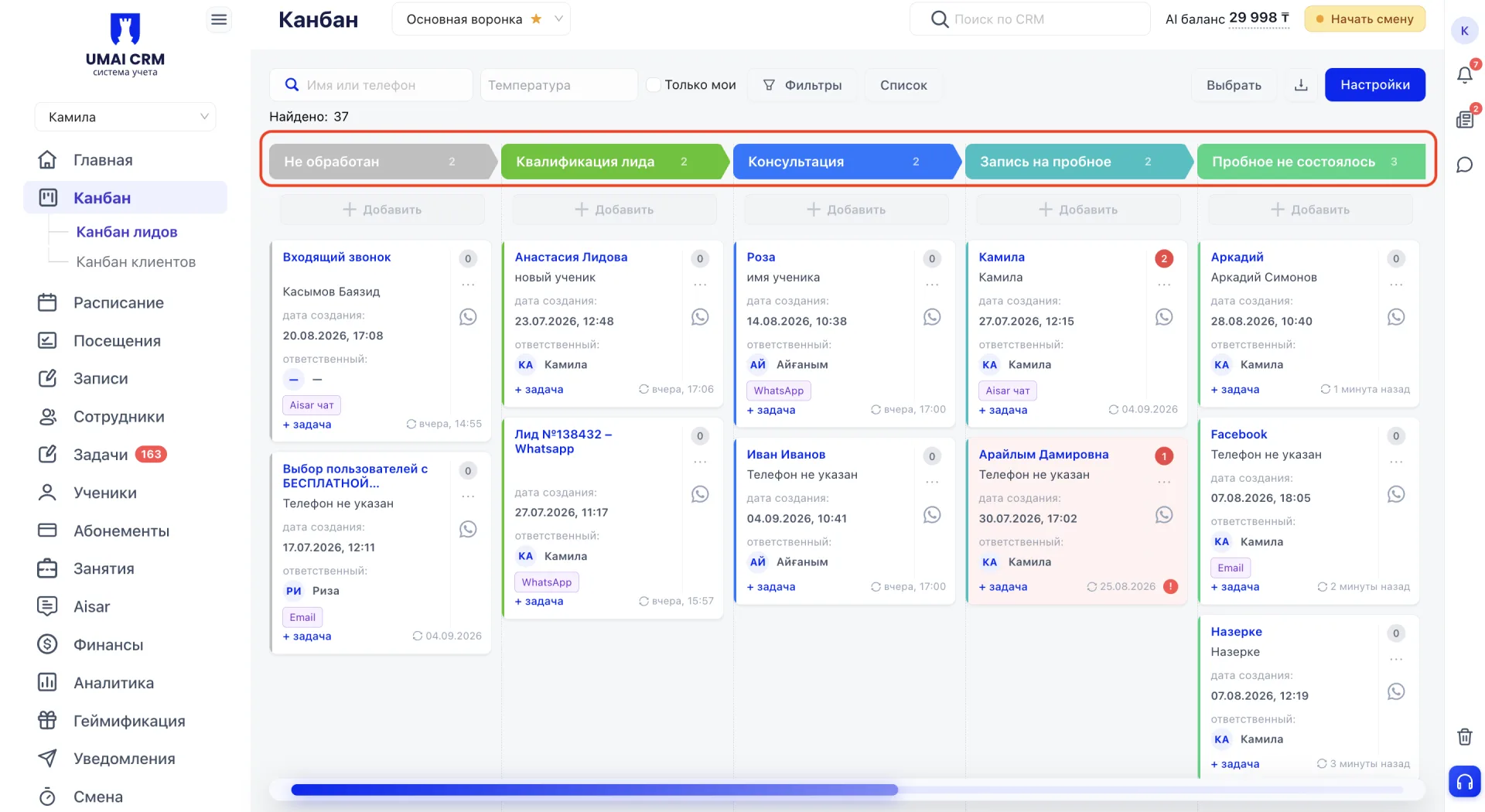
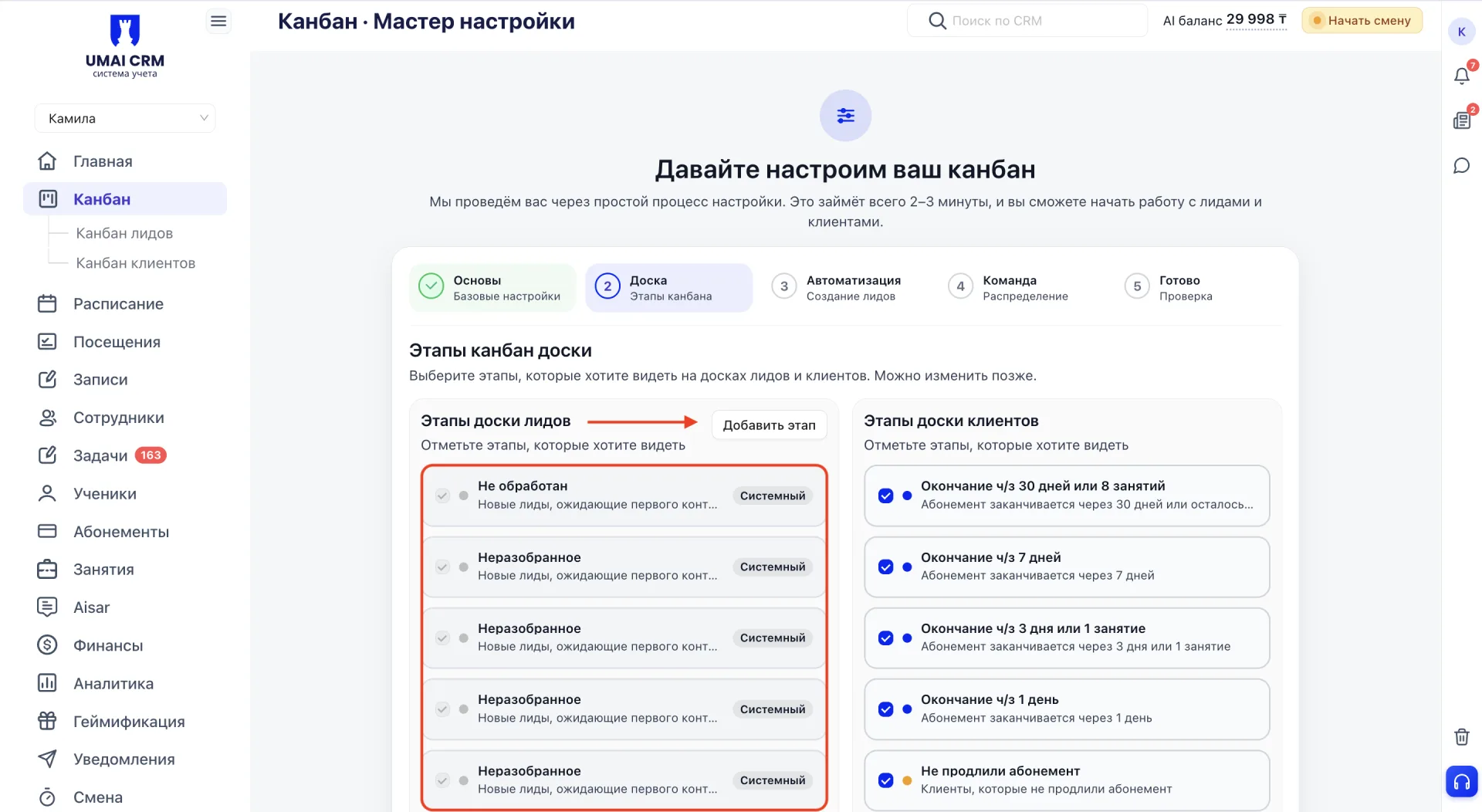
Часть этапов системная и присутствует по умолчанию. Их нельзя переименовать или убрать с доски, потому что на них опирается логика самой системы, например автоматическая передача лида из Аисар. Остальные этапы центр настраивает под свою воронку продаж. Можно добавить промежуточные шаги, переименовать их под привычные термины или убрать то, что не используется.
2. Поиск и фильтры
Когда лидов много, поиск нужной карточки среди остальных может занять время. Для быстрого поиска предусмотрены строка поиска по имени или телефону и фильтр по температуре лида. Фильтр помогает выделить горячие обращения и отдельно посмотреть лидов, которые пока принимают решение.
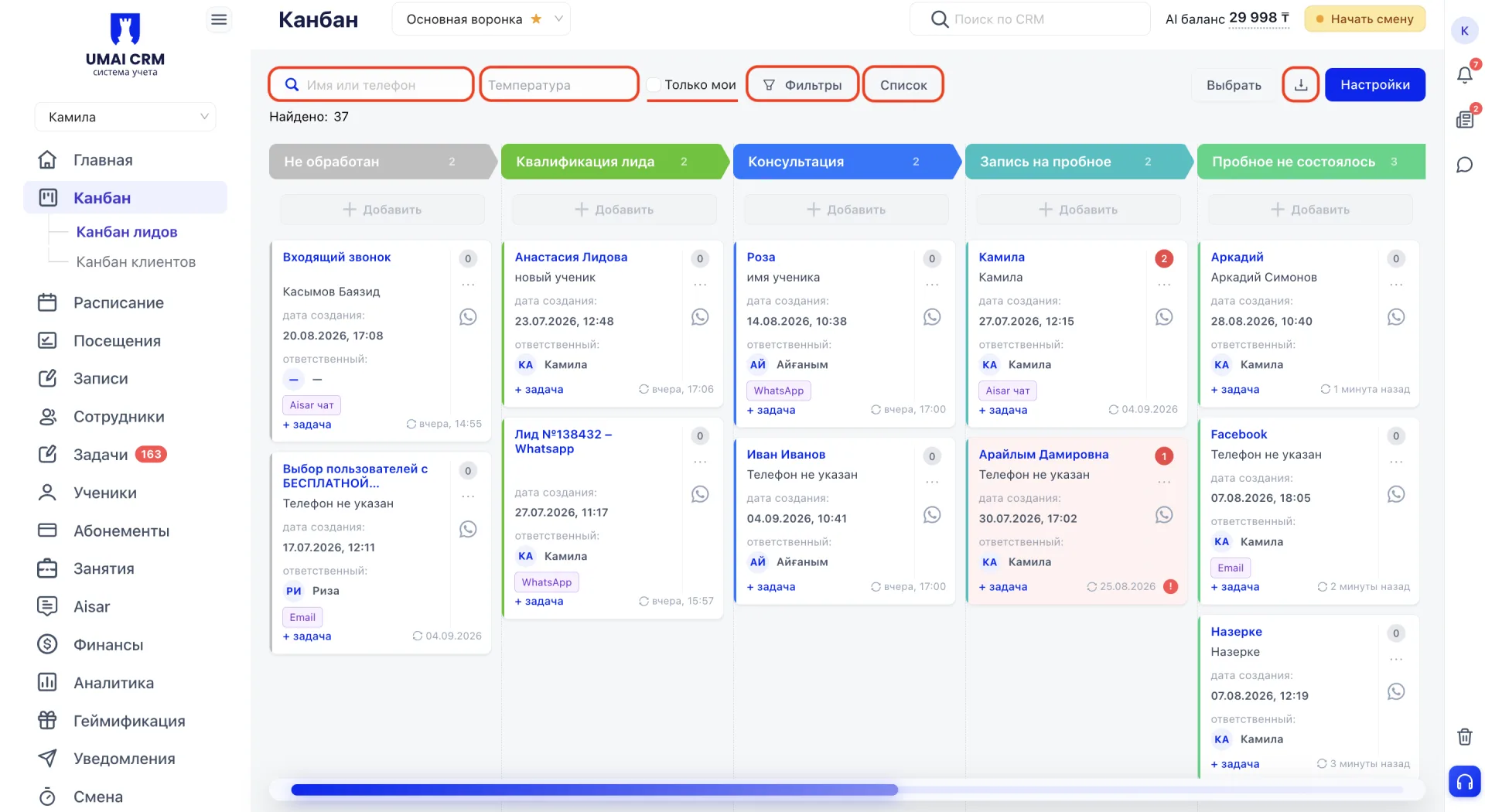
Более тонкая настройка доступна в панели «Фильтры». Чекбокс «Только мои» скрывает чужих лидов и оставляет на доске только тех, за кого отвечает сам сотрудник, что удобно, если на одной воронке работает сразу несколько менеджеров. Фильтры по типу, по потребности или запросу и по возрасту от и до помогают выделить конкретный сегмент обращений, например всех, кто интересовался определённым направлением.
3. Список лидов
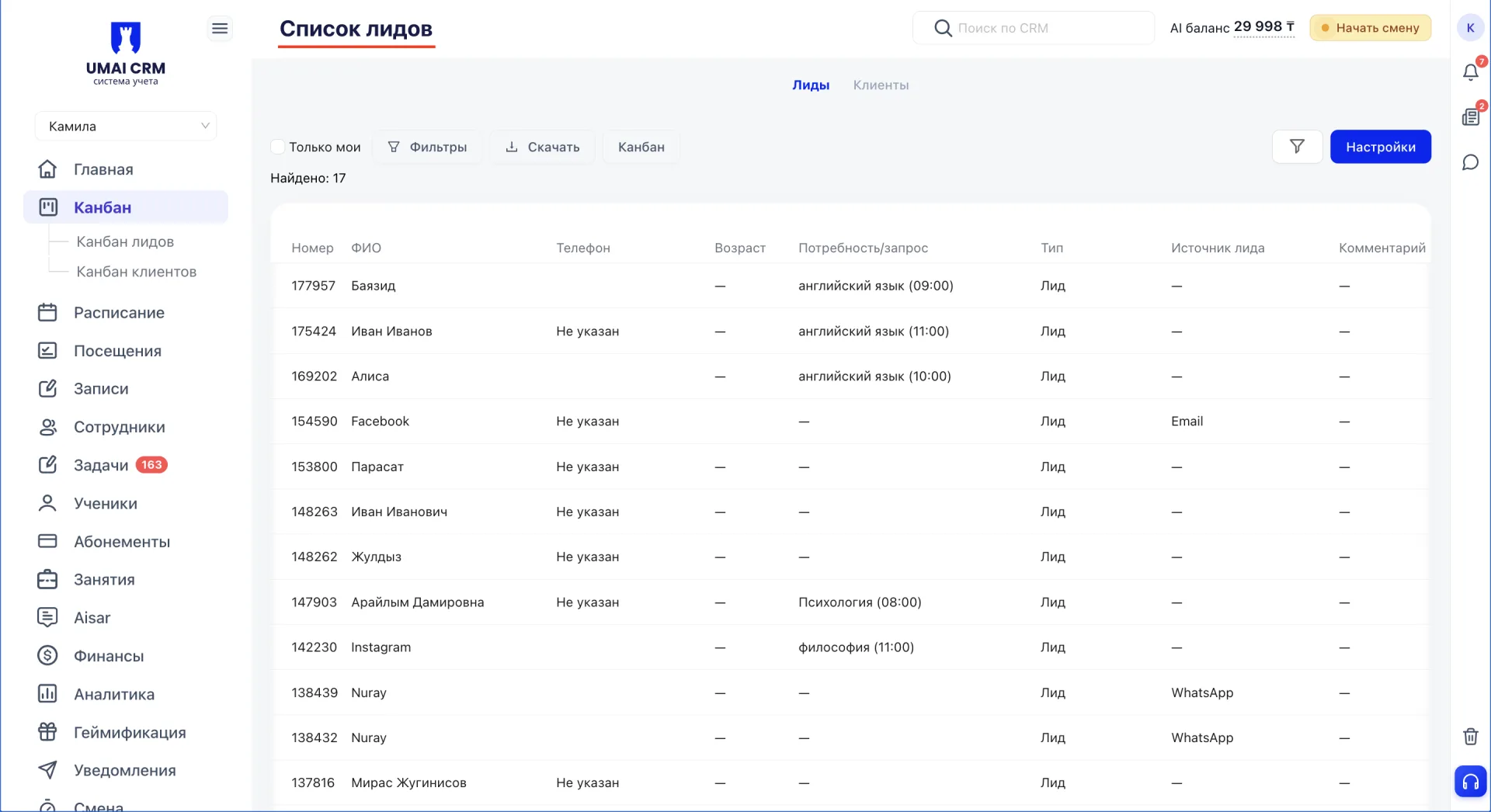
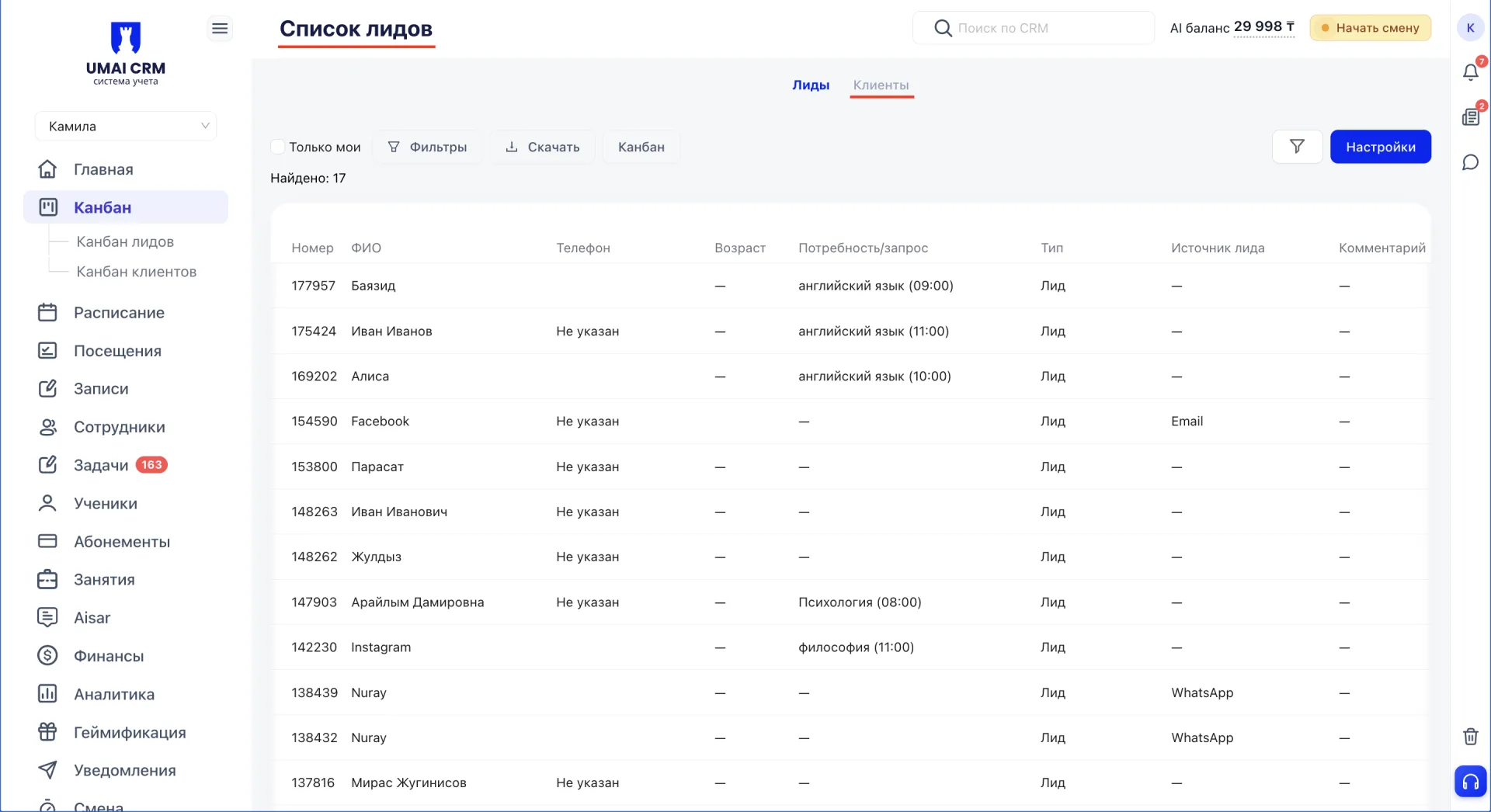
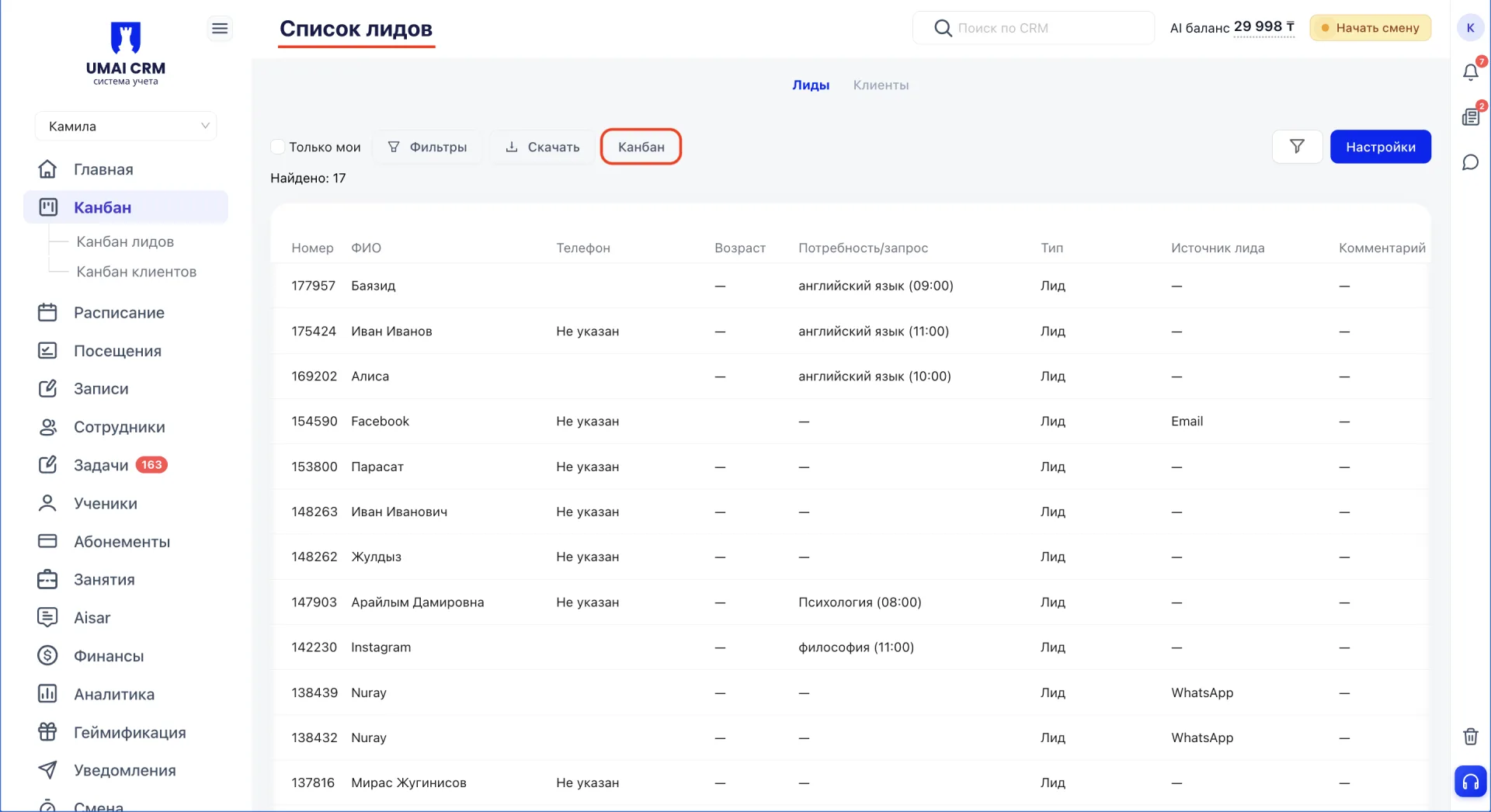
Доска канбана позволяет наглядно видеть, на каком этапе находится каждый лид. Для просмотра всей базы в табличном формате предусмотрен раздел «Список». Здесь все лиды отображаются в виде таблицы с номером, ФИО, телефоном, возрастом и т.д.
4. Мультиворонки
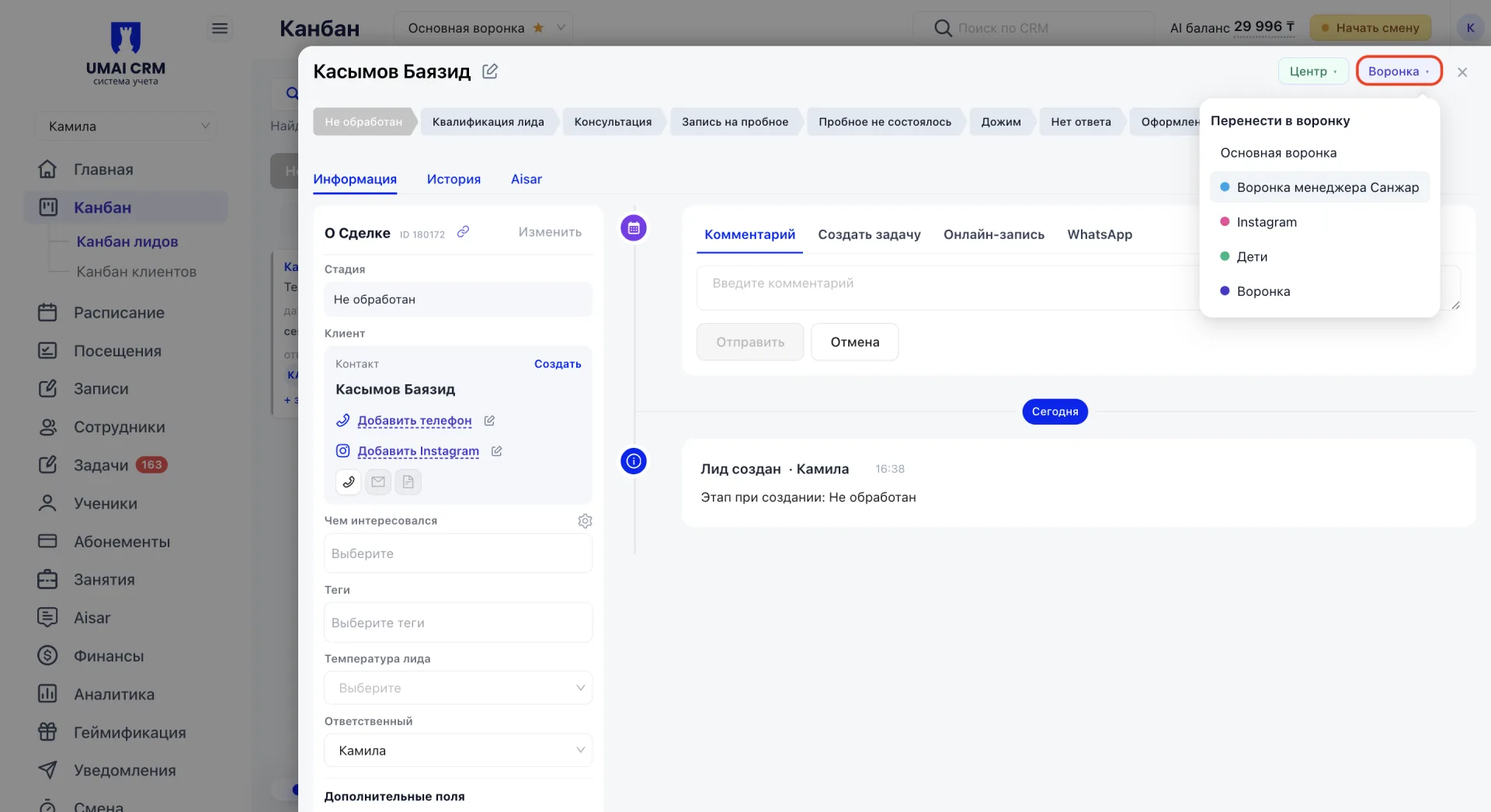
В канбане можно создать несколько воронок и настроить каждую под свой сценарий, например отдельно для разных источников обращений или для разных менеджеров. Так на каждой доске остаются только релевантные лиды, а не общая смешанная лента, где приходится искать своё среди чужого. Переключение между воронками происходит в выпадающем списке рядом с названием доски, а сами воронки создаются и настраиваются в разделе «Настройки».
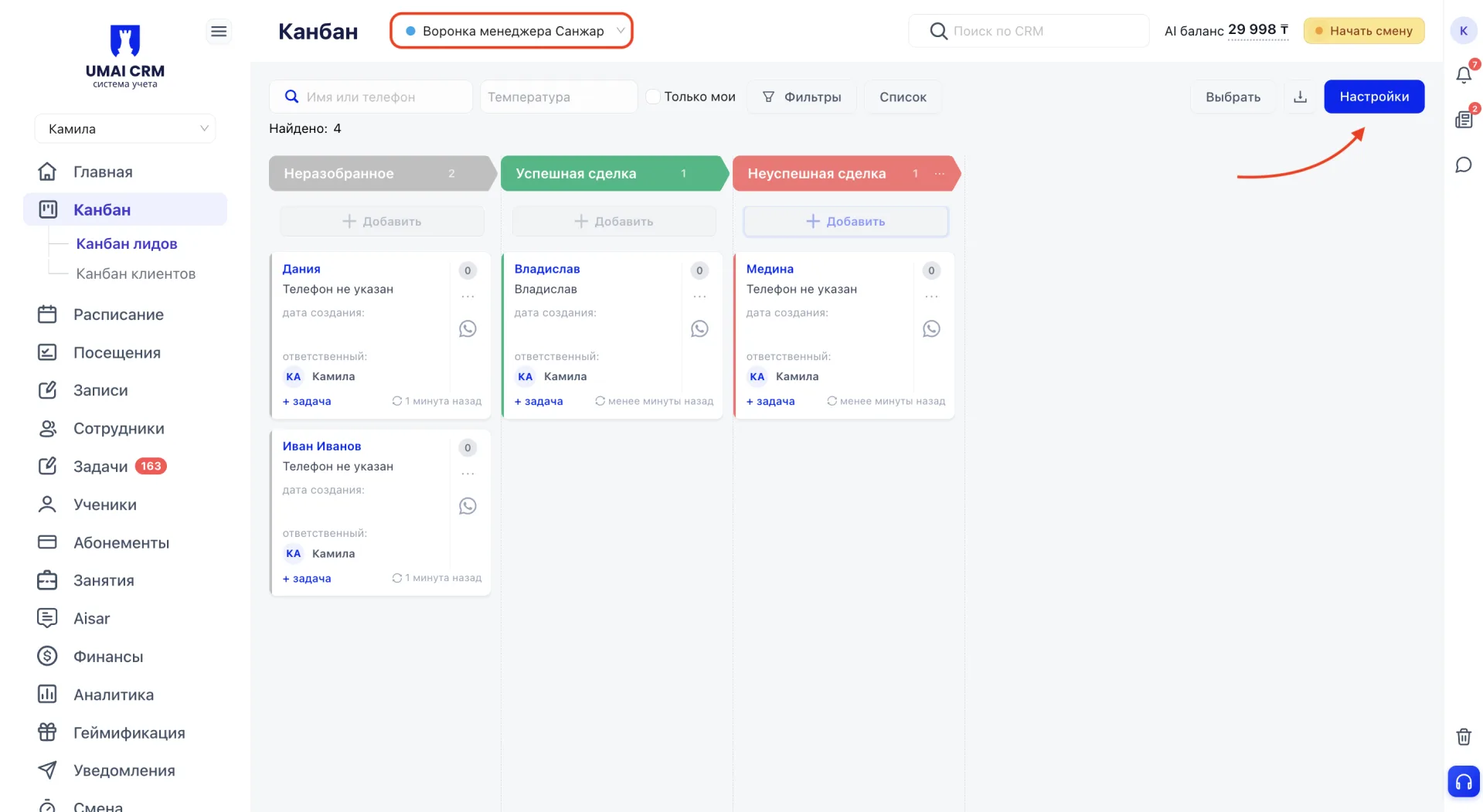
Мультиворонки не стоит путать с фильтром «Только мои» из блока 2. Фильтр «Только мои» скрывает чужие карточки на доске, но сама доска и её этапы остаются общими для всех сотрудников. Отдельная воронка нужна тогда, когда обращения логичнее разделить между менеджерами или каналами связи. Например, можно завести одну воронку для заявок из Instagram и отдельную для заявок из WhatsApp, либо выделить персональную воронку каждому менеджеру, чтобы он видел только свои лиды и работал с ними на своей доске, а не искал их среди общего потока.
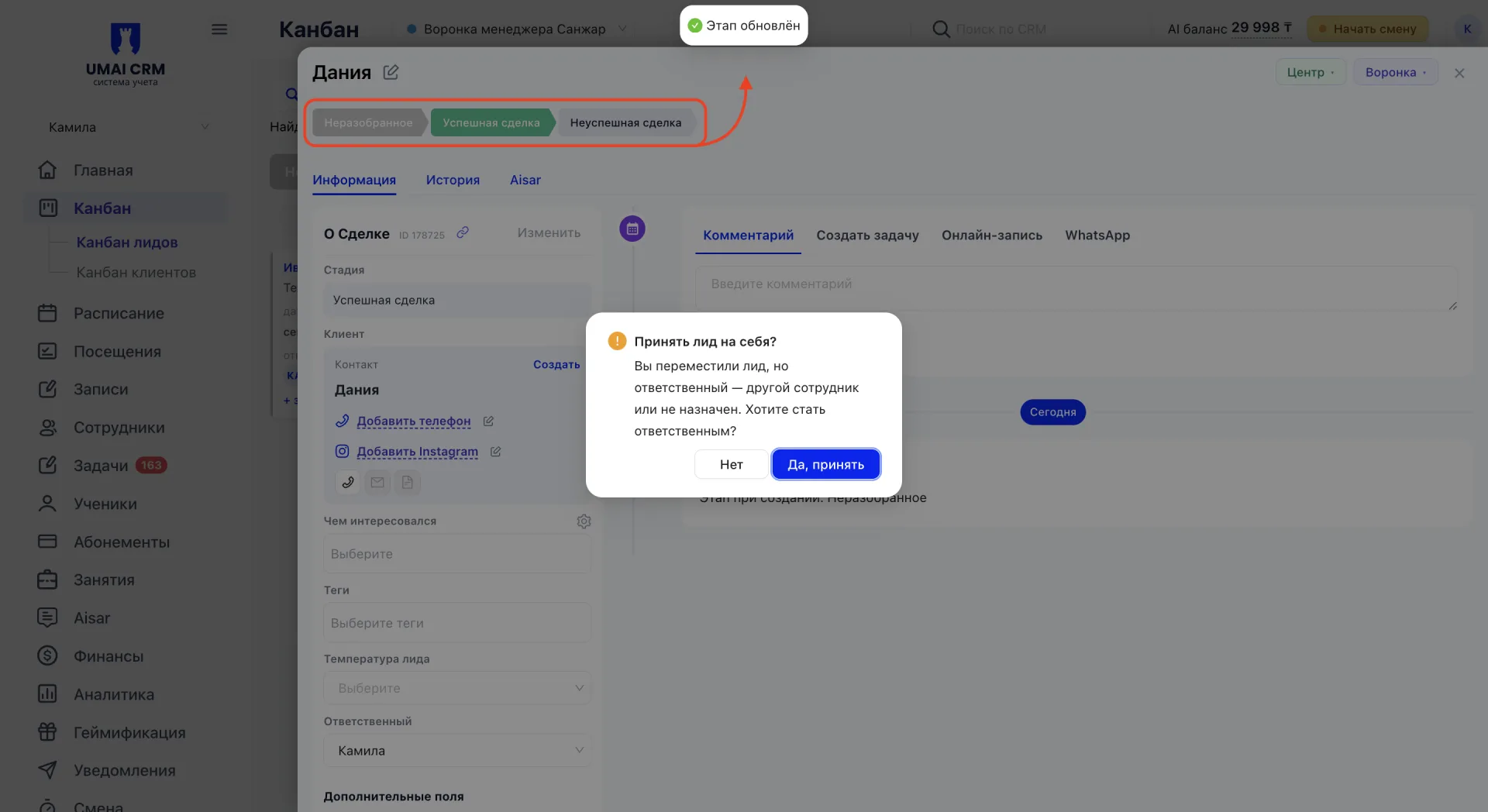
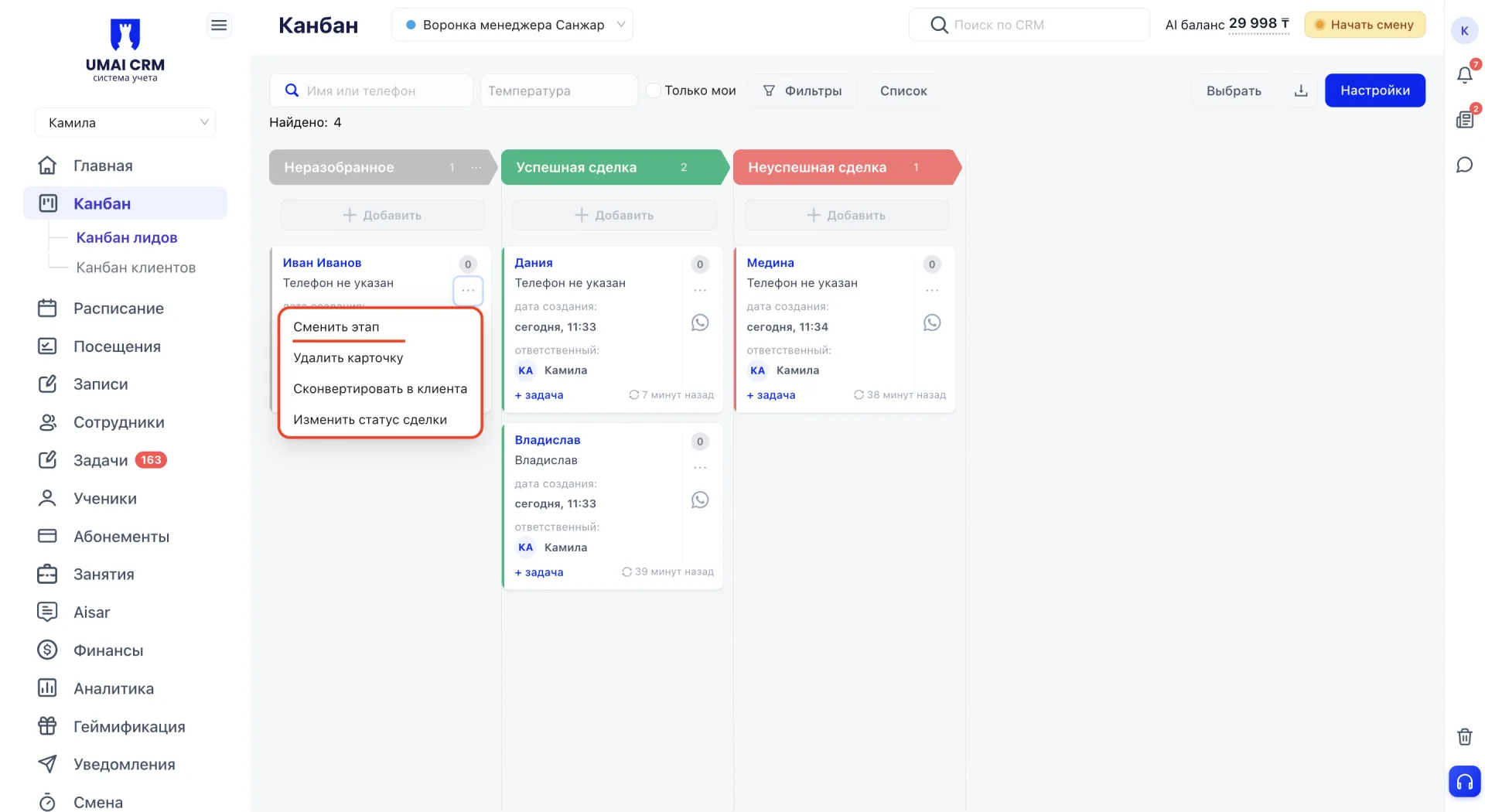
5. Смена этапа
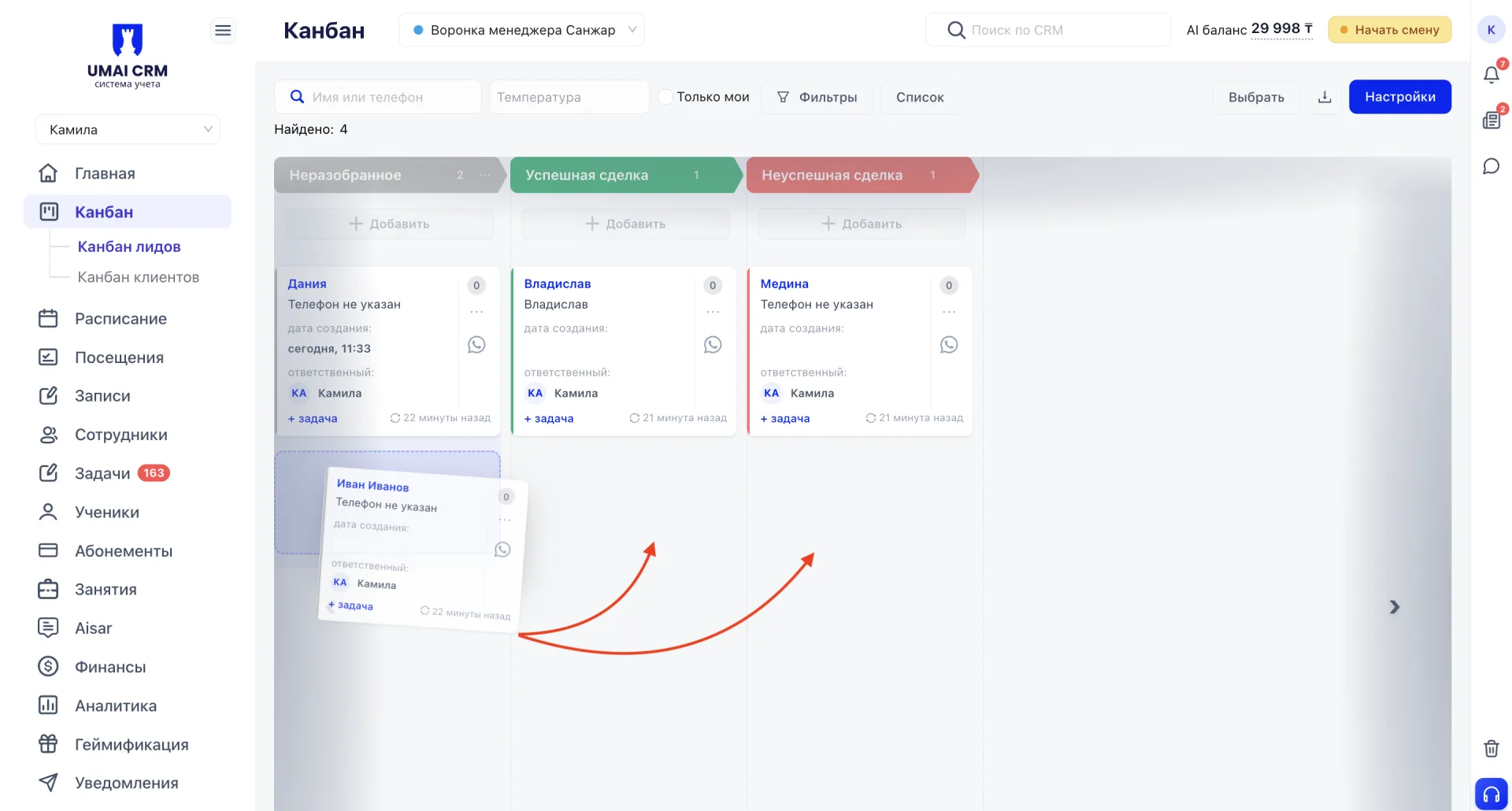
Перевести лида можно трема способами:
1. Перенести карточку в нужную колонку на доске.
6. Действия через карточку лида
Карточка лида собирает в себе весь контекст работы со сделкой: комментарии по звонкам и встречам, задачи по следующим шагам, запись на пробное занятие через вкладку «Онлайн-запись» и полную историю изменений по сделке.
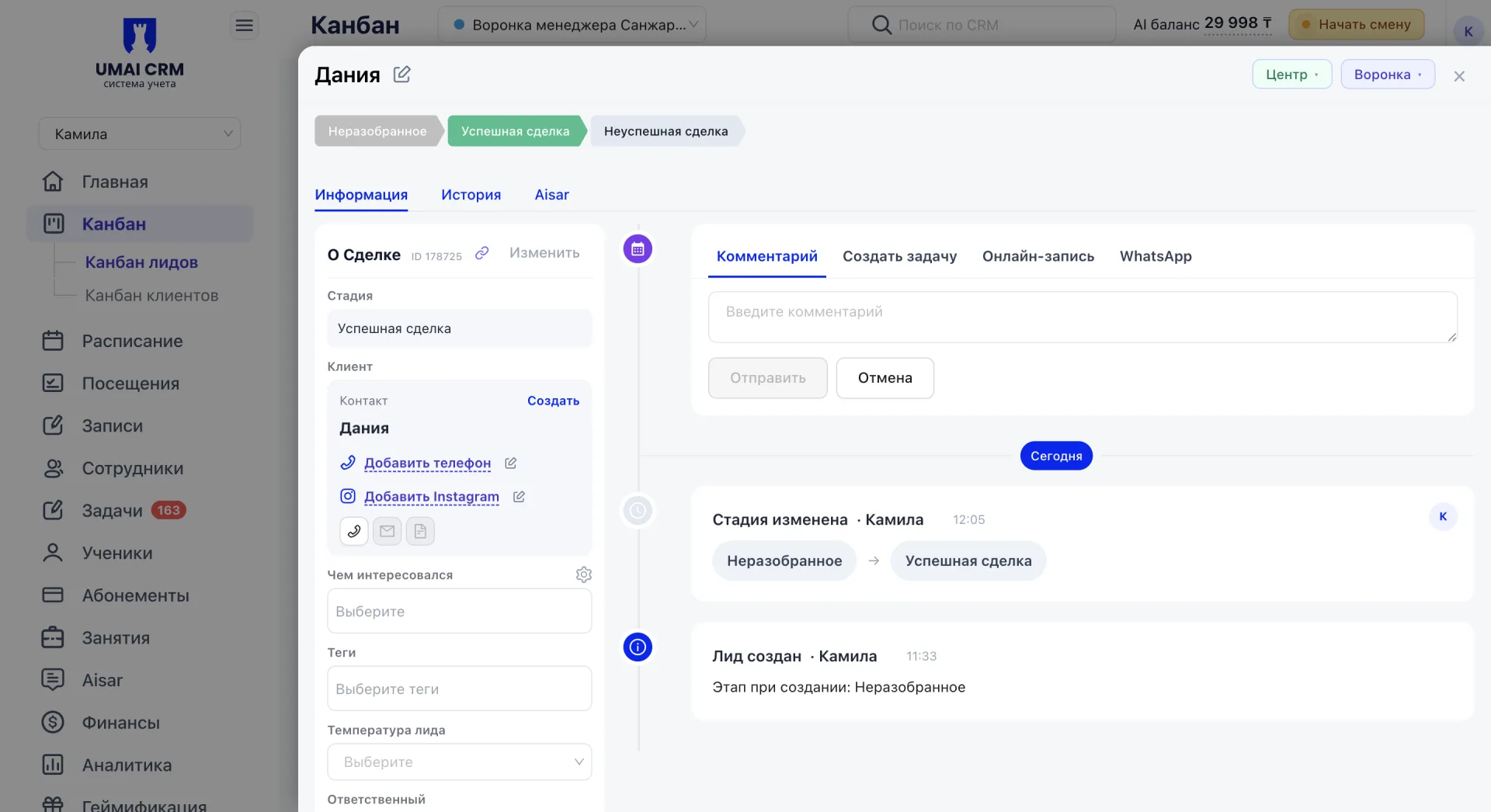
Подробное описание того, как устроена карточка лида и что в ней можно делать, описано в статье «Карточка лида в канбане».
7. Массовые действия
Для переноса нескольких лидов по воронке или назначения им общего ответственного карточки можно отмечать чекбоксами прямо на доске, а кнопка «Выбрать все на этапе» в каждой колонке отмечает сразу всех лидов на этом этапе, чтобы не кликать по каждой карточке отдельно. Выбор не ограничен одним этапом: можно отметить карточки сразу в нескольких колонках и применить действие ко всем выбранным лидам одновременно.
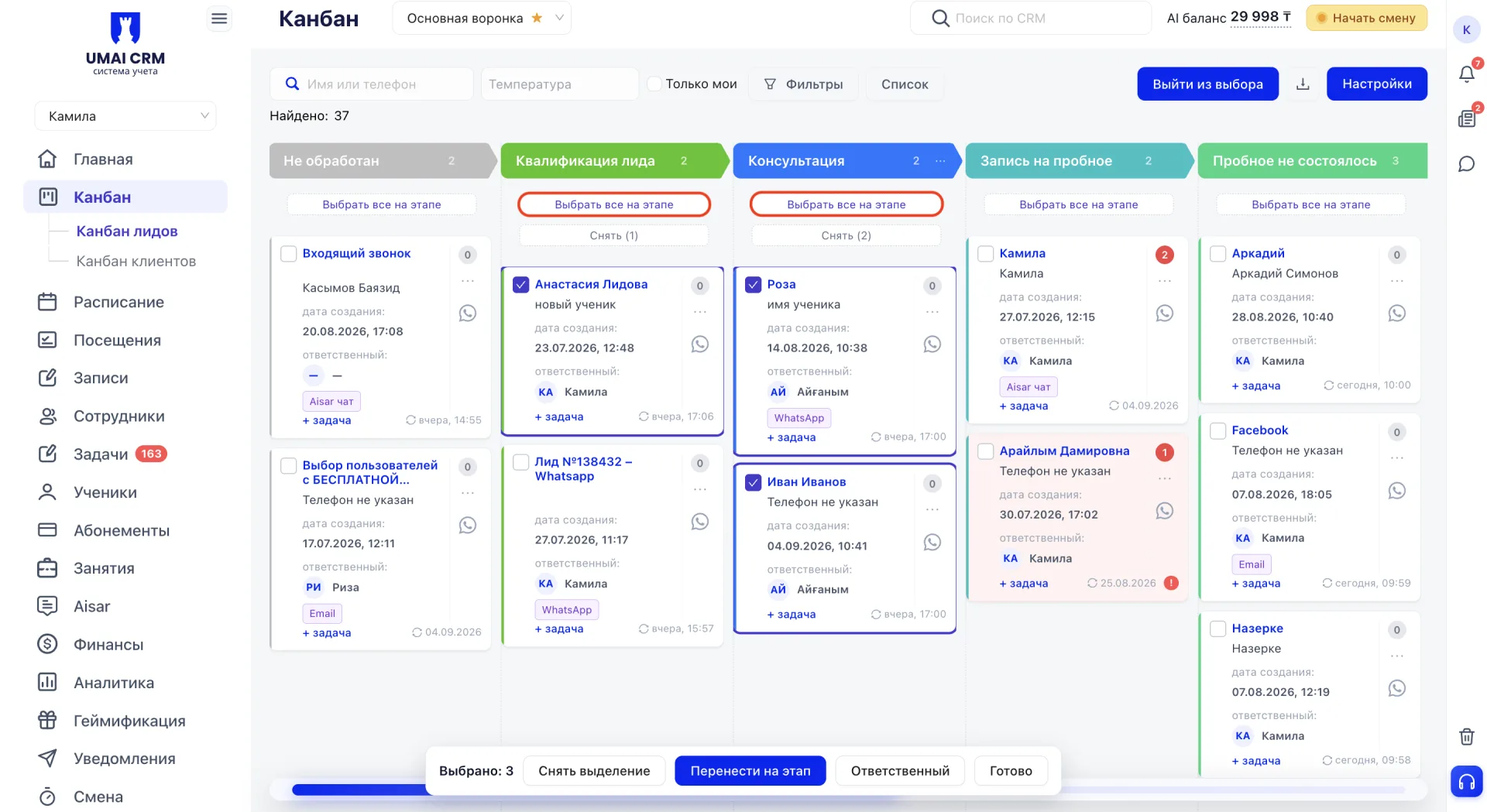
После того как карточки отмечены, внизу экрана появляется панель с доступными действиями:
- «Снять выделение» отменяет отметки без изменений.
- «Перенести на этап» переводит все выбранные карточки на другой этап одним действием.
- «Ответственный» назначает выбранным лидам общего сотрудника.
- «Готово» завершает работу с выделением.
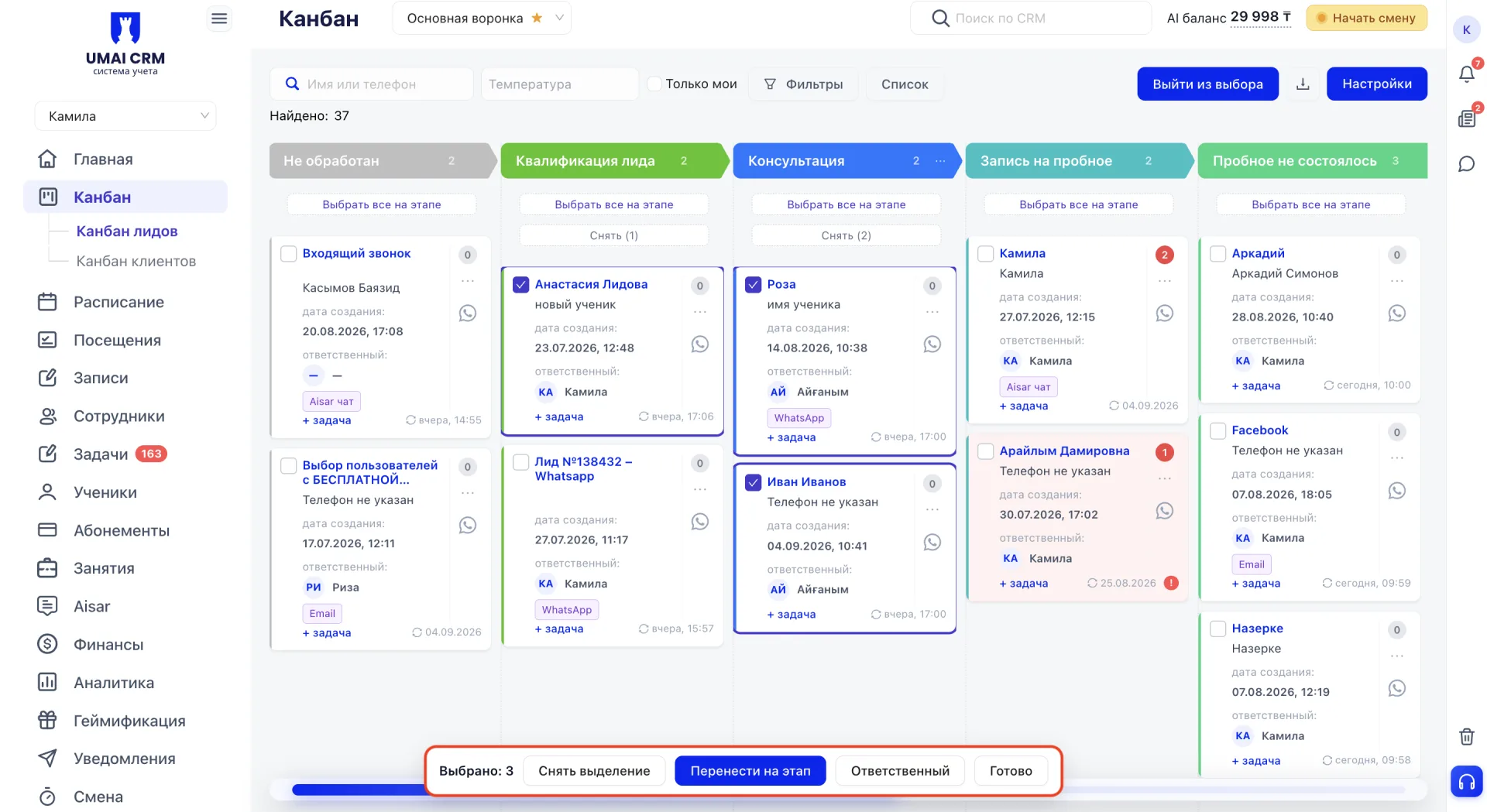
Выйти из режима выбора в любой момент можно кнопкой «Выйти из выбора» в верхней части доски.
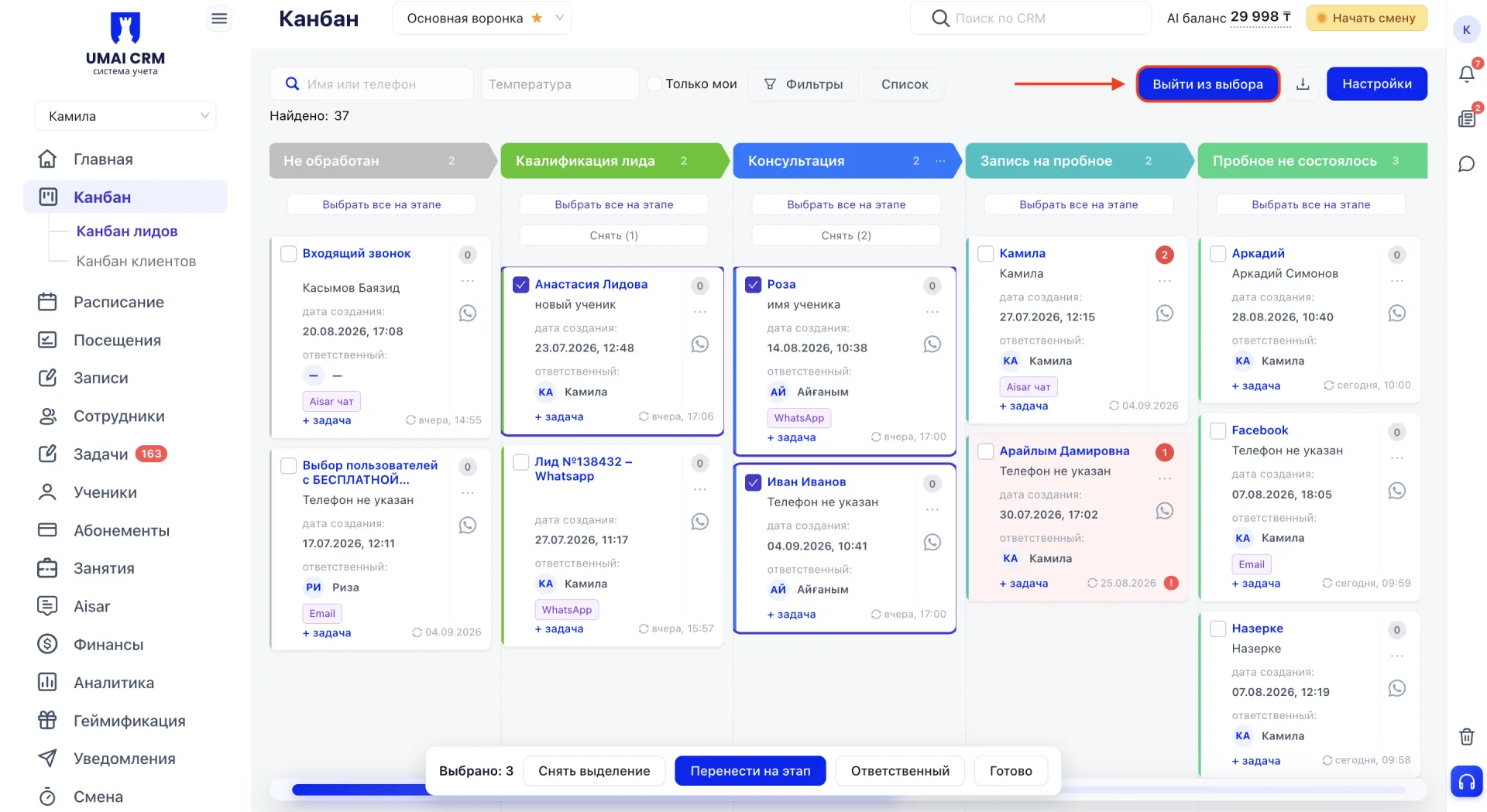
Массовые действия экономят время, когда, например, менеджер уходит в отпуск и его лидов нужно быстро переназначить на другого сотрудника.
8. Быстрые действия из меню
Не всегда нужно открывать карточку целиком, чтобы что-то в ней изменить. Меню трёх точек прямо на карточке даёт быстрый доступ к четырём действиям.
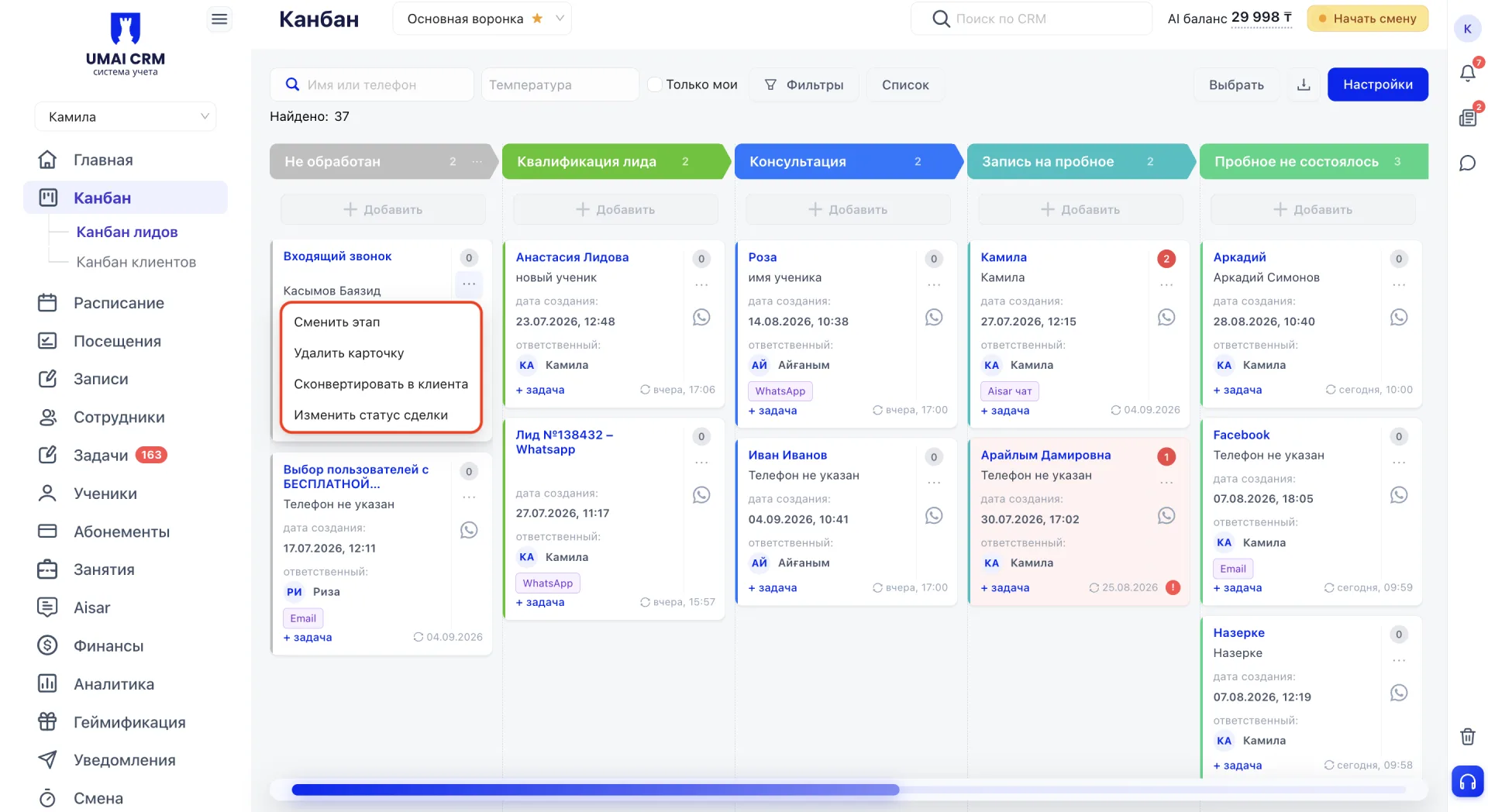
- «Сменить этап» переводит лида на другую стадию воронки без открытия карточки.
- «Удалить карточку» убирает лида из воронки полностью, например если обращение оказалось дублем или ошибочно созданным лидом.
- «Изменить статус сделки» позволяет отметить текущий исход без смены этапа. Доступны значения «Успешная сделка», «Неуспешная сделка», «Не состоялось», «Состоялось, думаю» и «Оплатят позже».
- «Сконвертировать в клиента» переводит лида в статус действующего ученика. Это действие детально разберем в следующем блоке.
9. Конвертация в клиента
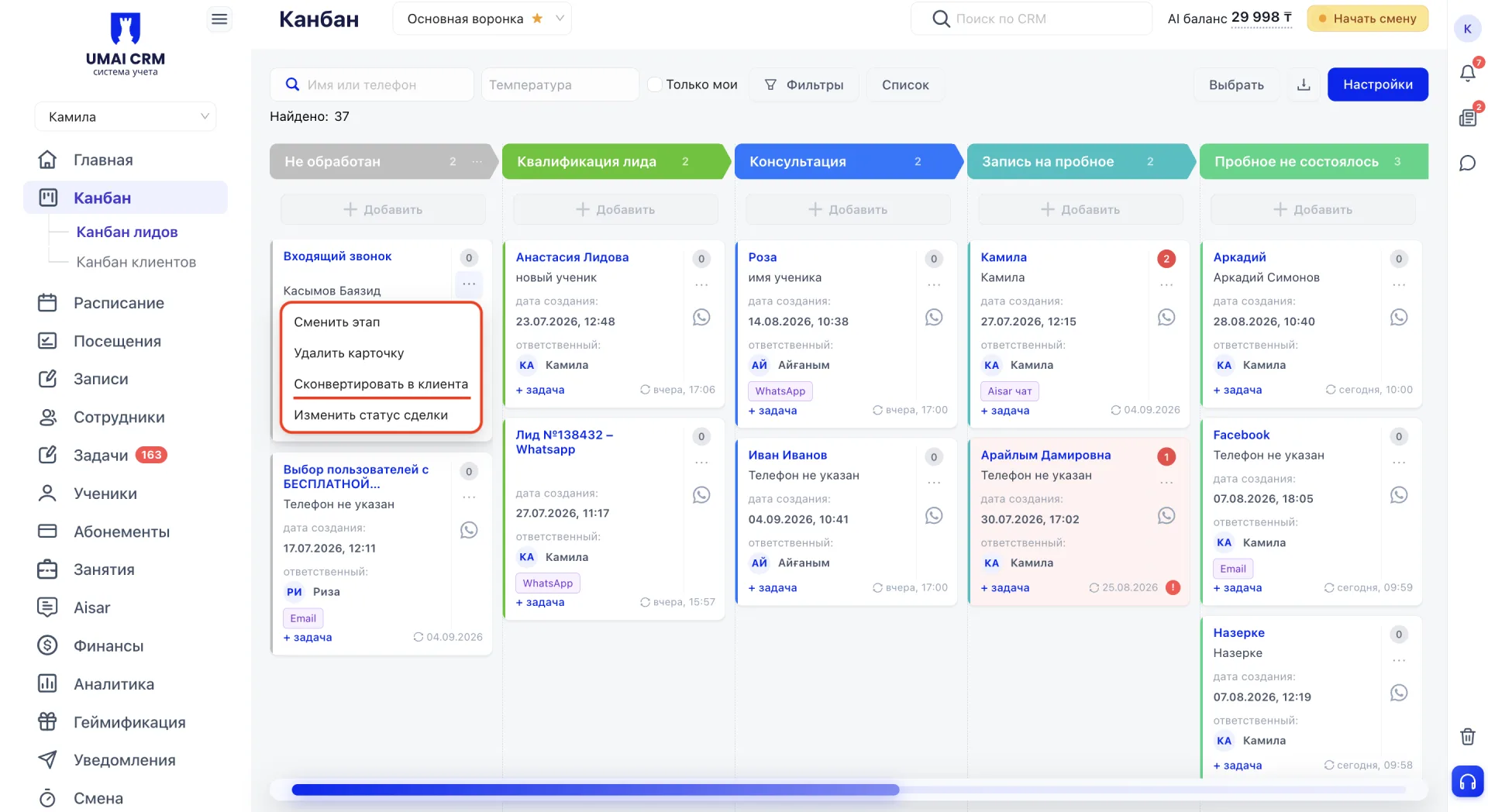
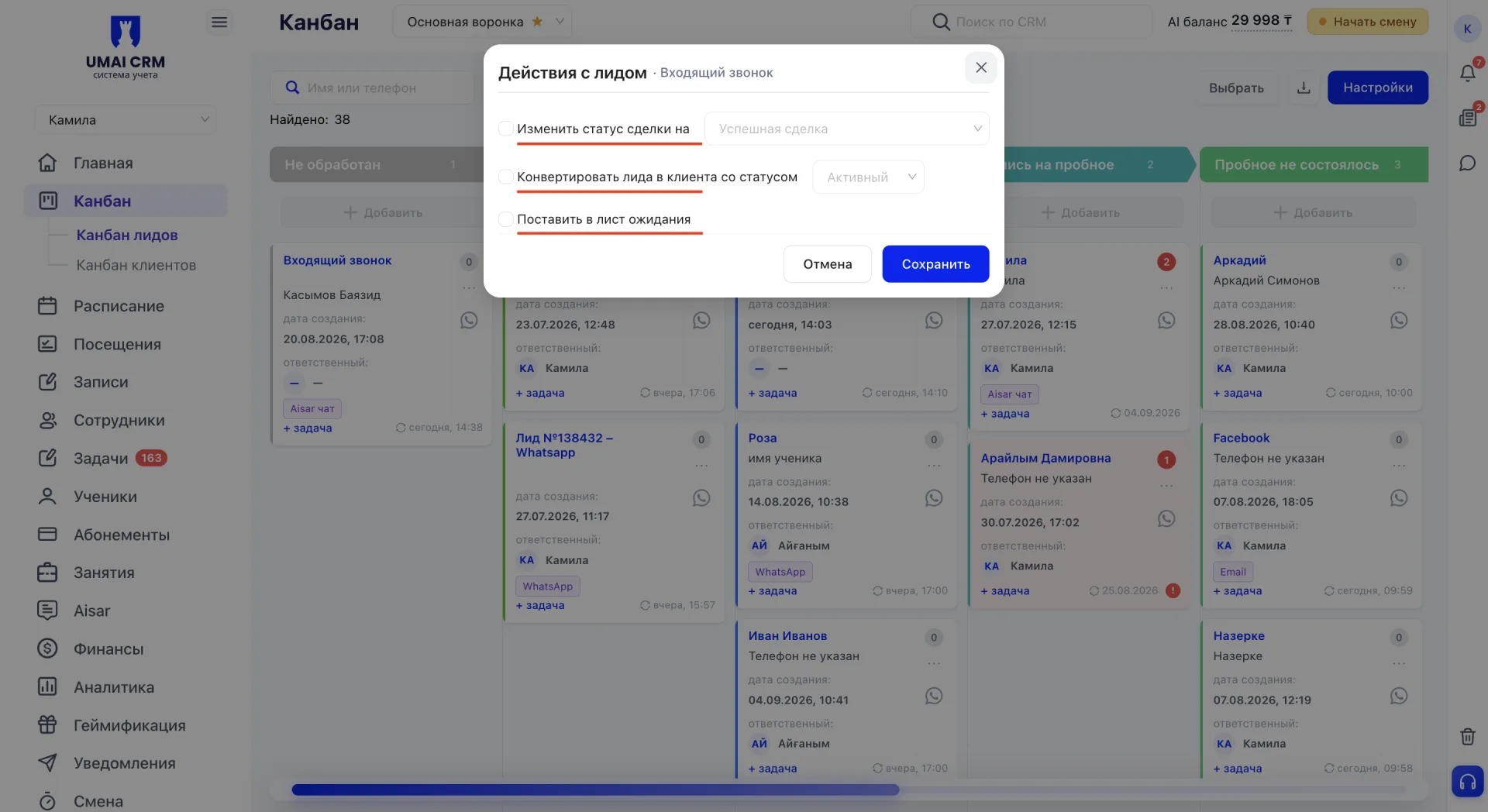
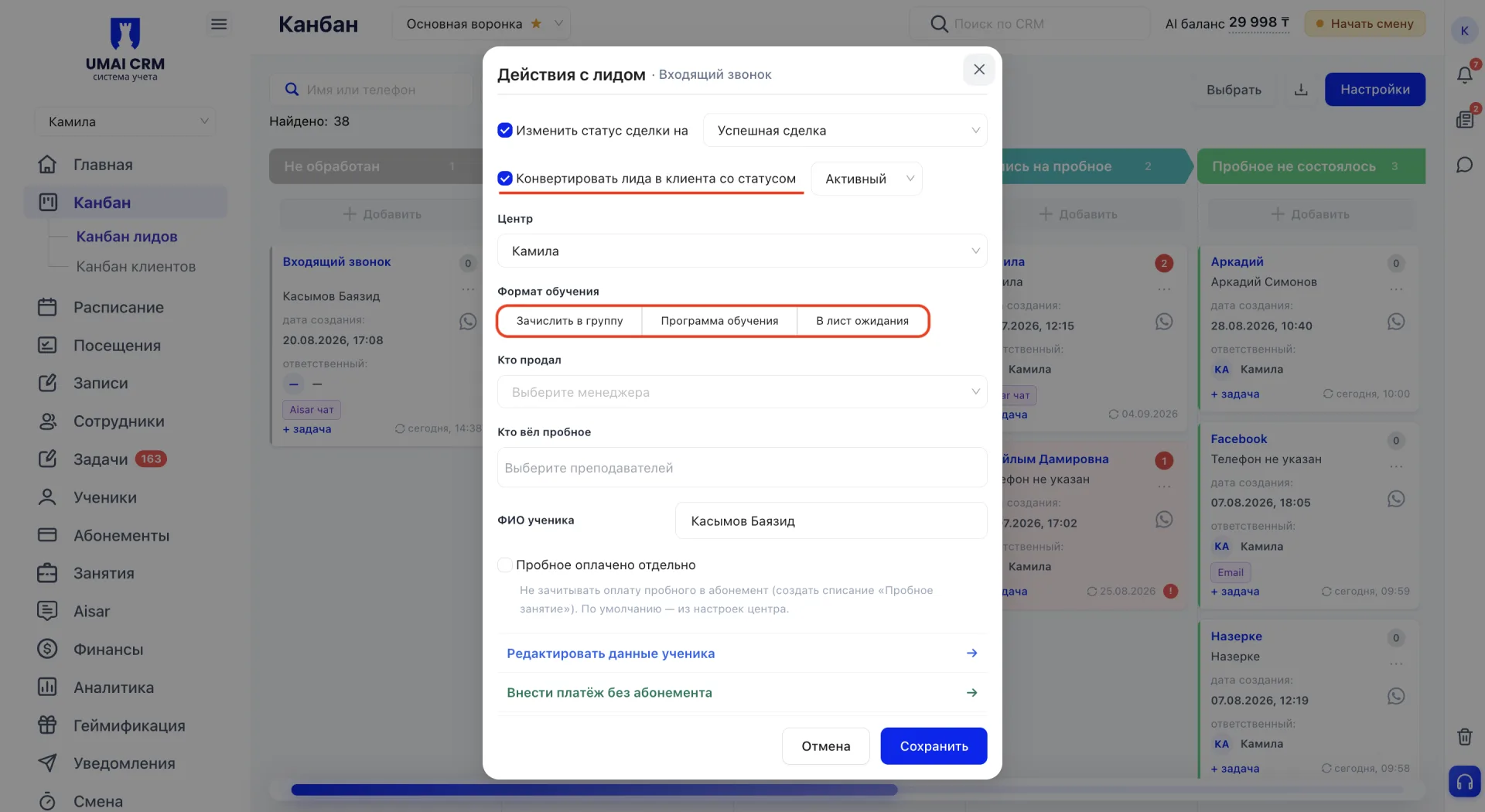
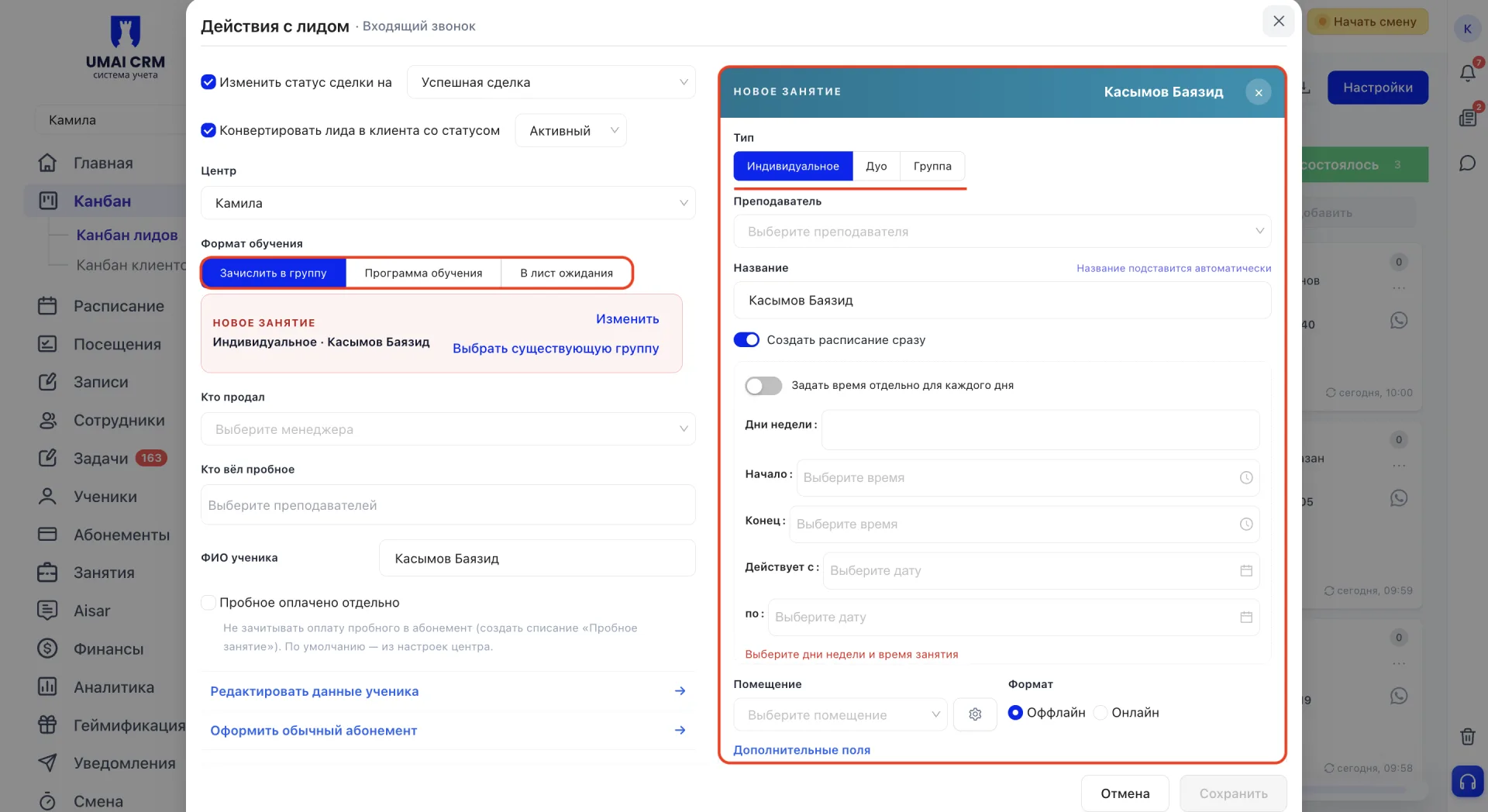
Если включить переключатель «Создать расписание сразу», дополнительно указываются дни недели, время начала и окончания, помещение и формат проведения: оффлайн или онлайн.
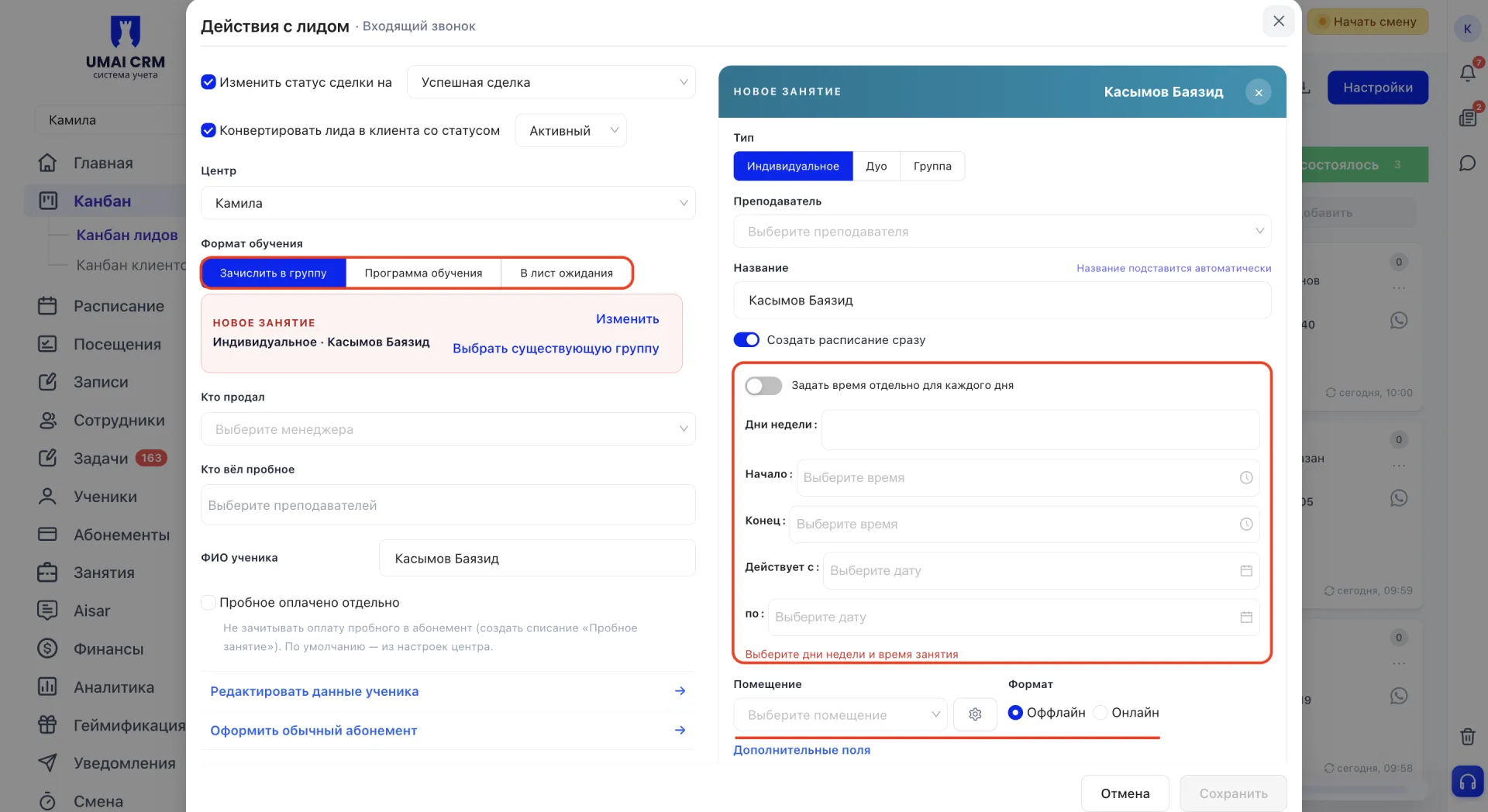
После заполнения новое занятие отображается в виде компактной карточки с его основными параметрами. В ней доступны кнопки «Изменить» и «Выбрать существующую группу».
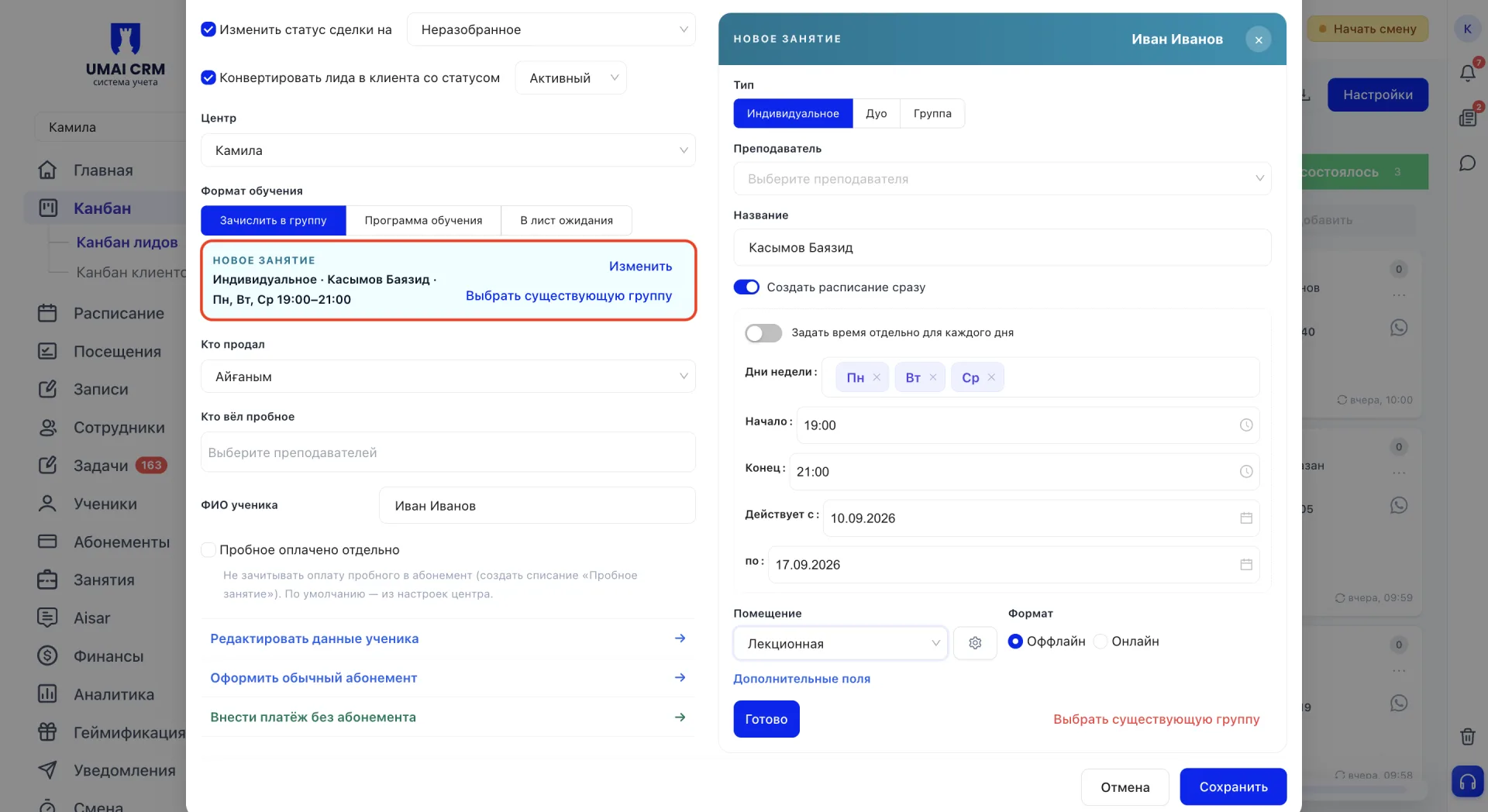
Последняя позволяет отказаться от созданного занятия и выбрать вместо него уже действующую группу.
Программа обучения
В формате «Программа обучения» дополнительные поля в окне конвертации не появляются.
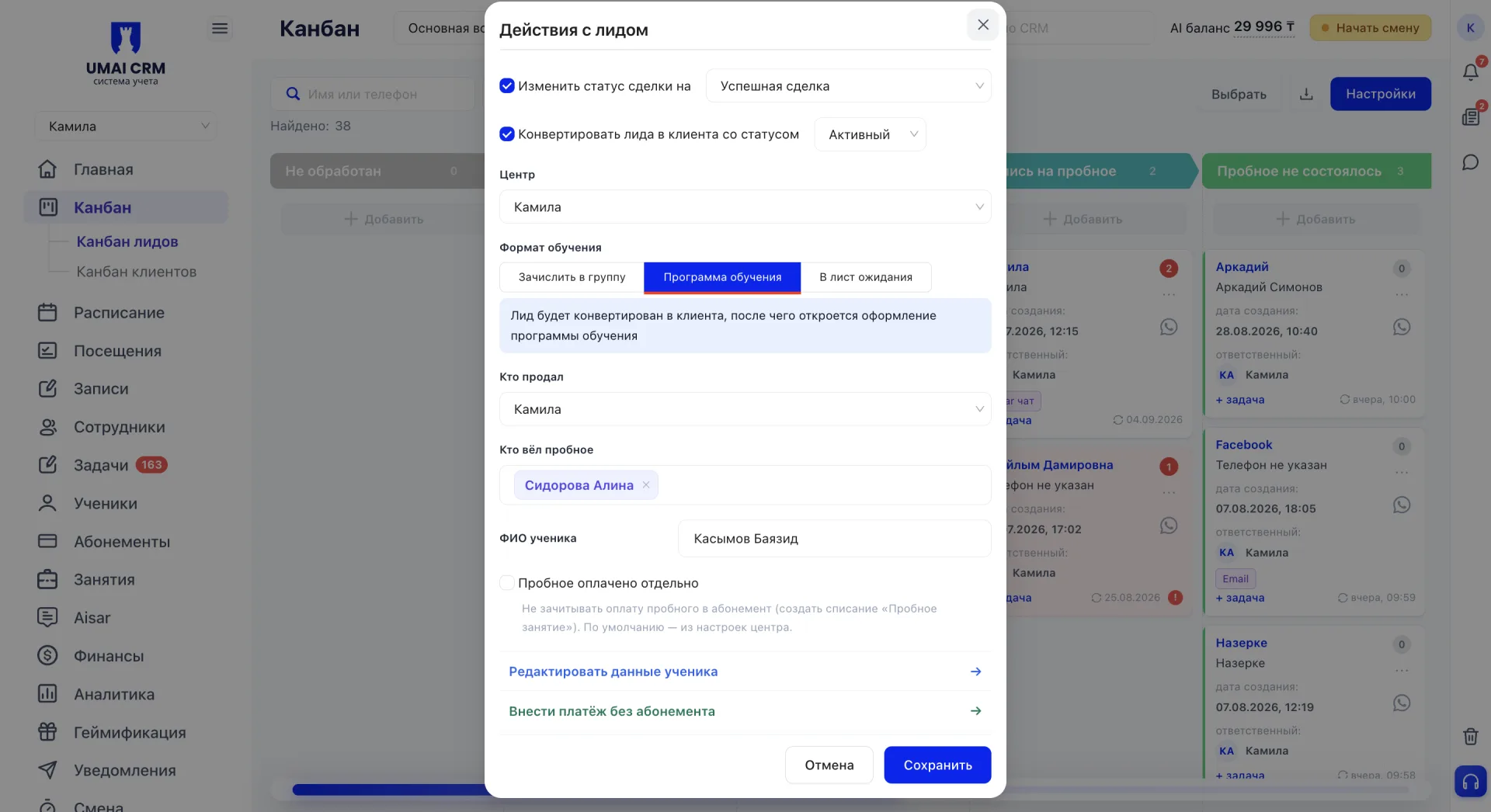
В нём отображается подсказка о дальнейшем оформлении программы, которое продолжится отдельным шагом после конвертации.
В лист ожидания
При выборе «В лист ожидания» появляется поле для указания занятия. В отличие от зачисления в группу, ученик не добавляется в неё сразу, а попадает в "Лист ожидания".
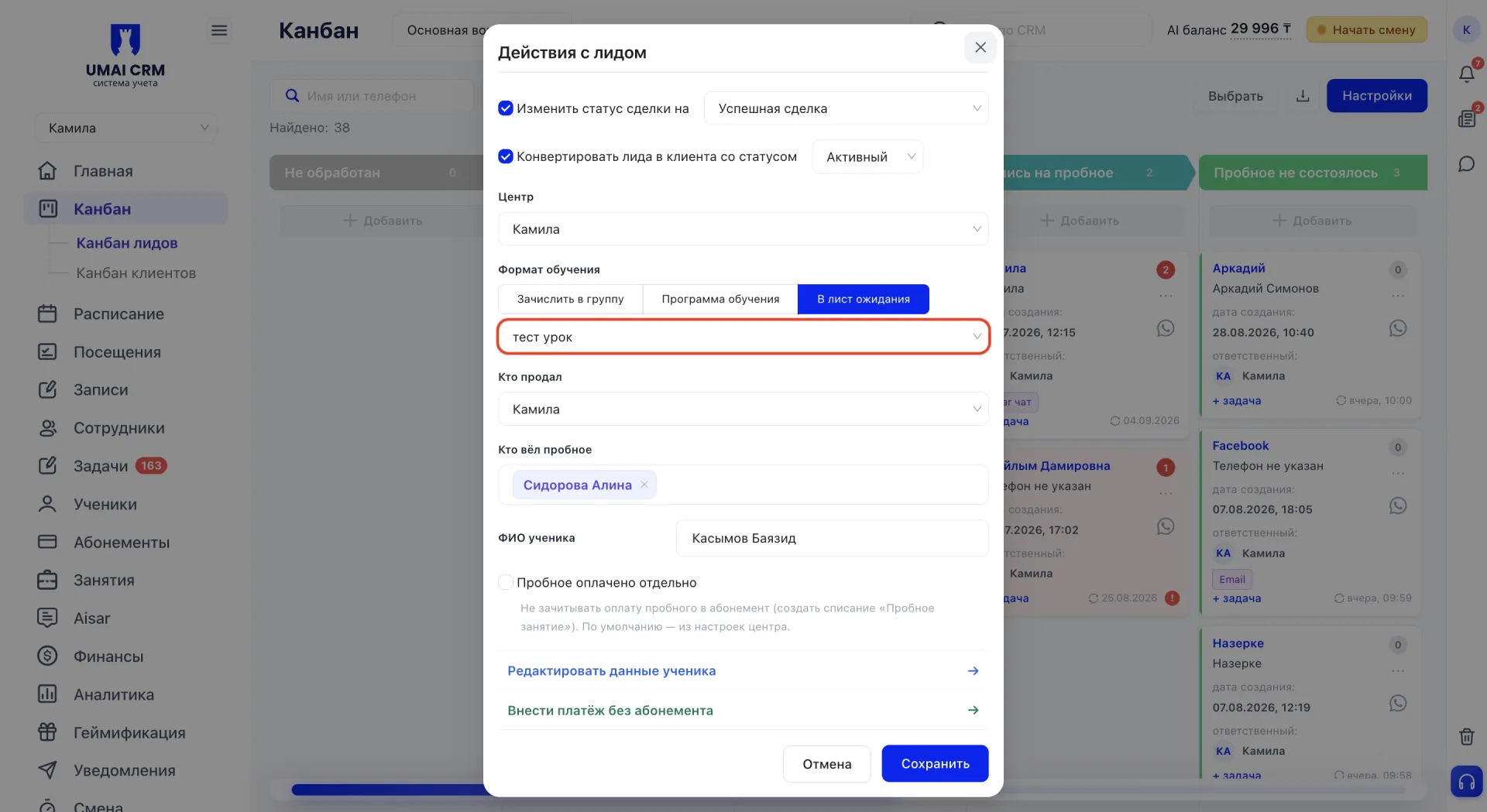
Далее указываются сотрудник, который продал обучение, и преподаватель, проводивший пробное занятие. Также заполняются ФИО ученика и при необходимости устанавливается отметка «Пробное оплачено отдельно». Она используется, если стоимость пробного занятия не должна учитываться при оформлении будущего абонемента.
Ниже расположены дополнительные действия, которые позволяют сразу выполнить необходимые операции с новым учеником. Каждое действие можно открыть отдельно или раскрыть все действия одновременно.
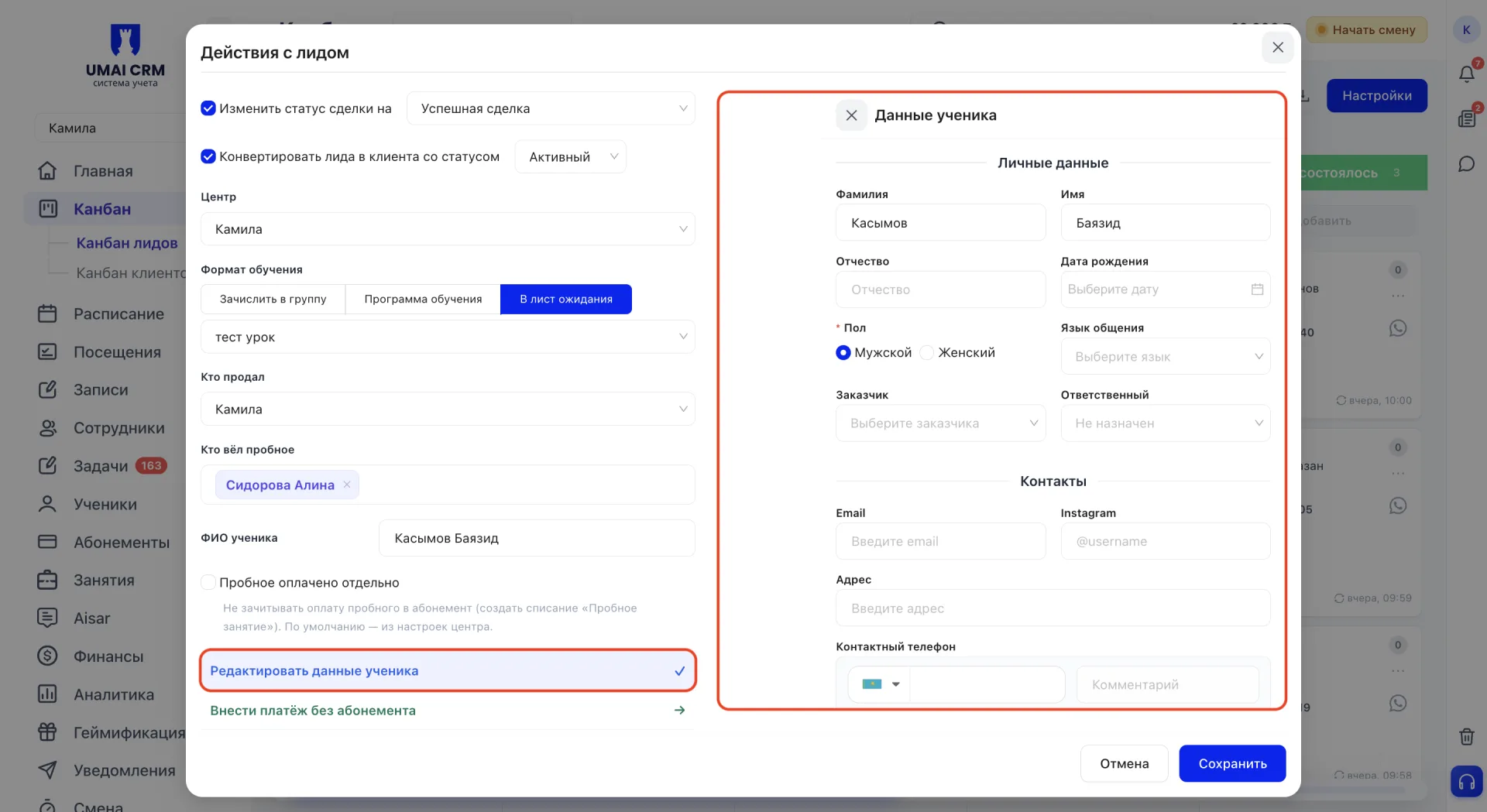
Редактировать данные ученика
Открывается панель для уточнения или изменения данных ученика. Здесь можно обновить ФИО, дату рождения, пол, язык общения, заказчика и ответственного, а также контактные данные: email, Instagram, адрес и телефон.
Оформить обычный абонемент
Действие доступно после выбора «Зачислить в группу» и указания занятия, поскольку абонемент оформляется на конкретную группу. В открывшейся панели выбранное занятие подставляется автоматически.
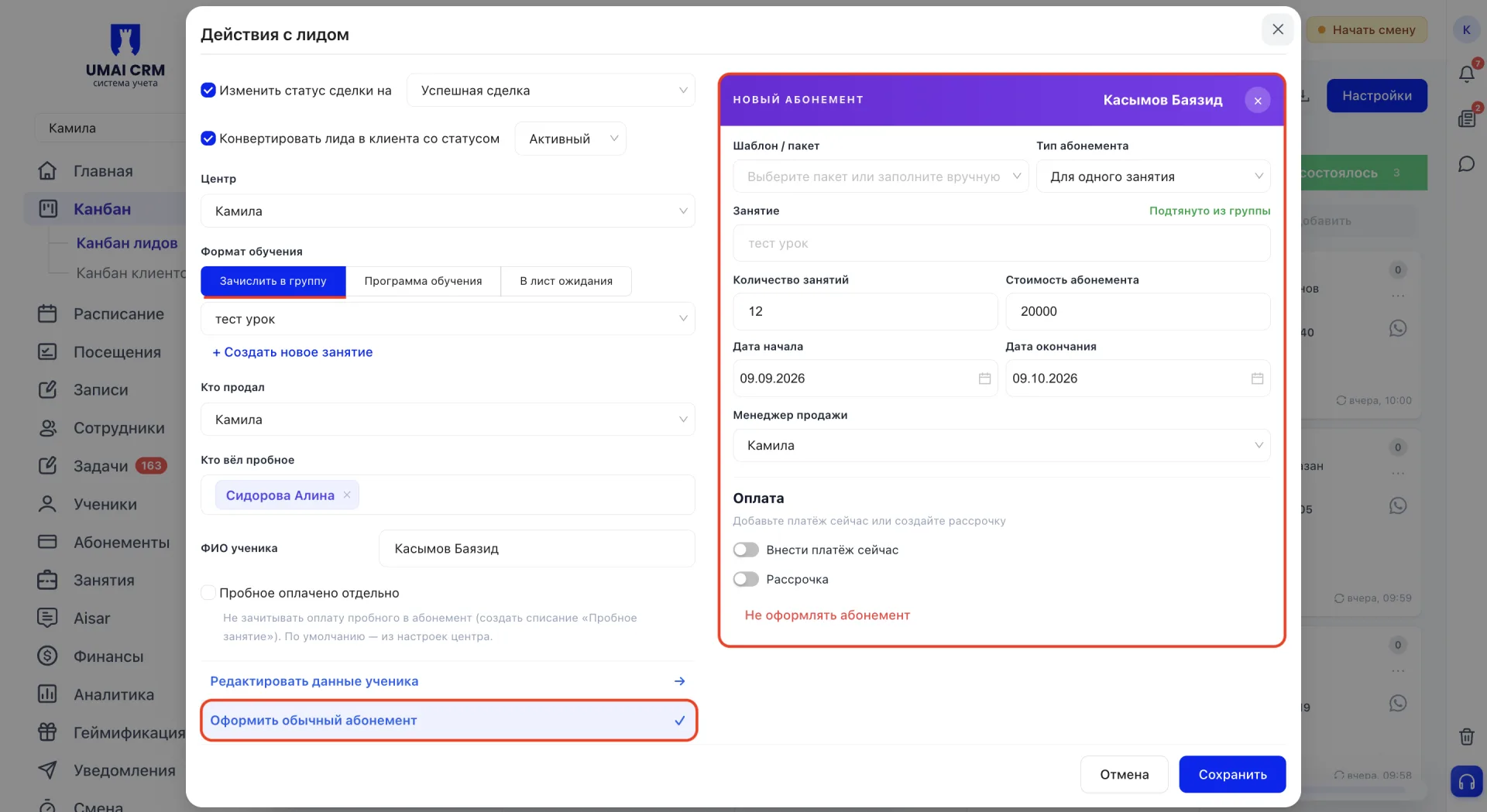
Далее указываются шаблон или пакет, тип абонемента, количество занятий, стоимость, даты начала и окончания и менеджер продажи. Оплату можно внести сразу или оформить в рассрочку.
Внести платёж без абонемента
Если клиент вносит предоплату до выбора конкретного абонемента, сумму можно зачислить на его баланс без оформления абонемента.
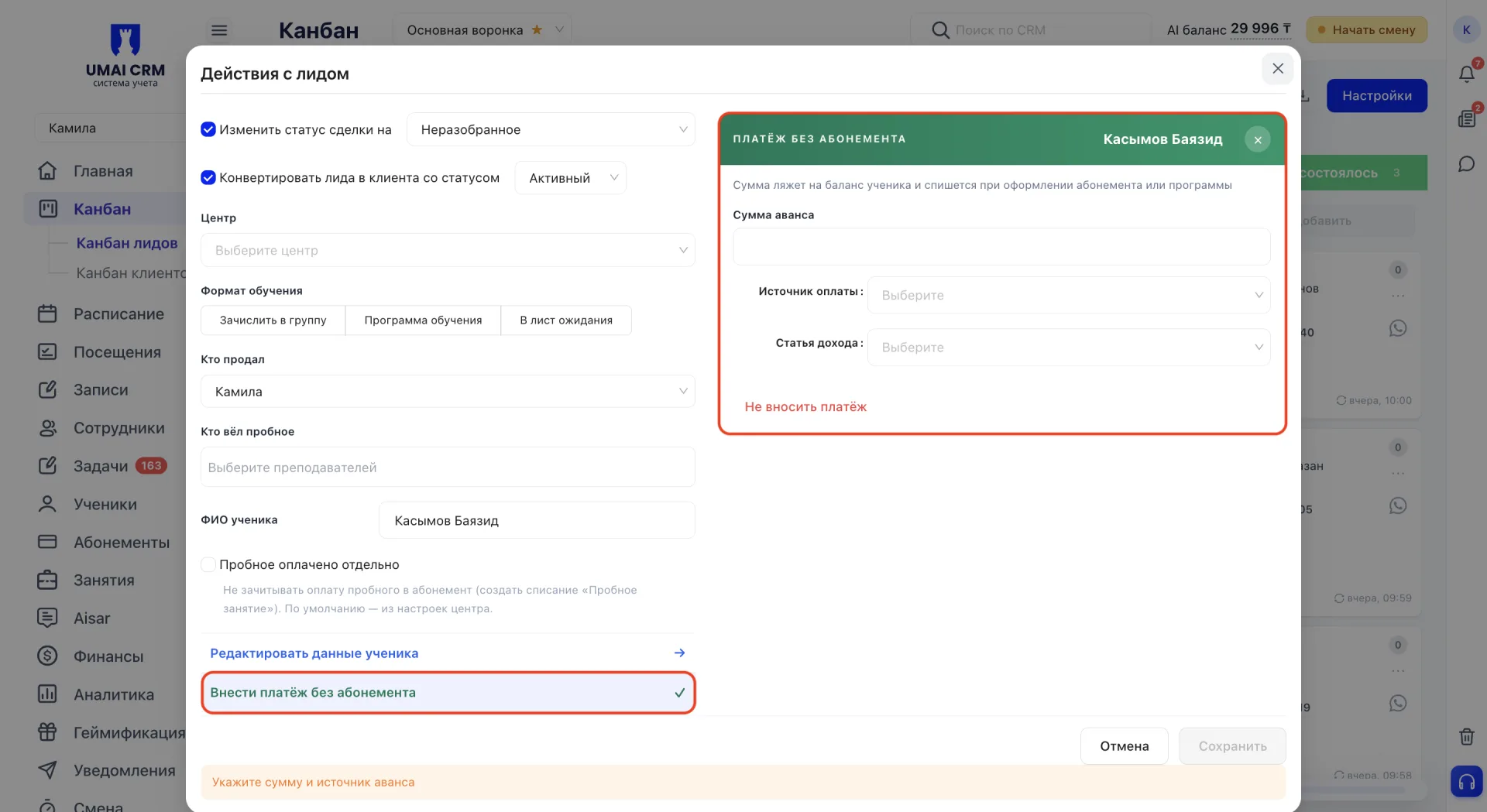
В открывшейся панели указываются сумма аванса, источник оплаты и статья дохода. Позже внесённая сумма учитывается при оформлении абонемента или программы.
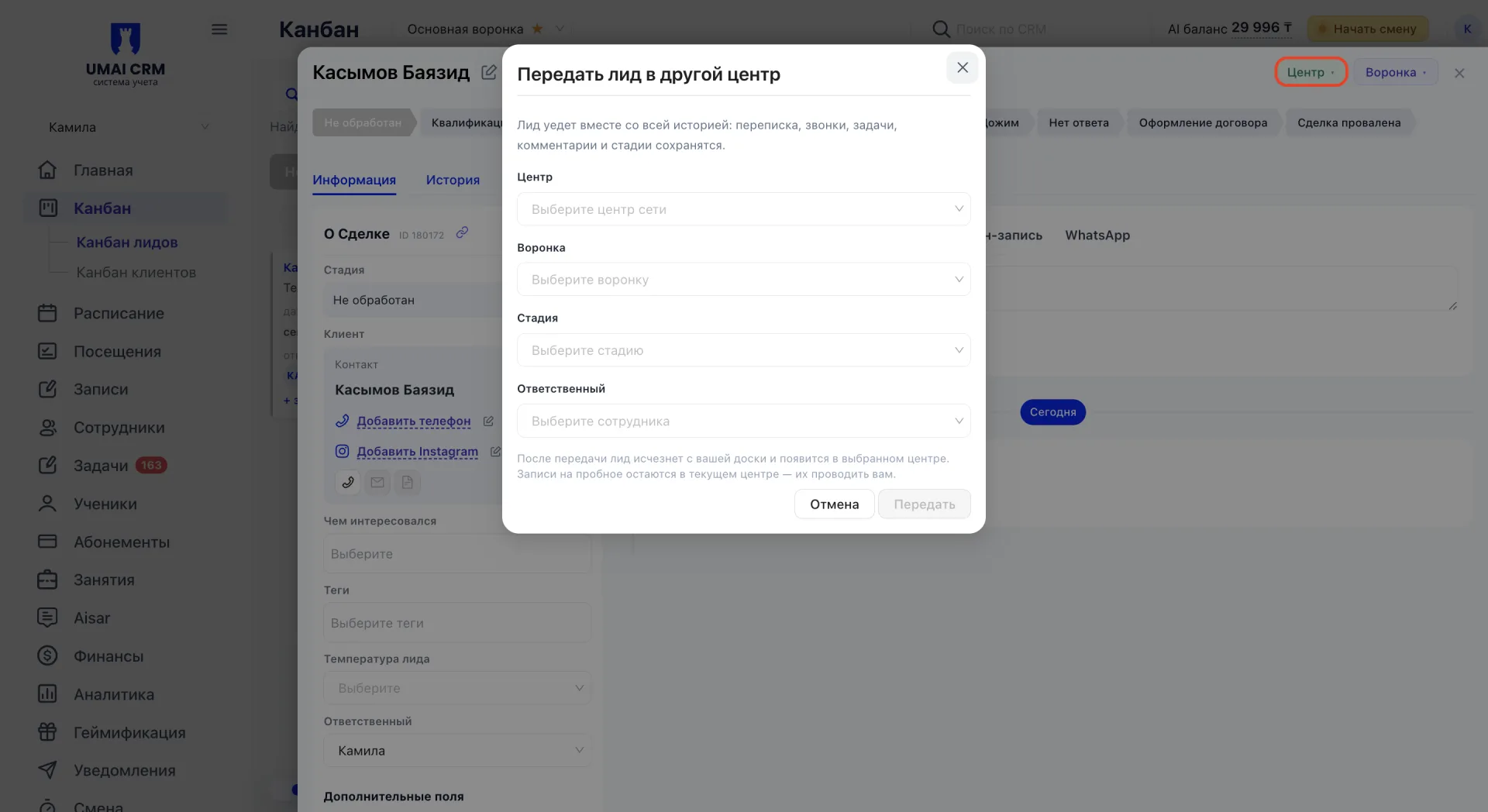
10. Передача в другой центр или воронку
Важно учитывать:
- Системные этапы нельзя переименовать или удалить, а созданные вручную можно редактировать в любой момент.
- Любое действие с лидом фиксируется во вкладке «История», поэтому по ней всегда можно восстановить ход работы.
- Если лид перемещается на этап, за который отвечает другой сотрудник, система уточнит, нужно ли принять лида на себя.
- После передачи лида в другой центр он исчезает с текущей доски и появляется в выбранном центре, а уже запланированные записи на пробное остаются на прежней стороне.