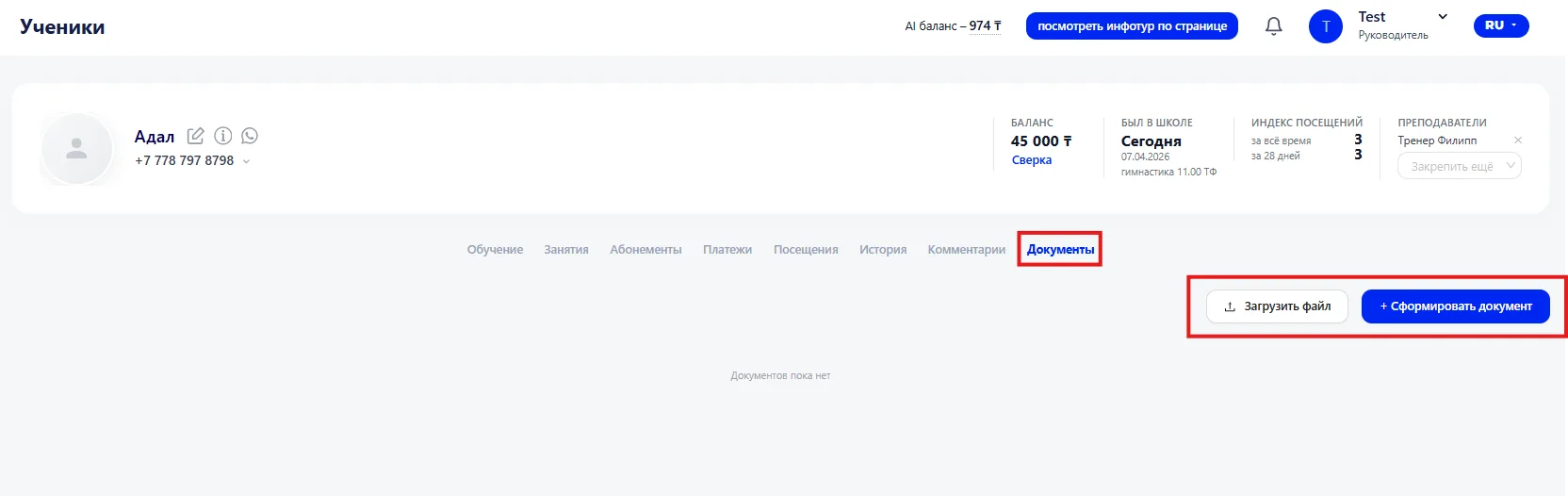
In the Documents (Документы) tab you can work with a Student's documents: upload ready files or generate documents directly in the system.
Two options for working with documents are available:
- Upload file — allows you to add a ready document from your device.
- Generate document — create a document based on a template directly in the system
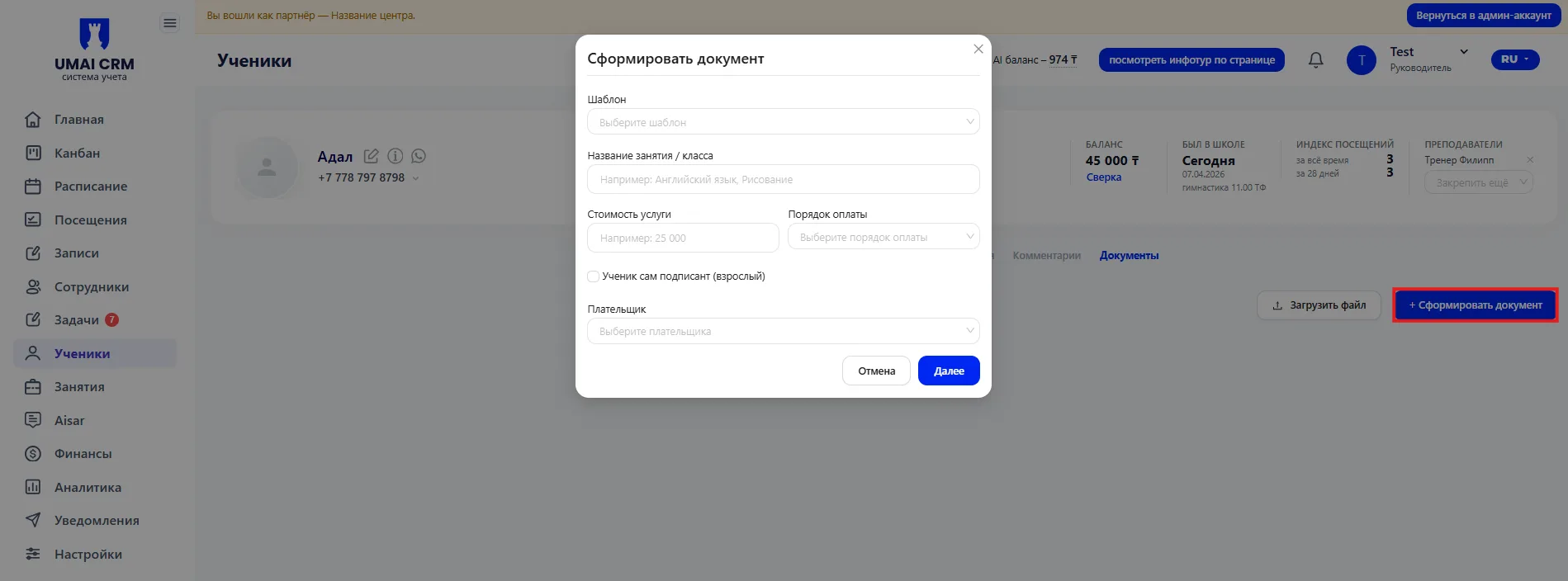
To generate a document, you must fill in the following fields:
Template — selection of the document template on the basis of which the file will be generated.
Club / Class name — the direction or course to which the document relates.
Service price — the price of the Class or Membership.
Payment terms — conditions and frequency of Payment.
Membership period — the validity period of the Membership or the service provision period.
Student — the signer themself — indicates whether the Student signs the document themself.
Payer — the person who makes the Payment for the service.