Вкладка нужна, чтобы вести запись ученика: добавить его на занятие, открепить, когда он перестаёт ходить, и при необходимости вернуть. Отсюда же удобно перейти к оформлению абонемента по конкретному занятию. История прикреплений ученика сохраняется в архиве.
Основные блоки:
- Доступ к разделу
- Карточка занятия
- Добавление занятия
- Архивные занятия
1. Доступ к разделу
Раздел «Ученики» открывается через боковое меню. При наведении на ФИО в списке рядом появляется значок книги, он открывает полную карточку ученика.
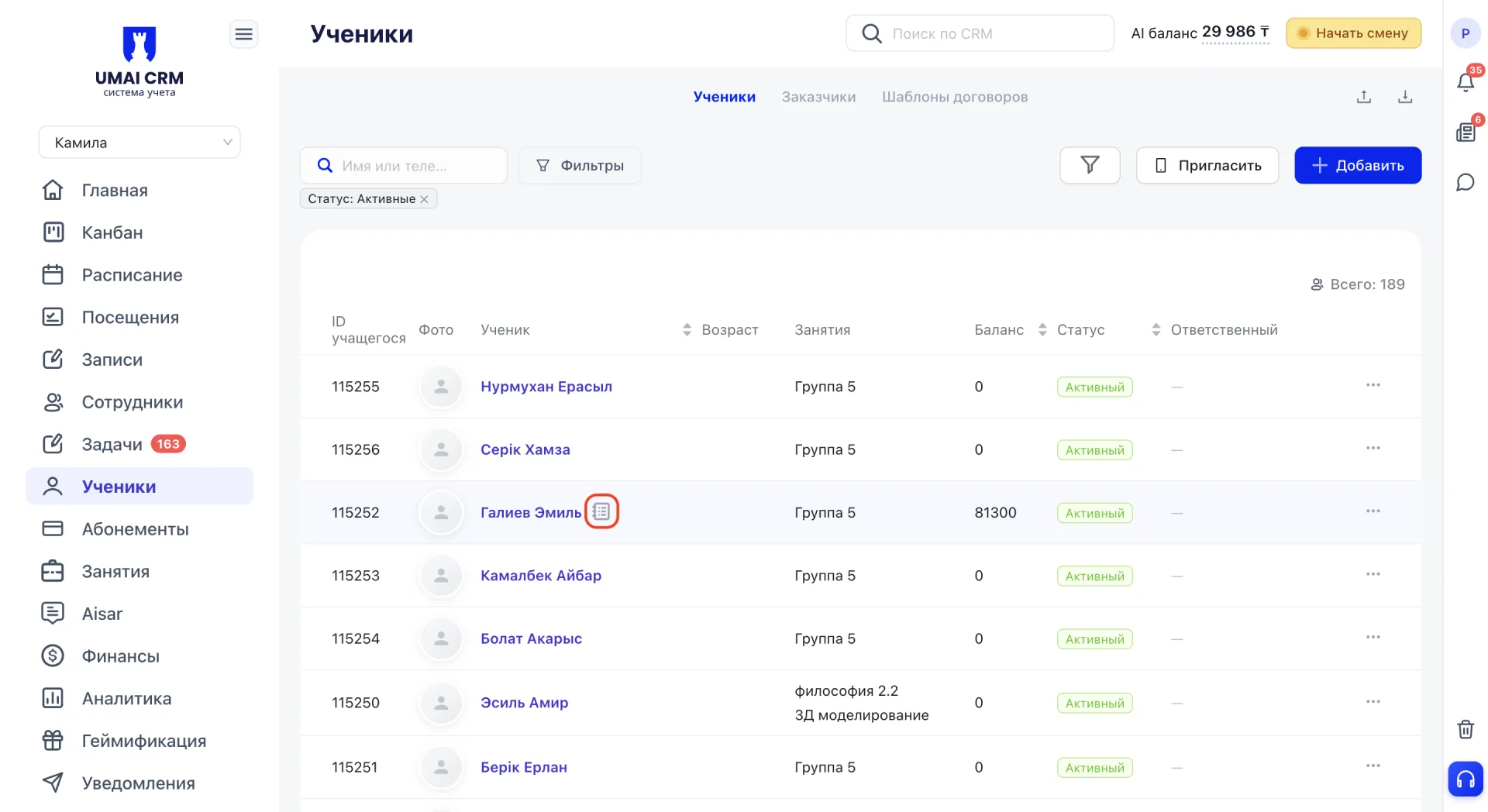
Нажатие на само ФИО открывает боковую панель с краткой информацией. В полную карточку ученика из неё ведёт ссылка на имени.
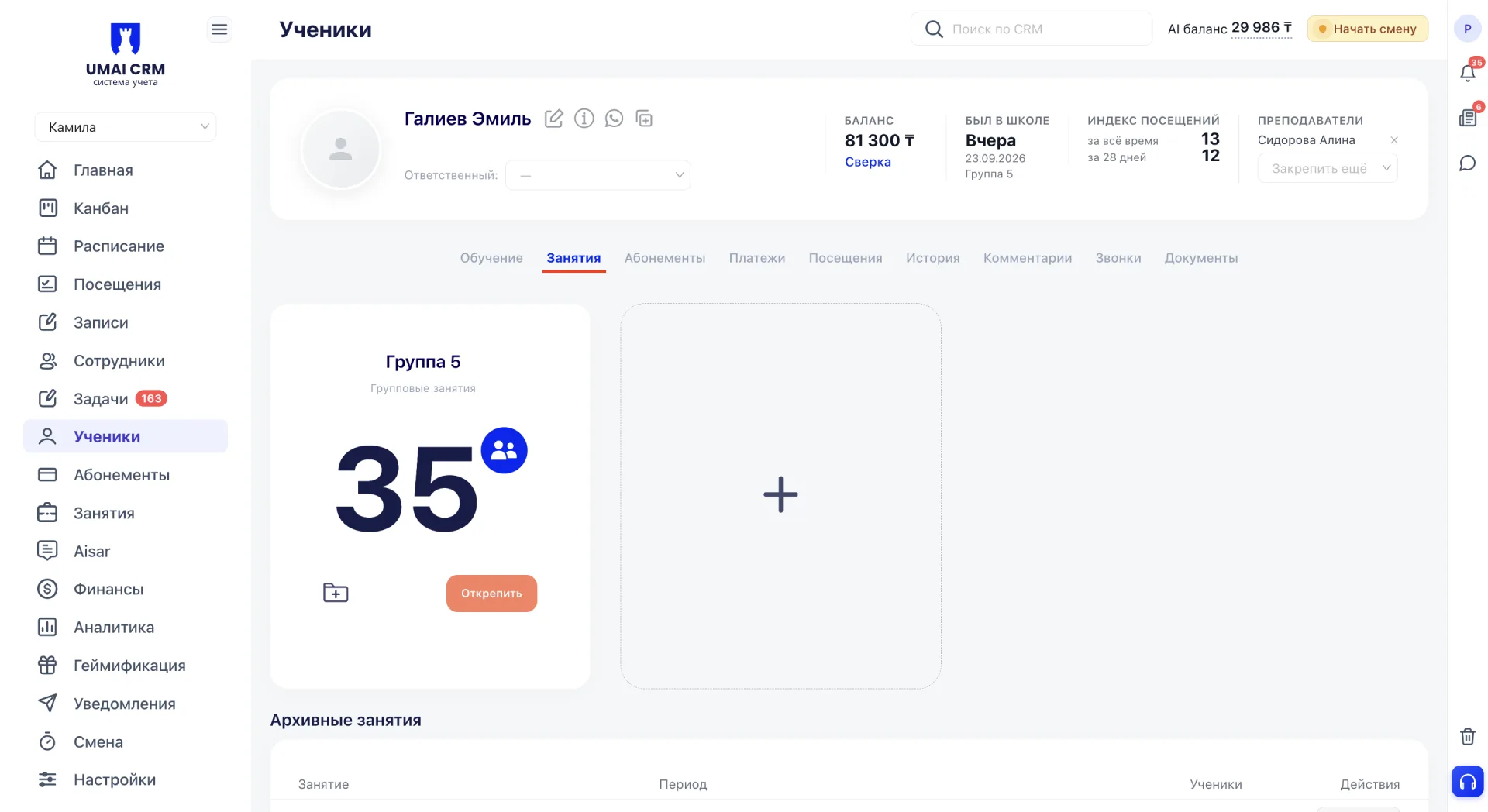
Вкладка «Занятия» открывается в карточке ученика по умолчанию.
2. Карточка занятия
Каждое занятие ученика показано отдельной карточкой. На ней указаны:
- название, например «Группа 5»;
- формат: «Групповые занятия», «Индивидуальное занятие» или «Дуо занятие»;
- количество учеников в группе: крупная цифра со значком.
Внизу расположены значок оформления абонемента и кнопка «Открепить».
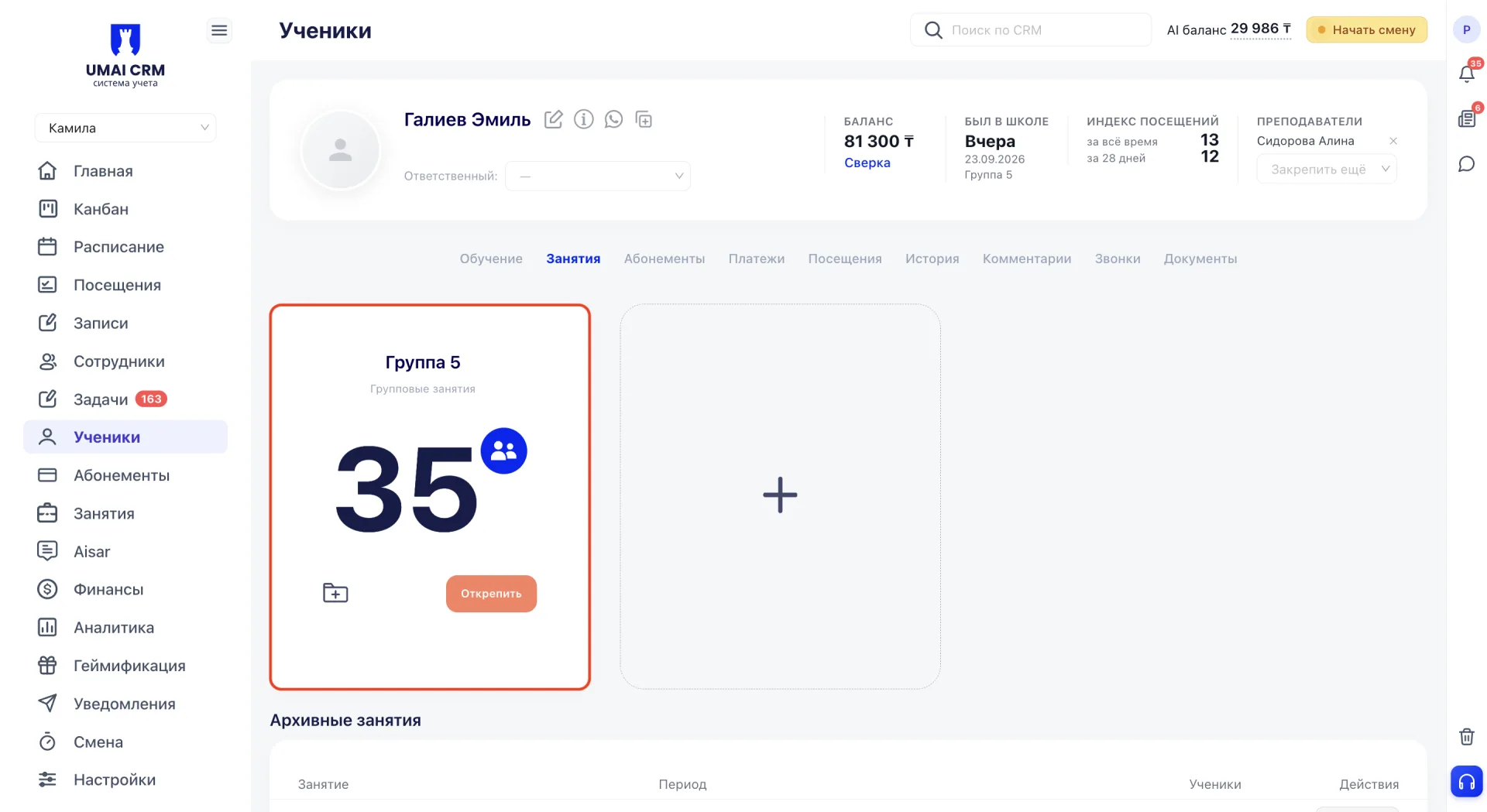
Детали занятия
Название на карточке открывает боковую панель «Детали занятия». В ней видно помещение, преподавателей и список учеников с их количеством. Панель закрывается кнопкой «Закрыть».
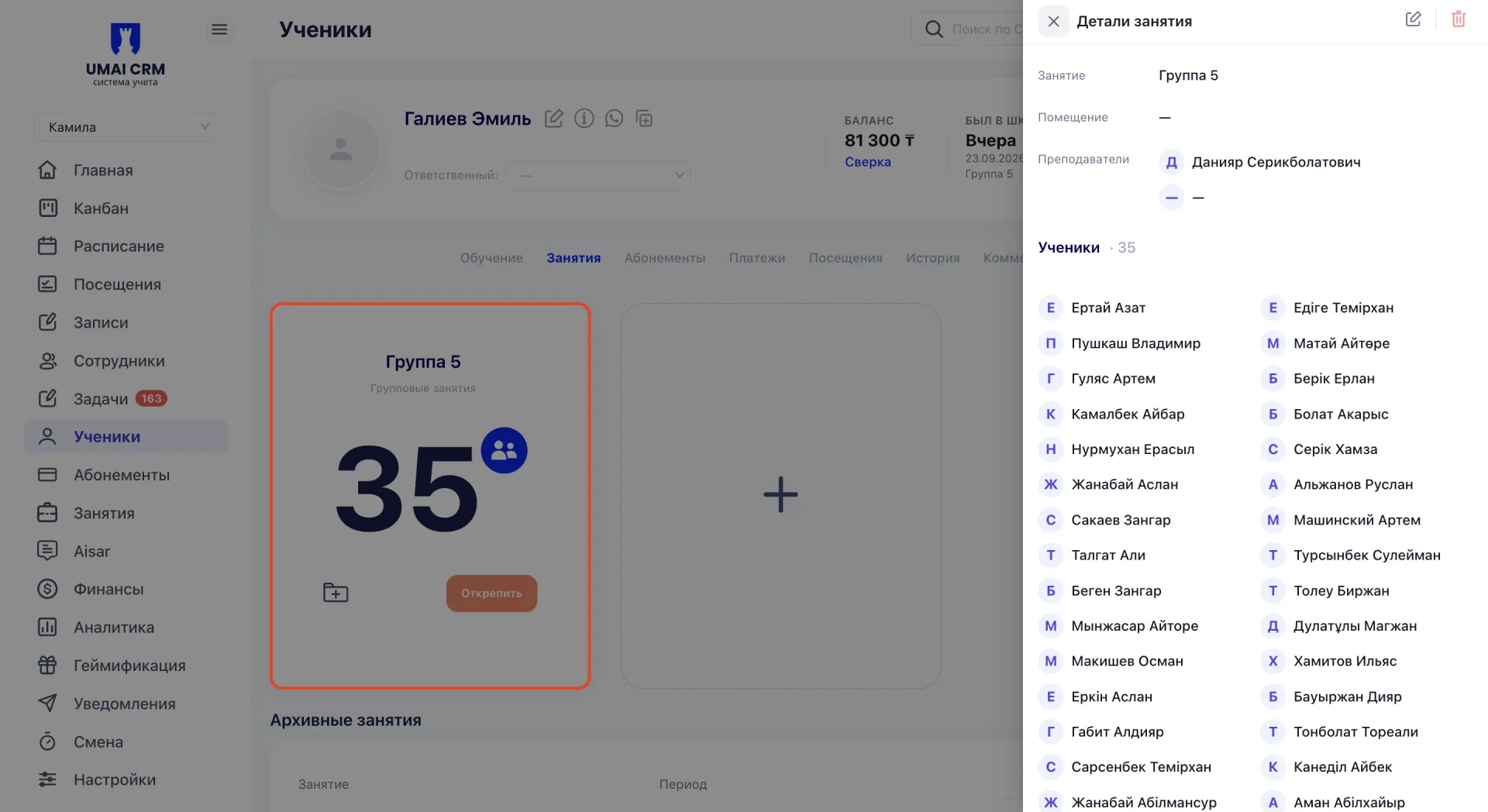
Оформление абонемента
Значок папки с плюсом в левом нижнем углу открывает страницу «Создание абонемента». Ученик и занятие там уже выбраны: занятие указывается по его номеру (ID). Остаётся указать параметры и стоимость. Ссылка «К карточке ученика» возвращает обратно.
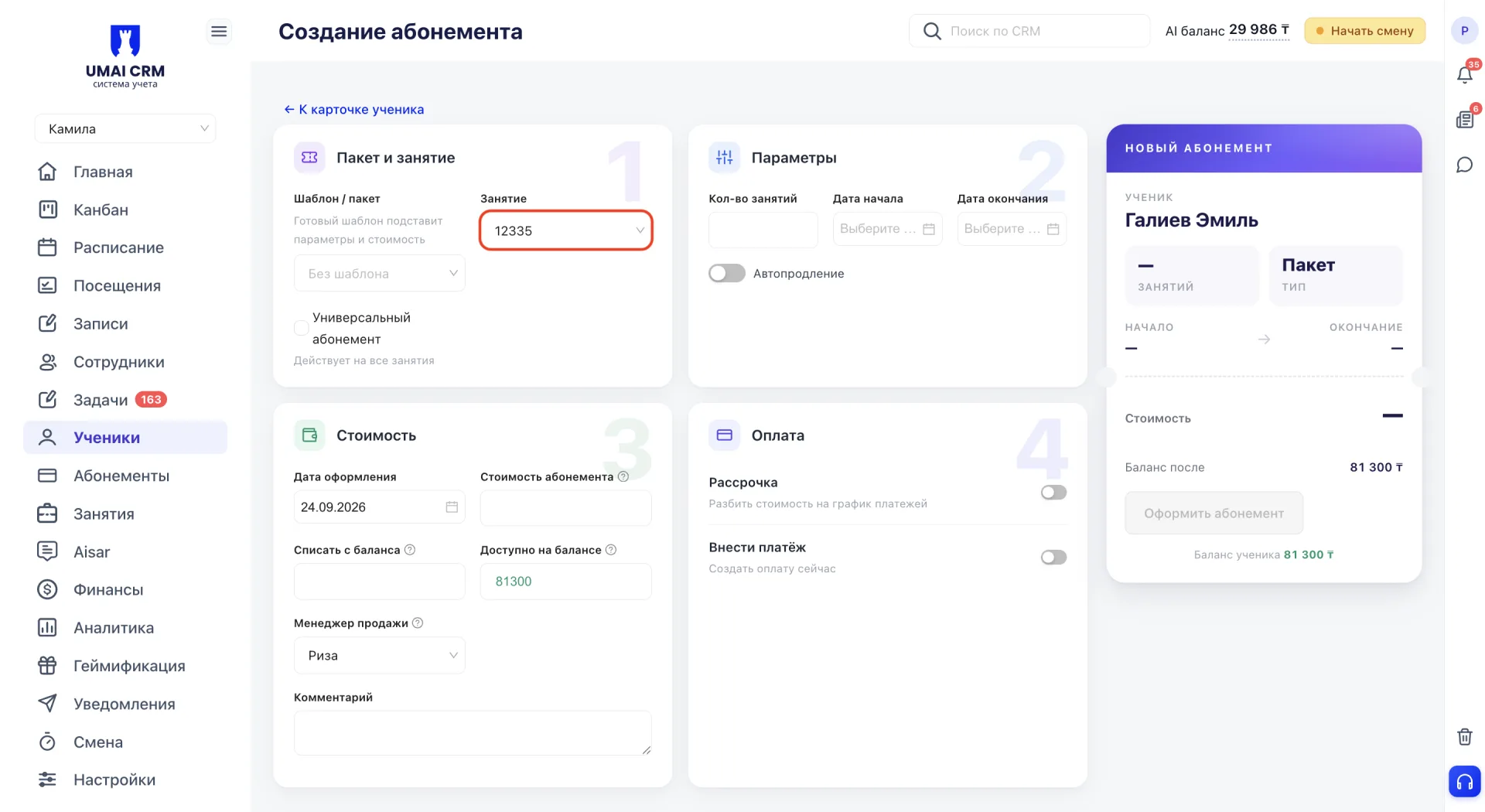
Подробнее об абонементах описано в статье «Карточка ученика: абонементы».
Открепление от занятия
Кнопка «Открепить» удаляет ученика из списка учеников занятия. Сначала открывается окно подтверждения: действие подтверждается кнопкой «Да, удалить», а «Отмена» закрывает окно без изменений.
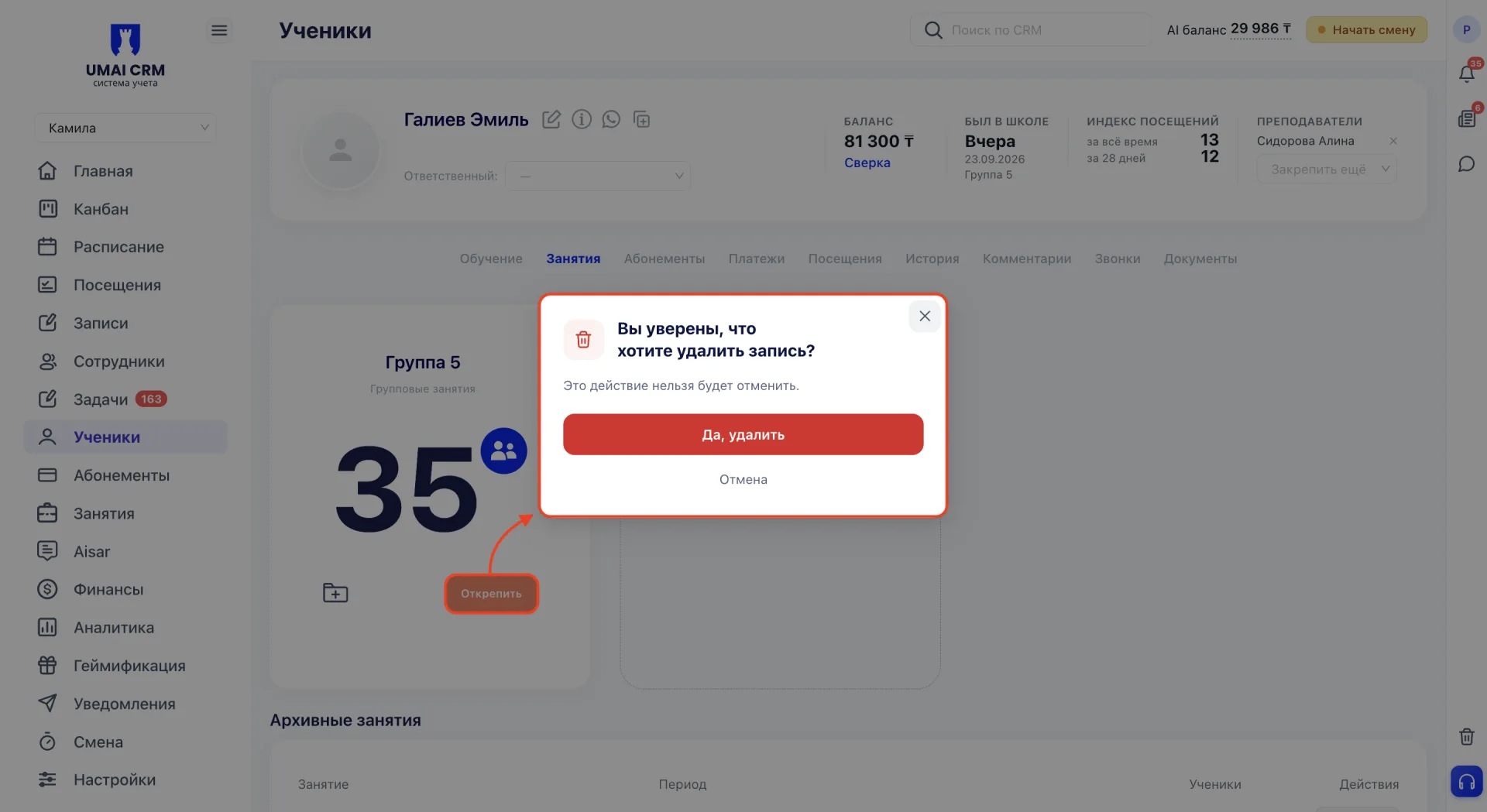
После открепления:
- карточка переносится в блок «Архивные занятия»;
- абонемент не меняется.
3. Добавление занятия
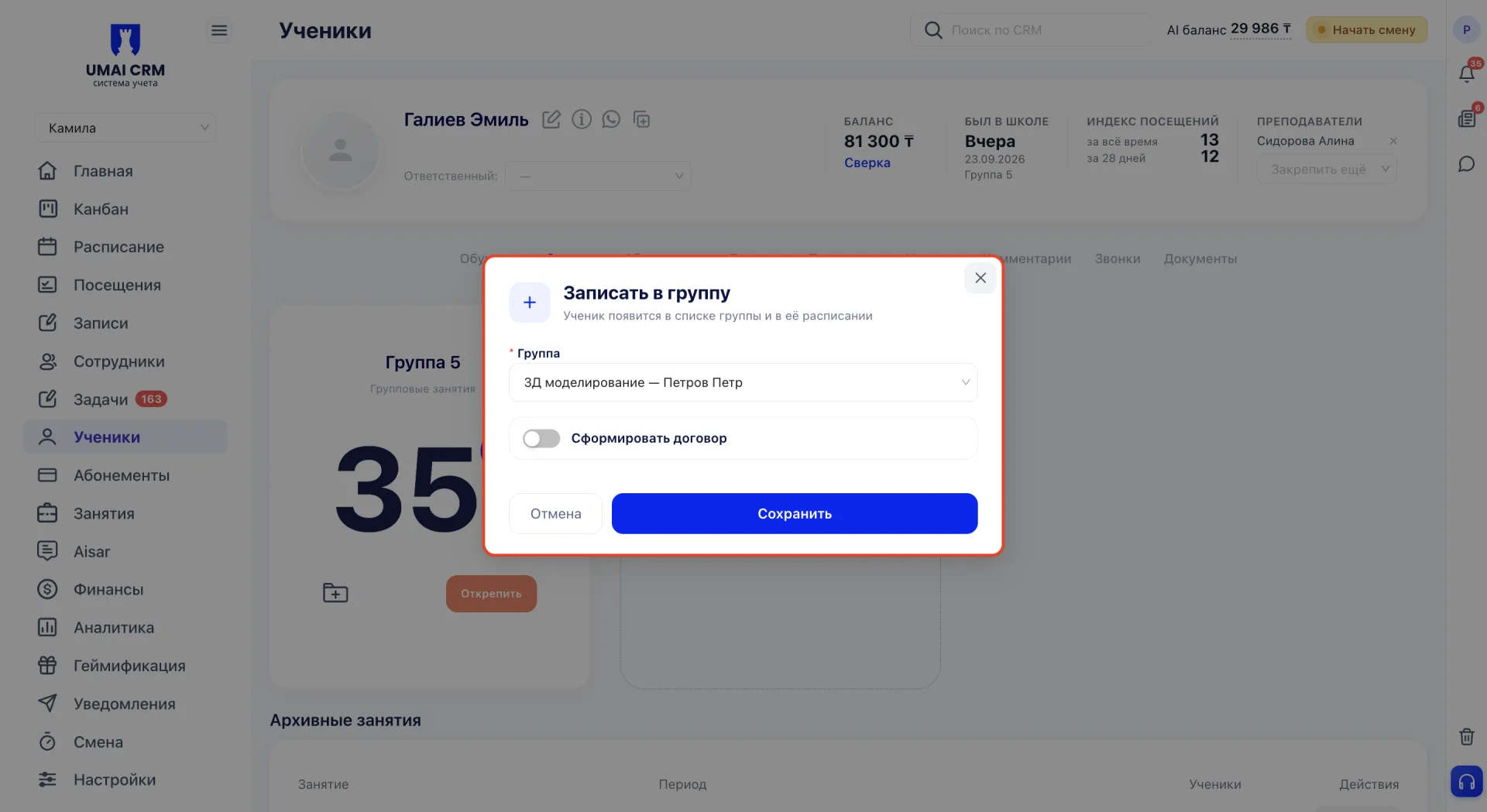
Для записи ещё на одно занятие нужно нажать на «+» в пустой карточке. Откроется окно «Записать в группу».
В поле «Группа» выбирается занятие любого формата из уже созданных в системе. Рядом с названием указан преподаватель, для быстрого выбора есть поиск.
Переключатель «Сформировать договор» создаёт договор, который потом можно найти во вкладке «Документы».
Остаётся нажать «Сохранить»: ученик появится в списке учеников занятия. «Отмена» закрывает окно без записи.
4. Архивные занятия
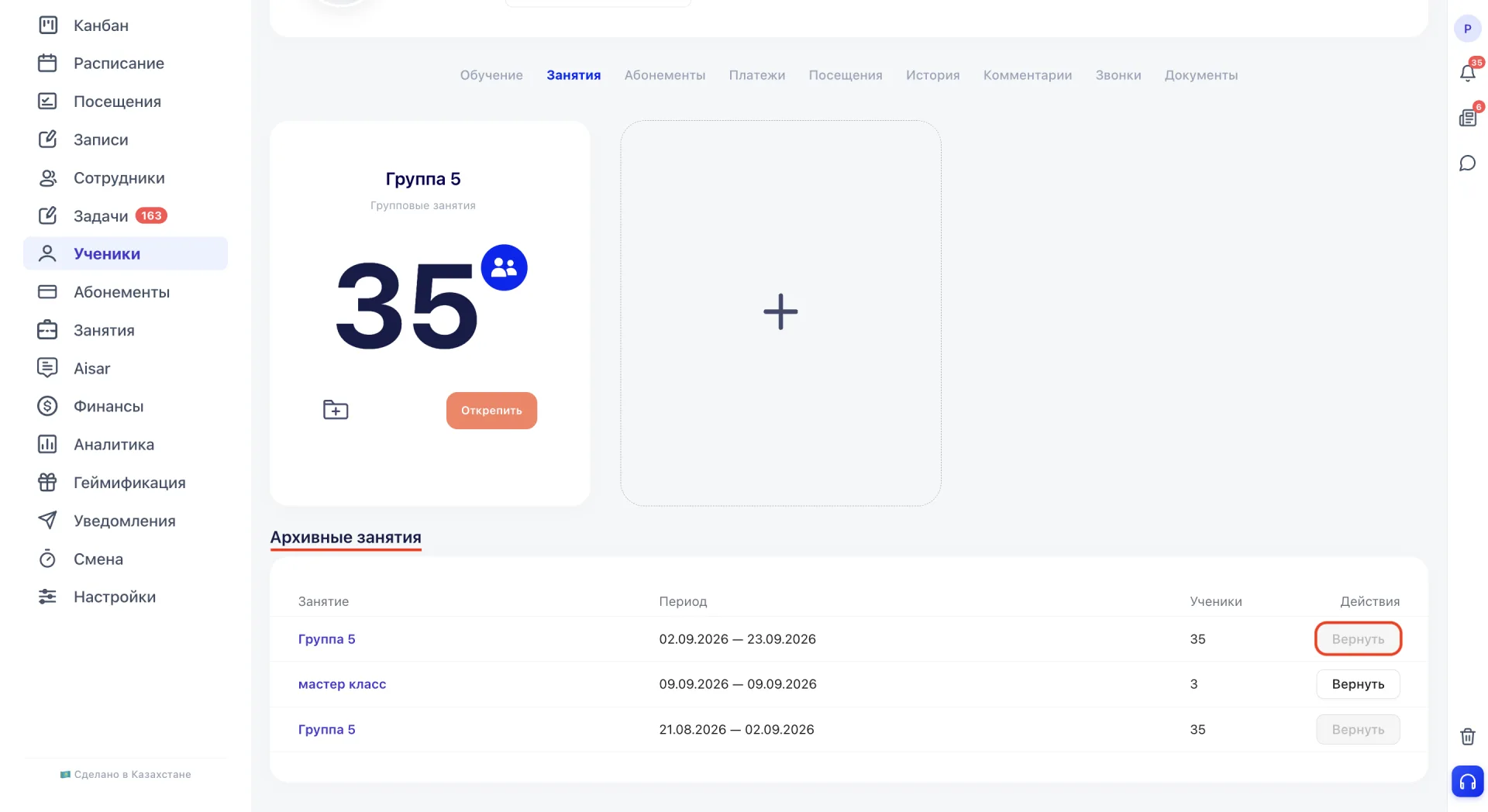
Внизу вкладки собраны занятия, от которых ученика открепили. Записи здесь показывают историю прикреплений и ни на что не влияют. Одно и то же занятие может быть в архиве и одновременно среди активных, если ученика записали на него снова.
Столбцы таблицы:
- «Занятие»: название, по нажатию открывается панель «Детали занятия»;
- «Период»: с какого дня занятие было добавлено ученику и в какой день его открепили, то есть срок действия записи;
- «Ученики»: количество учеников;
- «Действия»: кнопка «Вернуть».
«Вернуть» снова добавляет ученика в список учеников этого занятия. Если ученик уже прикреплён, кнопка неактивна, а подсказка сообщает «Ученик уже прикреплён к этому занятию».
Важно учитывать:
- Записать можно только на существующее занятие. Если нужного ещё нет, его сначала создают в разделе «Занятия».
- Прикрепление, открепление и «Вернуть» меняют только состав учеников занятия. Само занятие и его расписание остаются прежними для остальных учеников.
- Если в «Настройках» на вкладке «Кастомизация» включён переключатель «Открепление от занятия», после окончания абонемента ученик открепляется от занятия автоматически. Это происходит, только если у него нет других активных абонементов.
- Если после открепления ученику нужно вернуть оплату, абонемент редактируют и оформляют возврат кнопкой «Произвести возврат» во вкладке «Абонементы». Подробнее описано в статье «Карточка ученика: абонементы».