The Participants (Участники) tab displays the Students enrolled in the Class, and below are the Teachers.
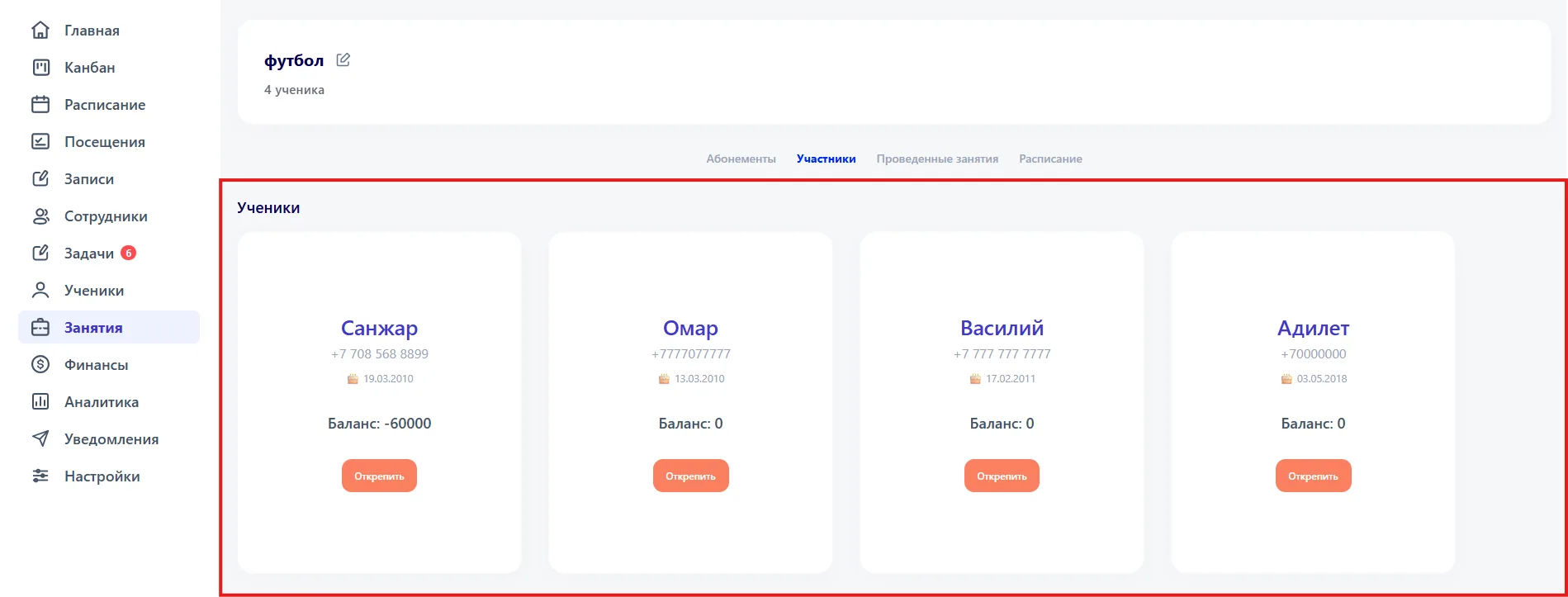
Each Student is shown as a card that indicates:
- student's name;
- phone number;
- date of birth;
- current balance.
The “Unassign” button removes the Student from the Class.
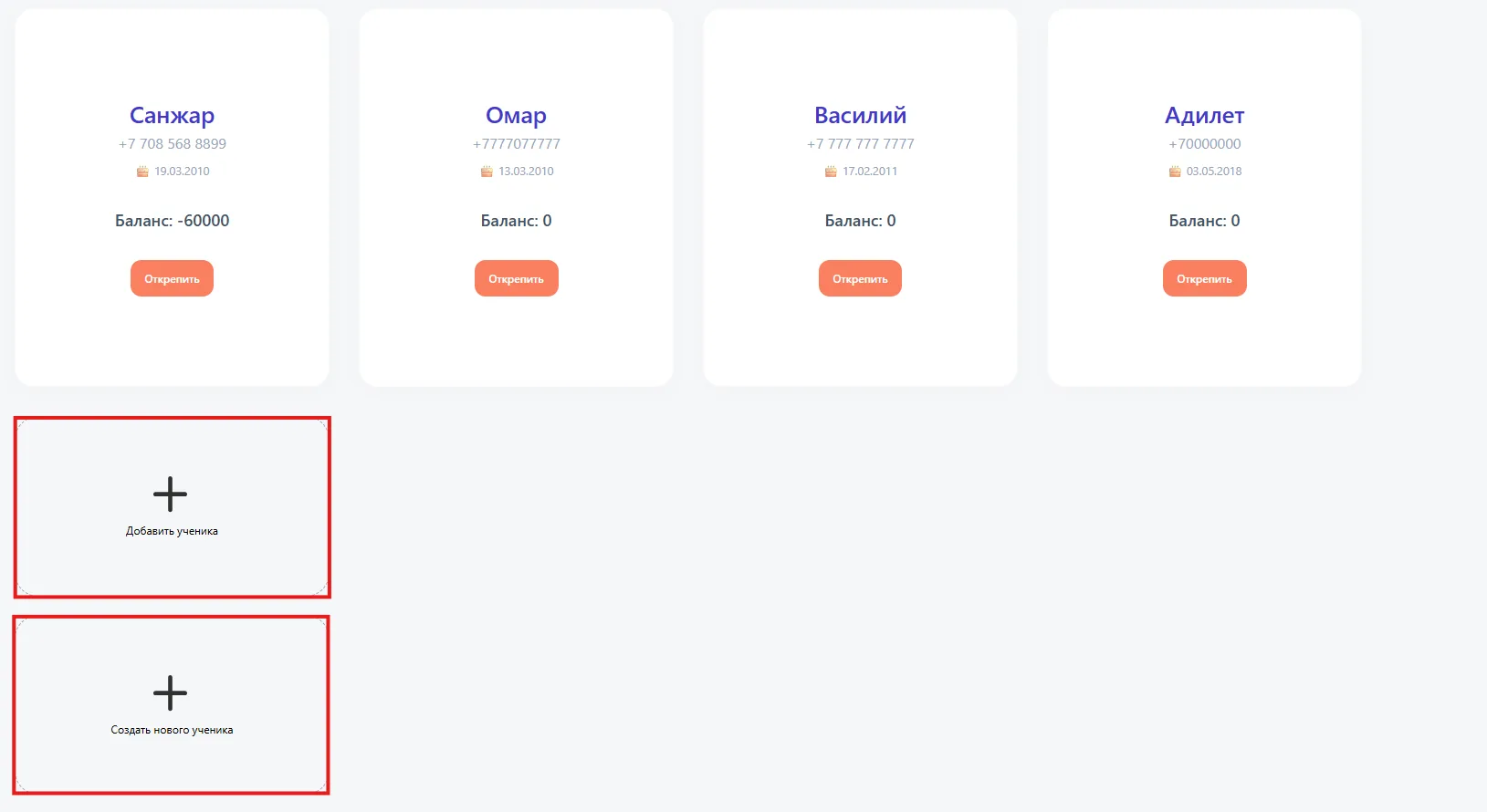
At the end of the Students list the following actions are available:
- Add a Student — simply enter the name or phone number of an existing Student to enroll them in the Class.
- Create a new Student — a form will open with required fields: Status, Full name, Gender, contact phone. Additionally you can specify:
- Client, student photo, address, date of birth, Email;
- Education: school and grade;
- Additional: contract, discount (%), comment.
After filling out the form and clicking the “Add” button the new Student appears in the list and is automatically added to the Class.
The Participants (Участники) tab allows you to view Students and Teachers, enroll existing Students in the Class, and create new profiles when necessary.
Important to note
- Adding a Student via search does not create a new profile; it enrolls an existing Student in the Class.
- When creating a new Student the required fields are: Status, Full name, Gender and phone number. Without them the profile will not be saved.
- Additional fields can be filled in for a more complete profile and for reporting.
- Data on contracts, discounts and other parameters are applied for financial and administrative analytics.