The tab displays the visit history for all Classes of the Student with the status of each visit.
At the top of the page there is a search by Class that helps quickly filter records by a specific direction. You can also set a period by specifying a start date and an end date to display Visits for the selected time interval.
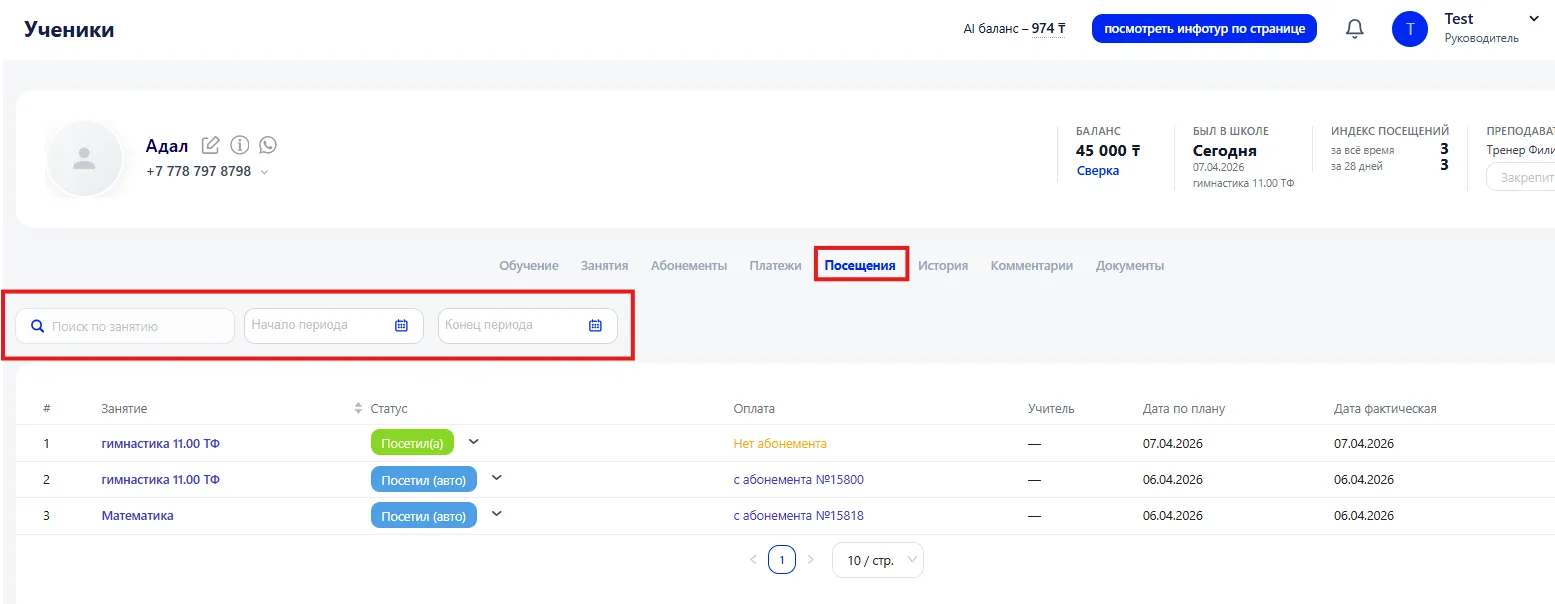
Information is presented in a table where each record shows:
- Class — the direction or Group within which the Class took place.
- Visit status — whether the Student was present, absent, or marked with another status.
- Payment information — indicates whether the Class was deducted from a Membership or paid for separately.
- Teacher — the Teacher who conducted the Class.
- Class date — the day the lesson was held.
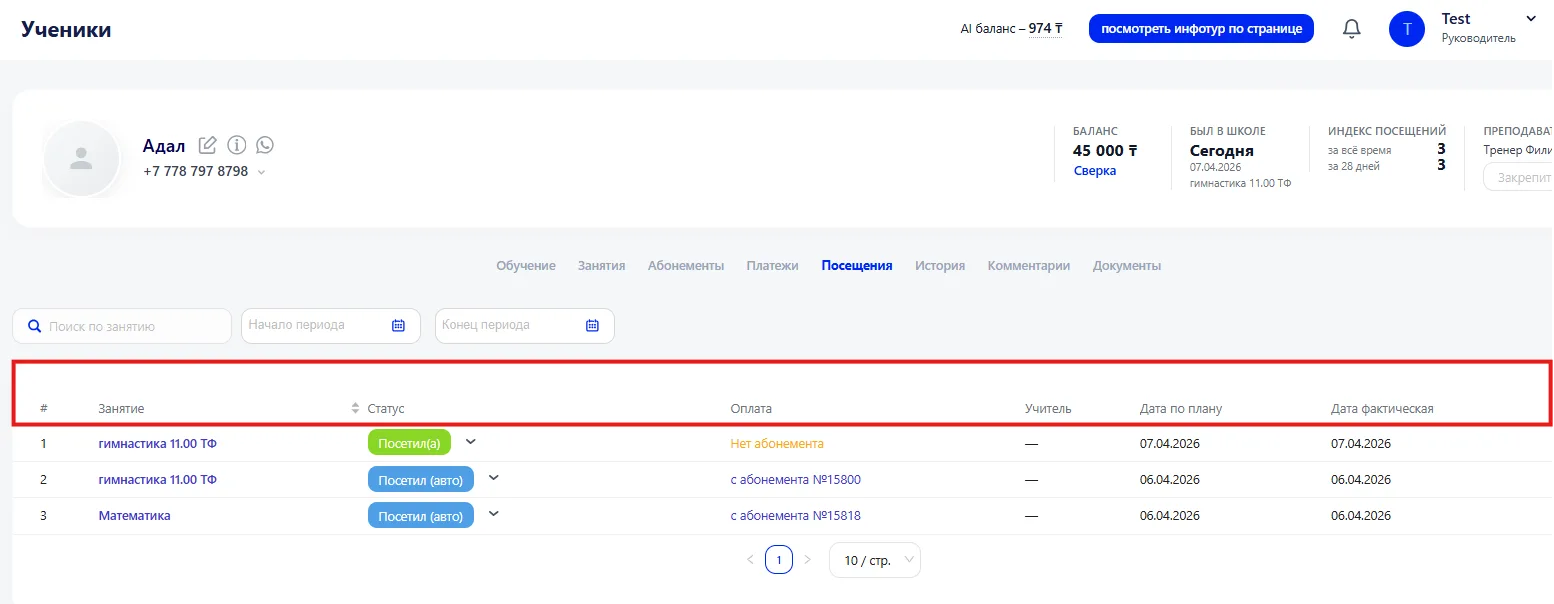
The Visit status shows the actual presence of the Student. It can be changed via the dropdown menu in the Class row or the mark can be removed if necessary. Changes are immediately reflected in the Membership and Finance data.