Карточка ученика объединяет данные об ученике и позволяет вести учёт его обучения, посещений, абонементов и платежей.
Данные карточки используются для работы с учеником, а также для взаимодействия с ним через Aisar.
Карточка открывается при нажатии на ФИО ученика в разделе «Ученики». По умолчанию открывается вкладка «Занятия».
Основные блоки:
- Общие сведения
- Редактирование данных ученика
- Архивация ученика
- Быстрый просмотр данных
- Удаление ученика
- Вкладки карточки ученика
1. Общие сведения
В верхней части карточки независимо от выбранной вкладки отображается основная информация об ученике.
В блоке указаны:
- фото;
- ФИО;
- номер телефона;
- ответственный сотрудник.
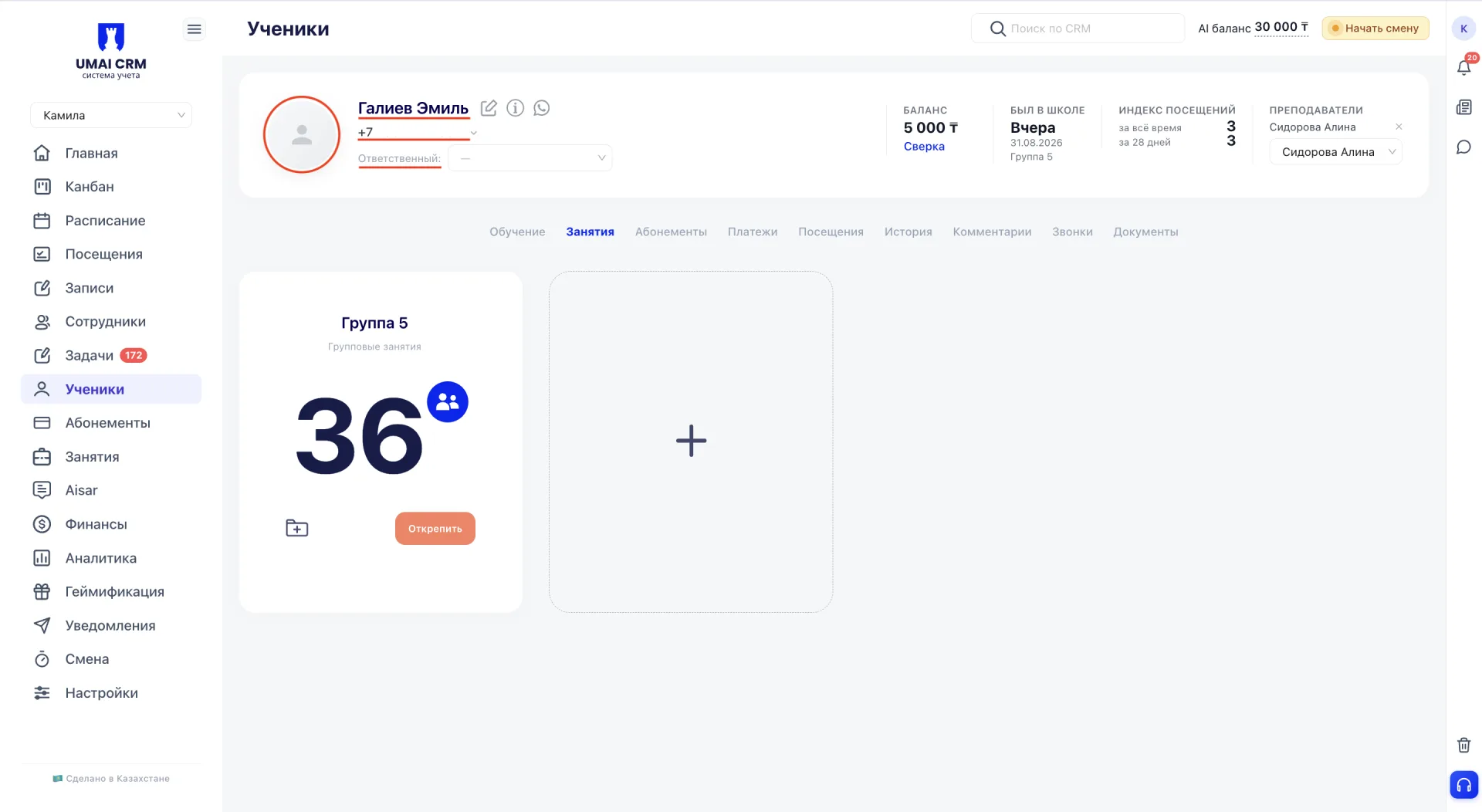
Рядом с ФИО расположены значки редактирования, информации и WhatsApp.
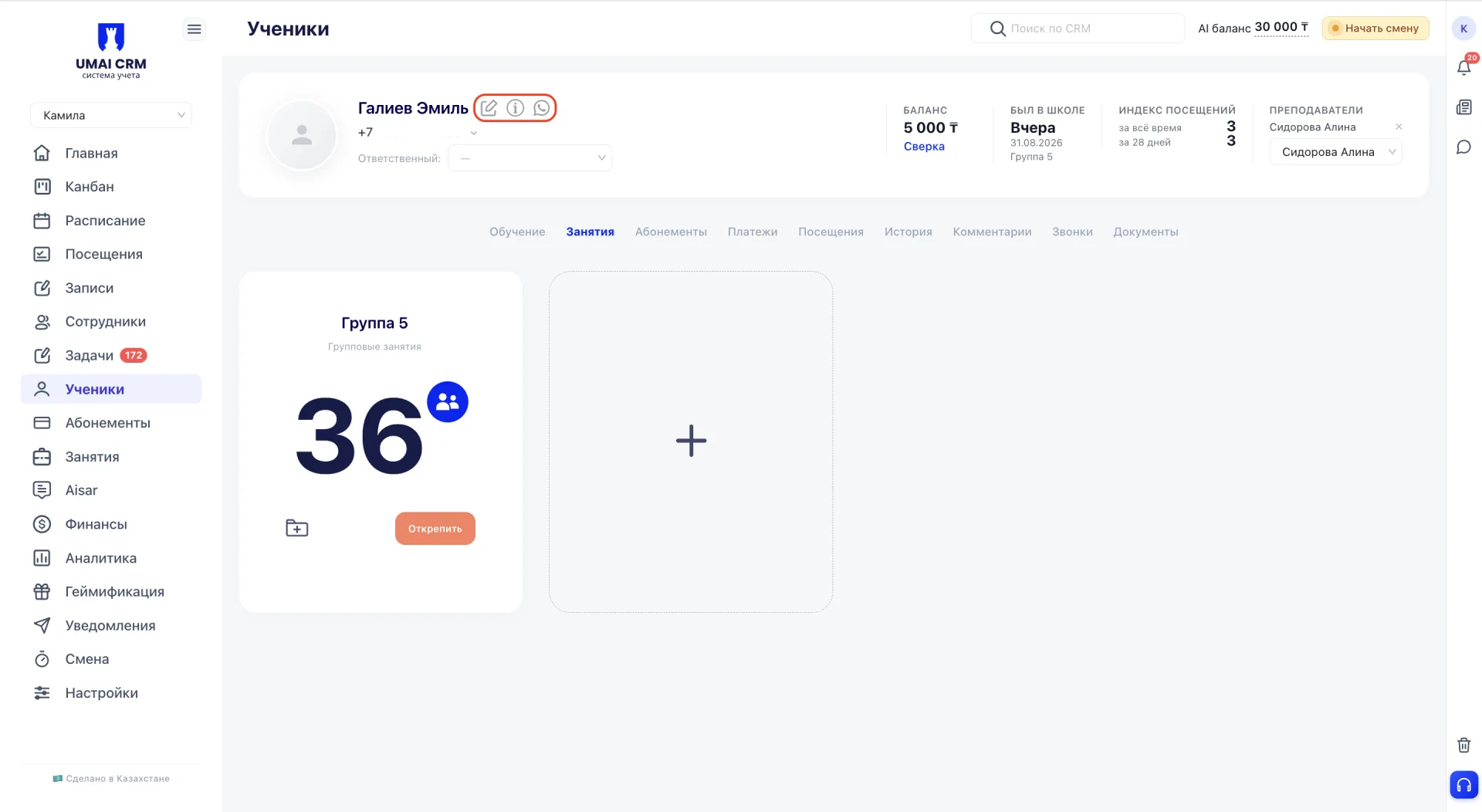
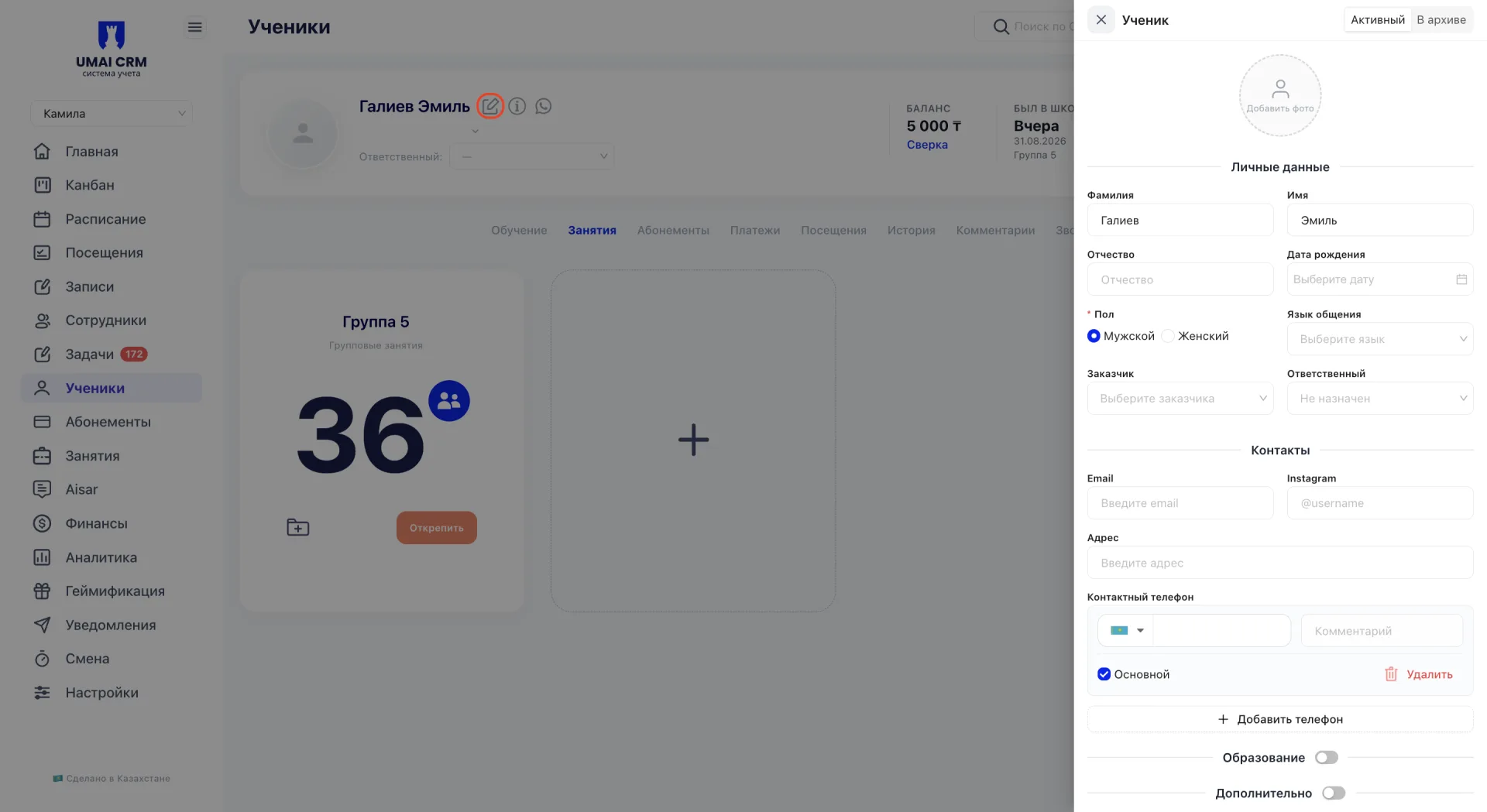
Редактирование открывает форму для изменения данных ученика.
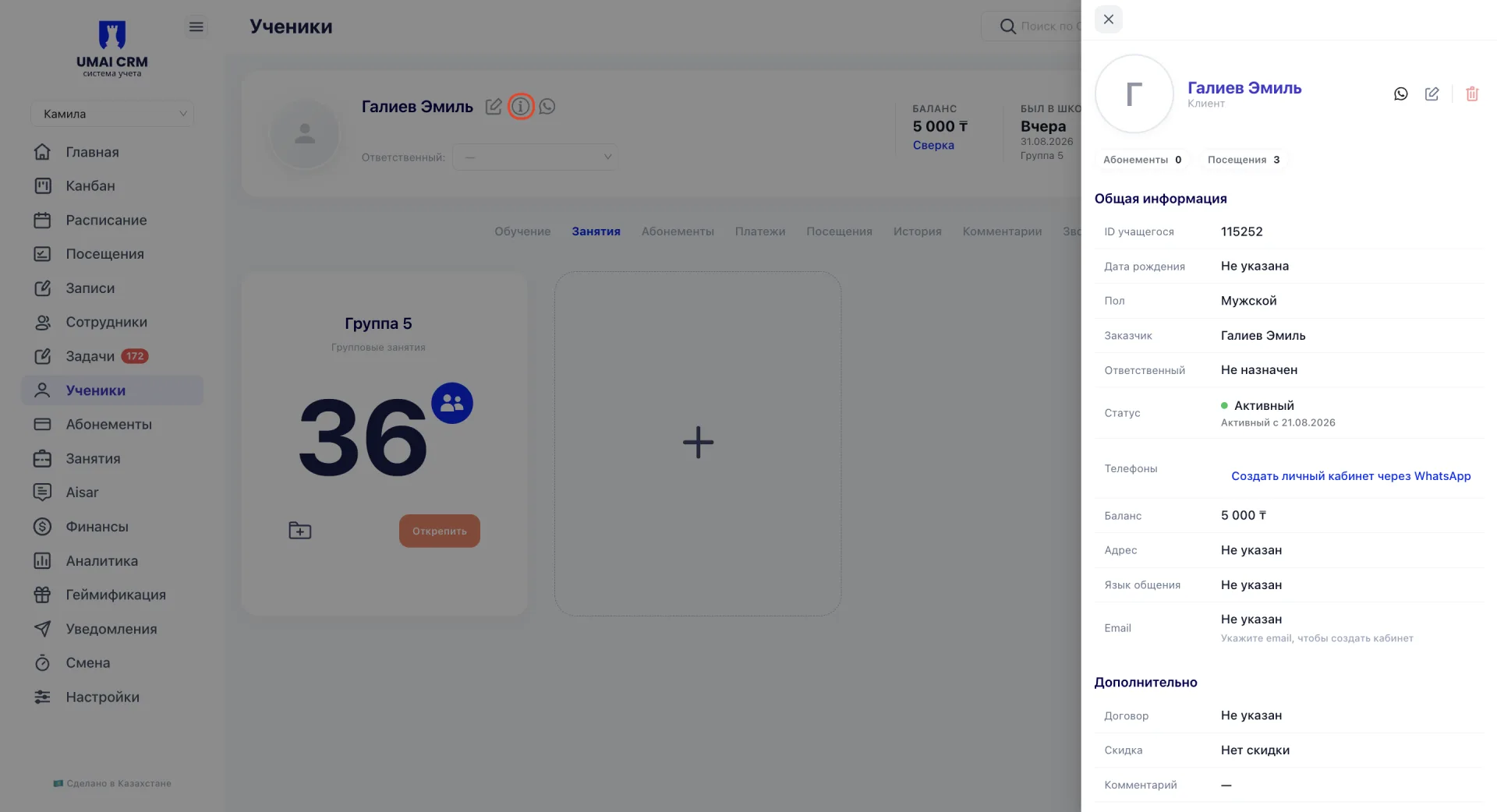
Информация открывает карточку быстрого просмотра с основными данными ученика.
WhatsApp открывает переписку с учеником в разделе Aisar.
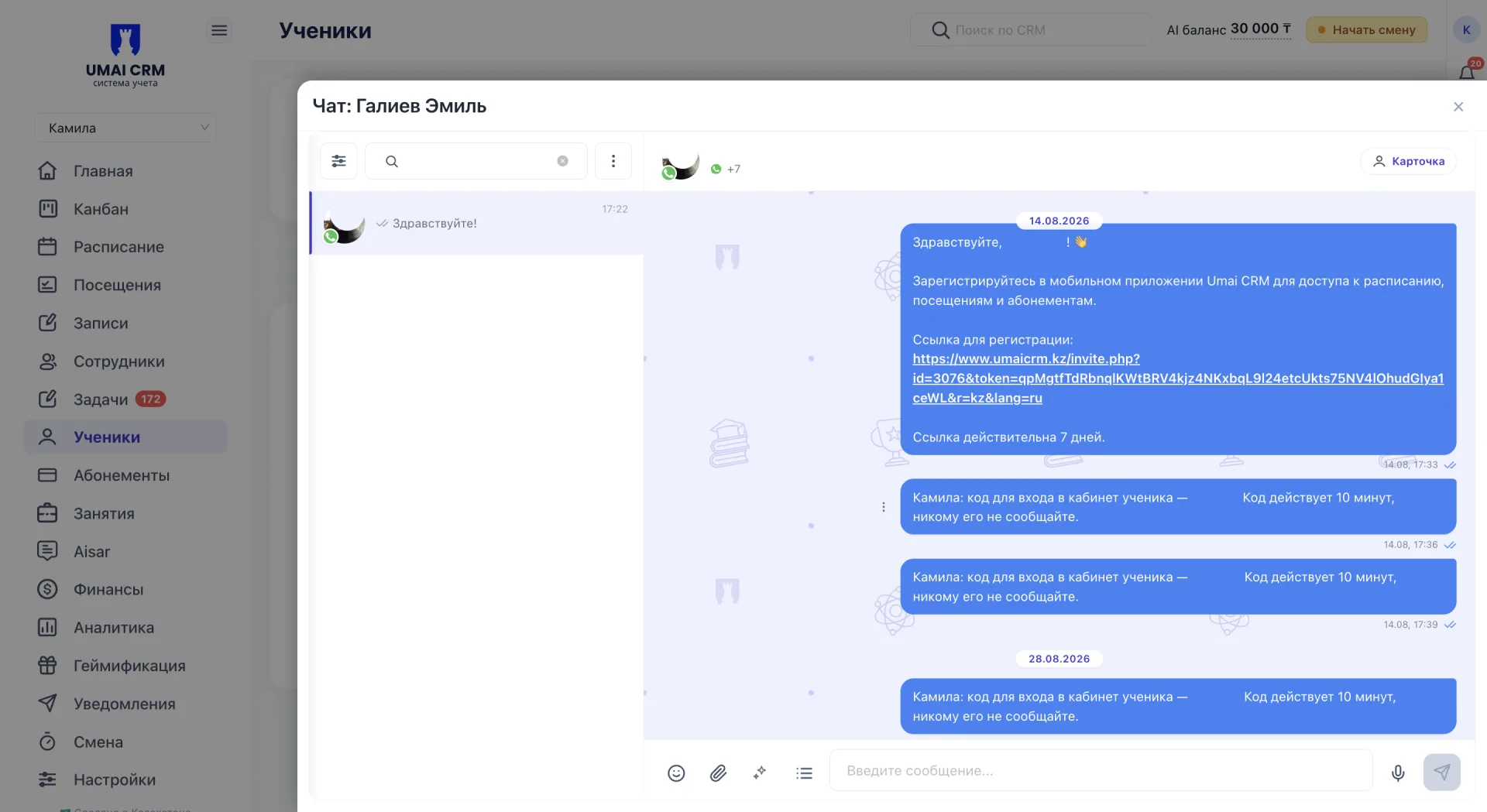
Справа отображаются показатели «Баланс», «Был в школе», «Индекс посещений за всё время» и «Индекс посещений за 28 дней». Здесь же находится поле «Преподаватели», в котором можно закрепить за учеником преподавателя.
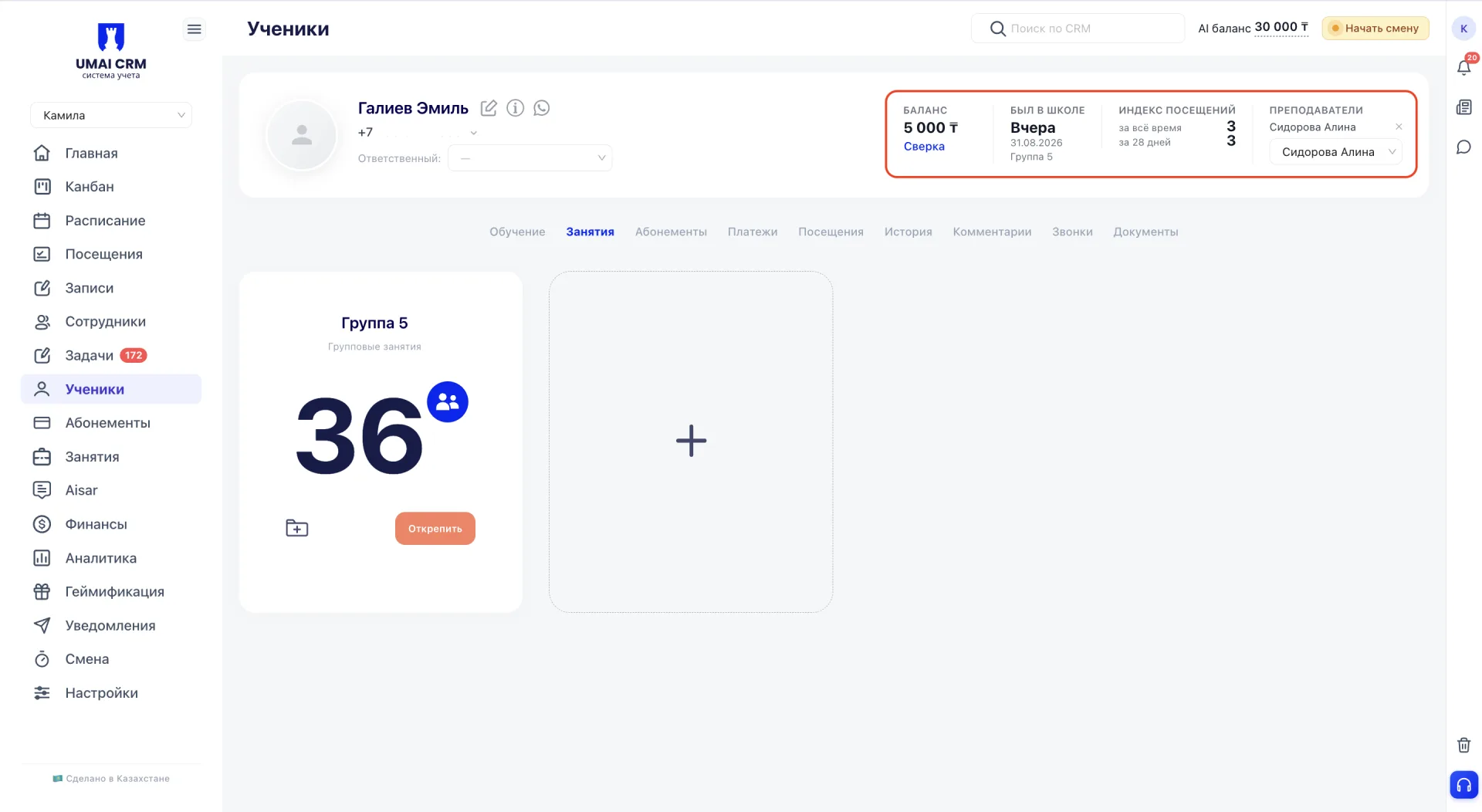
Рядом с балансом расположена ссылка «Сверка». Она открывает окно «Сверка баланса», где можно сопоставить ожидаемый и фактический баланс ученика по платежам и абонементам.
В окне отображаются:
- суммы пополнений;
- покупки и возвраты абонементов;
- ожидаемый и фактический баланс;
- расхождение между ними;
- несопоставленные абонементы и покупки, если они есть.
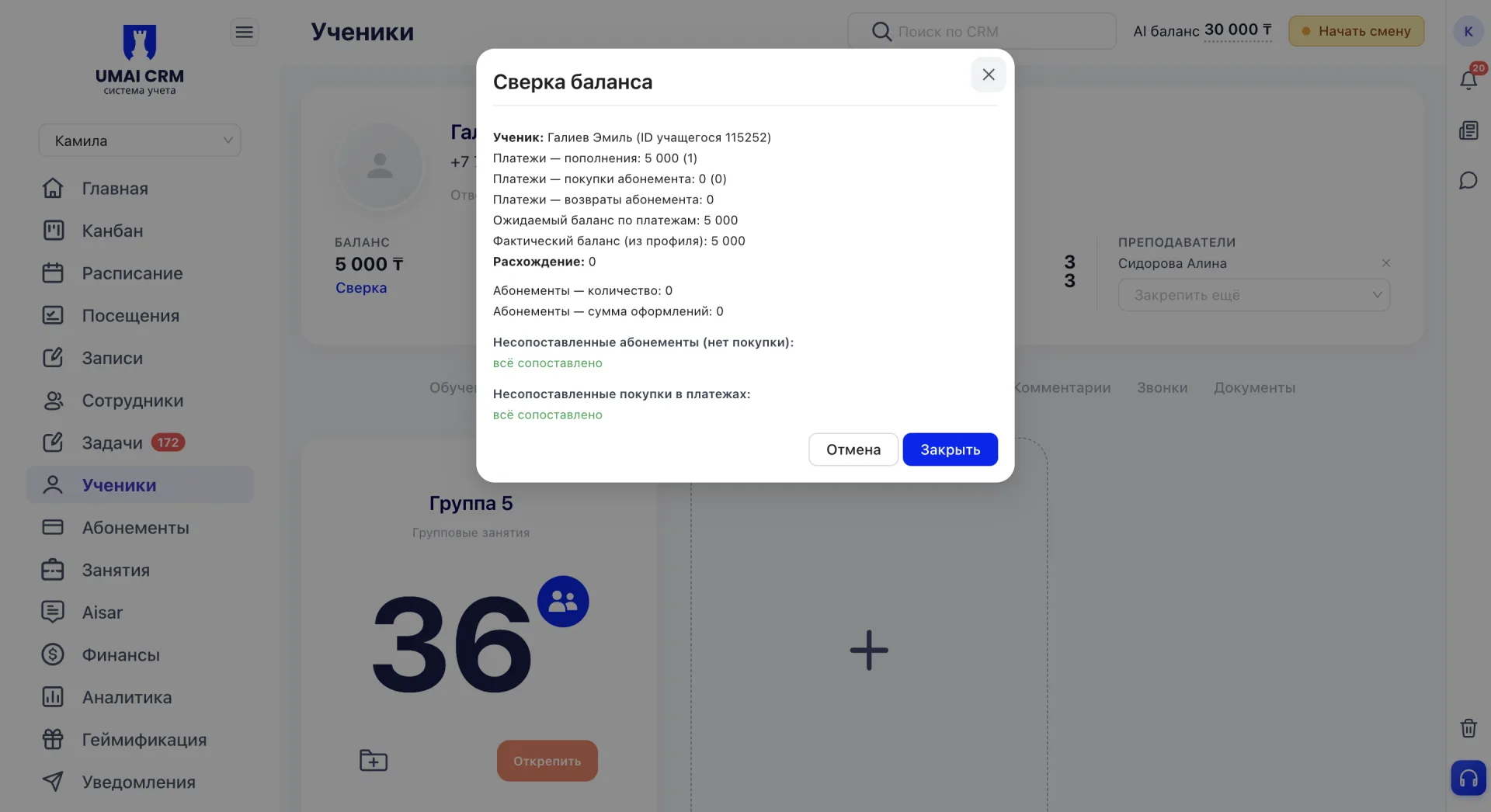
Сверка помогает выявить расхождения между операциями по платежам и абонементам.
2. Редактирование данных ученика
Форма редактирования открывается по значку редактирования рядом с ФИО ученика.
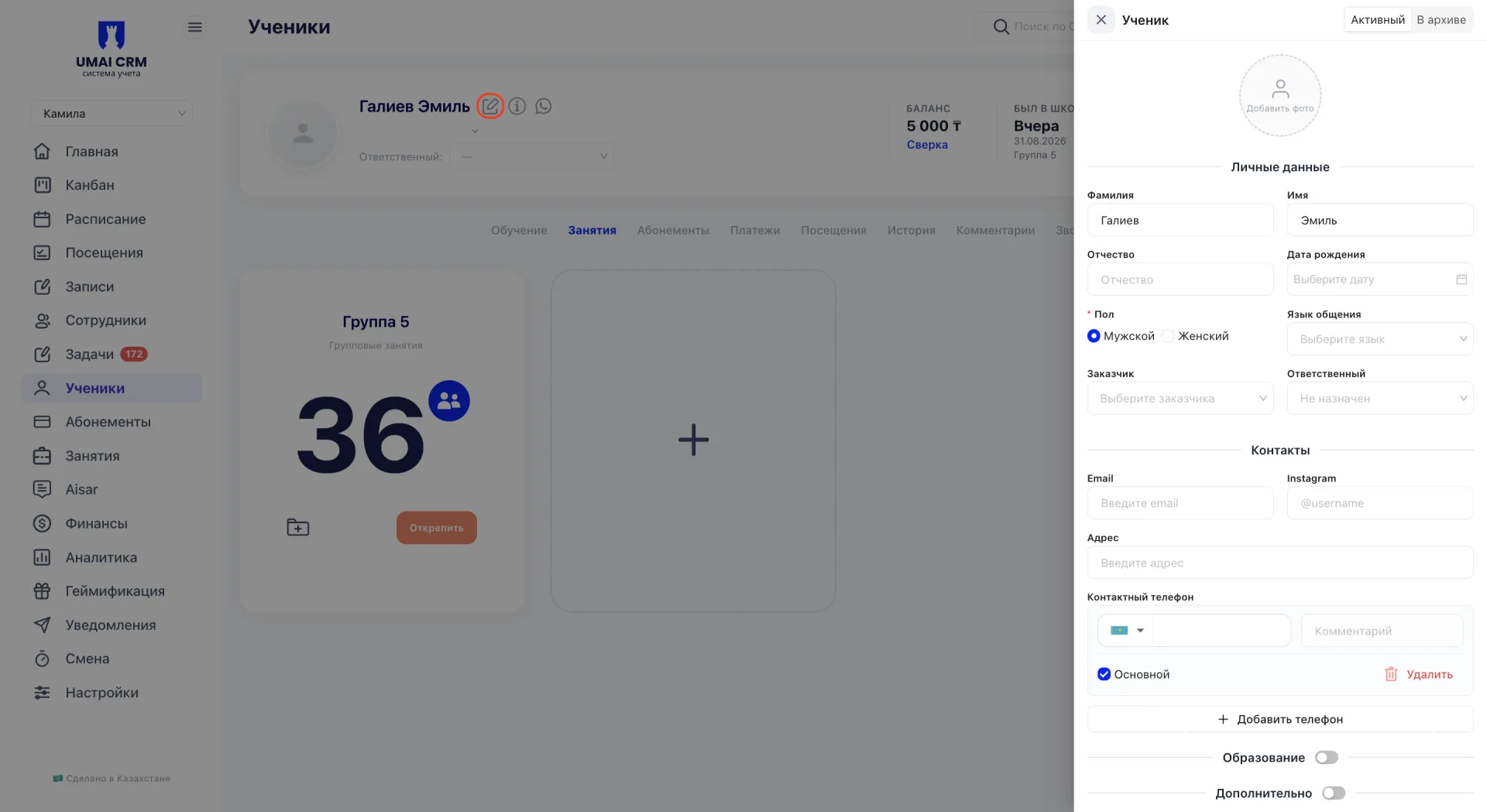
В правом верхнем углу формы находится переключатель статуса «Активный» / «В архиве».
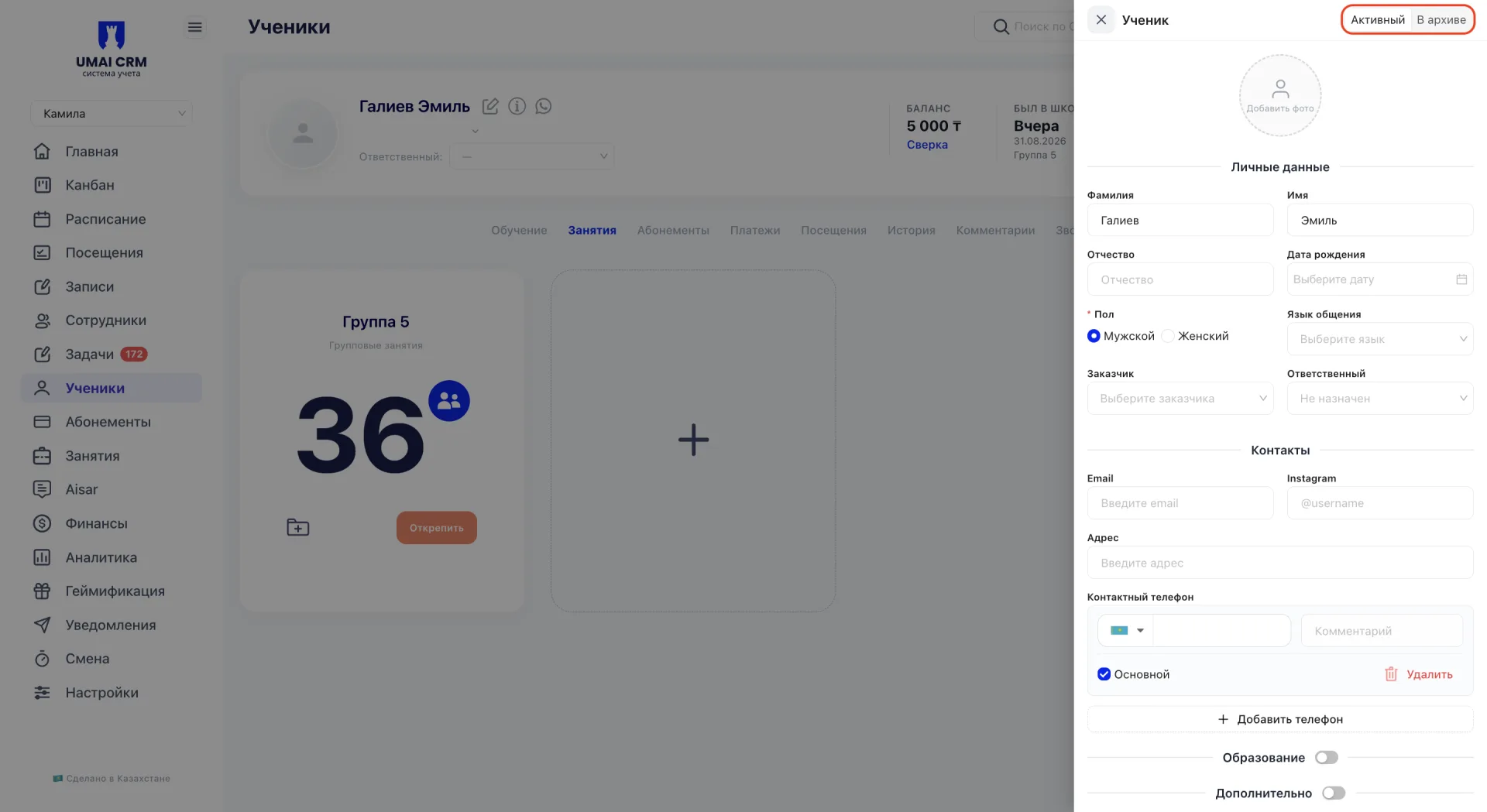
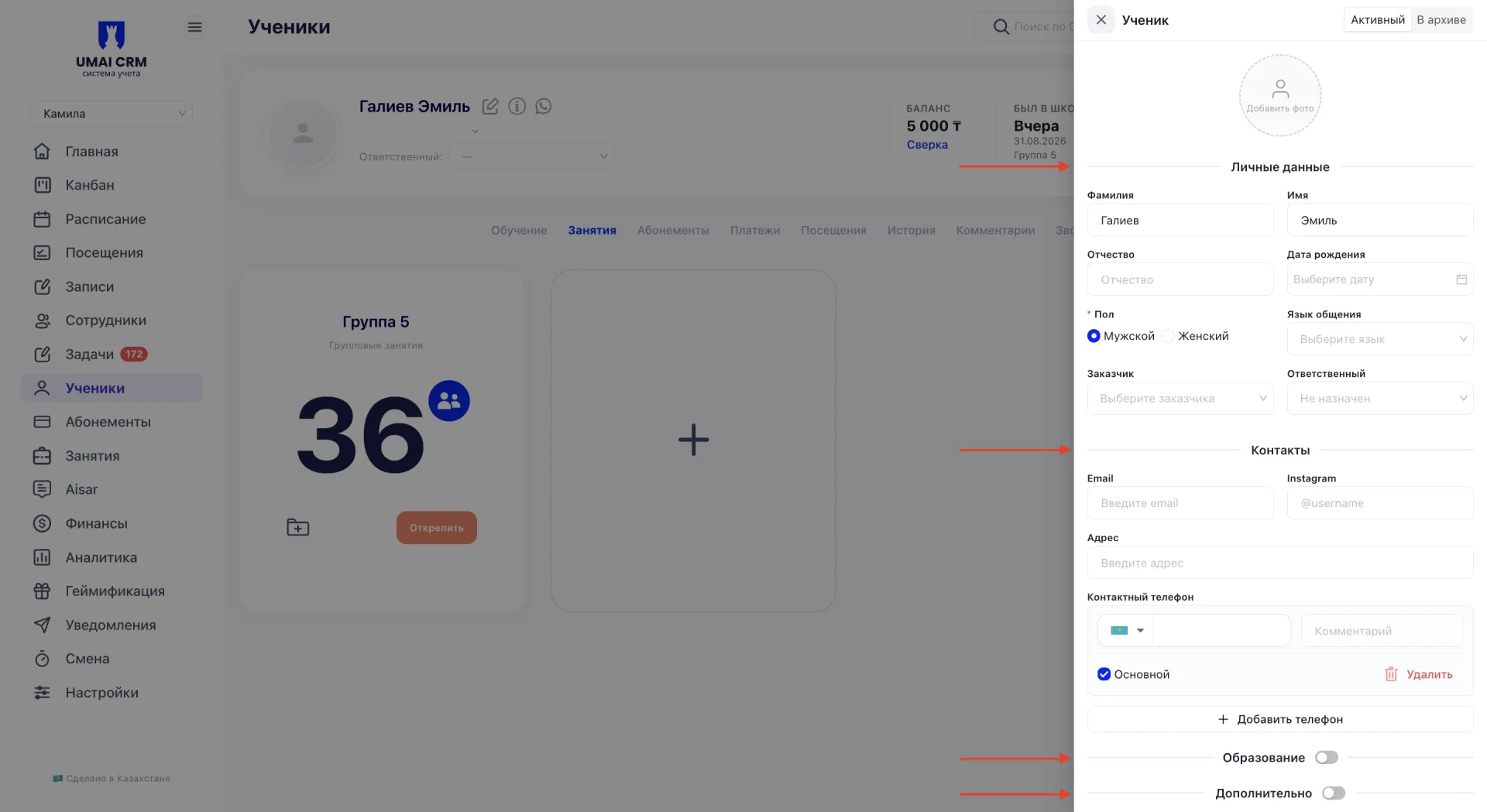
Форма разделена на блоки:
- «Личные данные»;
- «Контакты»;
- «Образование»;
- «Дополнительно».
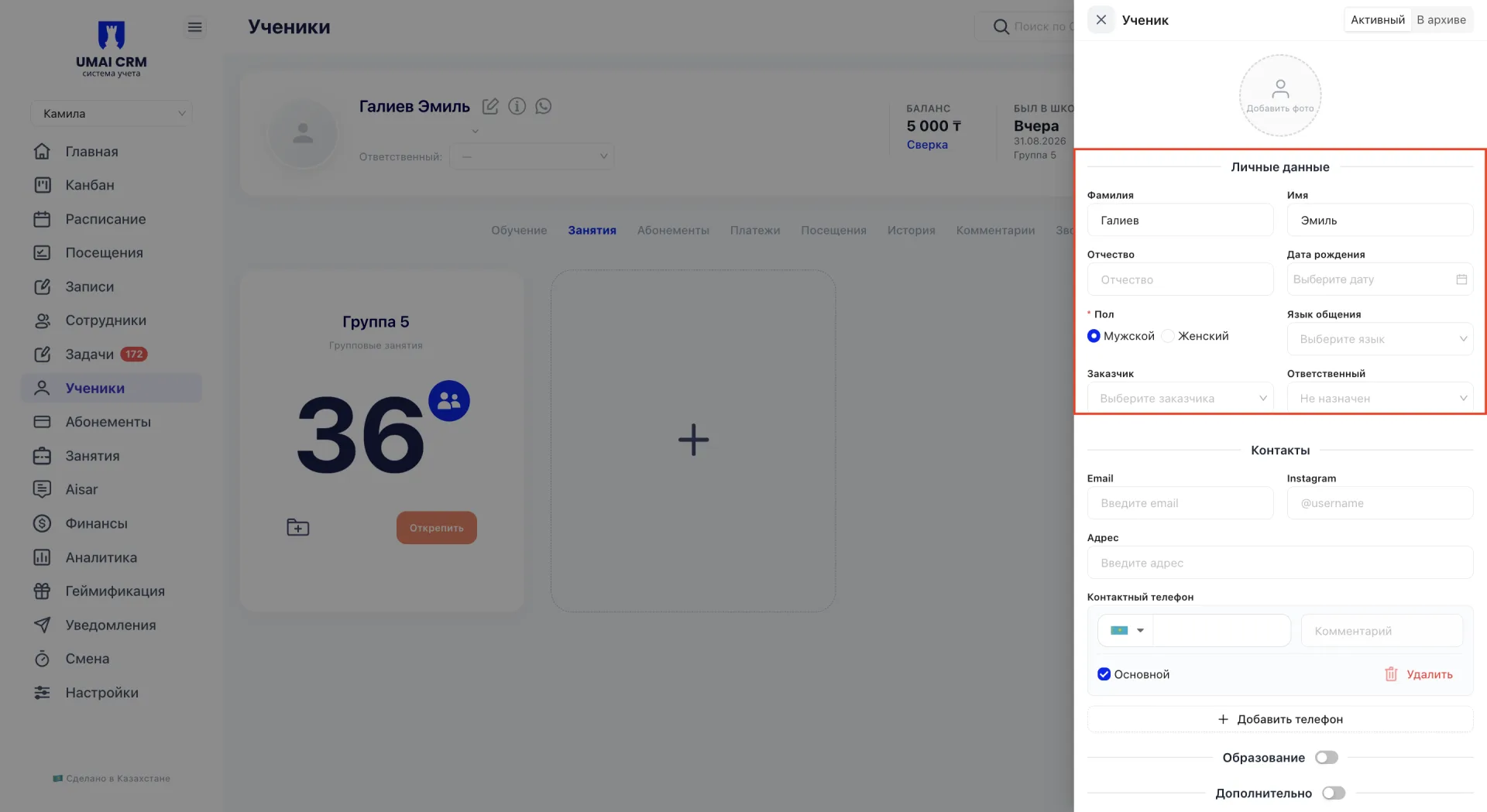
Личные данные
В блоке доступны поля:
- Фамилия;
- Имя;
- Отчество;
- Дата рождения;
- Пол;
- Язык общения;
- Заказчик;
- Ответственный.
Контакты
В блоке доступны поля:
- Email;
- Instagram;
- Адрес;
- Контактный телефон.
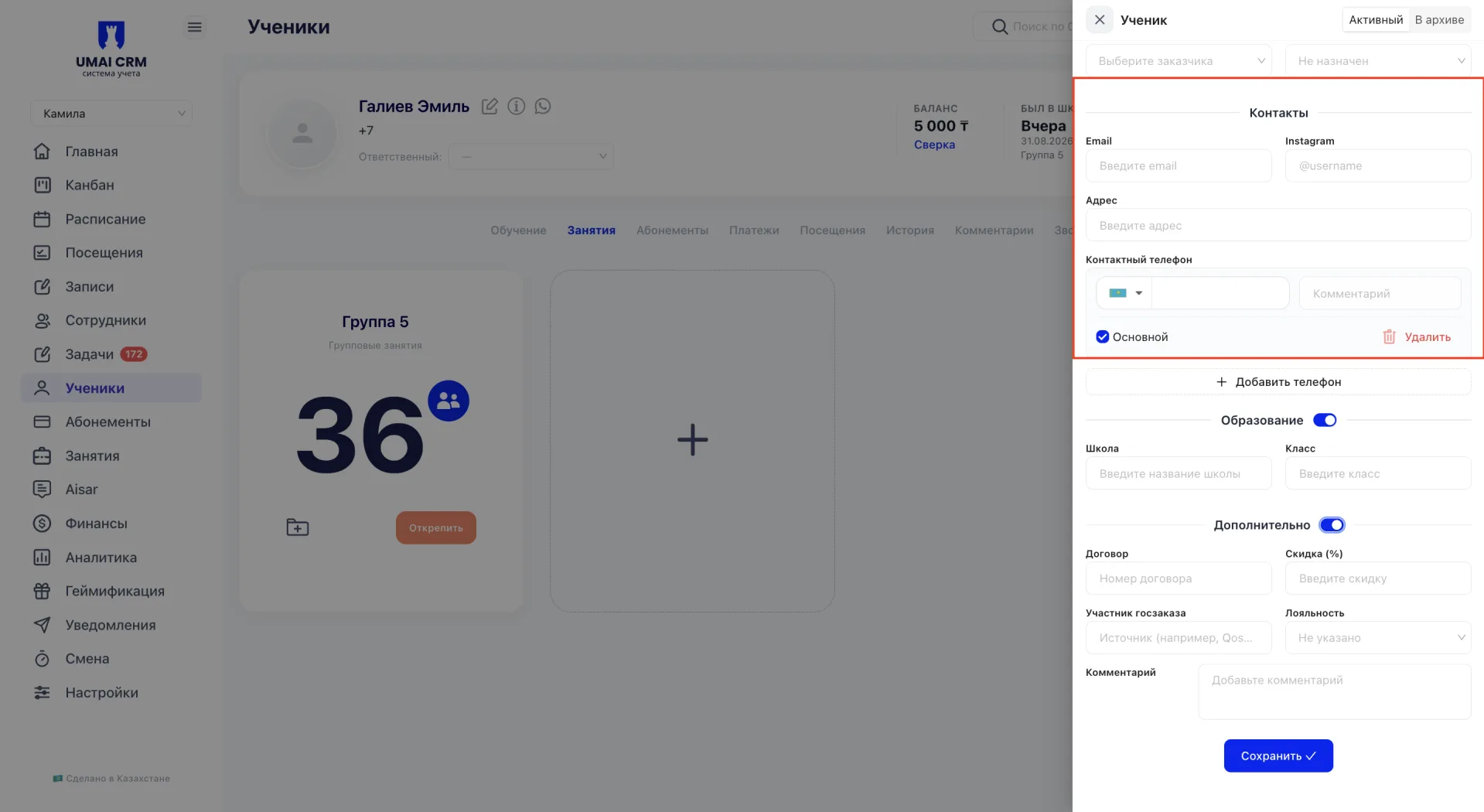
К ученику можно добавить несколько номеров телефона. Один из них можно указать как основной.
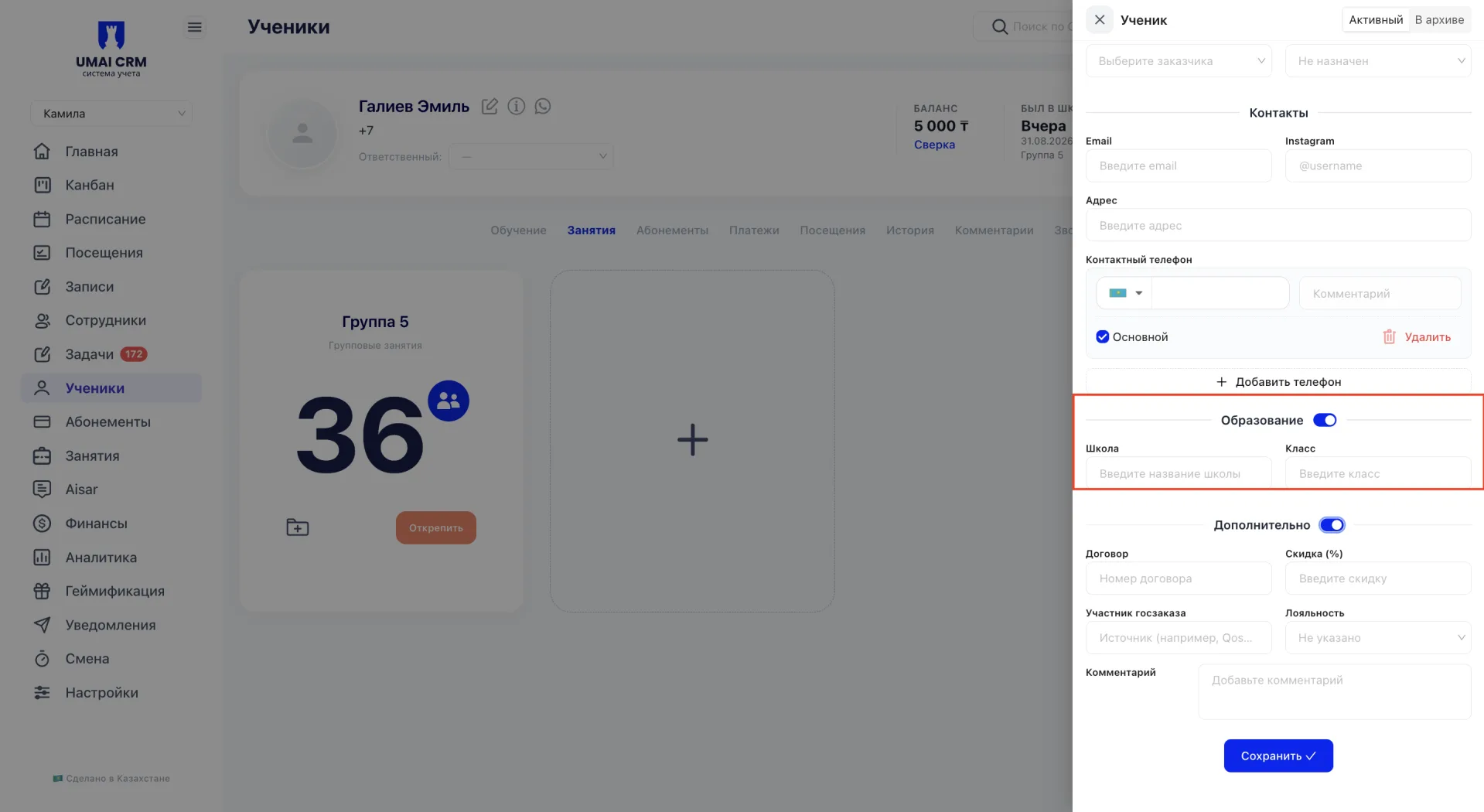
Образование
Блок скрыт по умолчанию и открывается с помощью переключателя.
В нём доступны поля «Школа» и «Класс».
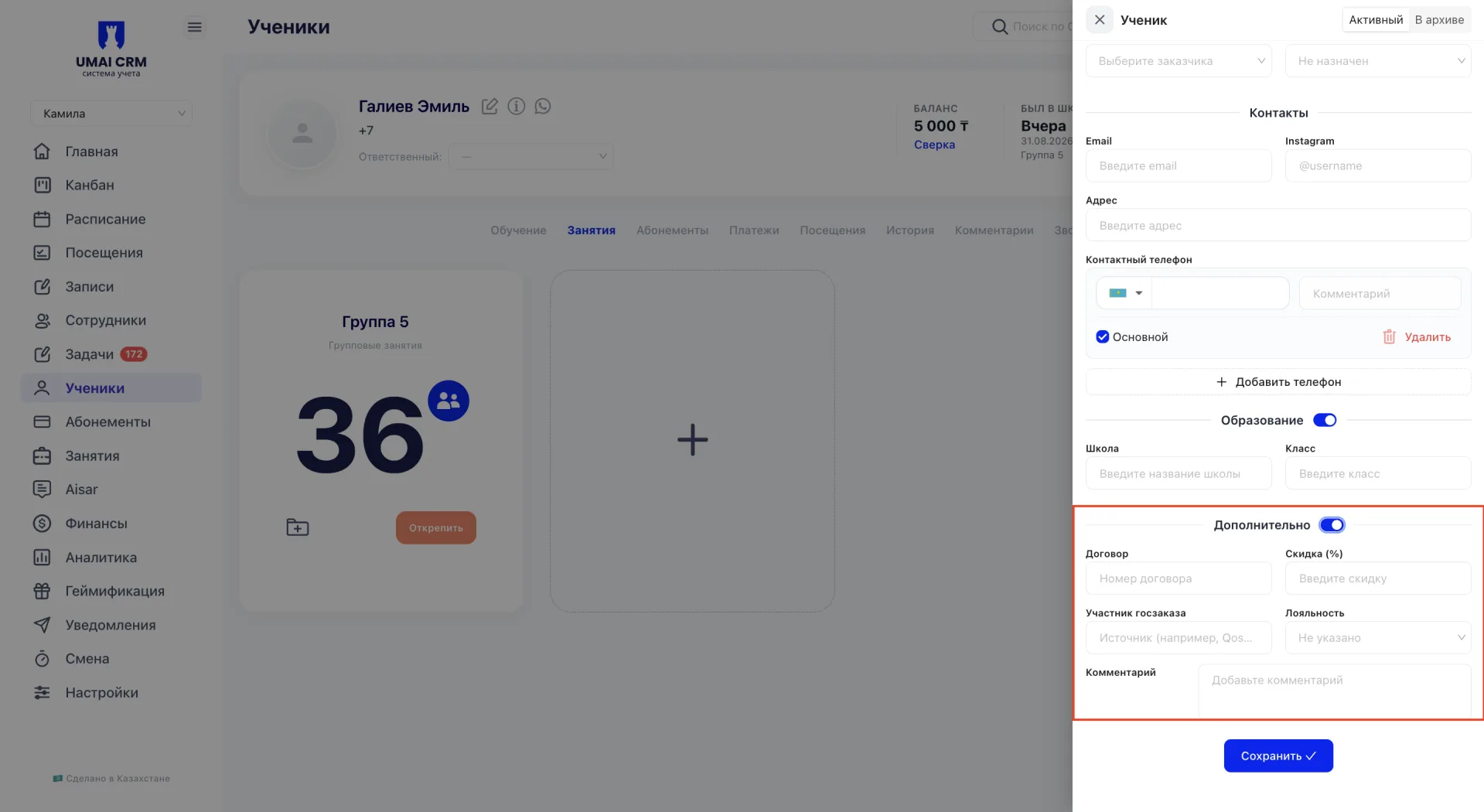
Дополнительно
Блок скрыт по умолчанию и открывается с помощью переключателя.
В нём доступны поля «Договор», «Скидка», «Участник госзаказа», «Лояльность» и «Комментарий».
3. Архивация ученика
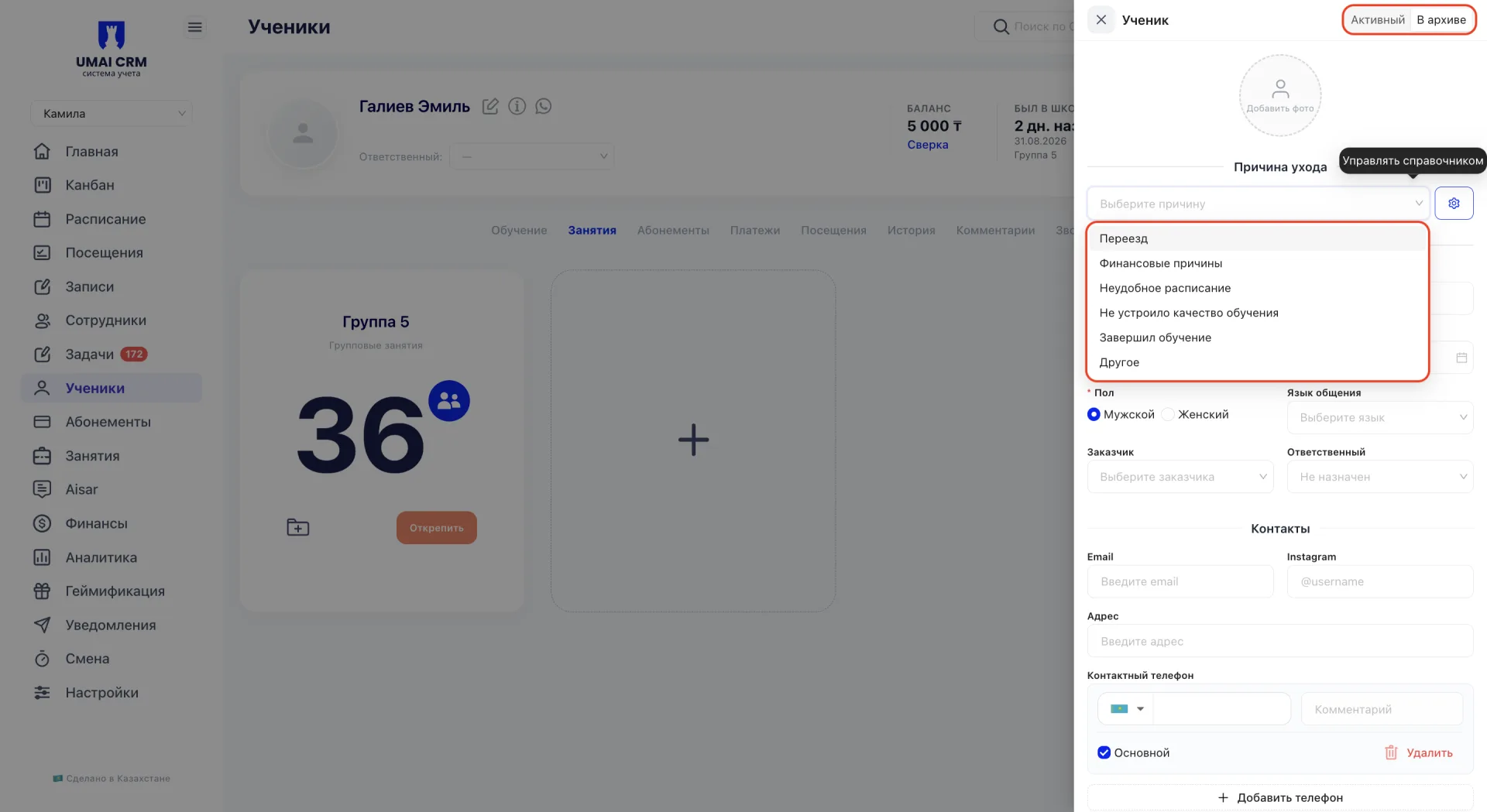
Чтобы перевести ученика в архив, переключите статус в форме редактирования с «Активный» на «В архиве» и укажите причину ухода. Причина выбирается из справочника, куда входят такие варианты, как «Переезд», «Финансовые причины», «Неудобное расписание» и «Другое». Список причин общий для всех учеников центра и пополняется через значок настроек рядом с полем выбора причины, где можно добавить собственный вариант.
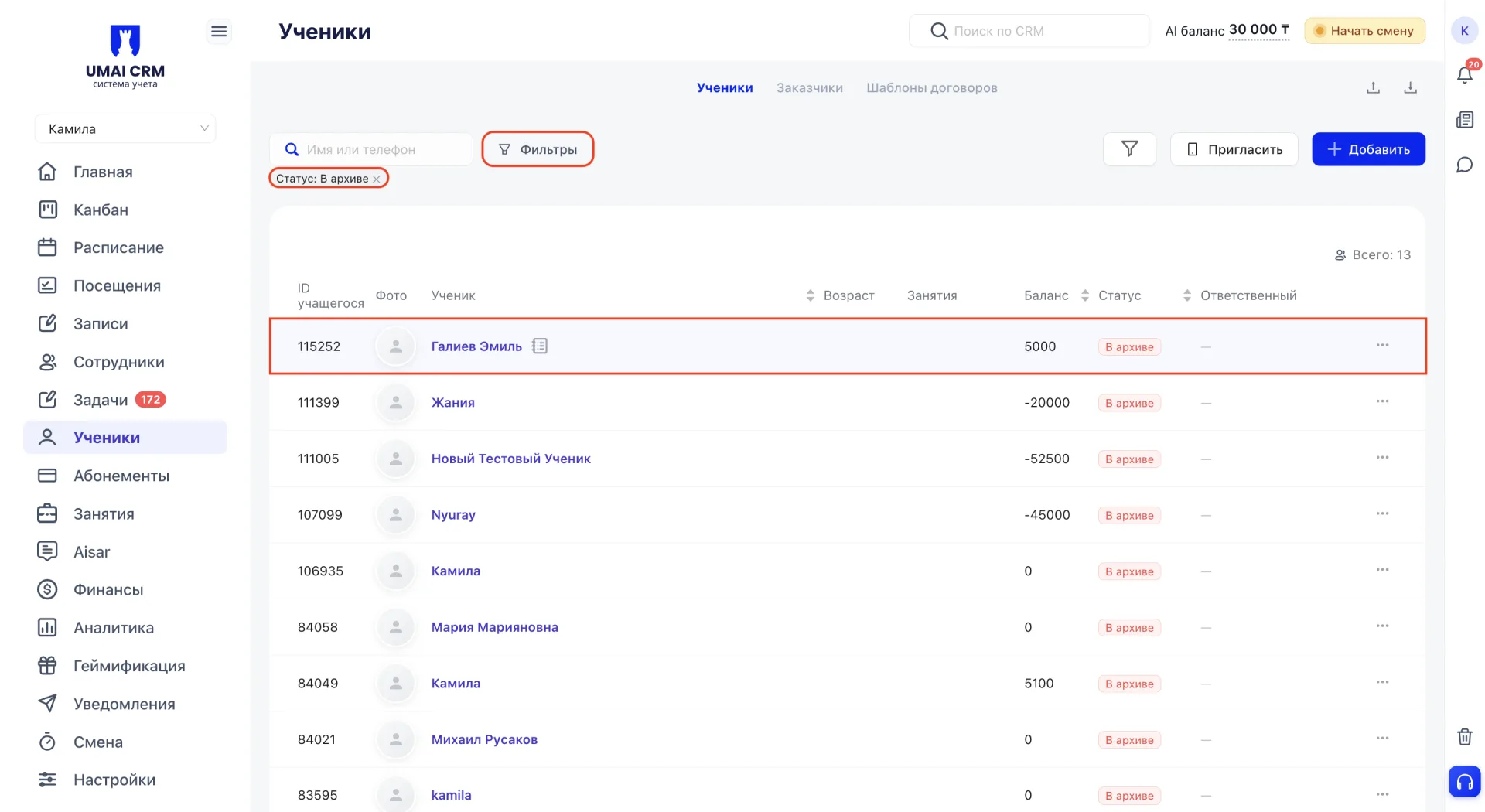
Архивный ученик отображается в разделе «Ученики» при выборе соответствующего фильтра. Данные ученика при этом сохраняются в системе.
Чтобы вернуть ученика в активный статус, установите переключатель в положение «Активный».
Перед архивацией важно определиться с дальнейшими действиями по абонементу ученика: заморозить его, завершить или оставить без изменений. Решение зависит от правил конкретного центра, поэтому этот момент стоит уточнять отдельно, прежде чем переводить ученика в архив.
Если необходимо сохранить срок действия абонемента ученика без архивации, используйте заморозку абонемента. Подробнее о заморозке рассказано в статье «Абонементы».
4. Быстрый просмотр данных
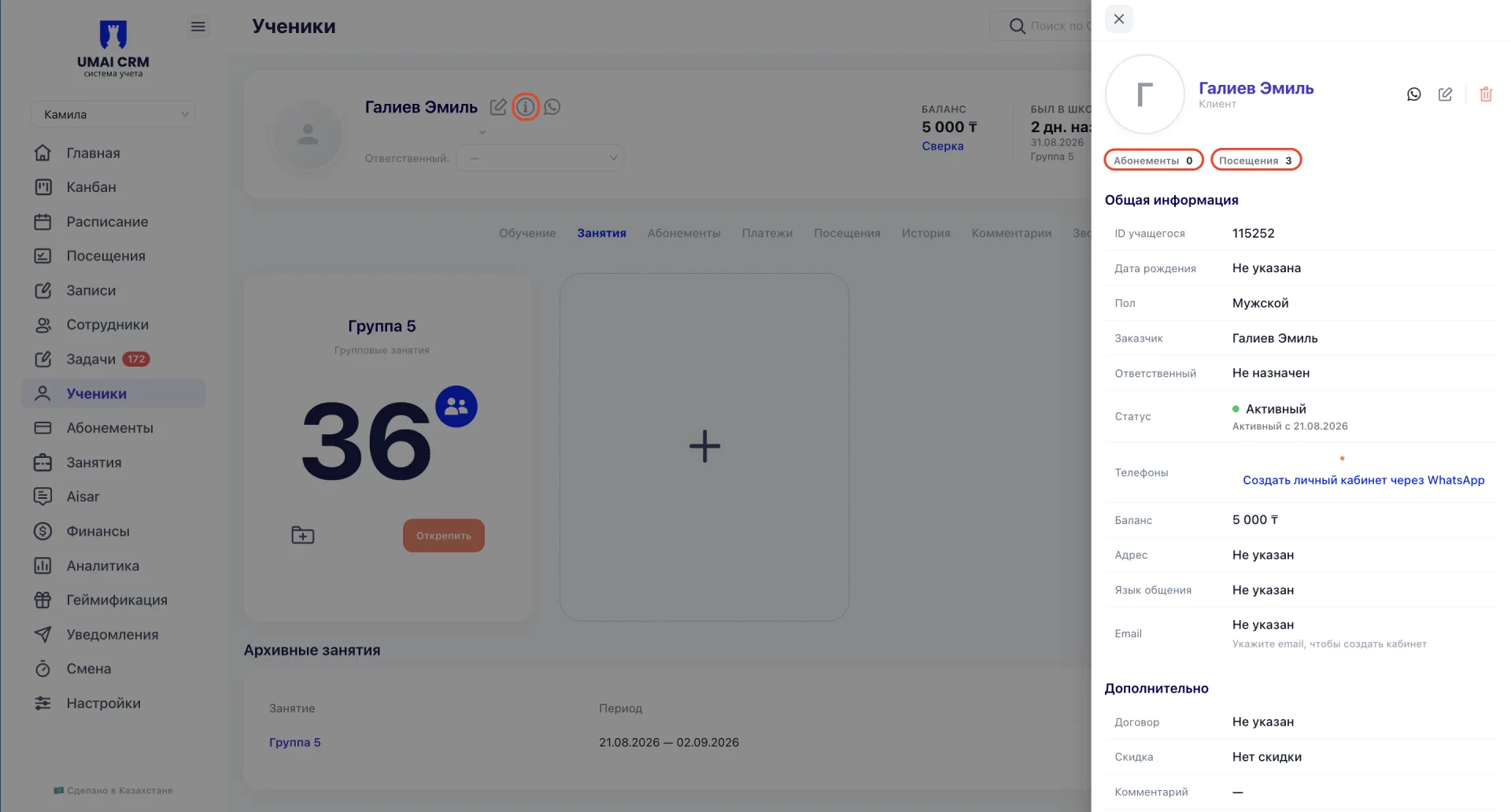
Карточка быстрого просмотра открывается по значку информации рядом с ФИО ученика.
В верхней части отображается количество абонементов и посещений.
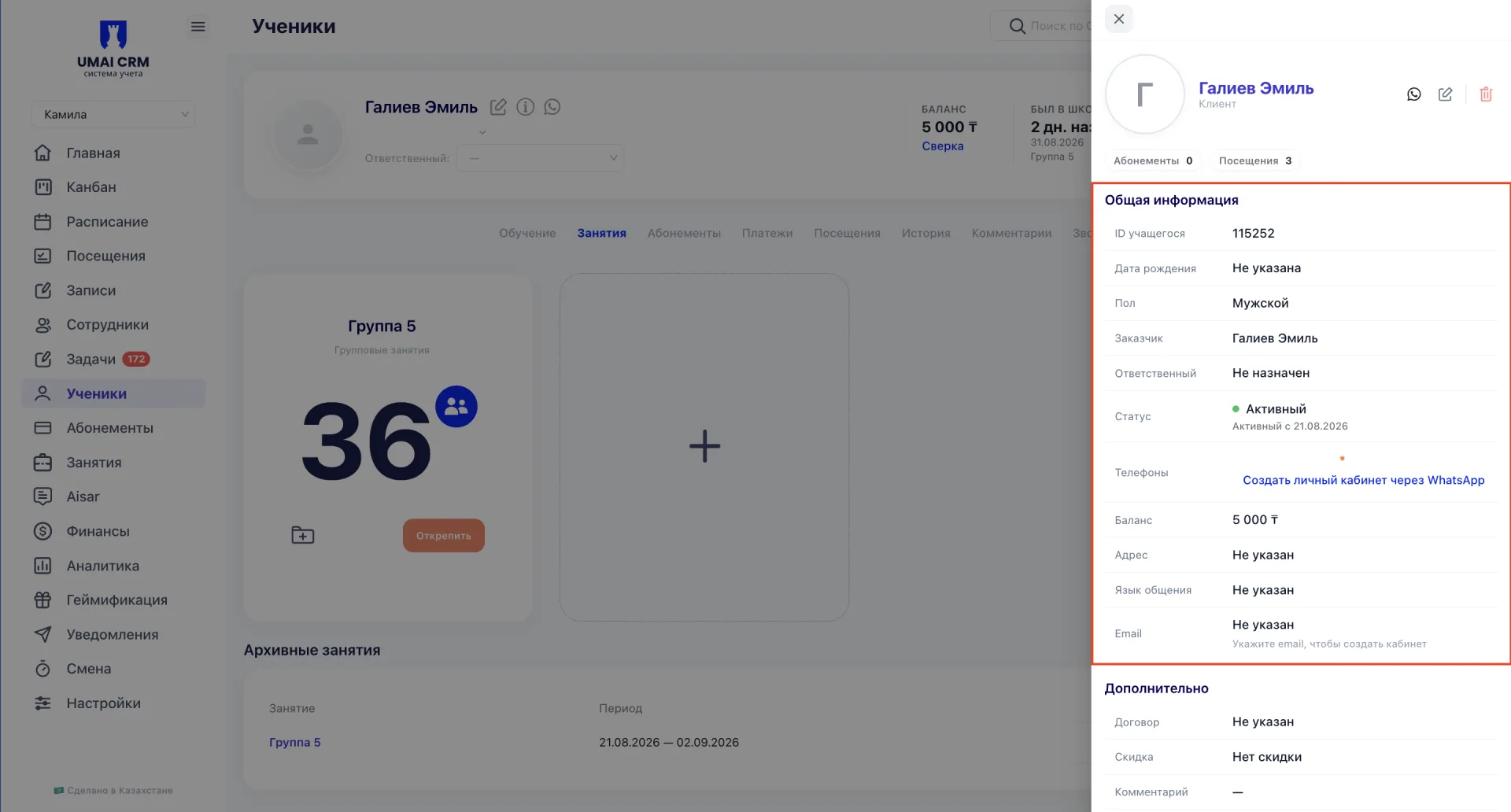
Ниже находится блок «Общая информация», в котором указаны:
- ID учащегося;
- дата рождения;
- пол;
- заказчик;
- ответственный;
- статус и дата его присвоения;
- телефоны;
- баланс;
- адрес;
- язык общения;
- email.
В блоке «Дополнительно» отображаются договор, скидка, статус участника госзаказа, комментарий и информация о пользователе, создавшем карточку ученика.
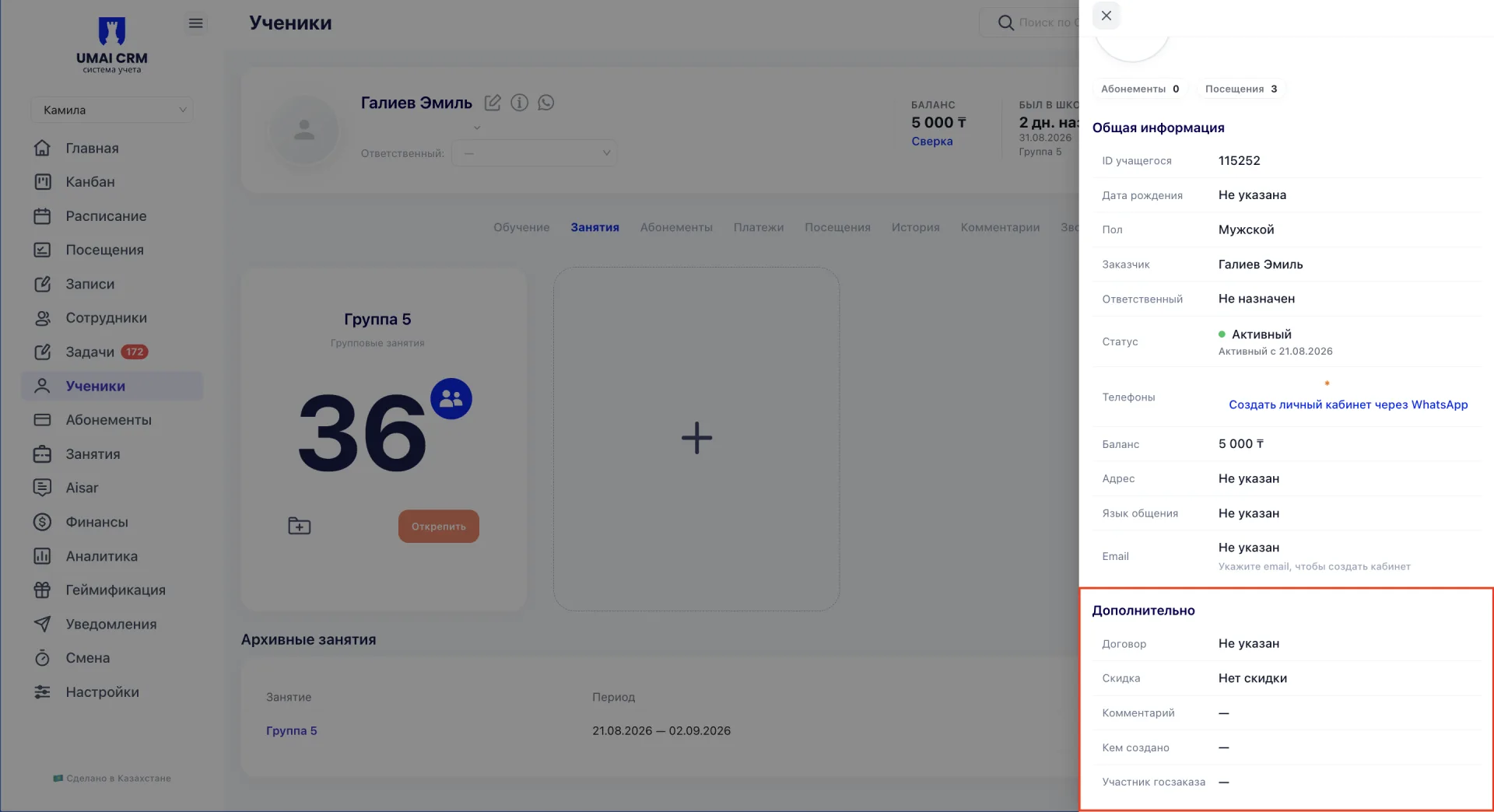
Карточка быстрого просмотра содержит те же данные, что и форма редактирования.
В правом верхнем углу окна расположены значки WhatsApp, редактирования и удаления, поэтому из карточки быстрого просмотра можно сразу перейти к переписке с учеником, открыть форму редактирования или удалить ученика, не закрывая окно.
5. Удаление ученика
Удаление ученика выполняется по значку корзины в карточке быстрого просмотра.
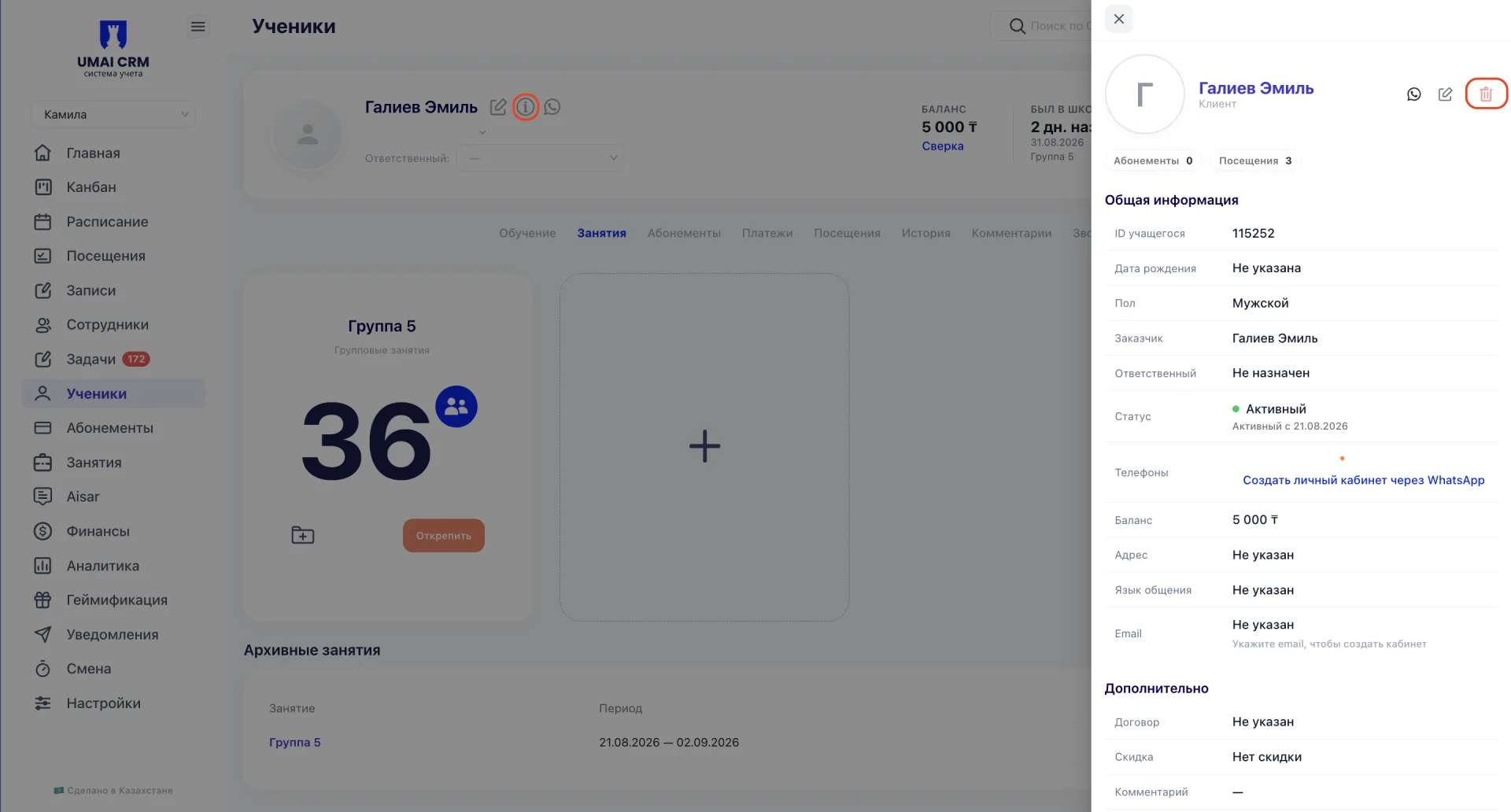
После удаления карточка перемещается в Корзину и хранится там 60 дней. Восстановить удалённого ученика может только пользователь с ролью «Руководитель».
6. Вкладки карточки ученика
Под общей информацией расположены вкладки для работы с данными ученика:
- «Обучение»
- «Занятия»
- «Абонементы»
- «Платежи»
- «Посещения»
- «История»
- «Комментарии»
- «Звонки»
- «Документы»
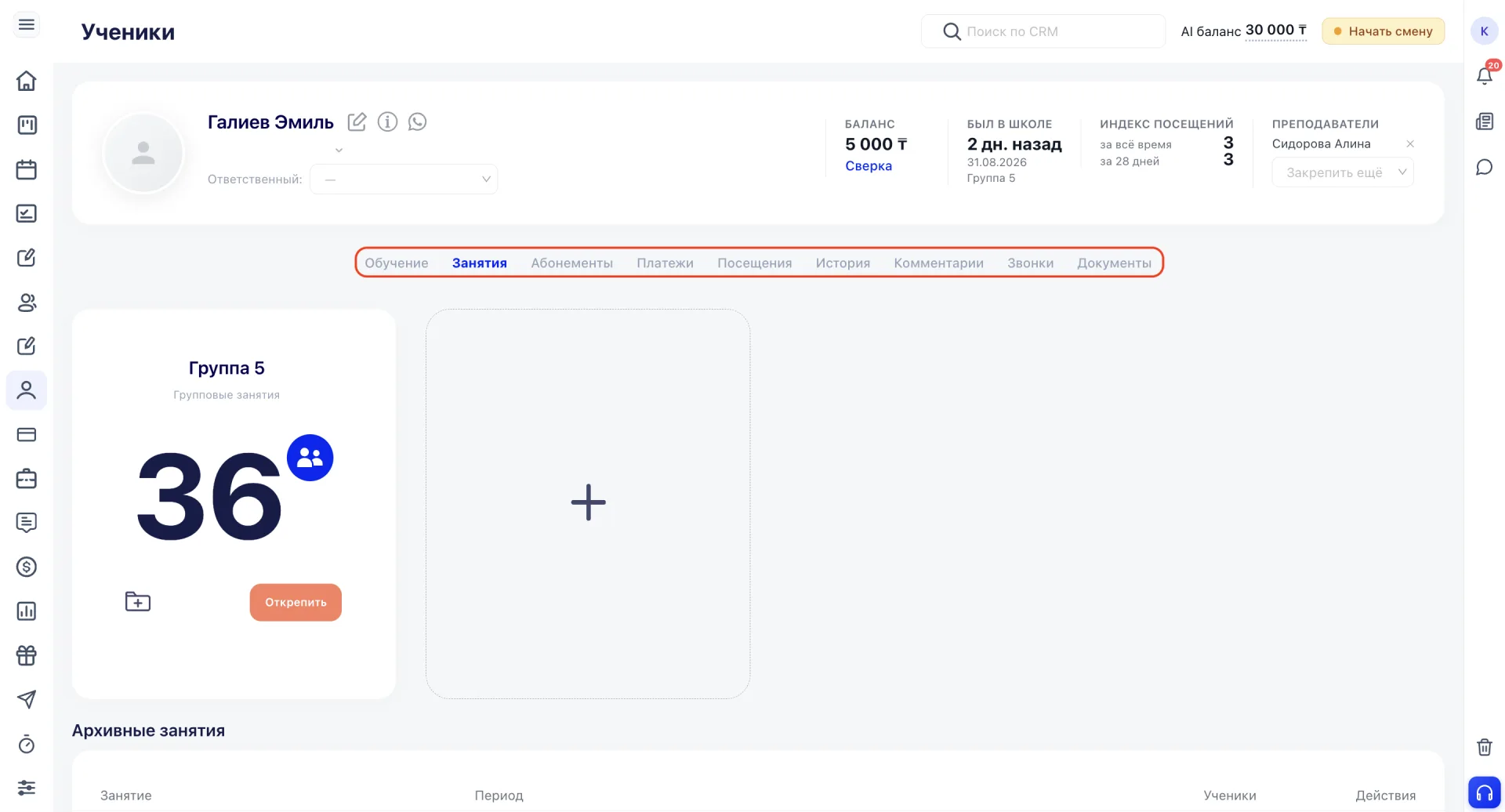
Каждая вкладка подробно описана в отдельной статье базы знаний.
Вкладки позволяют вести учёт обучения, занятий, абонементов и платежей, отслеживать посещаемость, просматривать историю взаимодействия, хранить документы и управлять закреплёнными преподавателями.
Важно учитывать:
- Значок информации открывает данные только для просмотра. Для изменения данных используйте значок редактирования.
- При переводе ученика в архив необходимо указать причину ухода. Данные ученика не удаляются и доступны по фильтру «В архиве».
- Если необходимо сохранить срок действия абонемента, используйте заморозку абонемента, а не архивацию ученика.
- После удаления карточка ученика перемещается в Корзину на 60 дней. Восстановить её может только пользователь с ролью «Руководитель».
- Блоки «Образование» и «Дополнительно» скрыты по умолчанию и открываются с помощью переключателей.
- «Сверка баланса» помогает выявить расхождения между ожидаемым и фактическим балансом, а также найти несопоставленные абонементы и покупки.