The tab displays the full payment history for the student. Here you can see which amounts were paid, if there were refunds, and how the client's financial history was formed.
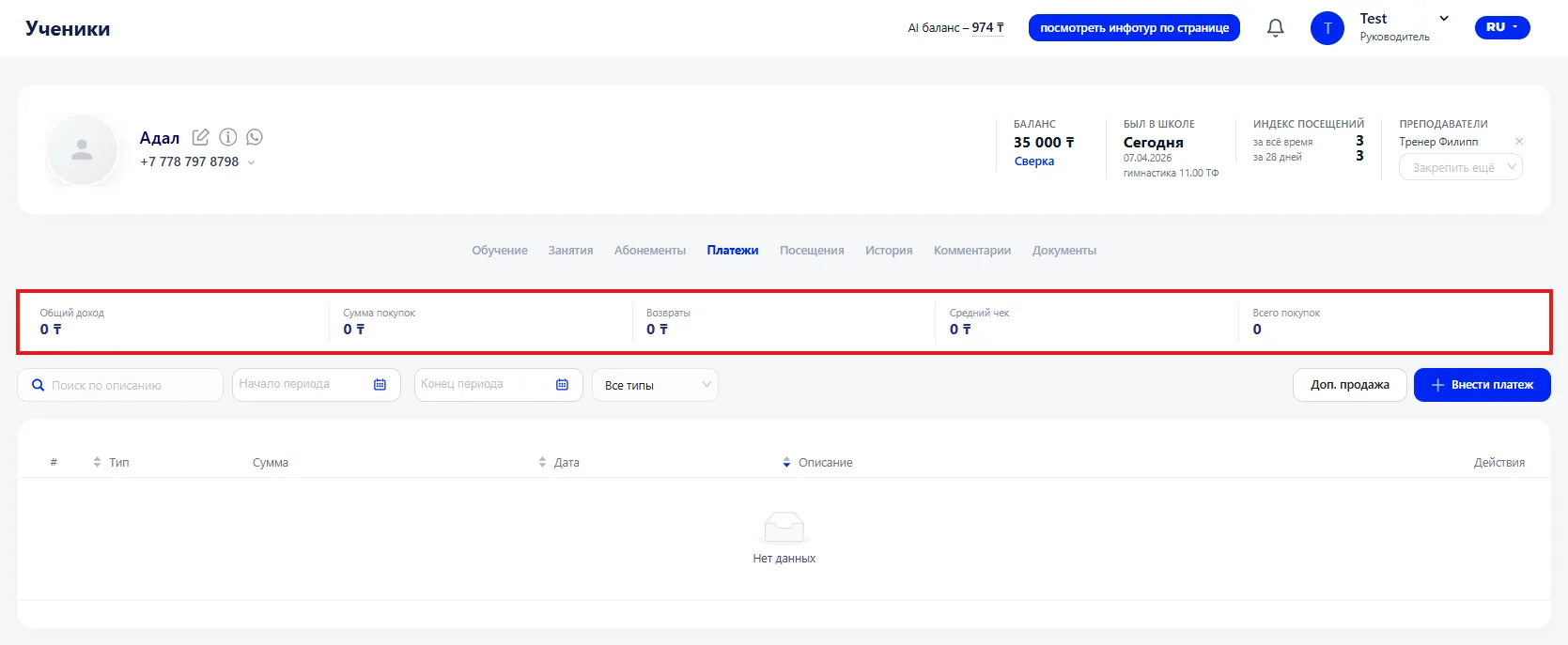
Financial metrics are displayed at the top of the page:
- Total income — the total amount of funds received from the student.
- Purchases amount — the cost of all purchased services and Memberships.
- Refunds — the amount of funds returned to the client.
- Average check — the average amount of a single purchase.
- Total purchases — how many times the student made a payment.
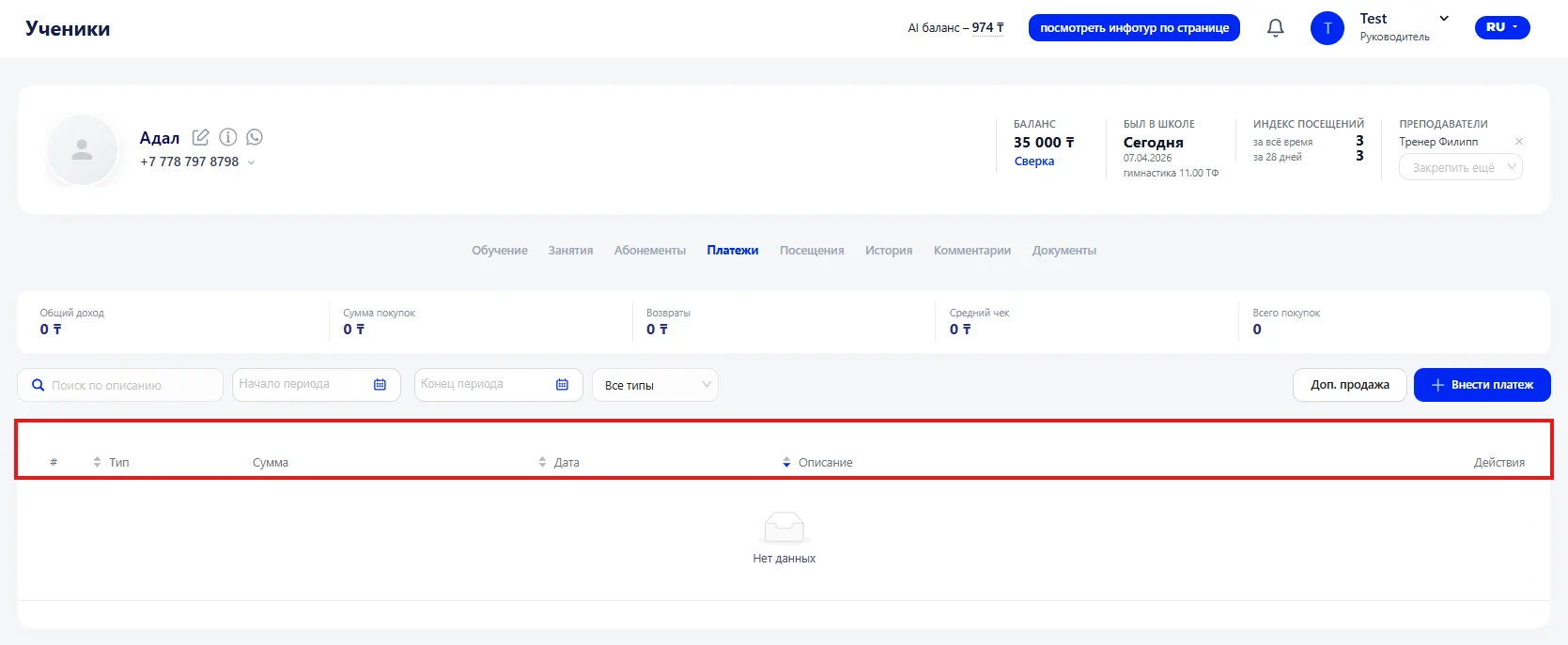
Below is a table with details of all transactions. For each payment the following is indicated:
- Payment type — for example, Membership payment or a single Class.
- Amount — the amount paid or refunded.
- Date — when the operation was performed.
- Payment description — additional information or comment about the payment.
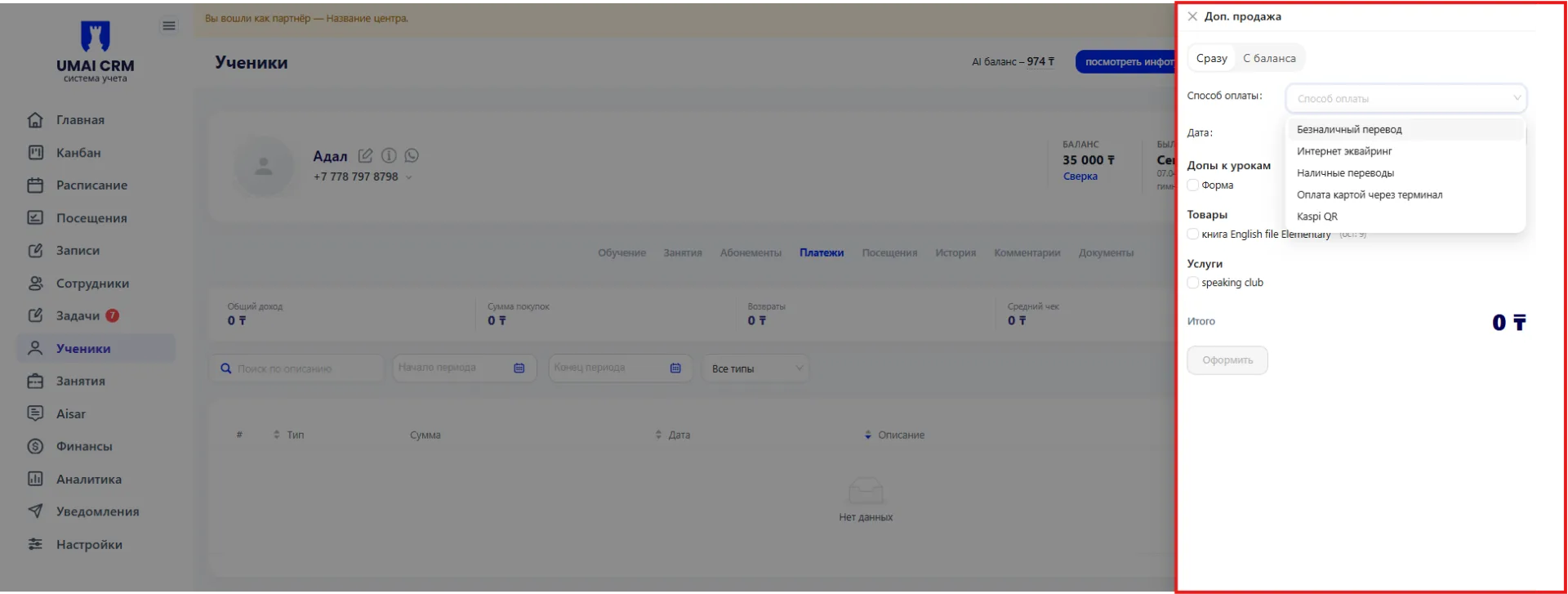
Additional sale — used to register an additional service or product for the student. After selecting this function, a window opens where you can specify the required item and its cost. Information about the additional sale is saved in the system and accounted for in the student's financial transactions.
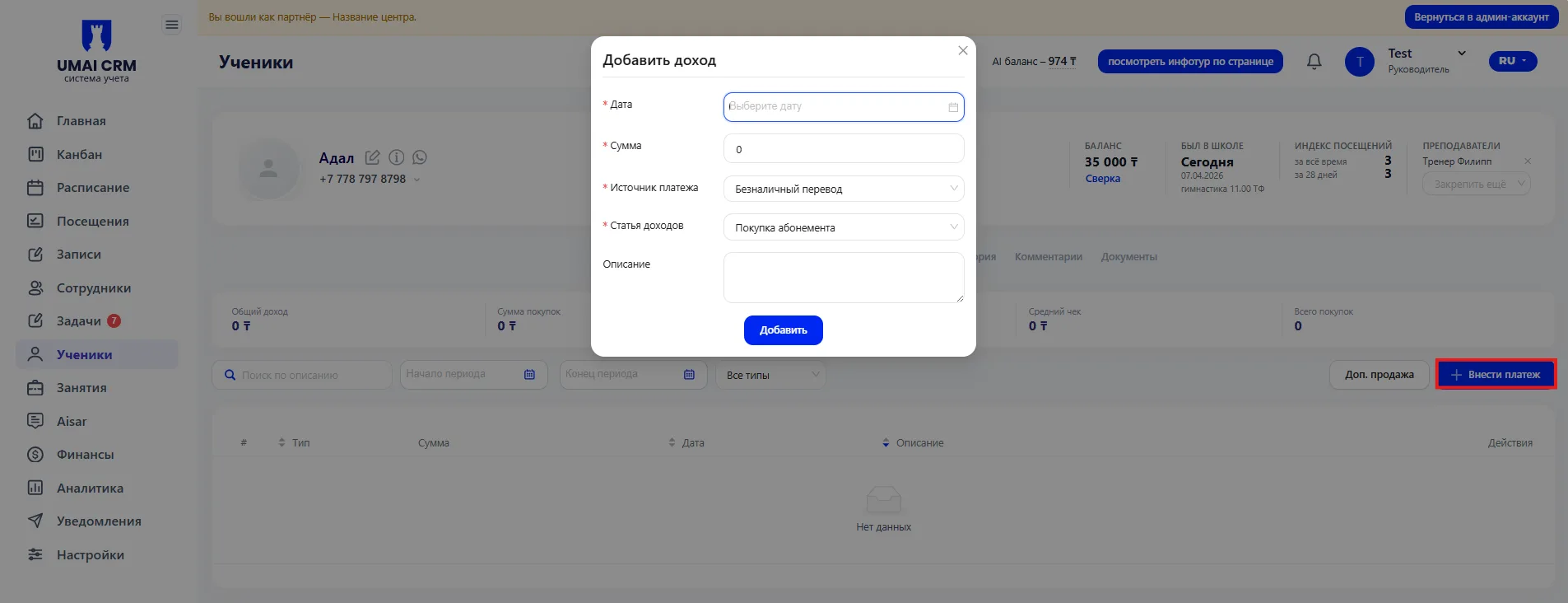
The "Add payment" button is used to register a new payment. After clicking, a form opens where you specify the date, amount, payment source, Income category and a description if needed. The saved operation is immediately displayed in the table and reflected in the financial metrics.
Each payment can be opened for editing or deleted using the buttons on the right side of the row. Changes are immediately reflected in the student's overall financial statistics.
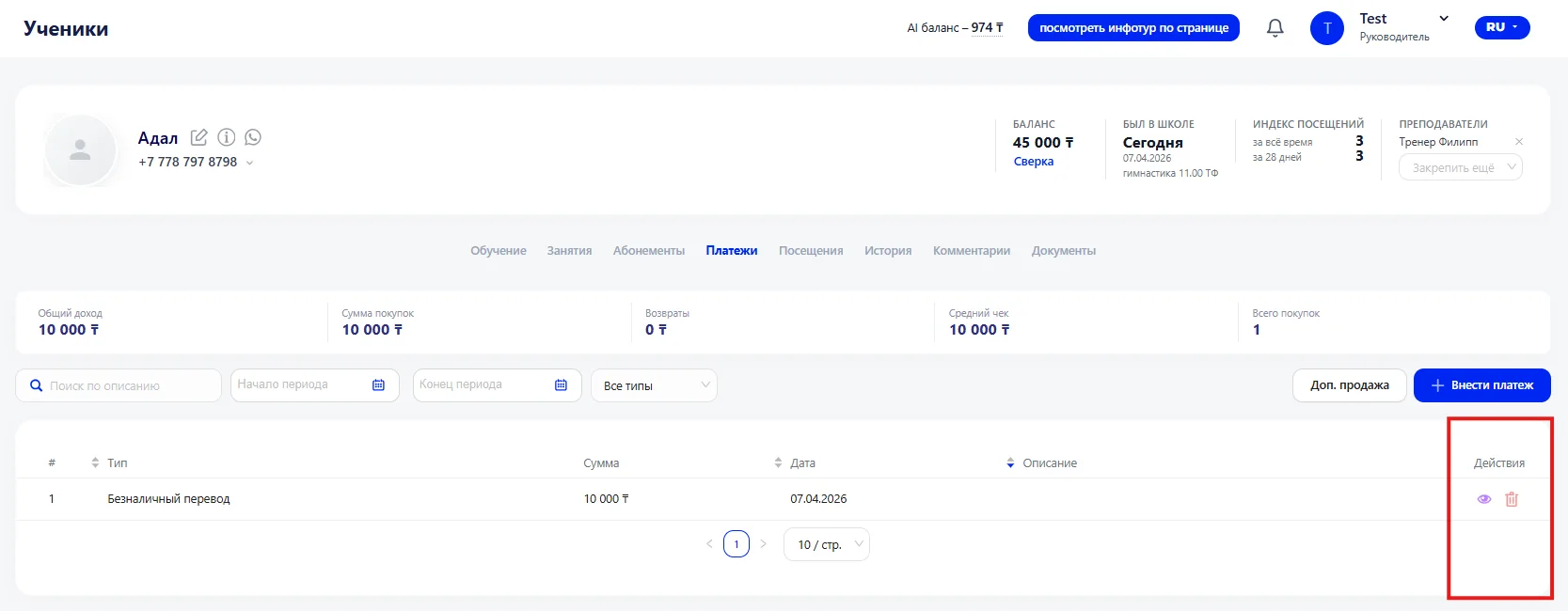
- Financial metrics are shown at the top of the page, including total income, purchases amount, refunds, average check, and number of purchases.
- Below is a table with details of all transactions, indicating payment type, amount, date, description, and information about additional sales.
- The "Add payment" button allows you to register a new payment specifying the date, amount, source, and Income category.
- Each payment can be opened for editing or deleted, and changes are immediately reflected in the student's overall financial statistics.