
The “Memberships” section contains information about all issued memberships: their statuses, validity periods, and payments. The data helps you understand the current center workload and the financial situation.
1. Period selection
At the top of the section there is a period filter. It sets the time range for which memberships will be displayed in the table. Usually this is a month, a quarter, or custom dates. After changing the period, the list updates automatically, allowing you to separate active work from archived data and analyze only the relevant information.
When choosing a period it is useful to be guided by the task: if you need to check current payments, it is better to take the current month. To analyze sales dynamics, choose a longer period. When searching for errors, make sure the selected interval is exactly the one during which the write-offs occurred.
1.2 Memberships table
The main working block of the section is the table with the list of memberships.
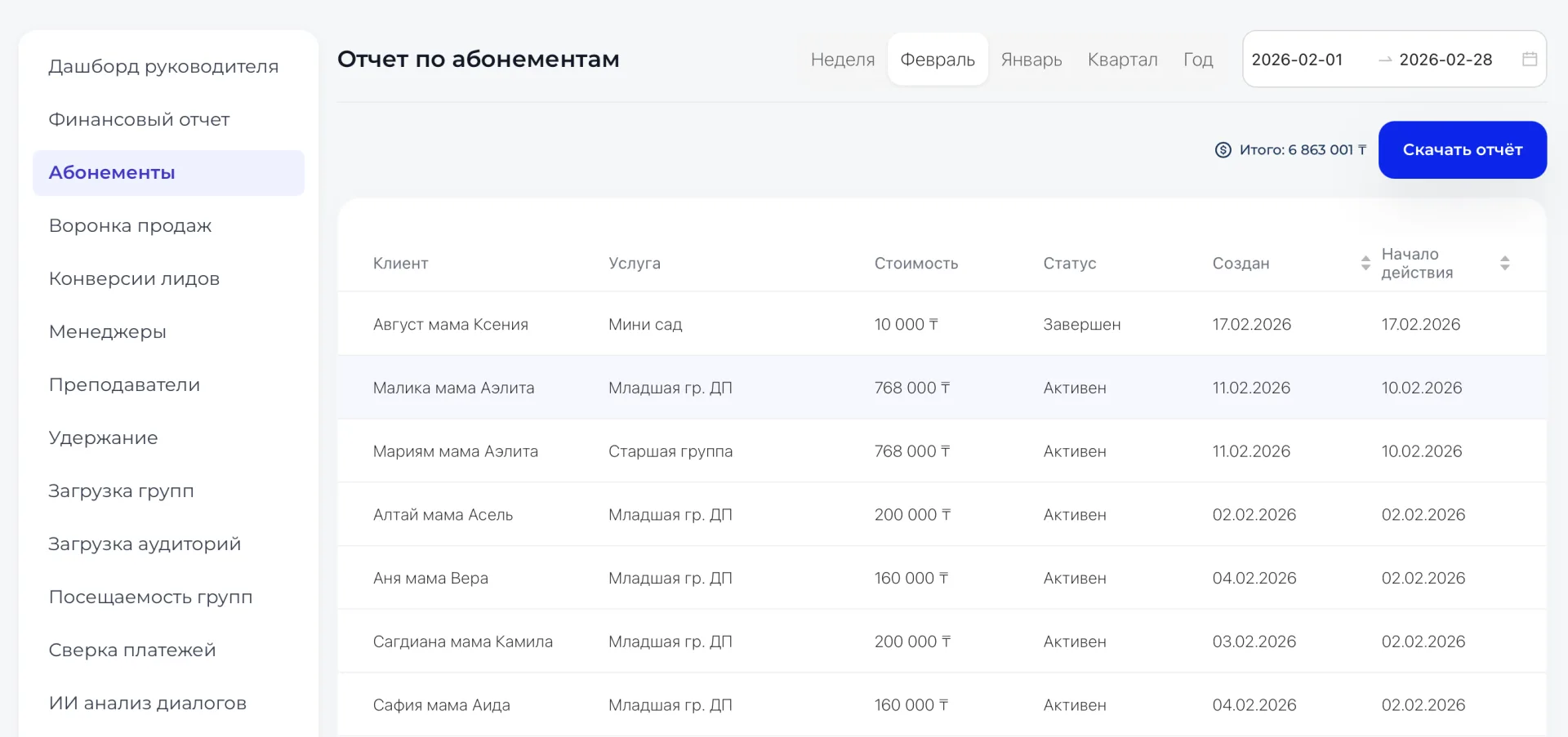
Columns include:
- Client — student name. Shows who purchased the membership;
- Service — direction or program. Allows you to understand the structure of demand;
- Price — membership price. Forms the revenue base;
- Status — active, completed, etc. Reflects the lifecycle of the membership;
- Created — date of issue. Helps track sales over time;
- Start date — date classes begin. Affects schedule load.
If the system detects a possible error, a red comment appears next to the relevant field.
For example:
- next to the status — a warning about an incorrect number of visits;
- next to the service — a note indicating a suspected accounting error.
The table provides a complete view of active and completed Memberships, showing student activity, accuracy of accruals, and correspondence of statuses to actual attendance.
3. Details about the service
When you click on the service name, a window opens with detailed information:
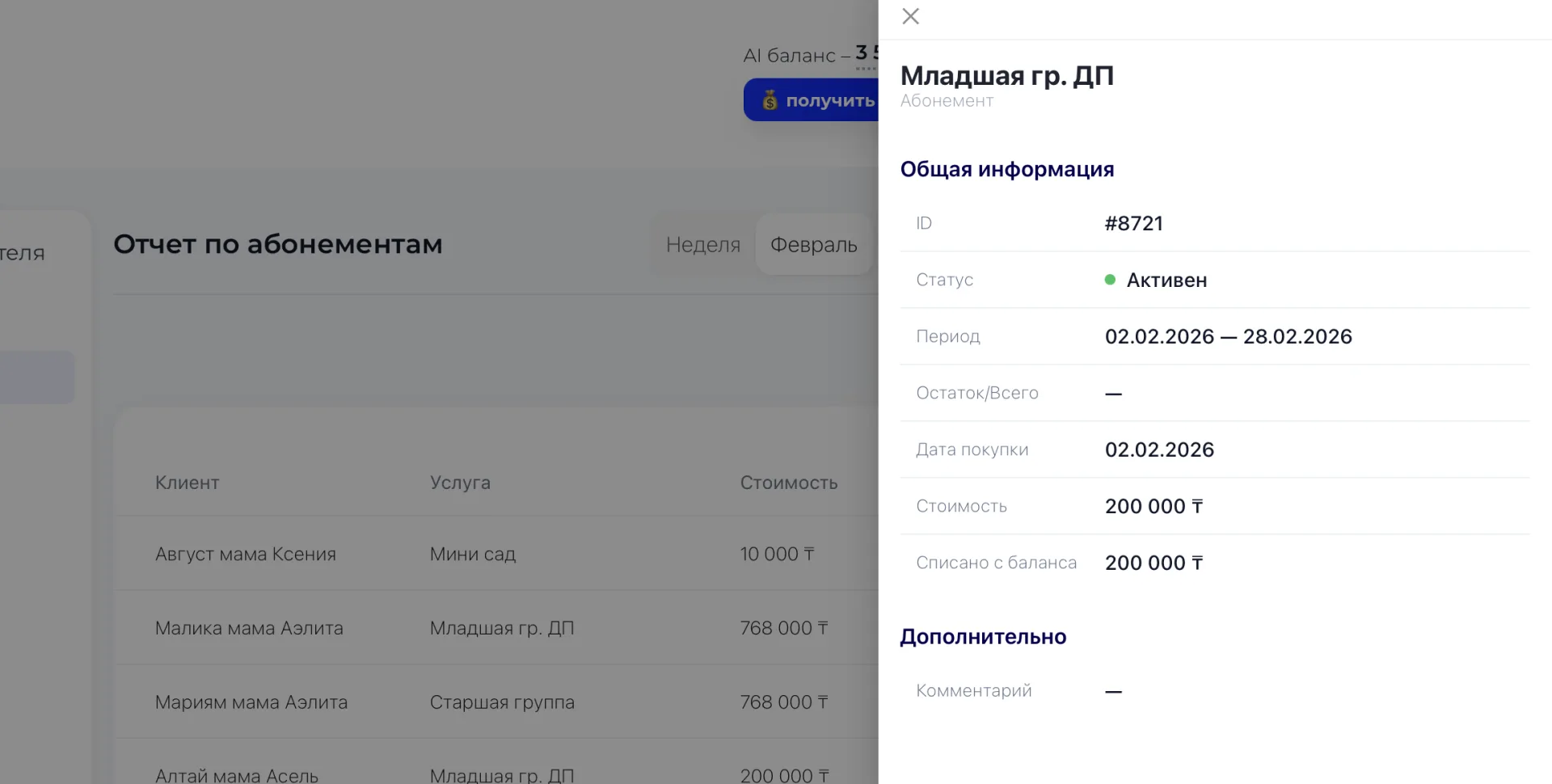
- Service ID – unique identifier in the system;
- Status and validity period,
- Total classes and remaining balance;
- Purchase date;
- Price;
- Amount deducted from balance;
- Additional: a comment explaining specifics of accruals or Membership usage.
This data is important for checking specific cases such as disputed write-offs, incorrect remaining balances, or payment discrepancies. If the price is fully paid but fewer classes have been recorded than expected, this may be a normal situation while the Membership is still in progress, or it may signal missed attendance markings. Comments help understand the context and take into account transfers, freezes, or special conditions of Membership use.
The section shows what is happening with Memberships right now: who is using the service, who has completed it, and how the payments went, allowing you to quickly identify errors, monitor balances, and plan work with clients.