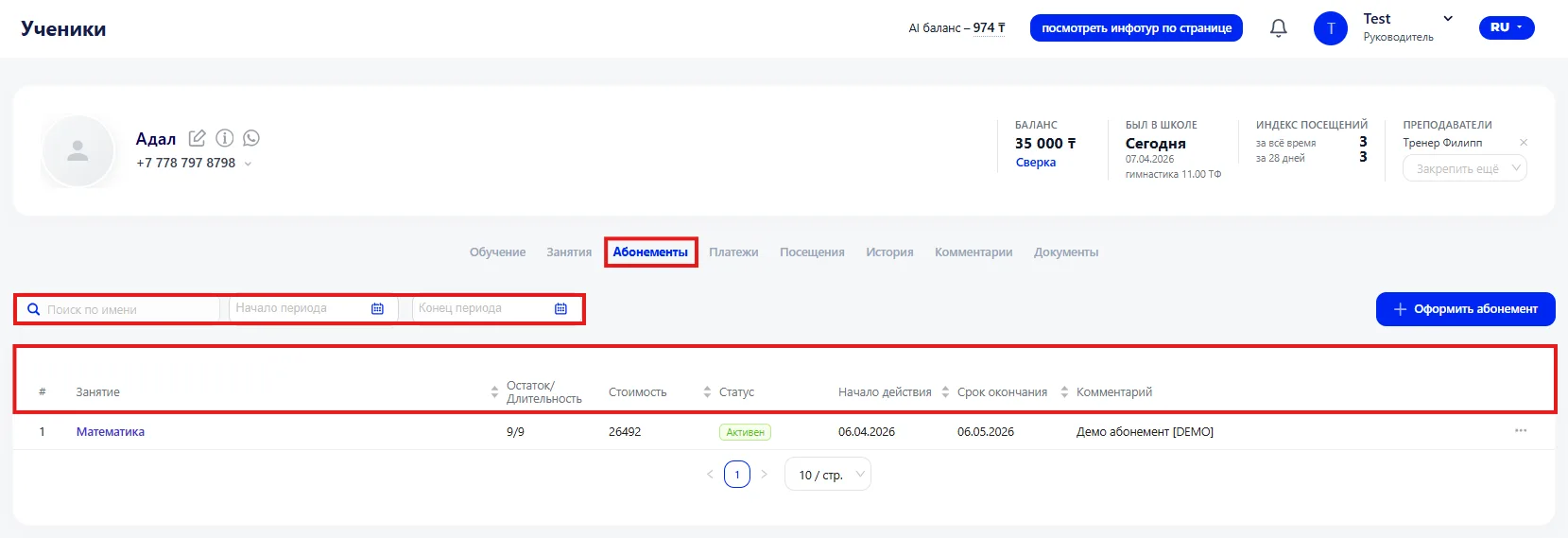
All memberships issued to a student are displayed in the tab.
Main blocks:
- Main interface elements
- Creating a Membership
2.1 Type and Class;
2.2 Parameters;
2.3 Cost.
1. Main interface elements
At the top of the section there is a search bar and a period filter where you can specify the start and end dates to quickly find the needed memberships. Information is presented in a table, where for each membership the following is indicated:
- Class — the direction or course to which the membership applies.
- Remaining classes or duration — the number of remaining classes or the validity period, depending on the membership type.
- Cost — the amount for which the membership was issued.
- Membership status — for example, active, completed, or paused.
- Start date — the date from which the membership becomes effective.
- End date — the date until which it is active.
- Comment — additional information about the membership, for example special conditions, agreements with the client, or administrator notes.
2. Creating a Membership
A Membership is created to enroll a student in classes and to account for payment for training. When creating a Membership, the class parameters, validity period, and cost are specified. To add a Membership click the «+ Оформить абонемент» button and fill in the following fields: type and class, parameters, cost.
2.1 Type and Class
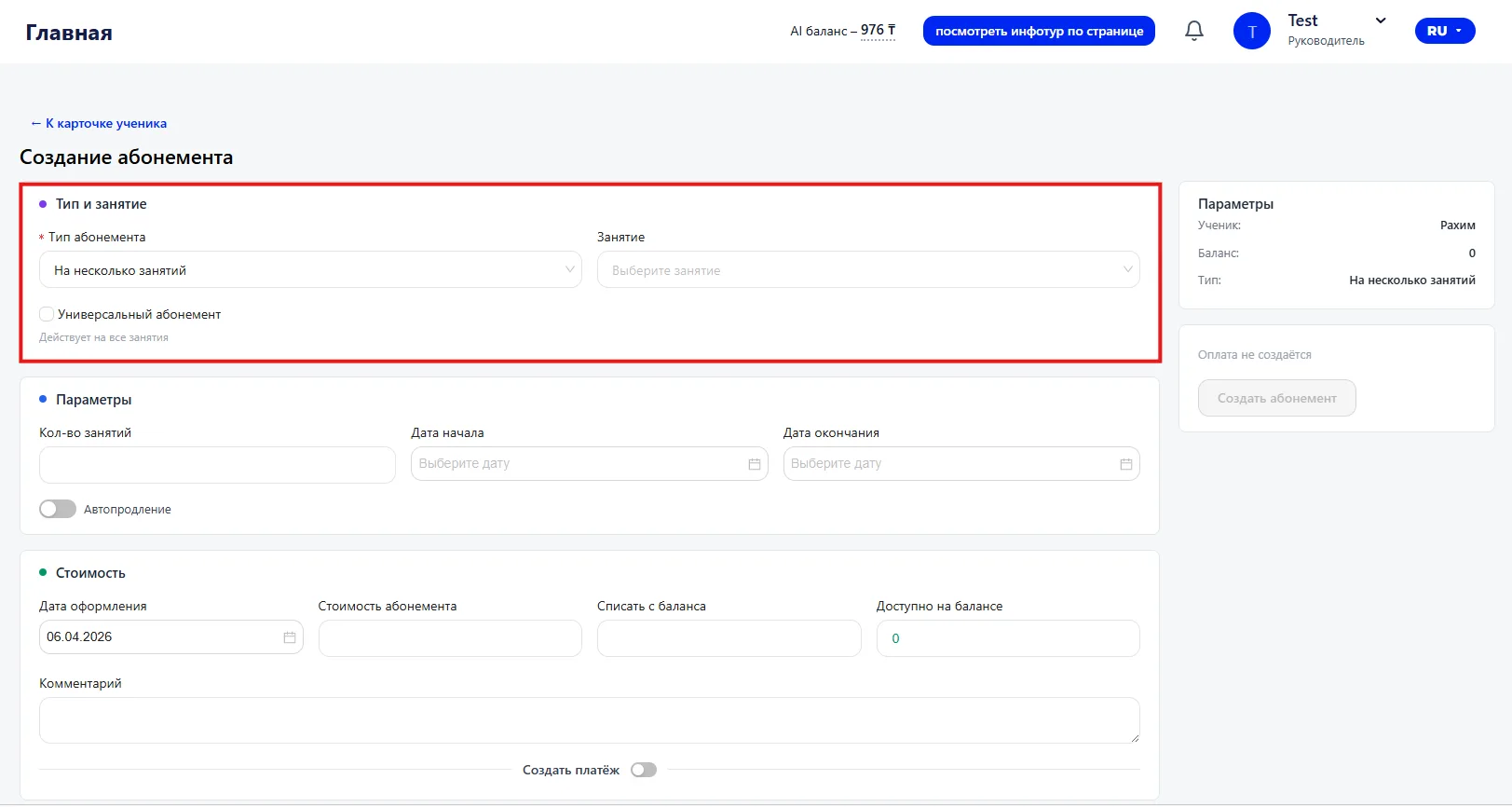
The main parameters of the Membership are set in this block.
- Membership type — determines the format of the membership. For example, you can choose a membership for a certain number of classes.
- Class — you must select the course or direction for which the membership is issued.
- Universal membership — when this option is enabled the membership will apply to all classes, not to a specific course.
2.2 Parameters
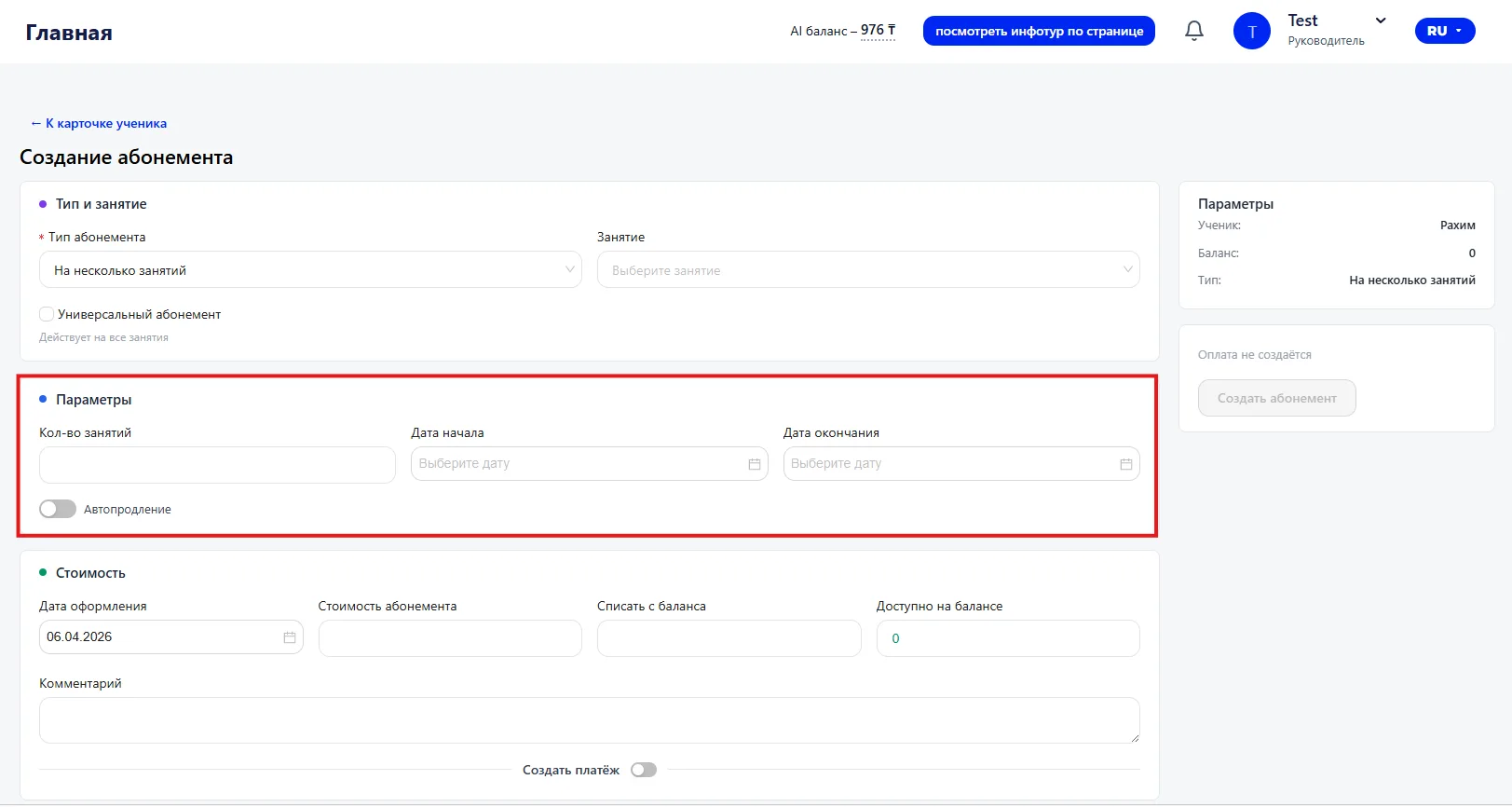
The conditions for using the membership are set in this block.
- Number of classes — the number of classes available under the membership.
- Start date — the date from which the membership becomes effective.
- End date — the date until which the membership will be active.
- Auto-renewal — when this option is enabled the membership will be automatically renewed after expiration.
2.3 Cost
This section contains information about the membership payment.
- Creation date — the date the membership was created.
- Membership cost — the total cost of the selected package of classes.
- Charge from balance — the amount that will be deducted from the student's balance.
- Available on balance — displays the student's current balance.
- Comment — a field for adding additional information, such as special conditions or administrator notes.
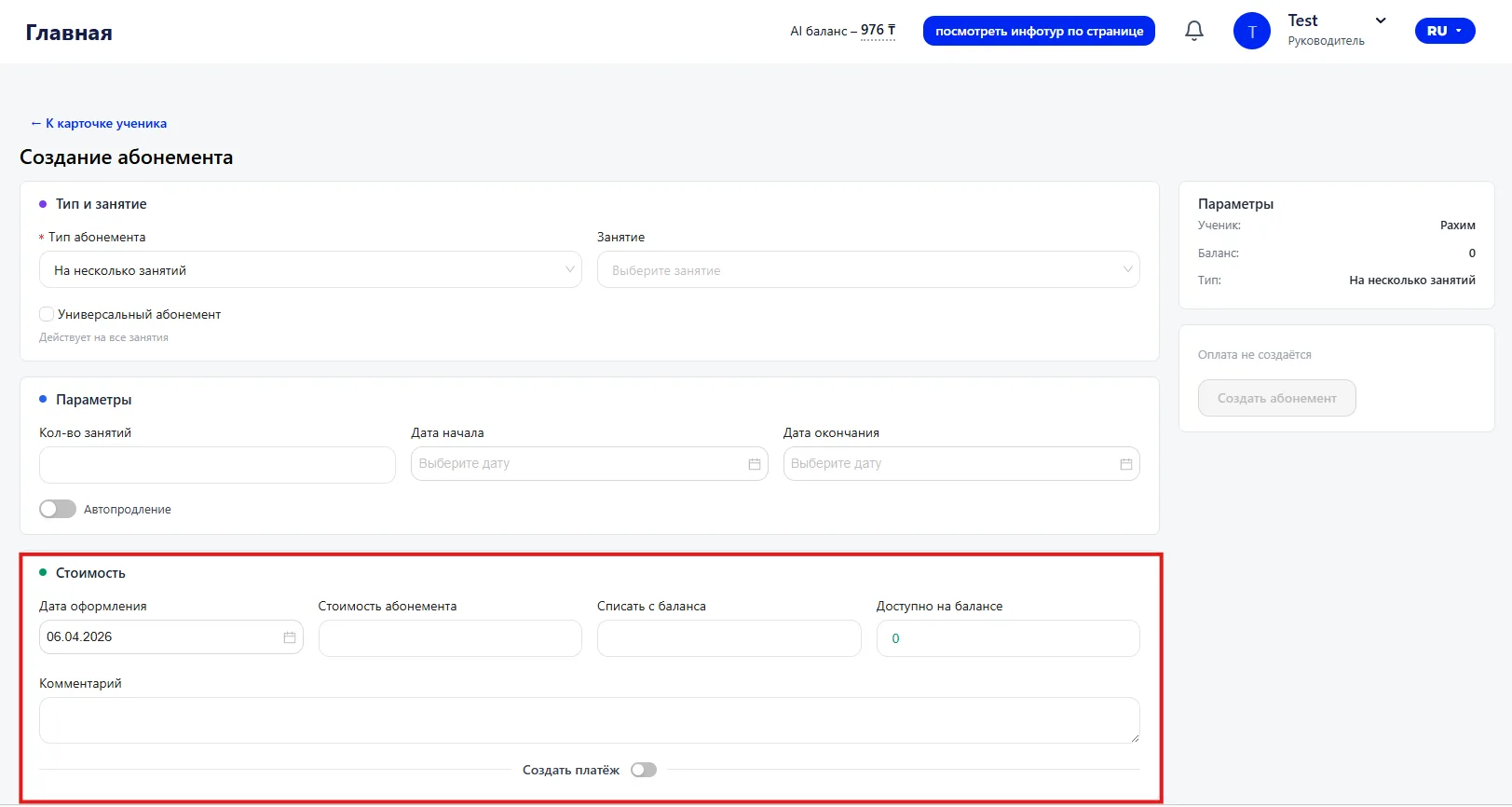
If necessary, you can immediately register a payment.
To do this, enable the toggle «Создать платёж». After that the system will create a payment record when saving the Membership.
After filling in all required fields click the «Создать абонемент» button.
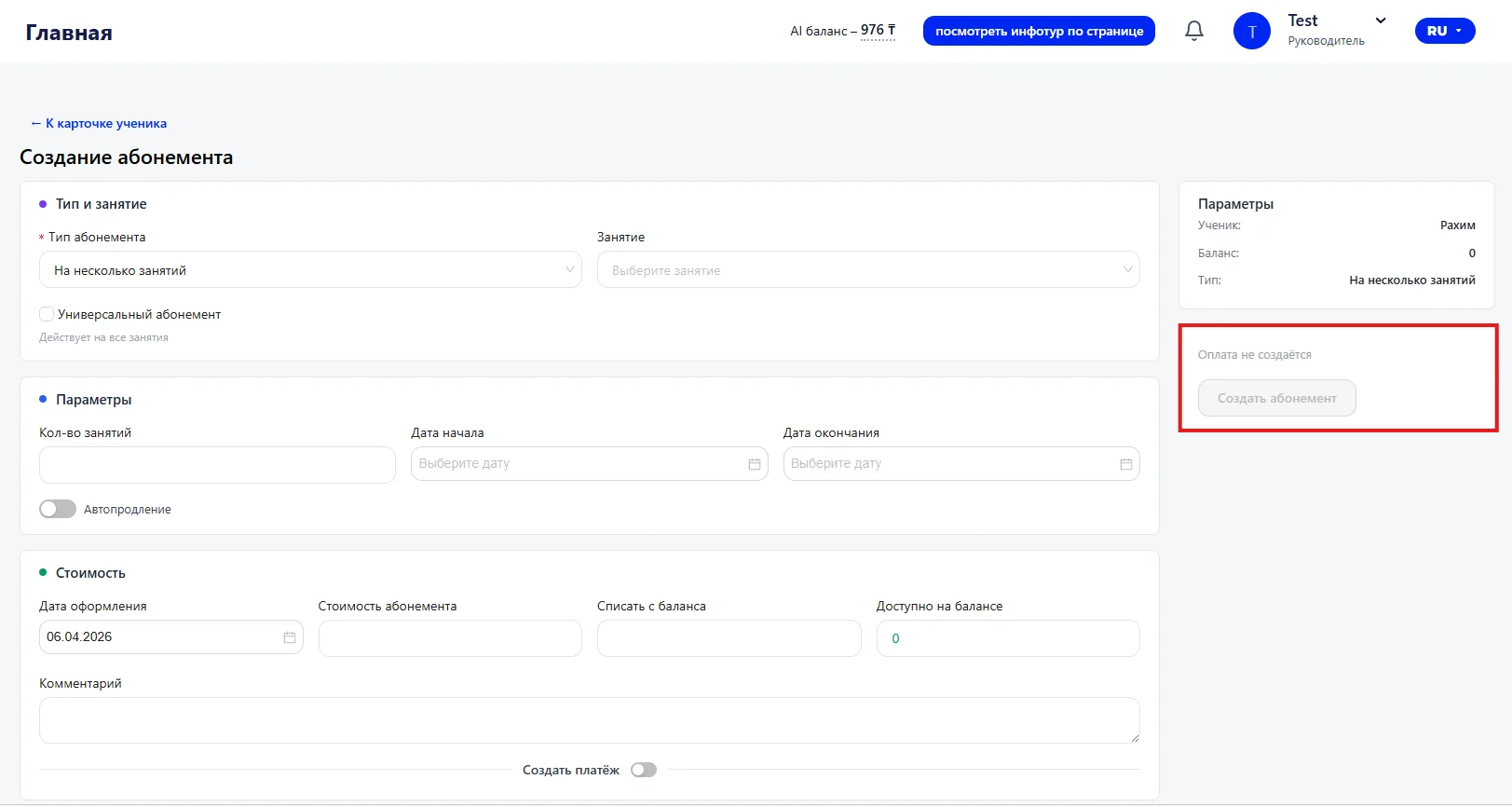
The system will save the data, and the membership will appear in the student's card in the «Memberships» tab.
Important to note
- The membership type and the selected class determine which classes the membership will apply to and how classes will be deducted.
- The start and end dates affect the membership validity period. After the end date the membership automatically ceases to be active.
- When the «Auto-renewal» option is enabled the system will automatically renew the membership after its expiration.
- If the «Создать платёж» toggle is enabled, when saving the membership the system automatically creates a payment record.