1. Selection of period
At the top of the section you set the period for group occupancy: week, month, quarter, year, or a custom date range. After changing the period, the chart rebuilds automatically. For analysis convenience you can save the report using the "Download report" button on the right side of the screen.
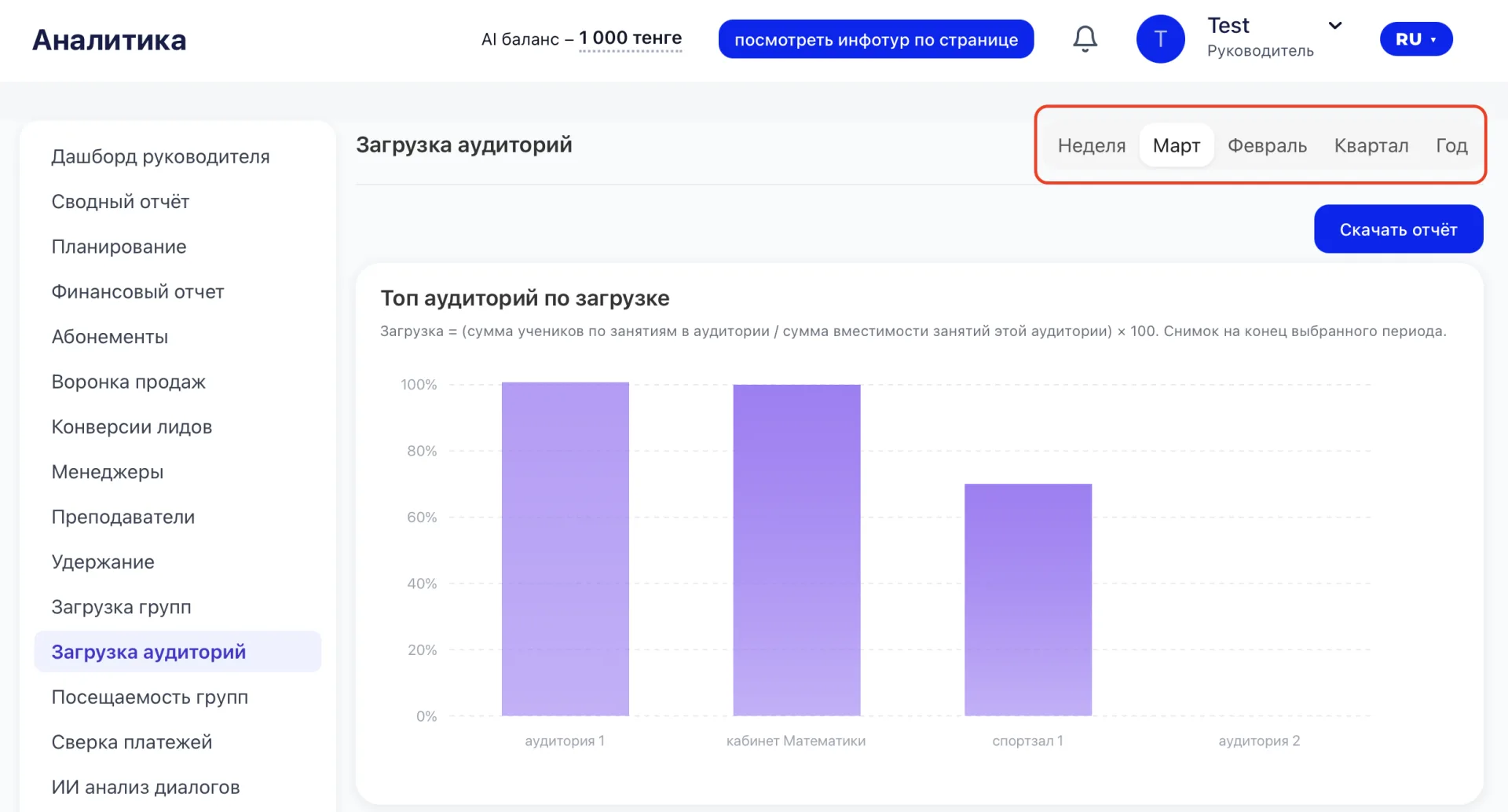
Each period shows its own dynamics. A week helps notice current disruptions, a month allows you to see a stable trend, and a quarter gives the opportunity to evaluate the systemic efficiency of room operations.
2. Top rooms by occupancy
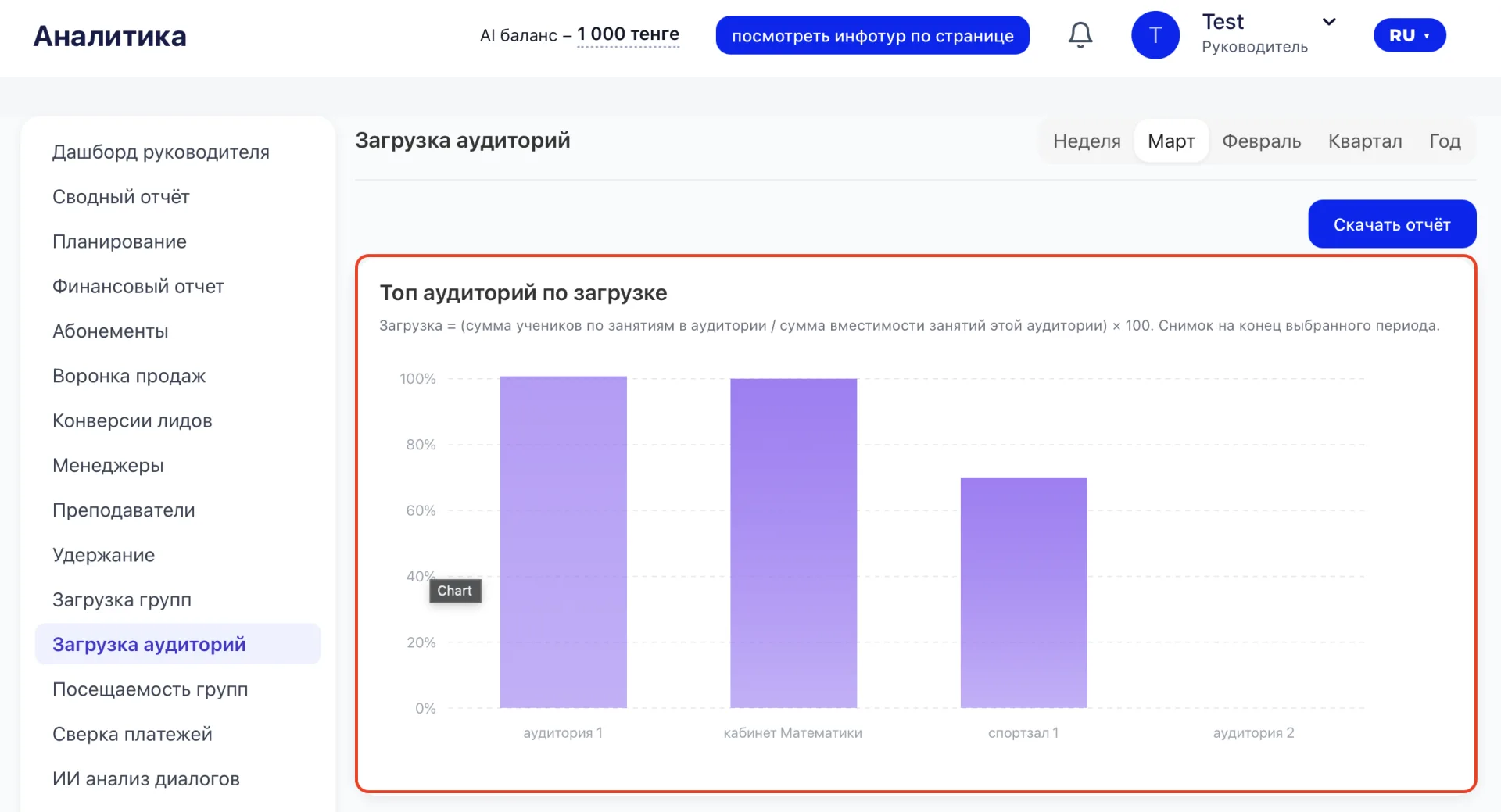
The chart shows how busy the rooms are for the selected period:
- Horizontal axis — names of rooms or premises.
- Vertical axis — percentage of occupancy, that is the ratio of the sum of Students in Classes to the sum of capacity of Classes in that room, multiplied by 100%.
- Column height reflects the degree of room utilization: the higher the column, the more Classes in the room.
3. Breakdown by rooms
Below is a table with detailed data for each group:
- Room — the name of the premise.
- Class — the specific Class taking place in the room.
- Students – the number of Students enrolled in the Class.
- Capacity — the maximum number of Students the room can accommodate.
- Occupancy, % — the ratio of the number of Students to the room capacity, expressed as a percentage. If capacity equals zero, the percentage is calculated based on the actual number of Students.
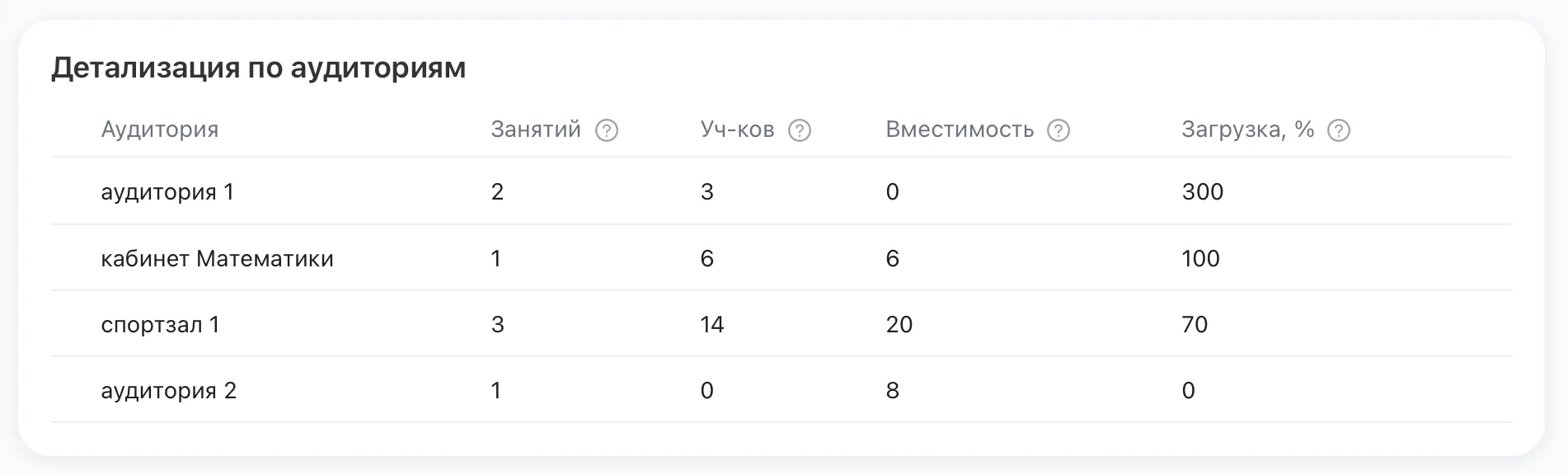
These data will help understand the real situation with room usage and identify rooms with overloading or insufficient utilization.
4. Occupancy by time
The chart shows room occupancy within the working day:
- Long green segments mean high occupancy, short ones indicate free time.
- The value on the right shows the share of occupied time for the selected day.
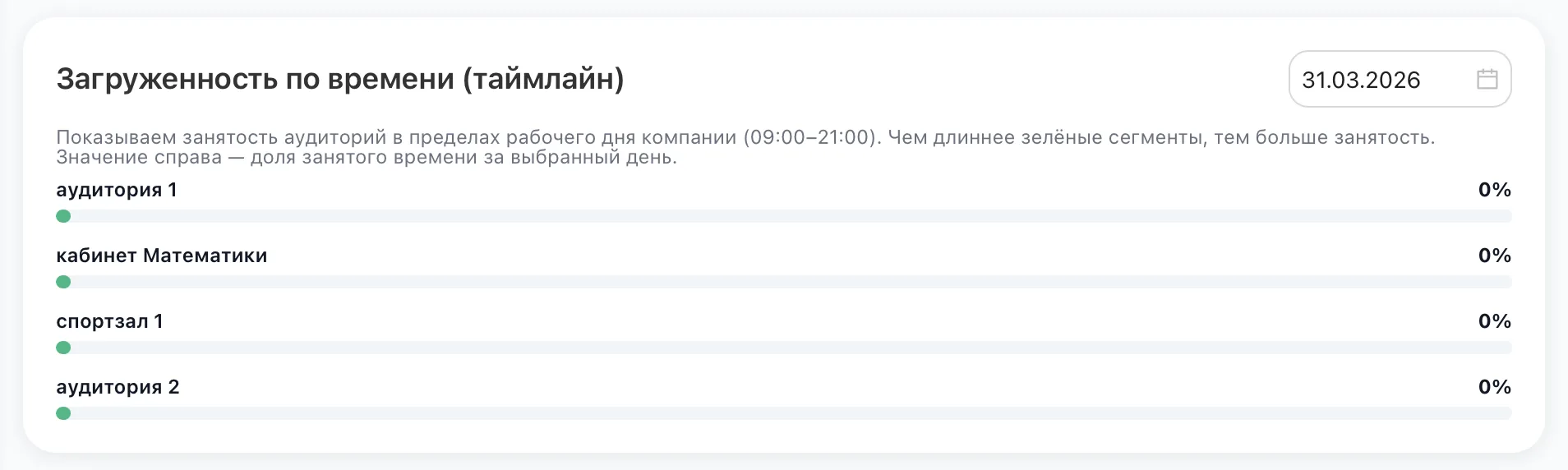
The block helps assess how effectively Classes are distributed throughout the day and where there are opportunities for additional Classes or schedule adjustments.
Recommendations:
- Pay attention to rooms with occupancy close to 100% — it may be worth redistributing Classes or opening an additional premise.
- Rooms with low occupancy require analysis: the reason may be weak interest in the Classes or mismatch of the schedule.
- Use the data to balance the Schedule across rooms and Teachers to optimize room usage.
- Download reports for further analysis and reporting.