This section allows you to automatically send personalized birthday greetings to clients on their birthday.
Main blocks:
- Message
- Recipients
- Delivery settings
1. Message
The block is located at the top of the page. This is where the greeting text is created. In the editor you can:
- write the greeting text;
- use formatting — bold, italic, or strikethrough;
- add variables (Client name, Center name, Phone, Email);
- attach an image or file.
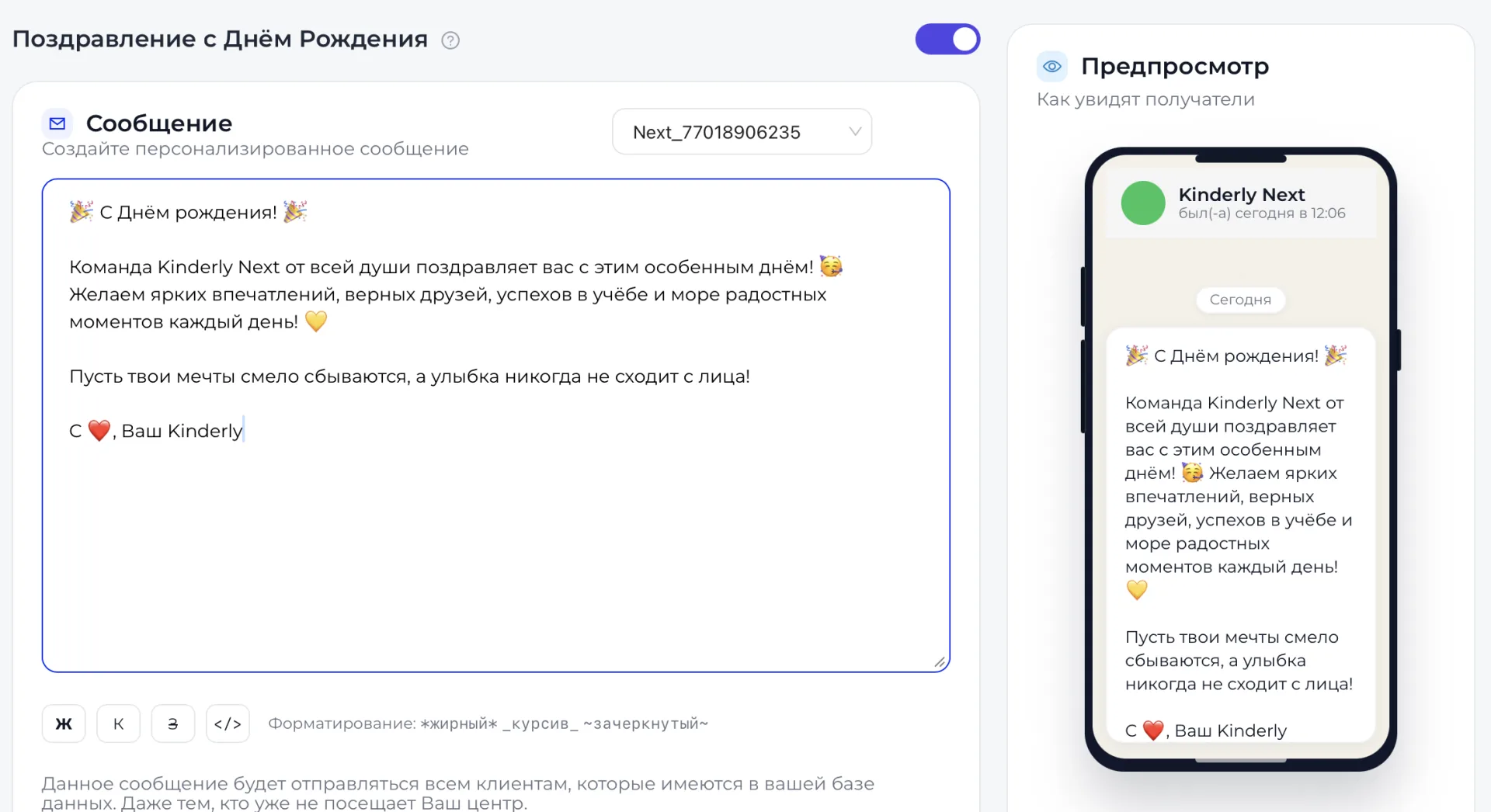
Variables automatically substitute the recipient's data upon sending, making the greeting personalized. A preview is shown on the right side of the screen, where you can check how the greeting will appear to the client on their phone.
2. Recipients
The block is located under the message editor. In the field "Audience segment" (Сегмент аудитории) you can choose who will receive the greeting:
- all clients;
- only active clients (Только активные).
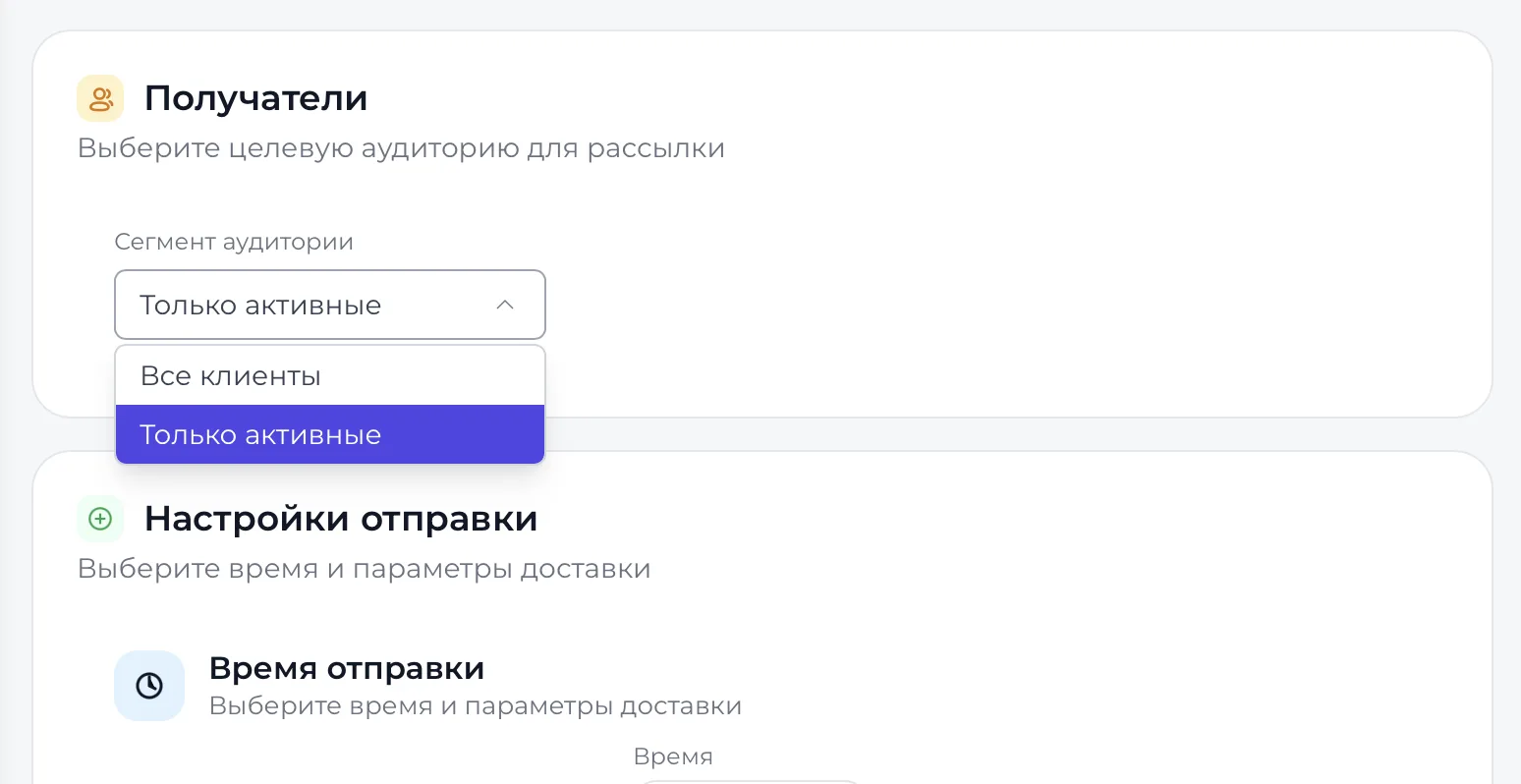
The choice of segment determines who will receive the greeting.
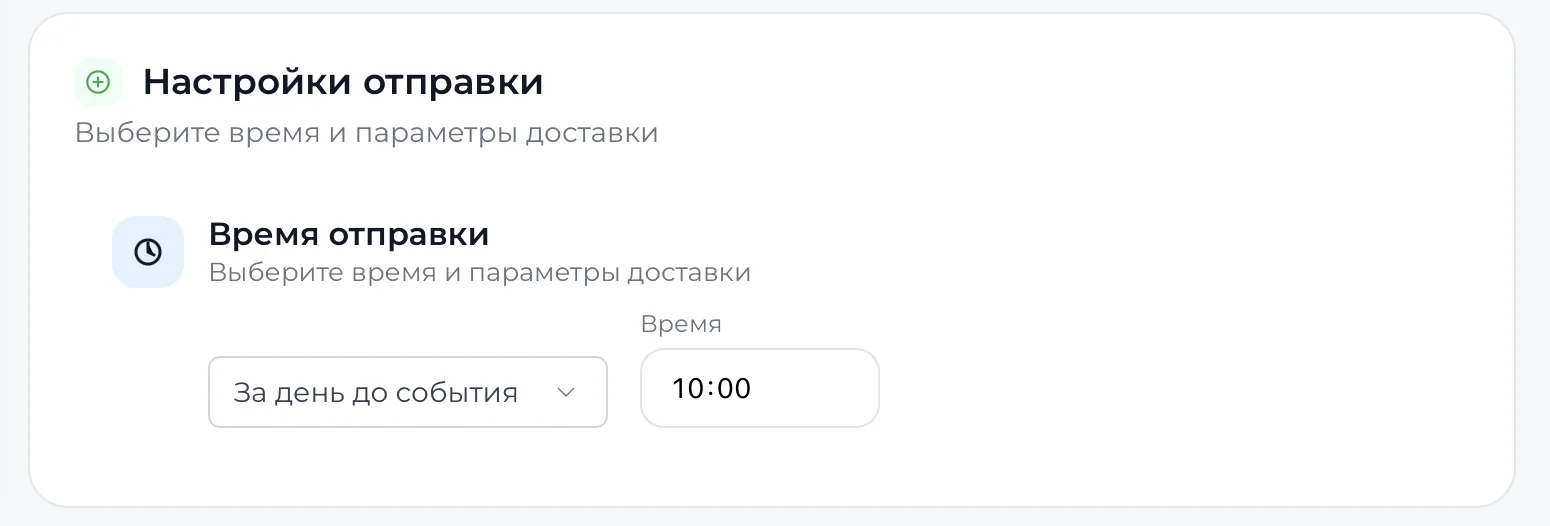
3. Delivery settings
The block is located at the bottom of the page and allows you to choose the sending time and delivery parameters. Here you can set the time for sending the message.
Below the preview there is a button "Save notification settings" (Сохранить настройки уведомлений) that saves the created greeting with the selected parameters. After saving, notifications will be sent automatically on clients' birthdays.
Audience segments are formed based on data from other sections of the system, such as client cards and information about their activity status. Any changes in these sections, for example, if a client becomes inactive or the birth date is missing in the card, may affect who receives the greeting.
Important to consider
- Client cards must include the name and date of birth.
- A client’s activity status determines their inclusion in the segment "Only active" (Только активные).
- The message will be sent to all clients in your database, including those who no longer attend your center.
- All data changes are automatically reflected in the generated audience, so before saving the settings you should check the relevance of the cards.