This section defines how the Kanban will work: which stages are displayed, whether their order can be changed, how Leads are distributed among Employees and where the card goes after the deal is closed.
Main blocks:
- Access to the section
- Board parameters
- Leads distribution
- Where to move the card when converting
1. Access to the section
2. Board parameters
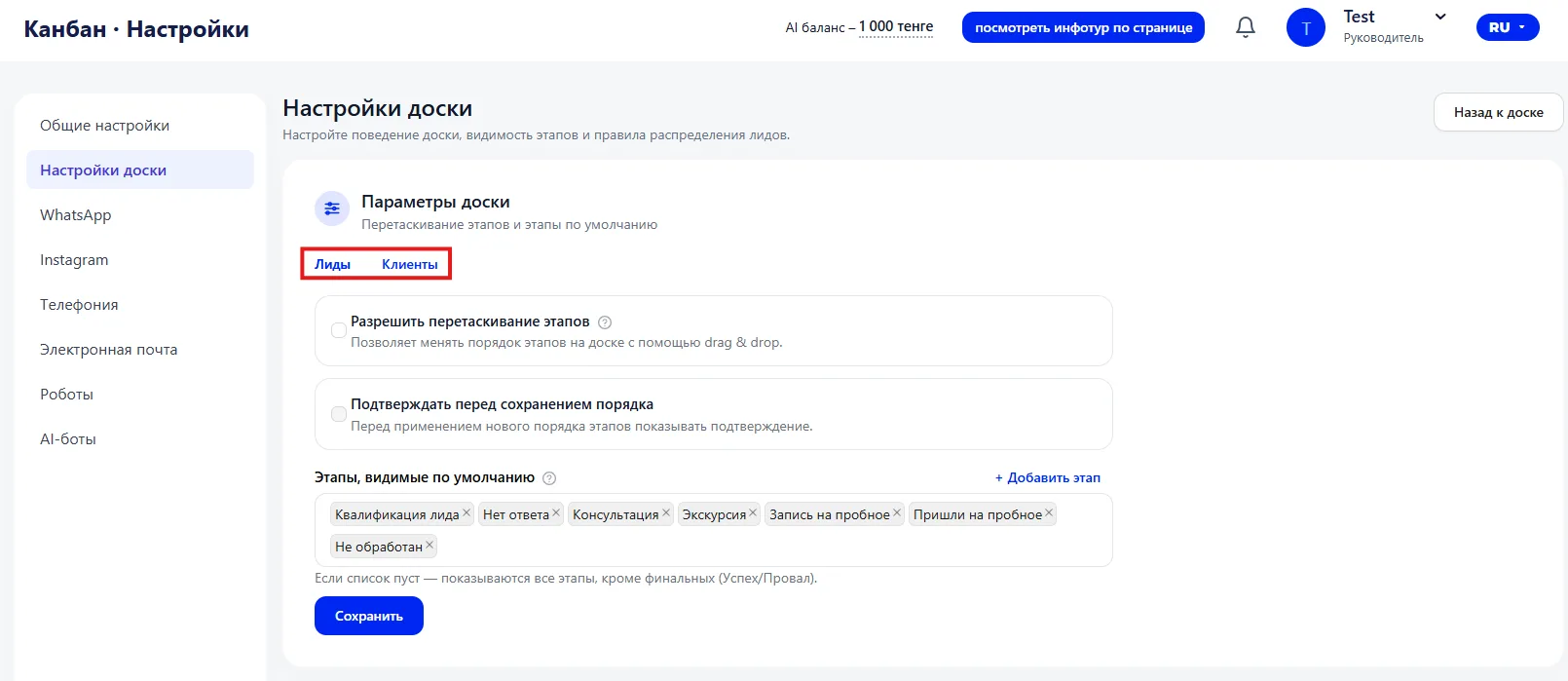
- Leads
- Clients
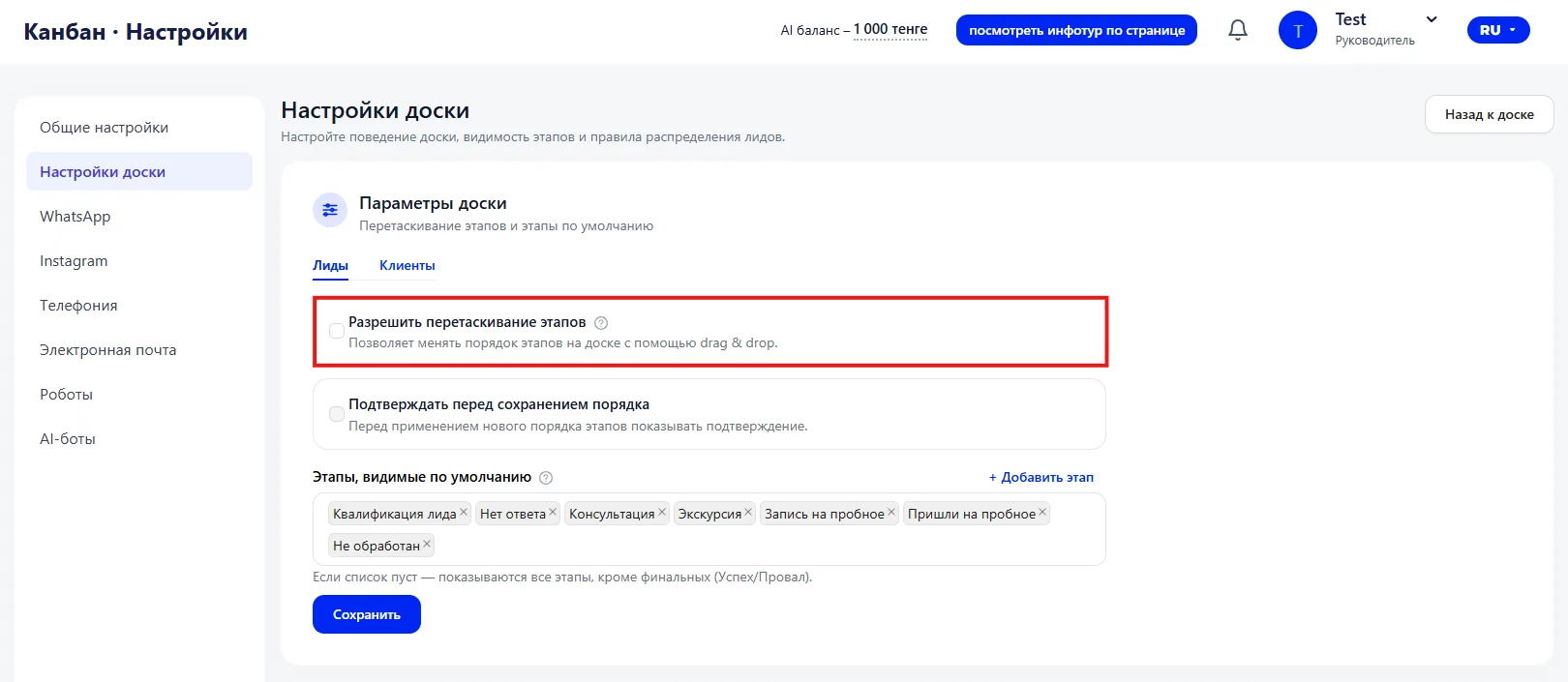
If enabled — stages can be dragged.
If disabled — the order is fixed.
Useful when you are configuring the funnel or testing a new sales process.
Confirm before saving order
When changing the order of stages, the system will ask for confirmation.
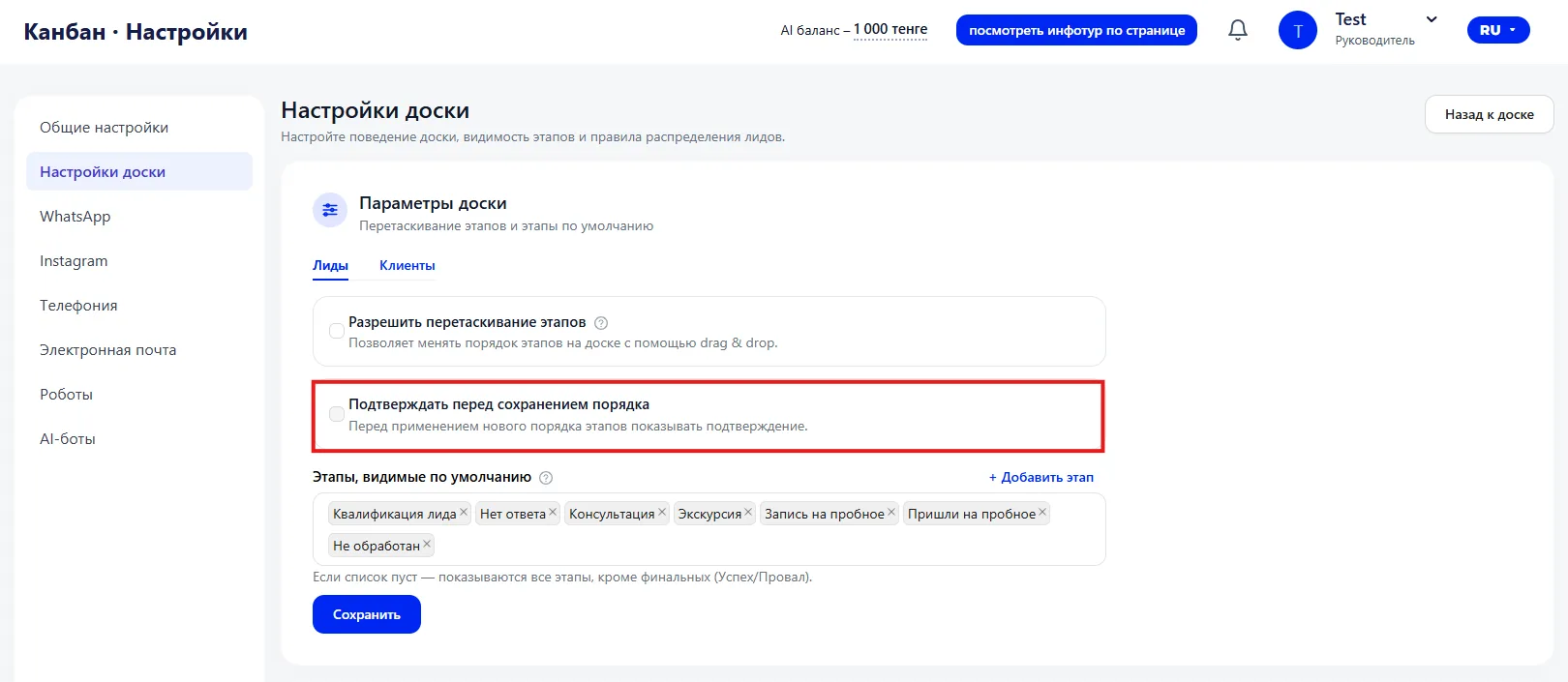
It is recommended to enable this if multiple Employees work with the board. This reduces the risk of accidental changes.
Stages visible by default
In this part you set which stages will be displayed in the Kanban.
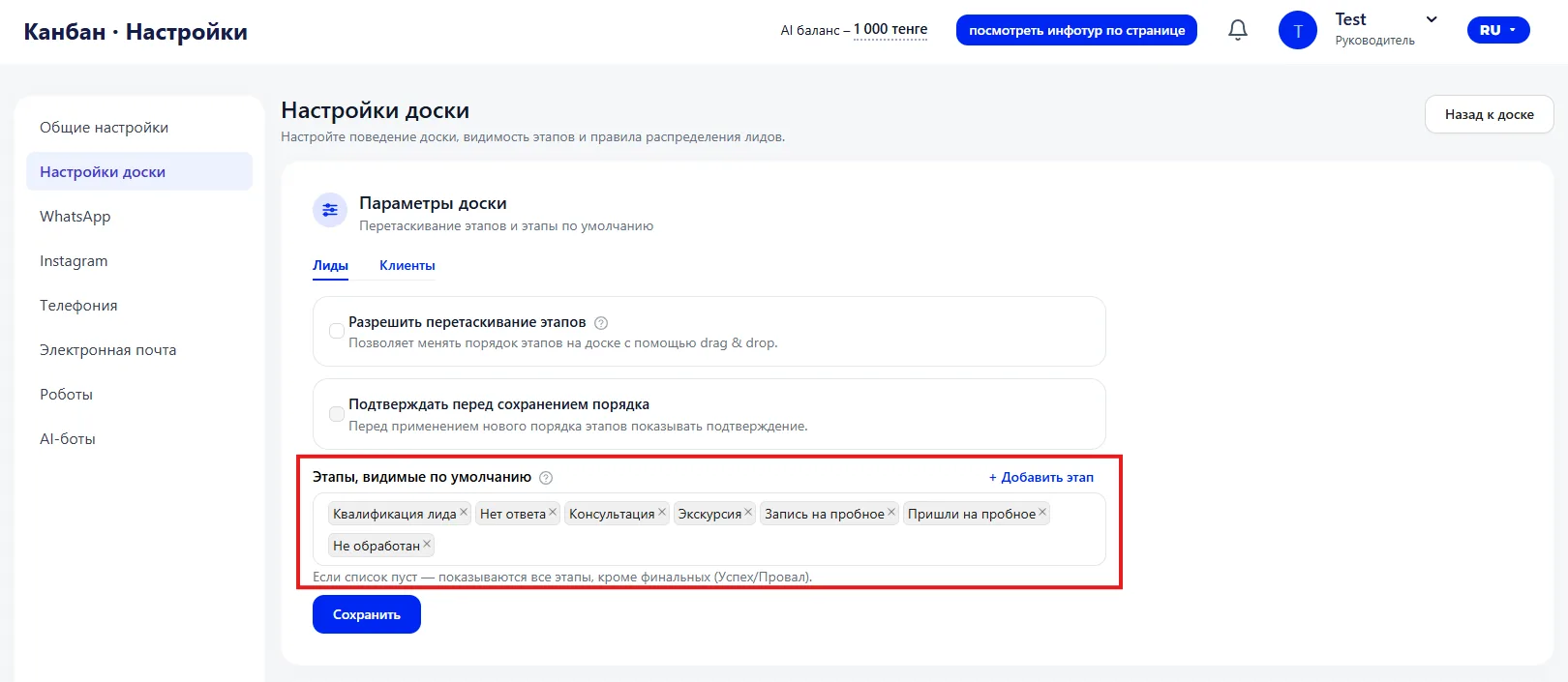
If the list is empty, the system shows all stages except the final ones (“Success” and “Failure”). When specific stages are selected, only they are displayed.
This setting helps hide intermediate stages, simplify the board and leave only key stages for managers.
After making changes you must click “Save”.
3. Leads distribution
This block determines to whom new Leads will be assigned.
Two options are available:
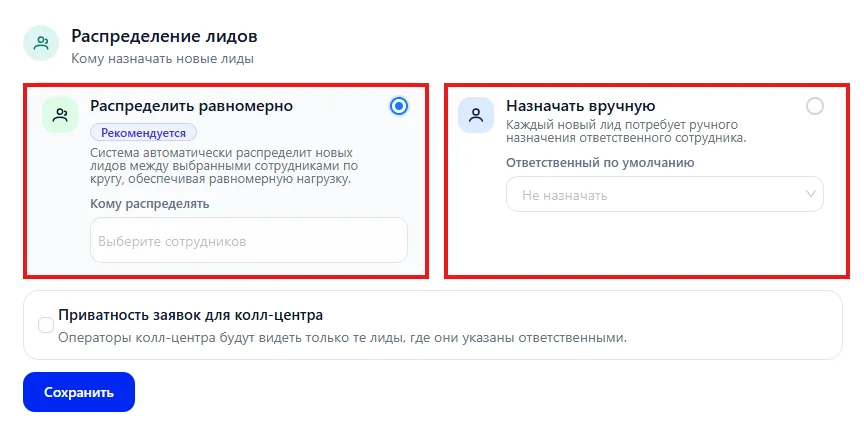
- Distribute evenly (recommended) — the system automatically distributes new Leads among the selected Employees in turn. You choose Employees in the “Assign to” field, and the system divides the incoming requests evenly. Suitable for team work and helps avoid overloading one manager.
- Assign manually — each new Lead must be assigned manually. You can additionally choose a “Default responsible” — the Employee who will be assigned automatically if another is not specified.
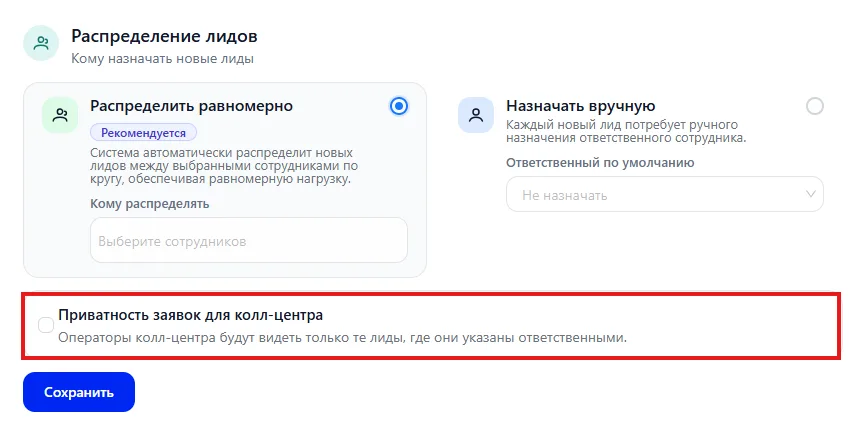
Request privacy for call center
If you enable this option, operators will see only those Leads where they are assigned as responsible. This is useful for restricting access and separating areas of responsibility.
After changes click “Save”.
4. Where to move the card when converting
This block determines to which funnel stage the card is automatically moved after the deal is completed. The setting allows fixing the final position of the Lead depending on the result of work and ensures correct reflection of data in analytics.
Three scenarios are provided.
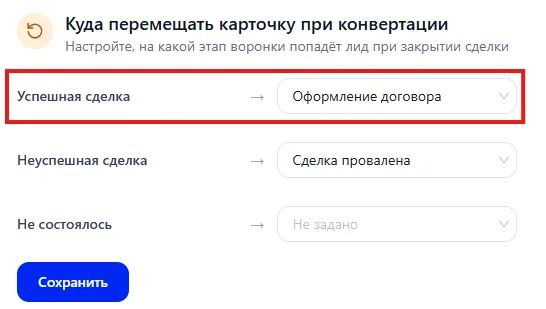
Successful deal — specifies the stage the card will go to after a positive completion. For example, it can be the stage “Contract processing”. The selected stage forms the structure of the final part of the funnel, defines further actions for the client and affects conversion calculation.
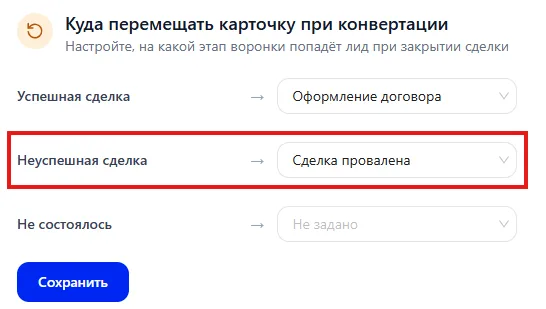
Unsuccessful deal — sets the stage for deals completed without a result. Most often the stage “Deal failed” is used. Such cards are included in refusal statistics and affect the efficiency indicator of Lead handling.
No-show — applies in situations when a meeting, trial Class or another scheduled step was not held. For this scenario you can select a separate stage or leave the value “Not set”. A separate stage allows analyzing the share of no-shows and identifying problem areas in the work process.
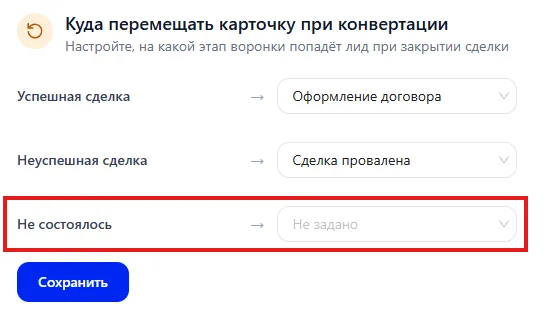
After changing the parameters it is required to save the settings so that the logic of card movement is applied to new completed deals.
Correct configuration of this block provides a clean funnel structure, accurate analytics and a clear separation of successful and unsuccessful results.