The section is used to connect the integration with Instagram
and to automatically create leads from incoming messages.
Settings (Настройки) determine whether correspondence from Instagram will enter the Kanban (Канбан) and at which stage new deals will be created.
Main blocks:
- Access to the section
- Integration and Leads
1. Access to the section
The section is opened via the menu «Settings (Настройки)», then select the item «Instagram Settings».
2. Integration and Leads
First you need to connect the integration through the Aisar App service. Without an active integration, messages from Instagram are not transferred to the CRM, and leads will not be created automatically. After connecting, the system begins to receive inquiries from direct and can create cards in the Kanban (Канбан).
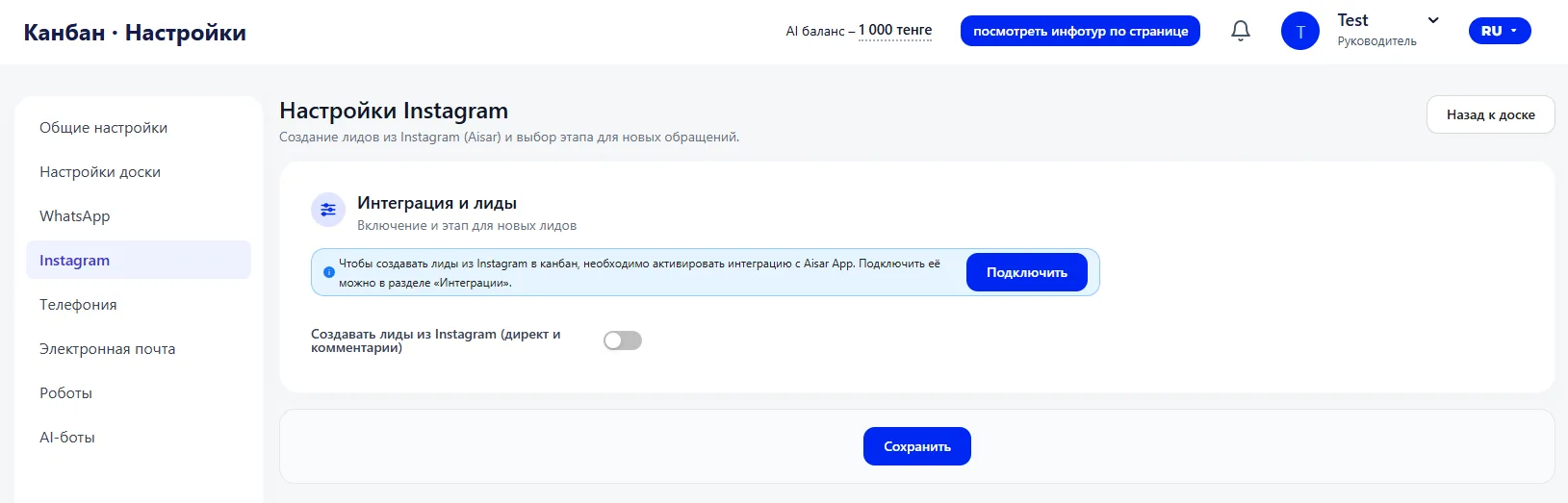
The toggle «Create leads from Instagram (Aisar)» controls the automatic creation of deals. If it is enabled, every new inquiry can immediately form a lead card. This card appears in the Sales funnel and is processed according to the general rules — with assignment of a responsible person, stage, and inclusion in analytics.
If the toggle is disabled, correspondence is not automatically converted into deals. This can be used if you need to filter inquiries manually first.
After changing the settings, you must save them for the new rules to take effect.
Important to note
- The integration with Aisar App must be connected. Without it, messages from Instagram will not be transferred to the CRM.
- Automatic lead creation works only when the toggle «Create leads from Instagram (Aisar)» is enabled.
- Changes take effect only after clicking the «Save» button.