This section is intended for connecting integration with WhatsApp, automating message processing and using AI tools to analyze correspondence.
Main blocks:
- Access to the section
- Integration and Leads
- Auto-replies (Автоответы)
- AI-autofill (AI-автозаполнение)
- AI-dialogue analysis (AI-анализ диалогов)
1. Access to the section
2. Integration and Leads
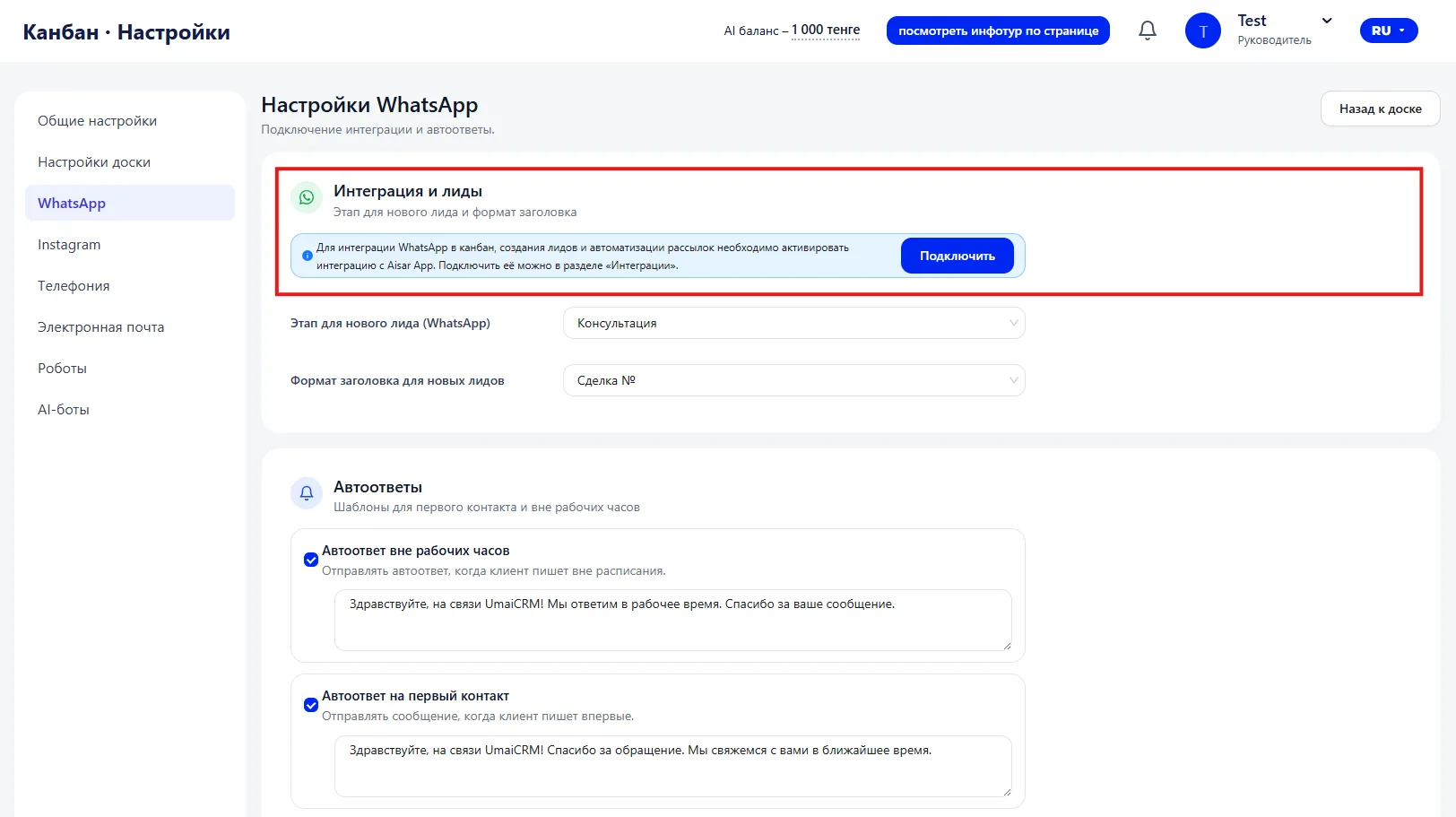
Without an active integration, automatic Lead creation and mailings will not work.
Stage for new Lead (WhatsApp)
Sets the stage to which a Lead created from a WhatsApp message will go.
For example: "Consultation."
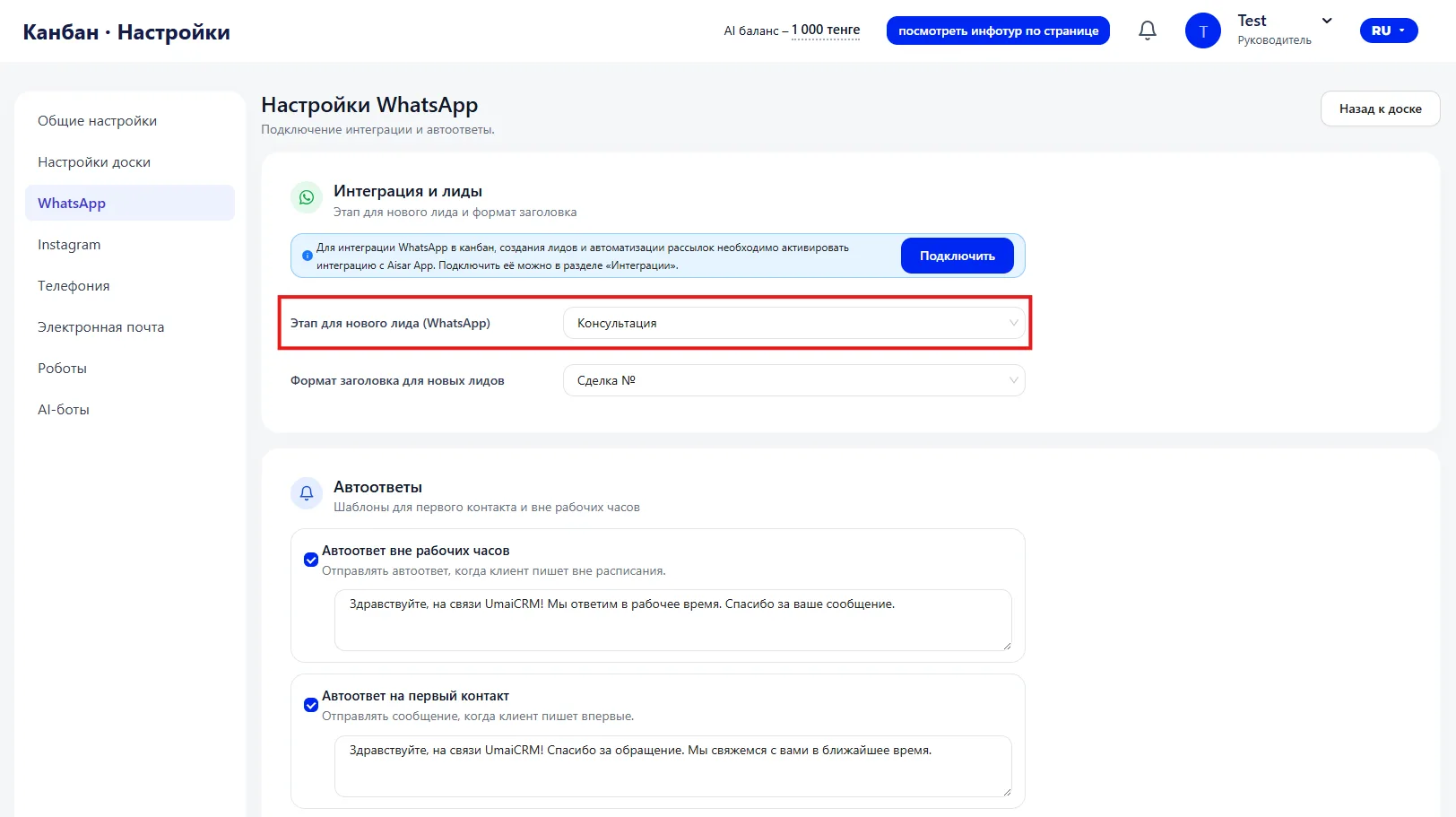
The selected stage affects:
- notification logic,
- processing order,
- analytics by source of requests.
Title format for new Leads
Determines how the Deal created from WhatsApp will be named.
Example: "Deal №{ID}."
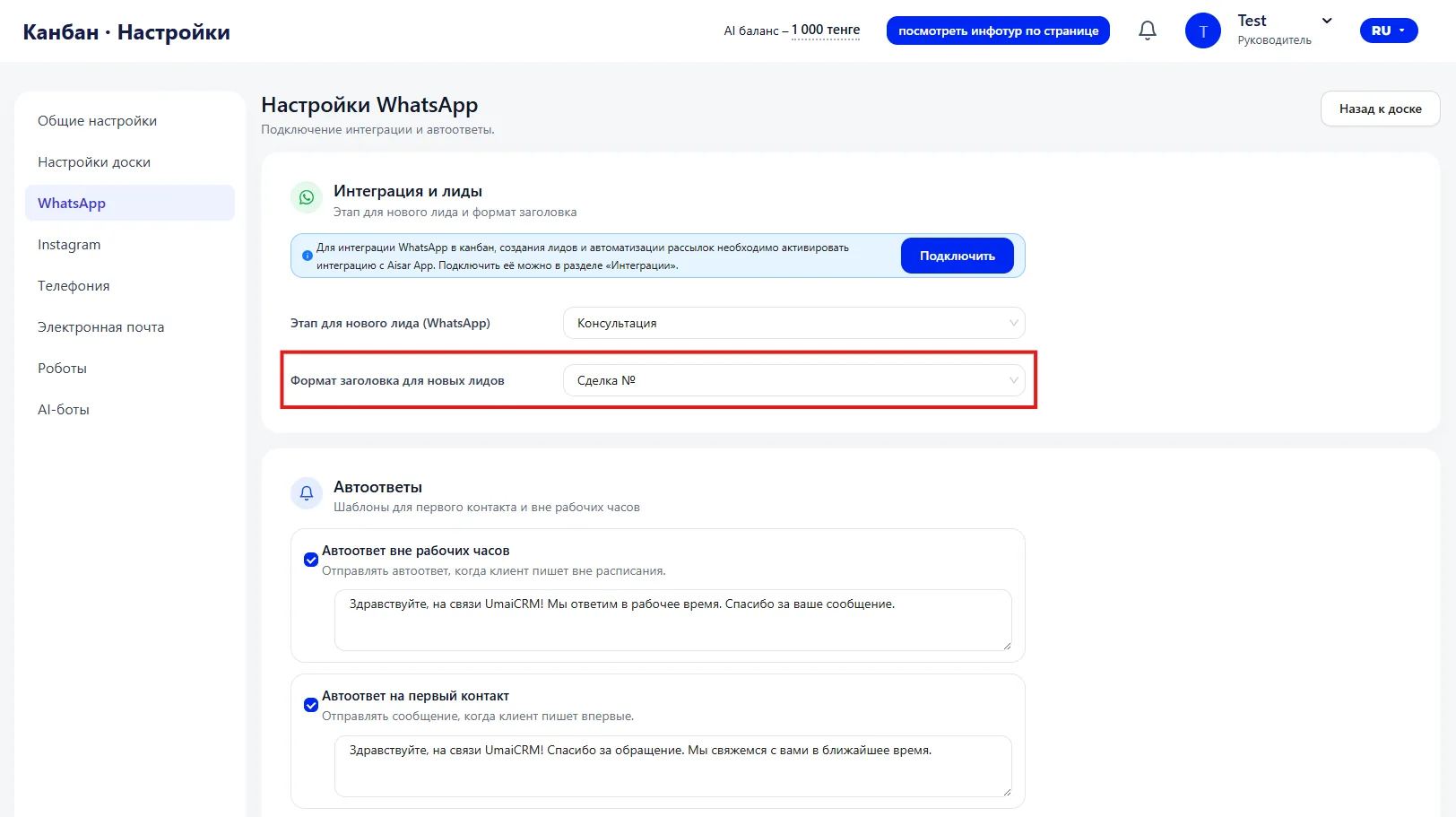
Correct formatting simplifies search and database structure.
3. Auto-replies (Автоответы)
The "Auto-replies" block is responsible for automatic messages
to clients in WhatsApp.
This is a simple tool that helps avoid leaving inquiries without a response — even if the manager cannot reply immediately.
Auto-replies work only with active WhatsApp integration.
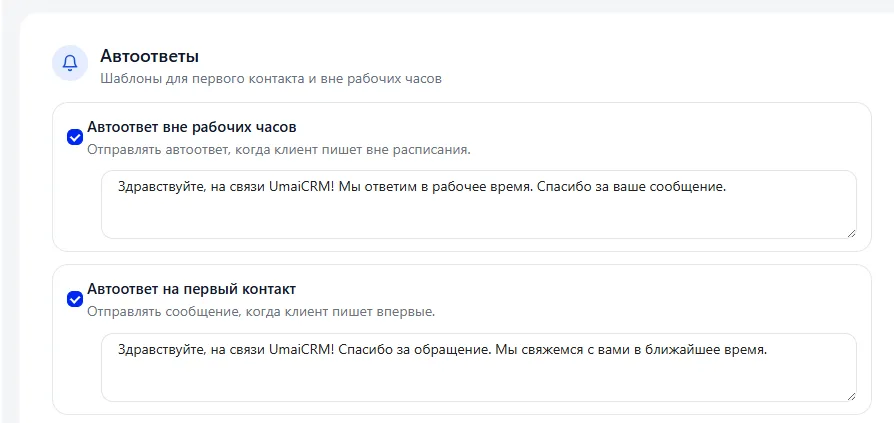
After-hours auto-reply
If a client writes outside working hours, the system automatically sends a pre-prepared message.
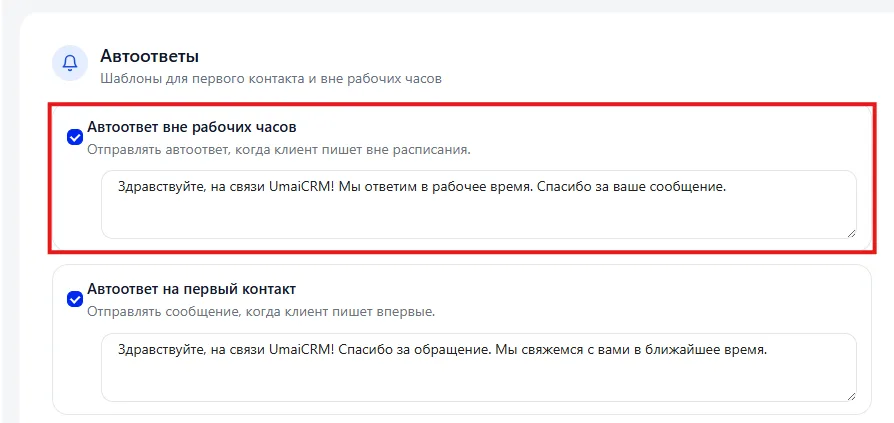
Such a reply does not replace the manager, but:
- confirms that the message was received;
- reduces the client's anxiety;
- maintains interest until the start of the working day.
The auto-reply text is set manually. It usually states that the inquiry has been received and a response will be given during business hours.
It is important that the message sounds natural and does not create a "robotic" impression.
First-contact auto-reply
This auto-reply is sent when the client writes for the first time.
Its purpose is to show that the inquiry was noticed and to set the right expectation regarding response time.
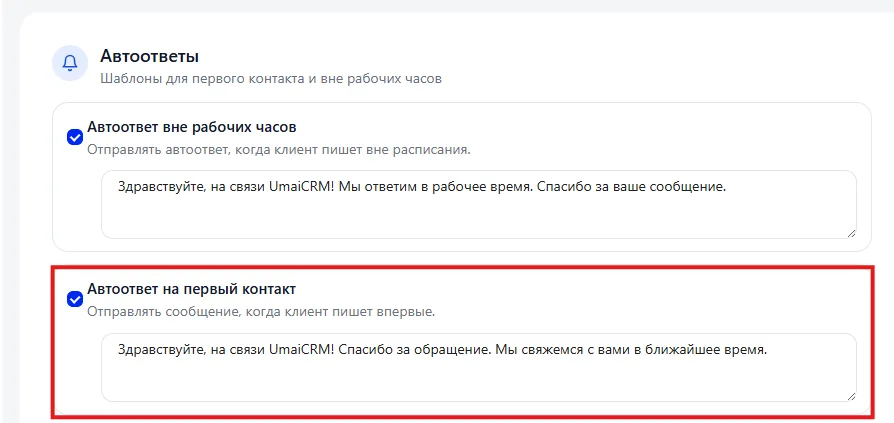
Usually the text includes:
- thanks for contacting;
- notification that the manager will contact shortly.
Such an auto-reply helps maintain the sense of a quick response, even if the real reply comes a little later.
4. AI-autofill (AI-автозаполнение)
This block uses artificial intelligence to analyze correspondence and automatically fill Lead cards.
The tool works based on WhatsApp messages and helps systematize information without manual input.
Autofilling interests from correspondence
When enabled, the system analyzes the dialog and automatically fills the "Interests" field in the Lead card.
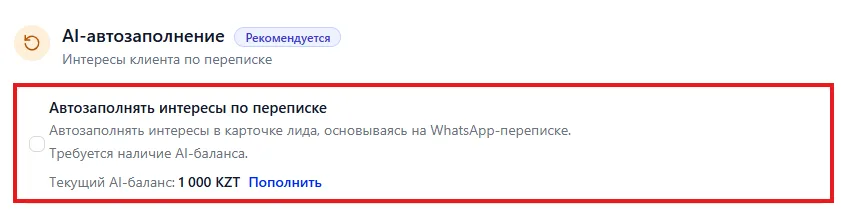
For example, if in the correspondence the client asks about English for an 8-year-old child, the corresponding interest may be added to the card.
This allows you to:
- reduce manual entry time;
- decrease the number of missed details;
- make analytics by directions more accurate.
A positive AI balance is required for operation.
Analysis mode
Analysis can run automatically or be started manually.
Auto mode
The system checks new dialogs once a day and updates the data.
You can set limits on the number of messages and Leads to control AI balance consumption.
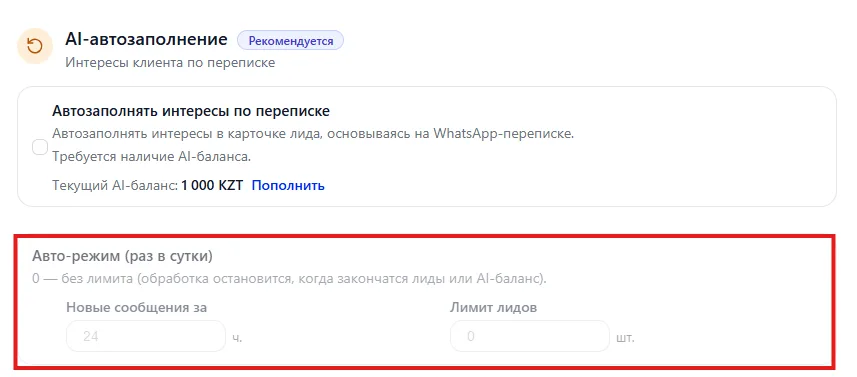
This mode is suitable for continuous operation without manual control.
Manual start
Analysis is started manually when necessary.
Used if you need to check specific Leads or perform a one-time processing.
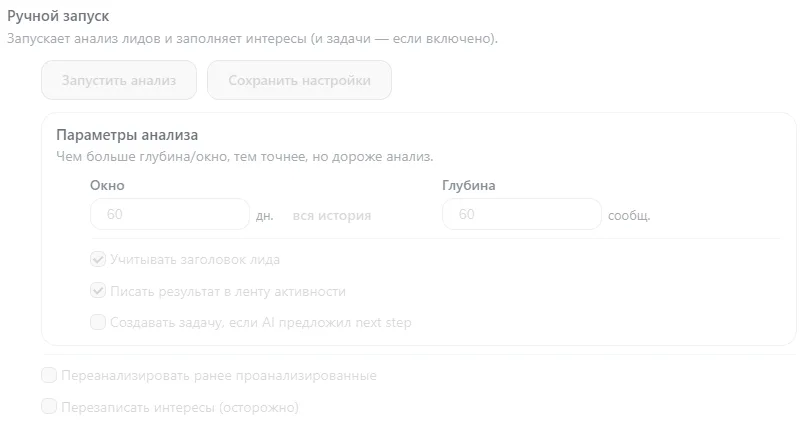
Analysis parameters
This block determines how exactly AI will read the correspondence and what conclusions to draw; here you set the depth and method of analyzing messages.
If parameters are set too superficially — AI may
miss details.
If too deep — analysis will be more accurate, but AI balance consumption will increase.
- The "Window" parameter is responsible for the period that AI will consider during analysis.
- The "Depth" parameter sets how many messages within the selected period will be analyzed.
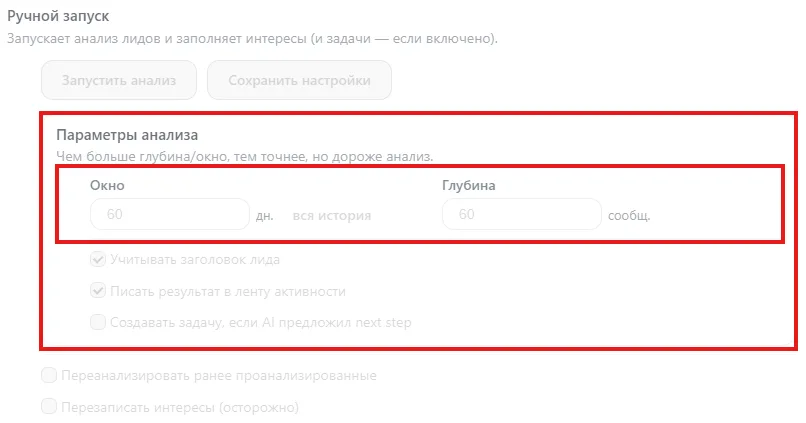
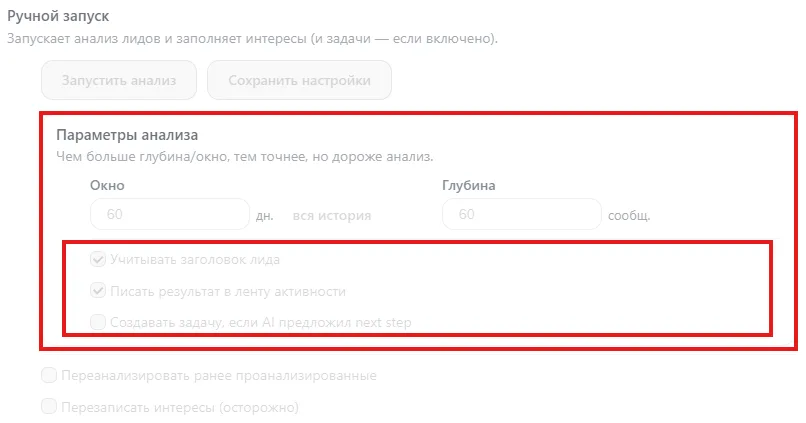
- Consider Deal title — AI analyzes not only correspondence but also the Deal title. This helps more accurately determine the customer's interest if important information is already present in the title (for example, direction or training format).
- Write result to activity feed — AI conclusions are saved in the Lead card history. This allows you to see which data were added and on what basis the conclusions were made.
- Create a Task if AI suggested the next step — if in the correspondence a required action is identified (call back, send information, confirm enrollment), the system automatically creates a Task for the manager so the step is not missed.
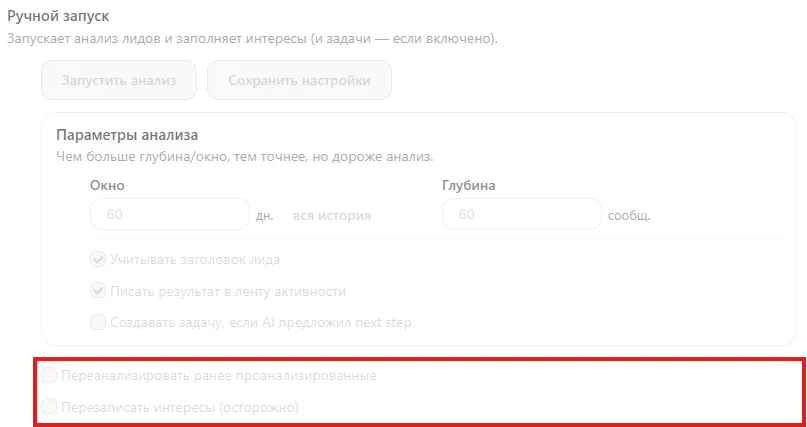
- Analyze previously analyzed — restarts AI analysis for Leads that have already been processed. Used if analysis parameters were changed or the correspondence was supplemented with new messages.
- Overwrite interests (careful) — replaces current values in the "Interests" field with new AI analysis results. Previously saved interests will be updated.
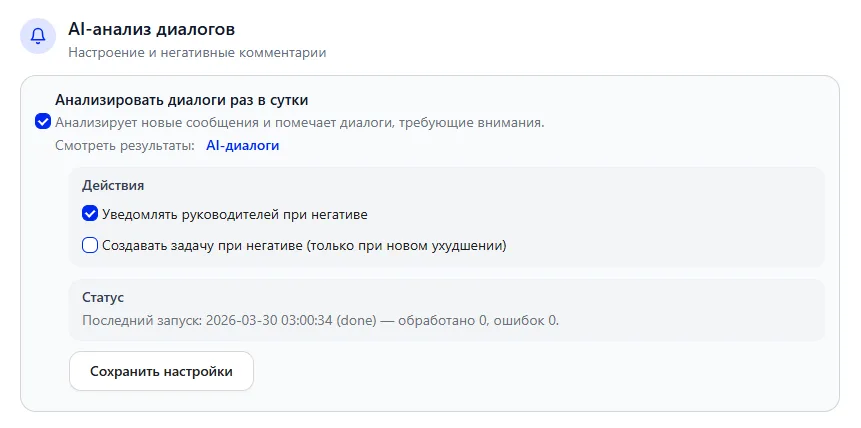
AI-dialogue analysis (AI-анализ диалогов)
An additional function for quality control of communication.
When enabled, the system analyzes dialogues once a day and determines the emotional tone of the correspondence.
If negative sentiment is detected:
- you can configure a manager notification;
- you can automatically create a Task for a manager.
This helps to react in time to problematic situations and prevent customer loss.
AI-autofill helps turn ordinary correspondence into structured data inside the CRM. Customer interests are recorded automatically, and important agreements are not lost. With correct configuration, the block simplifies working with Leads and makes the Sales funnel more neat and transparent.