Shows the current status of active students: how many classes remain, when the Membership ends, and whether there is outstanding debt.
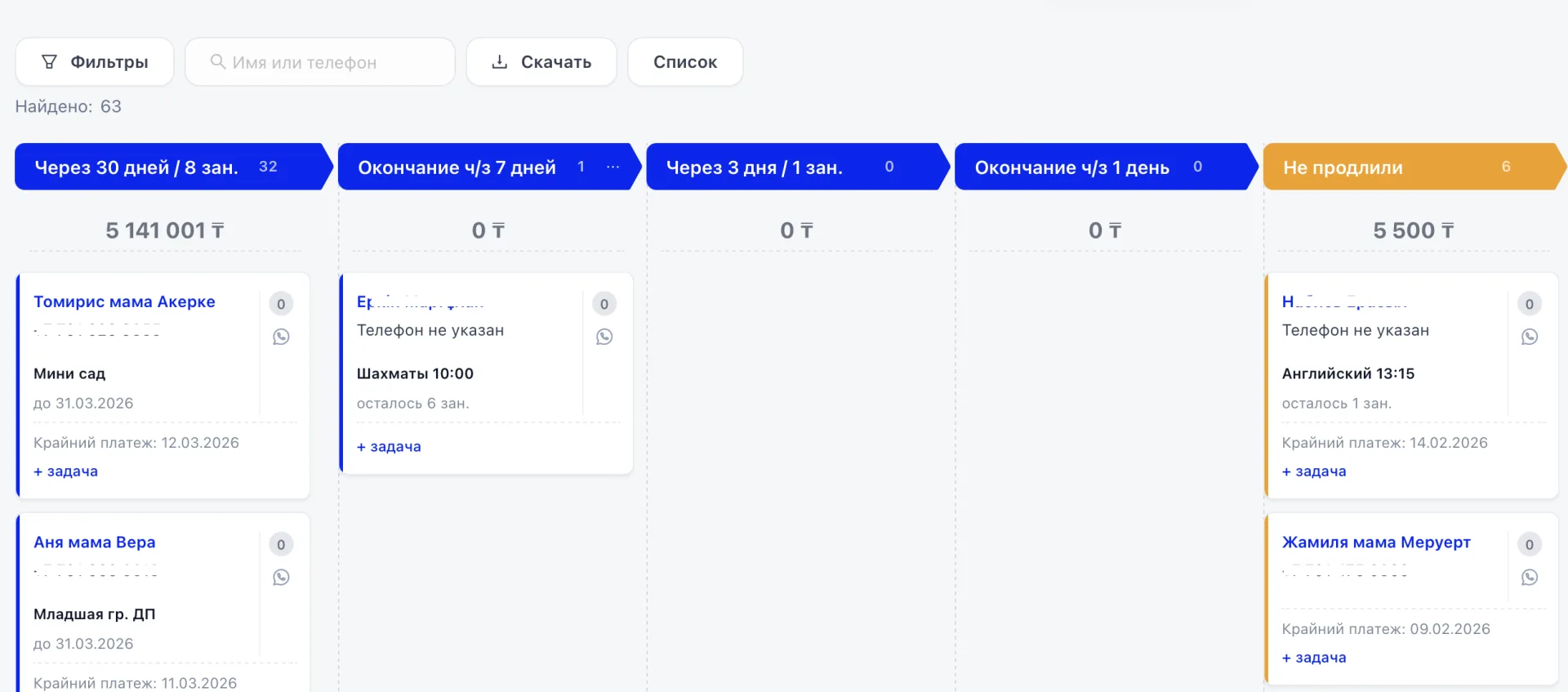
Allows you to track renewals in time, see at-risk clients, and control the financial situation of the center.
Main interface elements
Top panel
The same logic as in the Leads Kanban (Канбан лидов):
- "Filters"
- "Download"
- "List"
- "Settings"
- the line "Found: ..."
Status columns
Columns are generated automatically based on the enrollment period and the number of classes.
Examples:
- "In 30 days / 8 classes"
- "Ends in 7 days"
- "In 3 days / 1 class"
- "Ends in 1 day"
- "Did not renew"
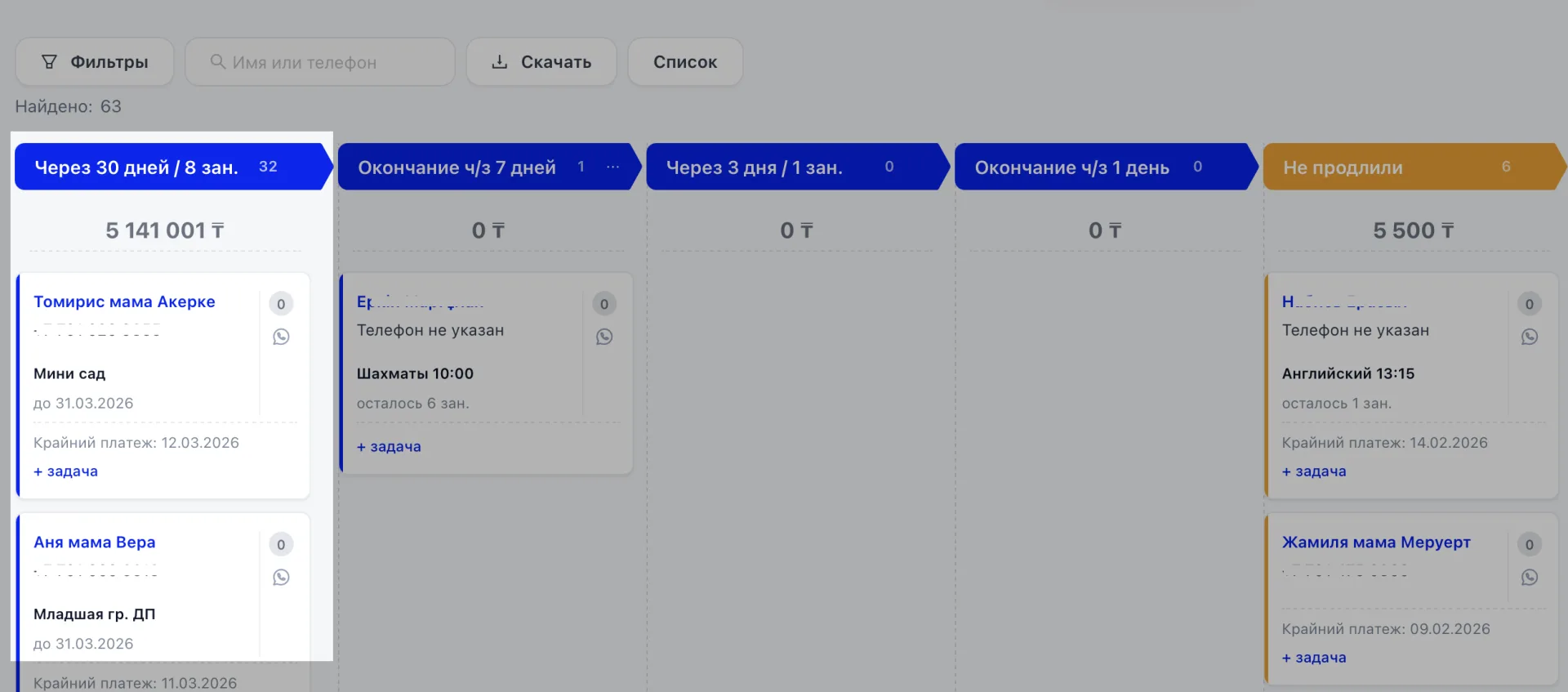
The column title shows the period or the remaining number of classes.
The number next to it is the number of clients.
The amount under the heading is the total financial volume for these clients.
Client card
The card contains:
- client name,
- phone,
- the "Finance" block,
- end date,
- number of remaining classes,
- the "+ task" button,
- the "Debt" label (if there is outstanding debt).
If a debt is registered in the "Finance" section, the "Debt" label appears on the card.
If you renew the Membership, the date is updated and the card moves to another column.
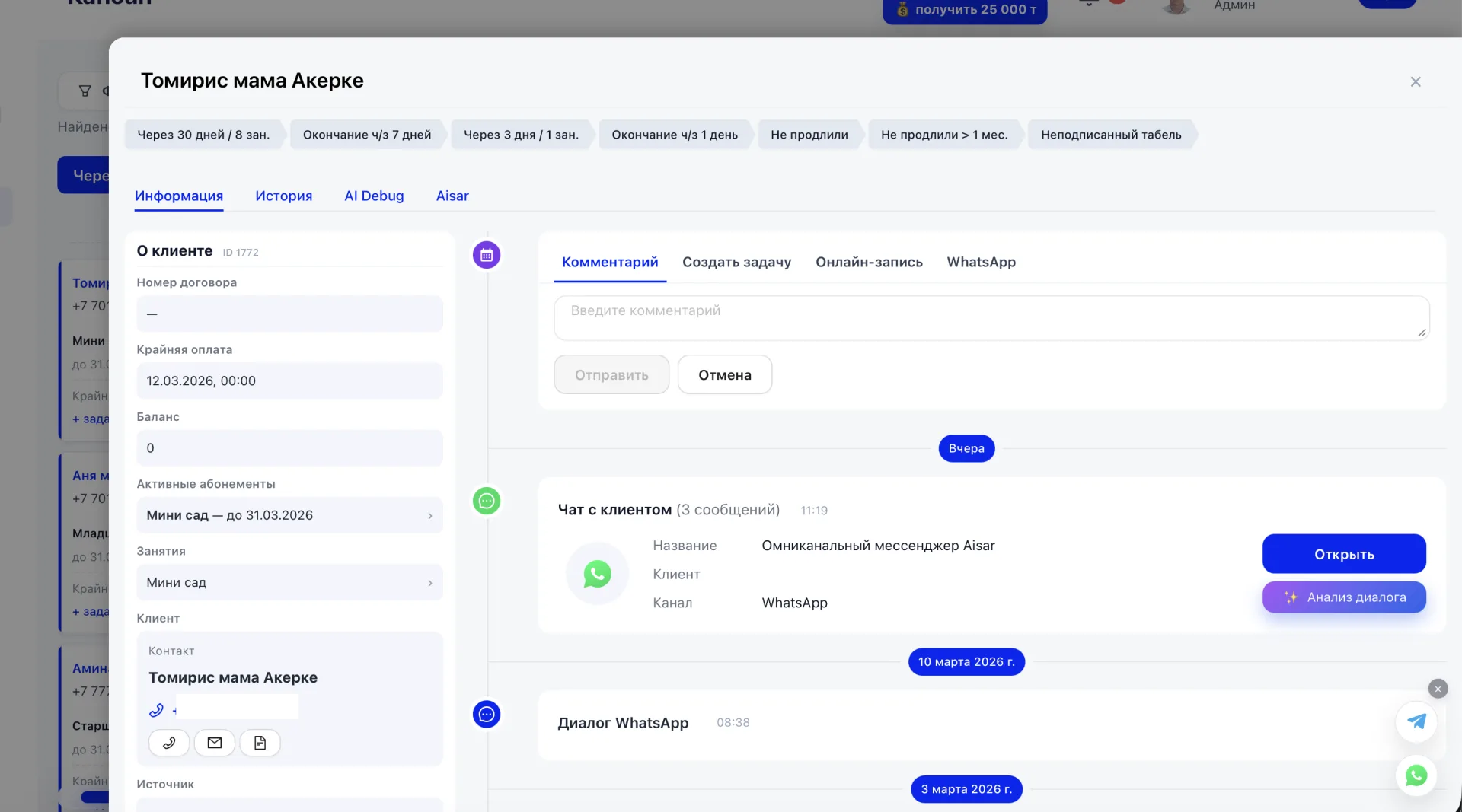
Managing clients
- All changes in working with a client are automatically reflected in their card. For example, when the Membership end date is changed, the corresponding column is updated, and after adding a payment the financial status is immediately changed.
- From the card you can create a task directly via the "+ task" button — it will appear in the "Tasks" section and will be linked to that client so that all work is kept in one place.
- When a deal is completed the system performs actions according to the specified settings: the card can be automatically moved to the required stage on a successful or unsuccessful deal, and behavior for the "Did not take place" status can be configured separately. This helps maintain order in the Sales funnel without manual actions