This section configures the key elements of the center's financial accounting.
Main blocks:
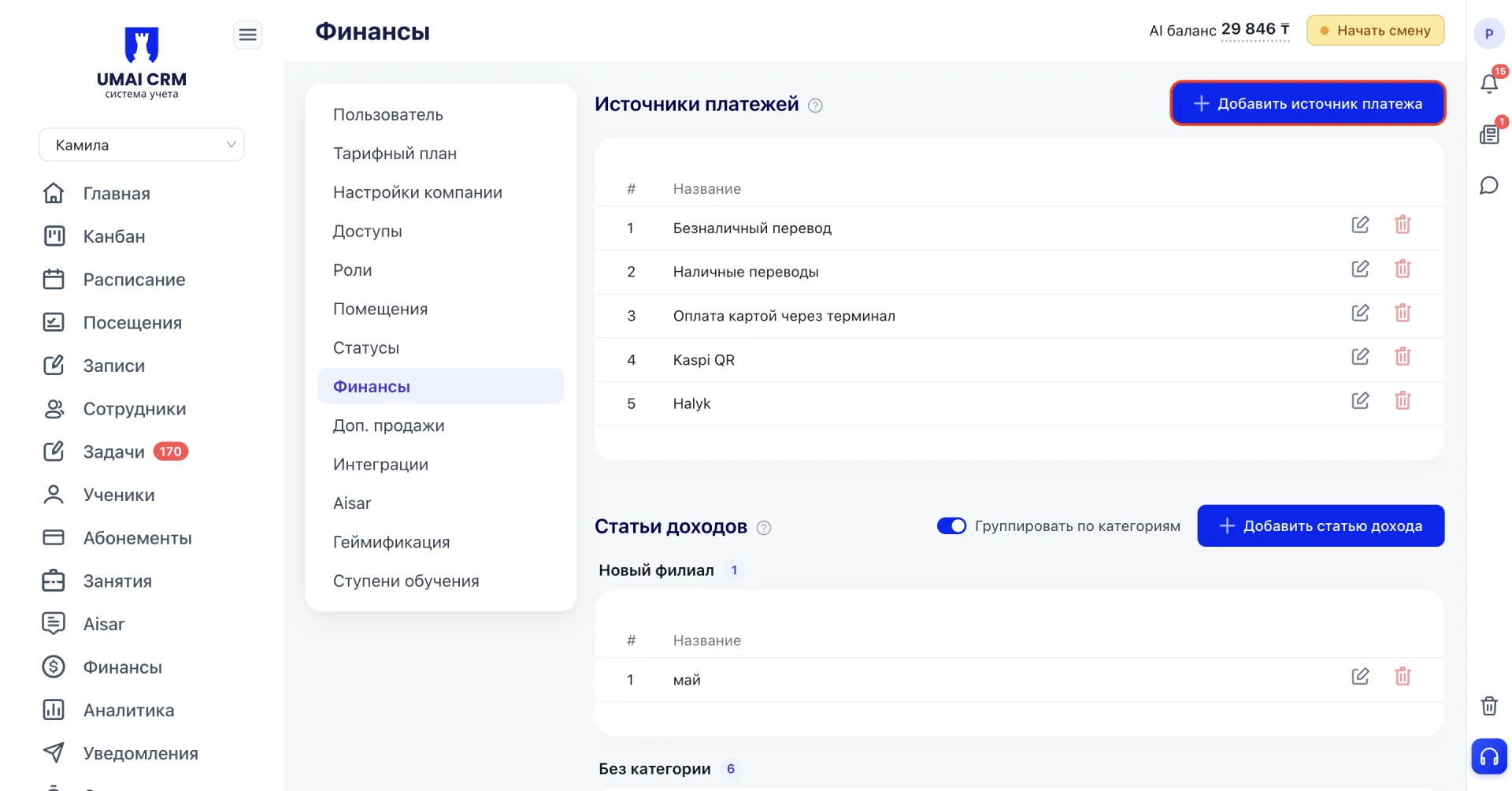
- Payment source (Источник платежей)
- Income items (Статьи доходов)
- Expense items (Статьи расходов)
- Closing financial periods (Закрытие финансовых периодов)
1. Payment sources (Источники платежей)
This block keeps track of all channels through which payments from clients arrive.
How to work:
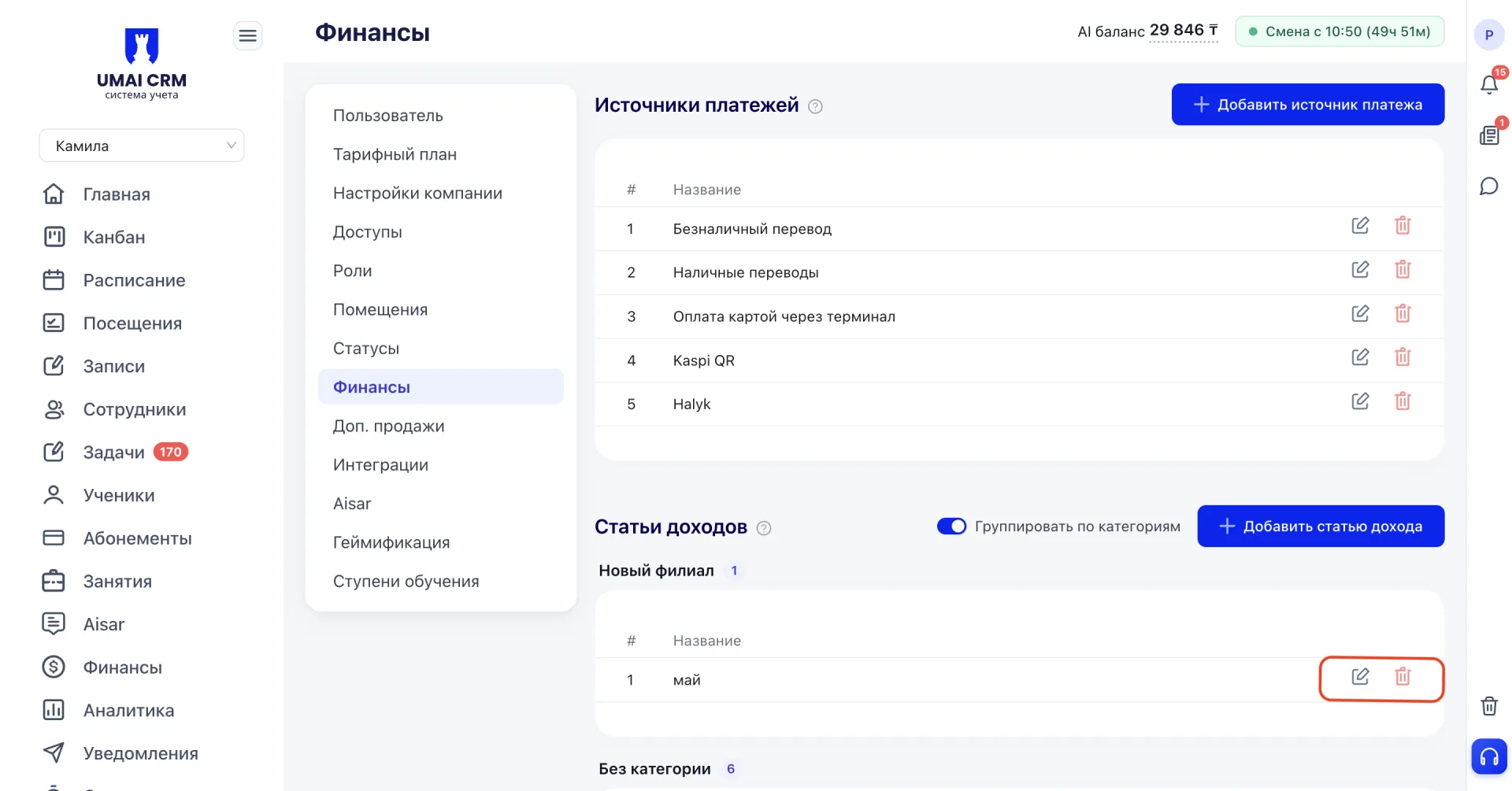
Click «Add payment source».
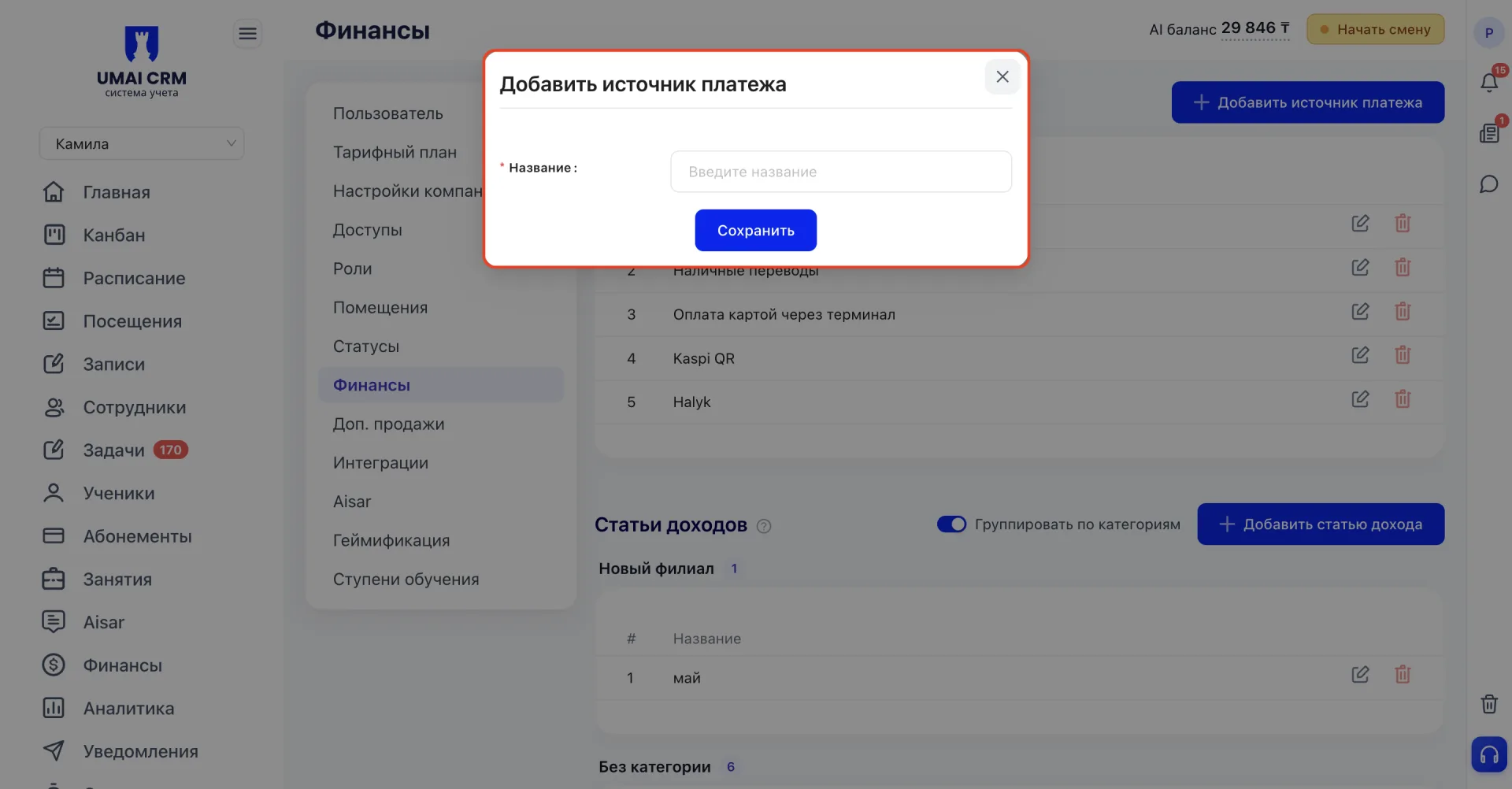
In the opened window fill in the Name field.
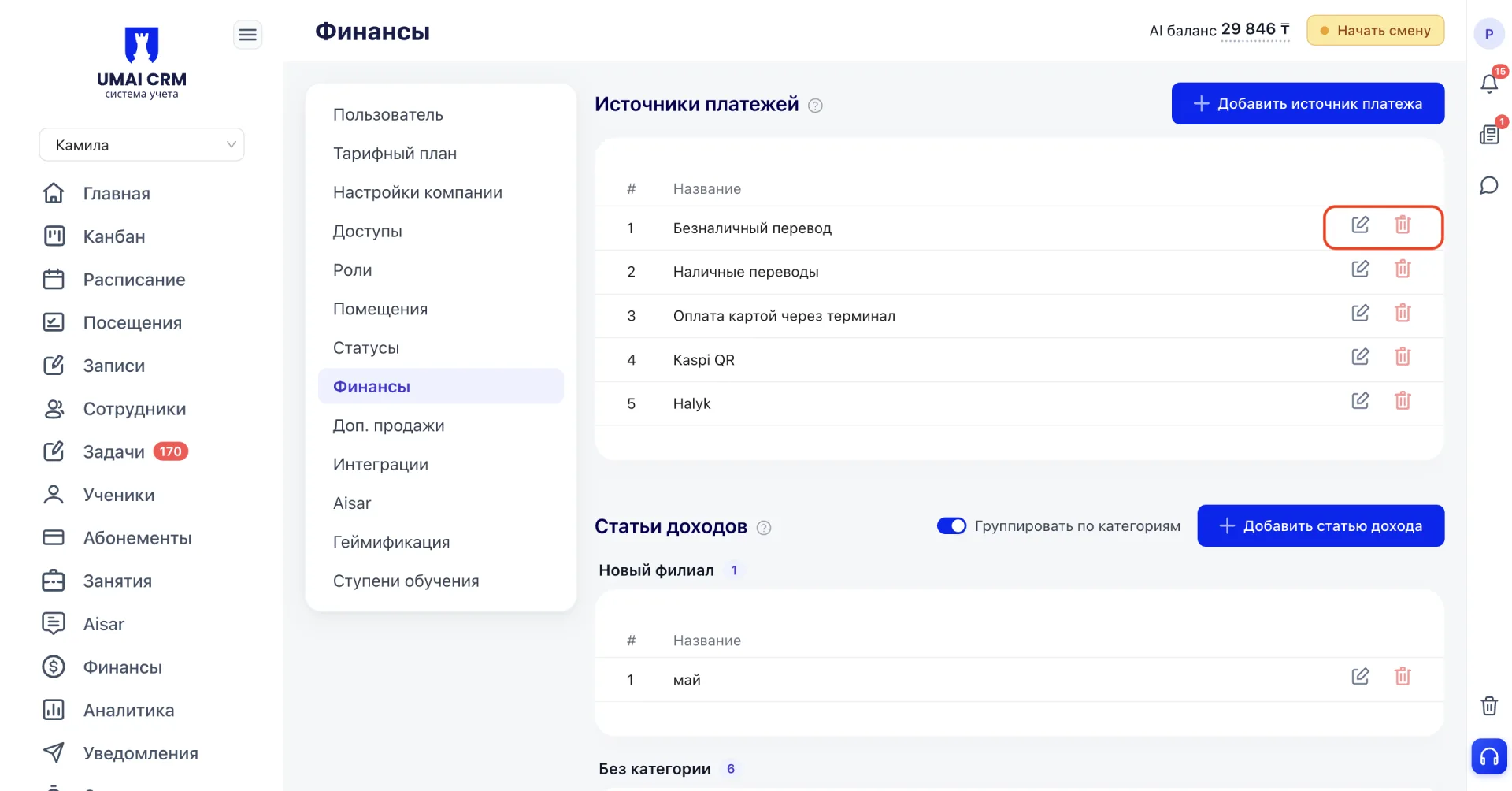
To modify or delete an entry use the Edit and Delete buttons on the right.
2. Income items (Статьи доходов)
This block allows you to classify the center's income for reporting and analysis.
How to work:
Click «Add income item».
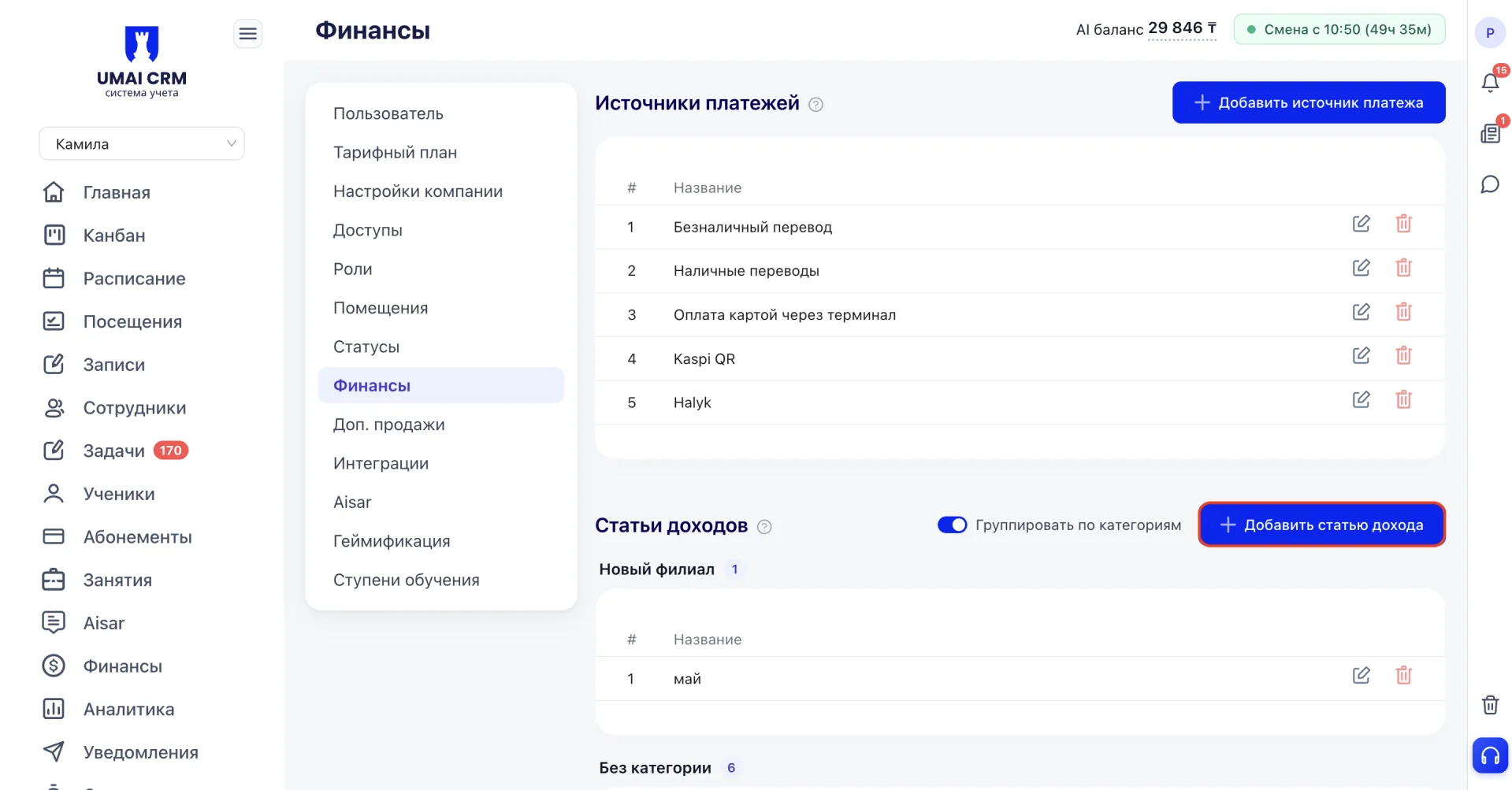
In the opened window fill in the Name field and, if necessary, the Category.
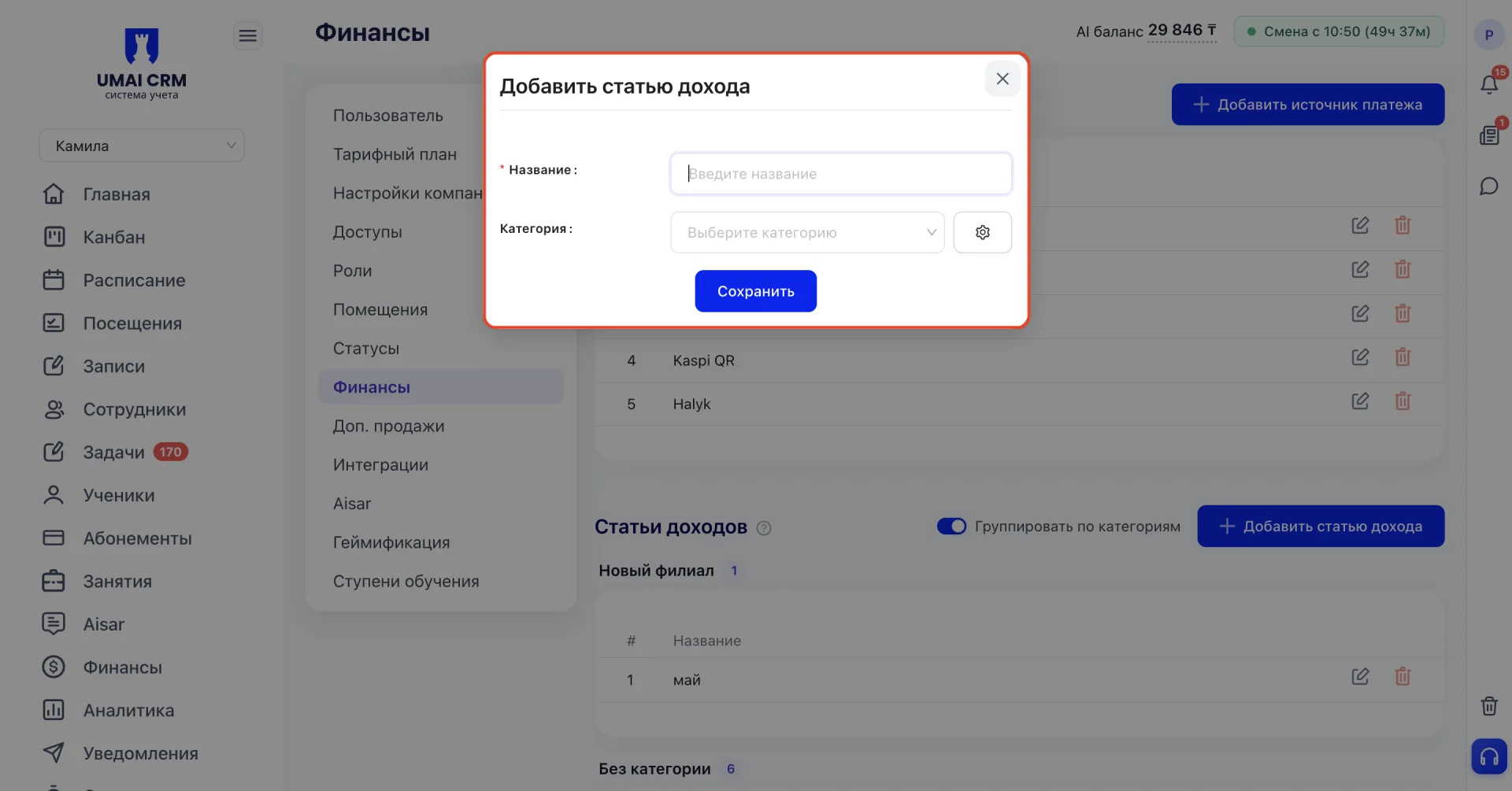
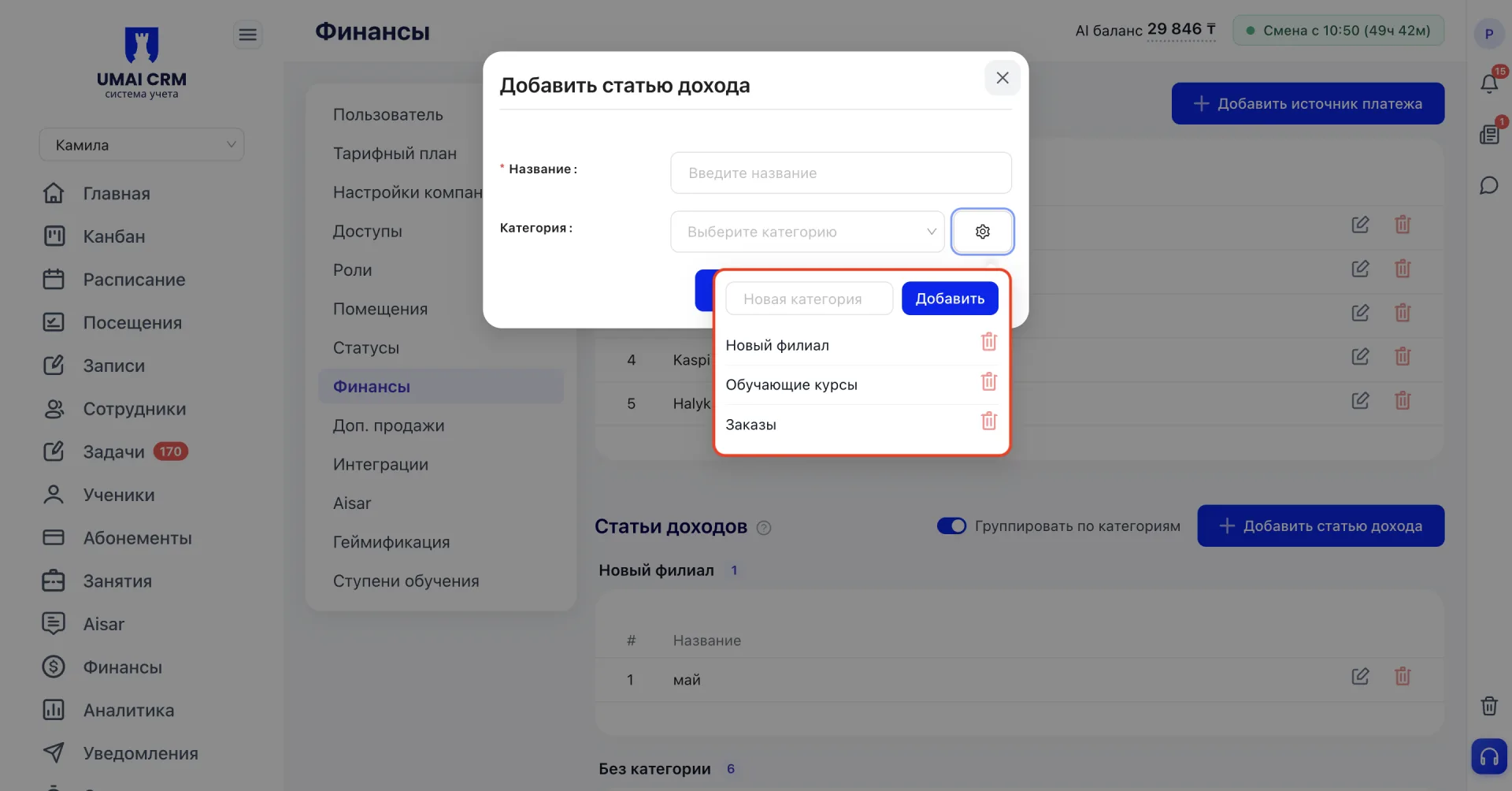
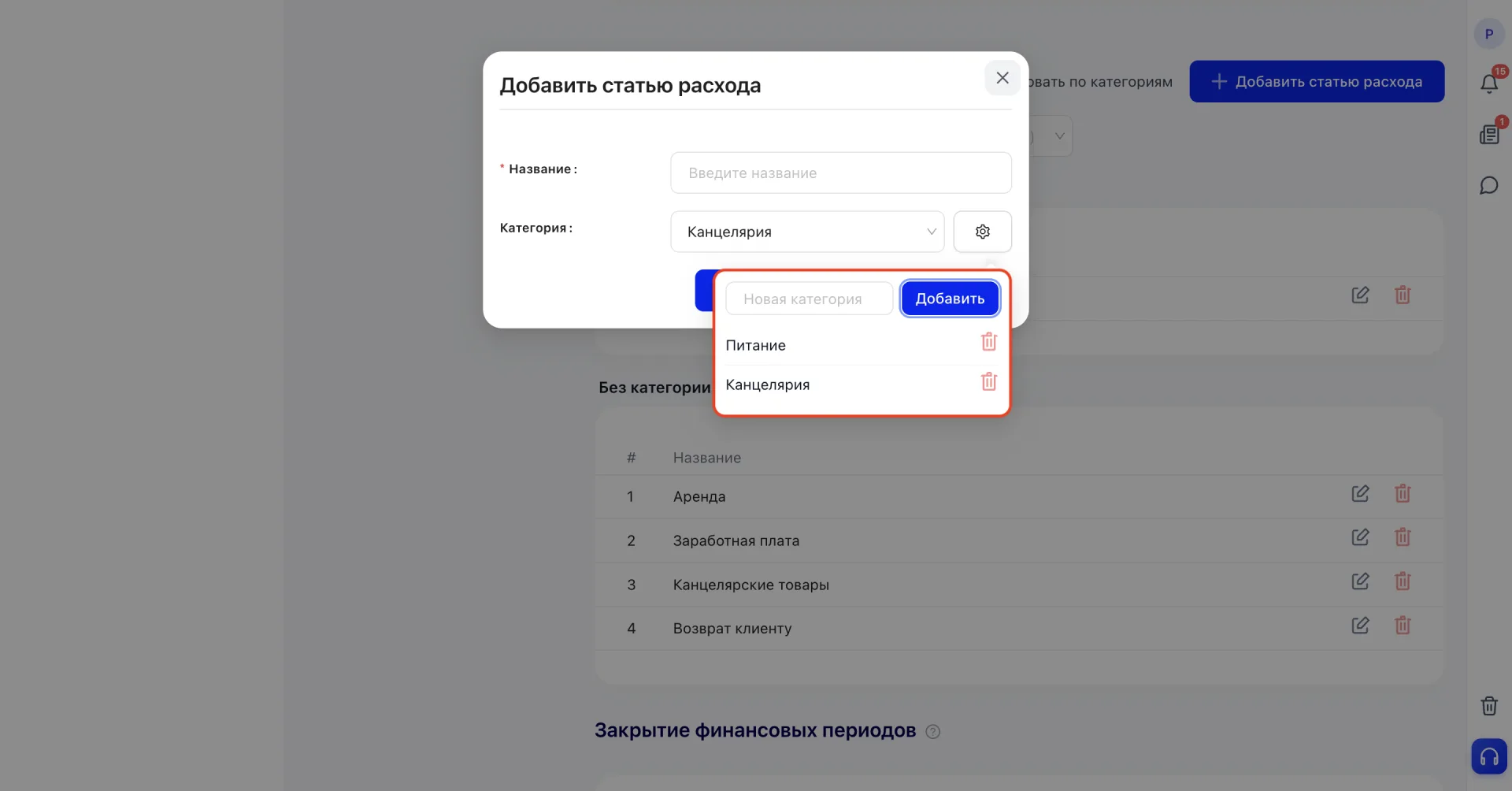
You can choose a Category from the dropdown of existing ones, and if none is suitable, click the settings icon next to the field and enter the name of a new category.
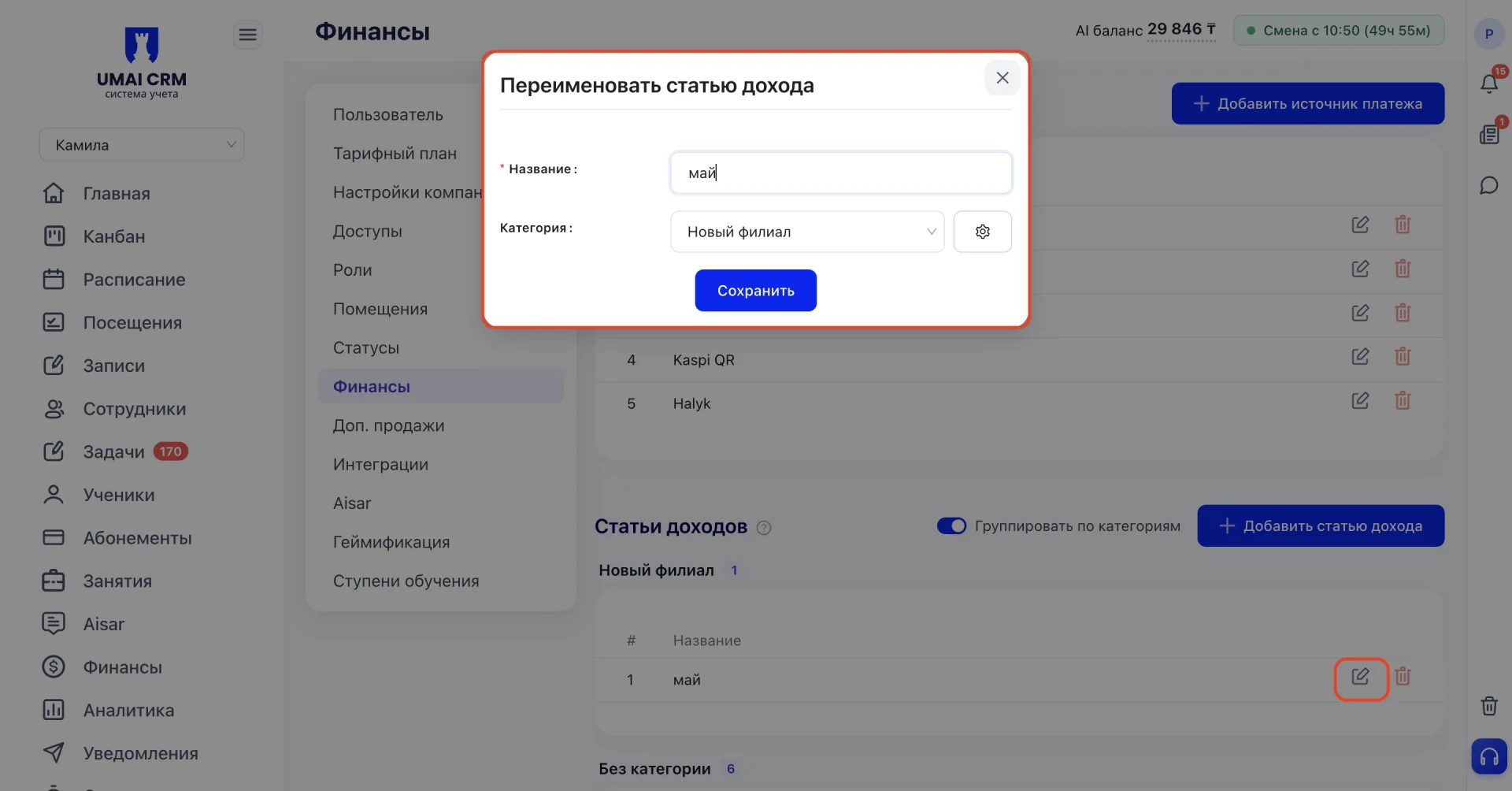
You can add or change the category for an existing item via the edit icon (pencil) in the list.
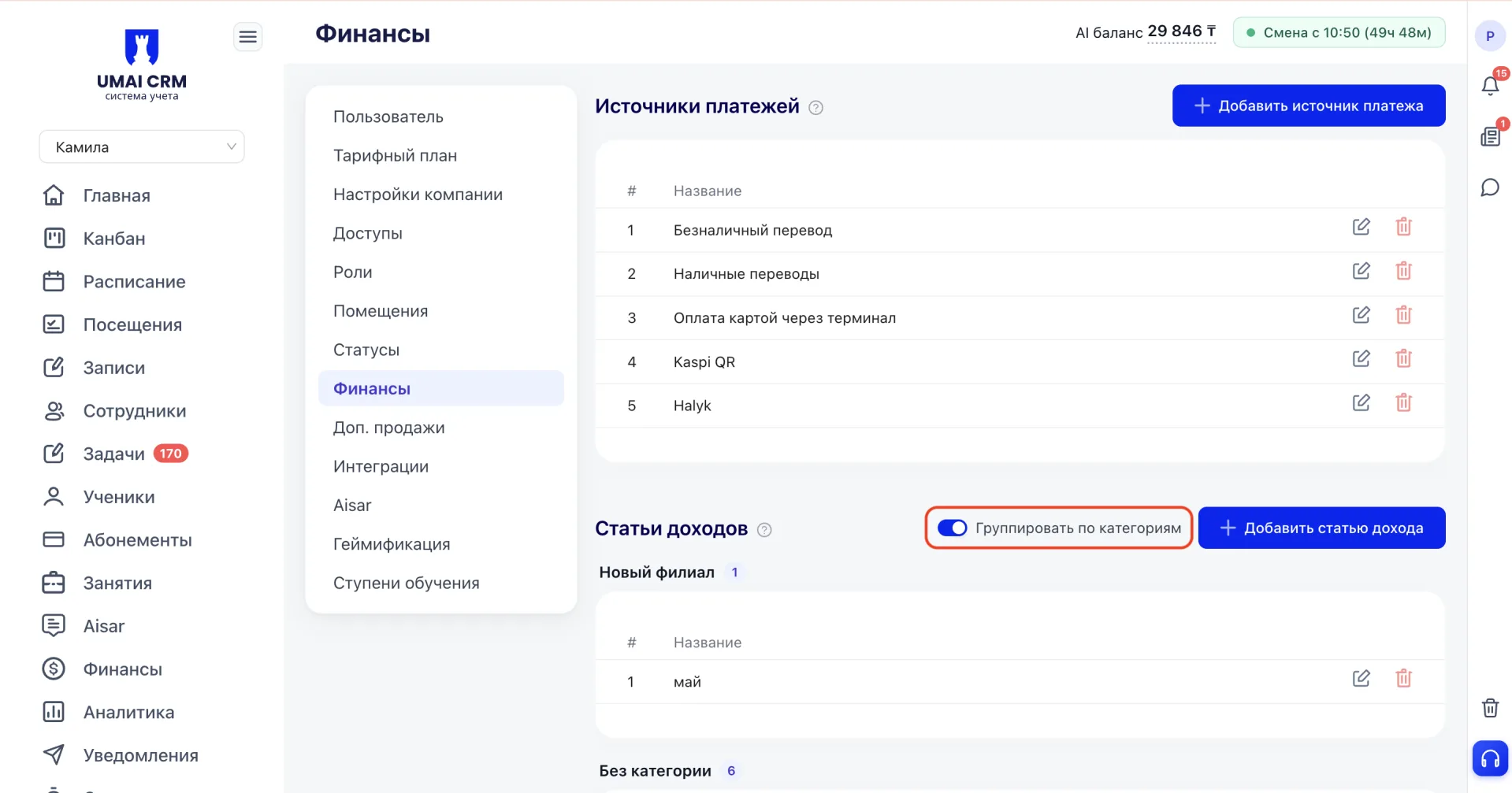
The "Group by categories" toggle splits the list of items into groups by category — this makes it easier to navigate when there are many items.
3. Expense items (Статьи расходов)
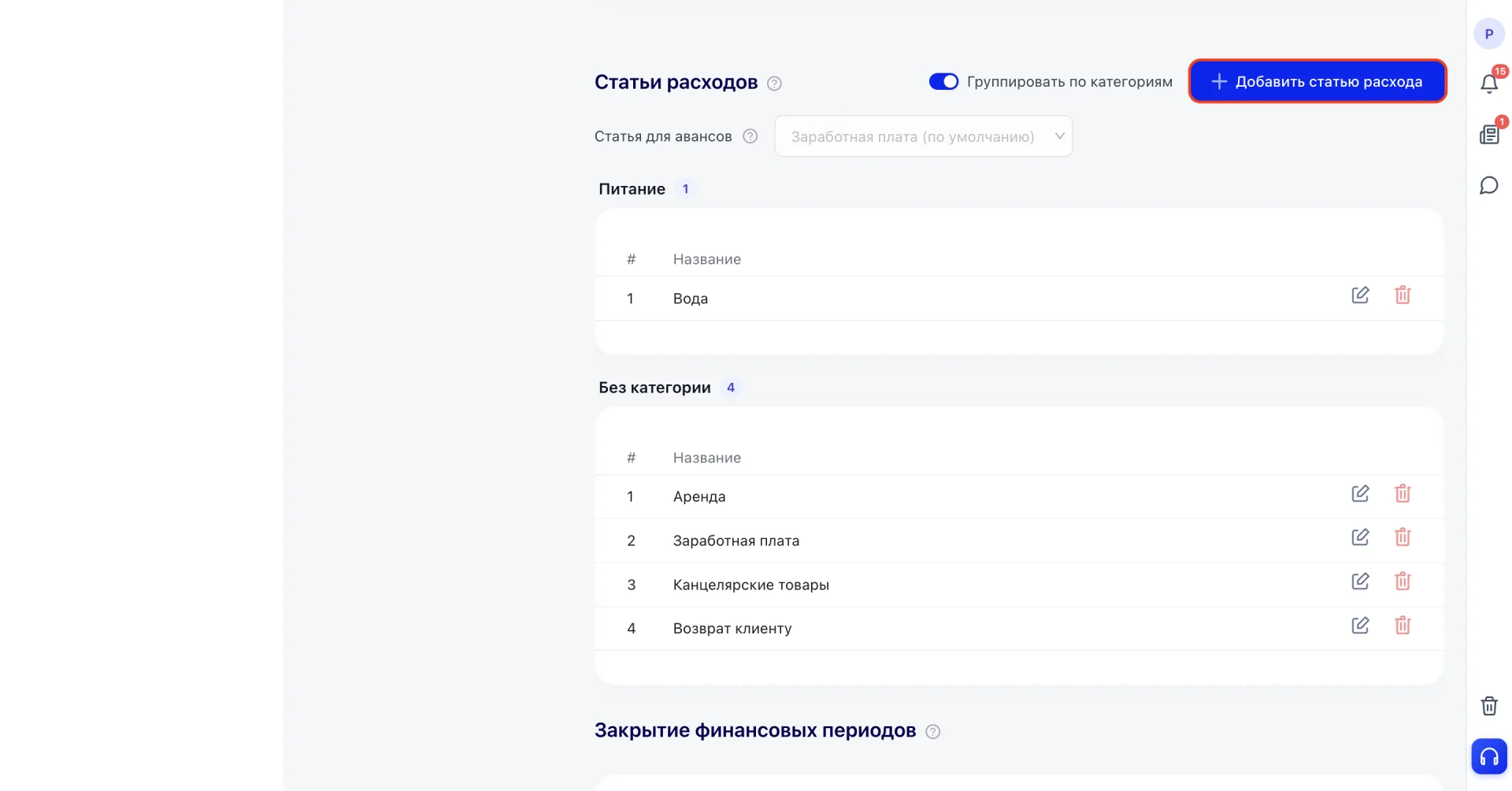
This block is intended for accounting and classifying the center's expenses.
How to work:
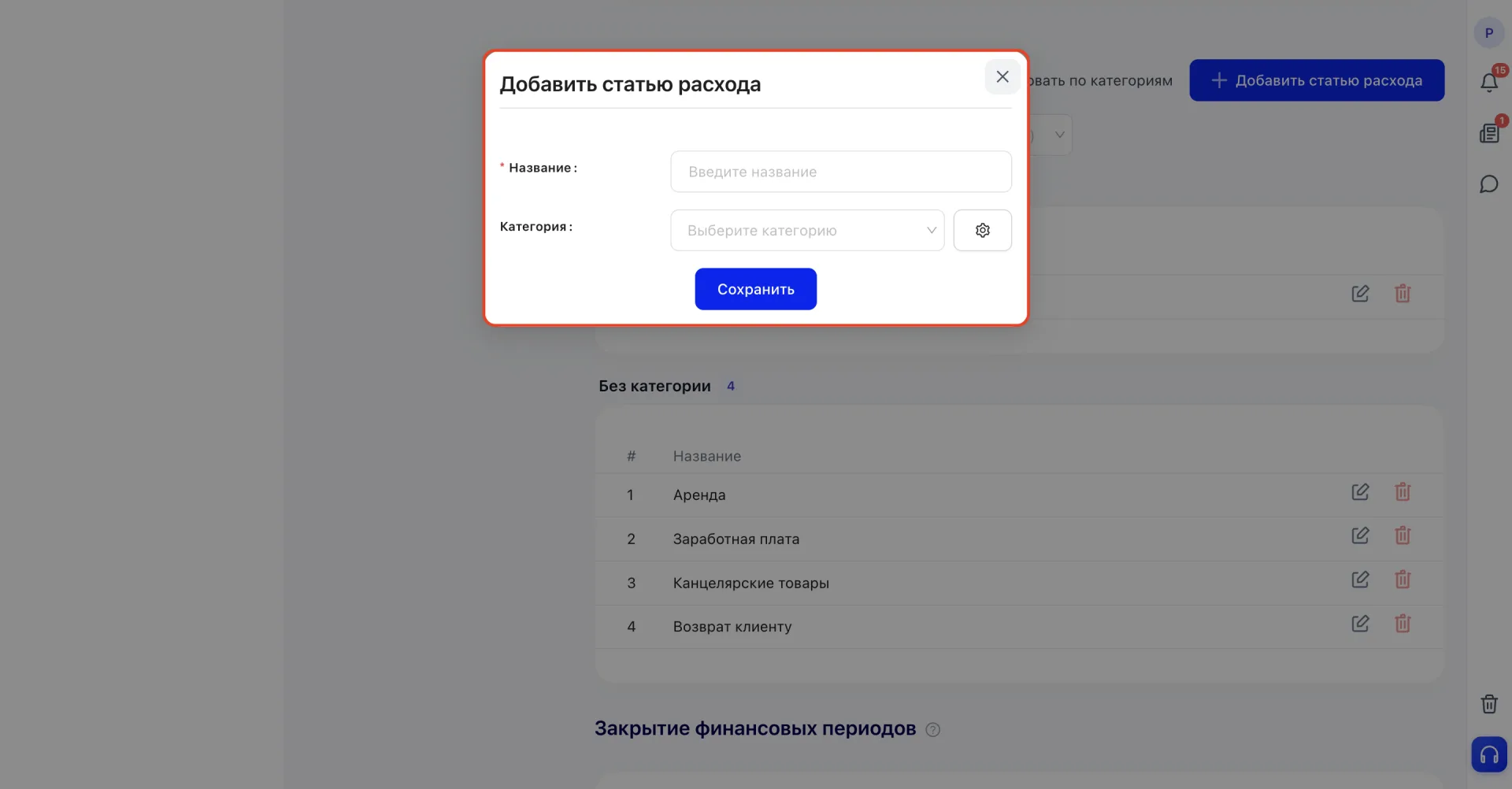
Click «Add expense item».
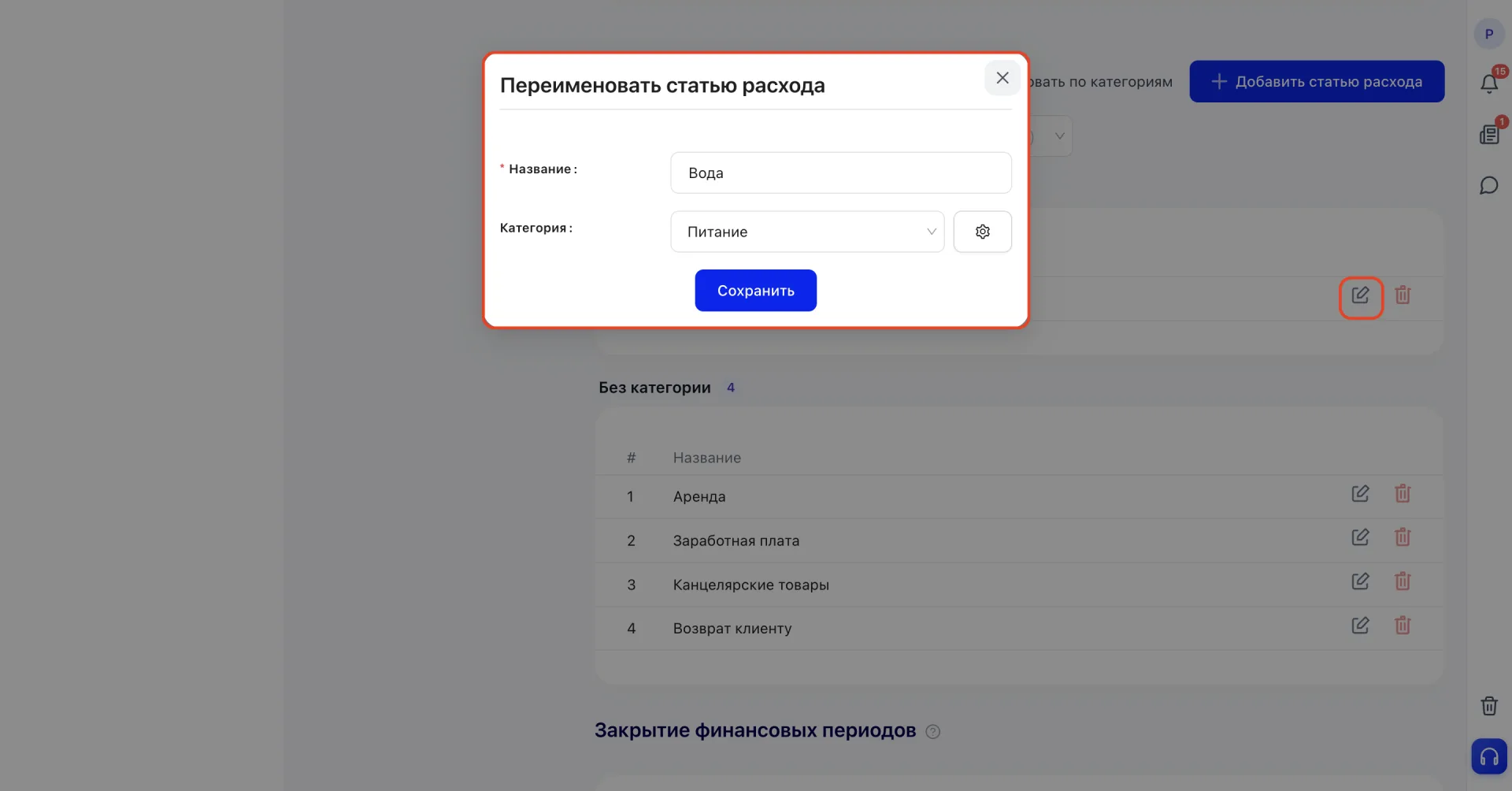
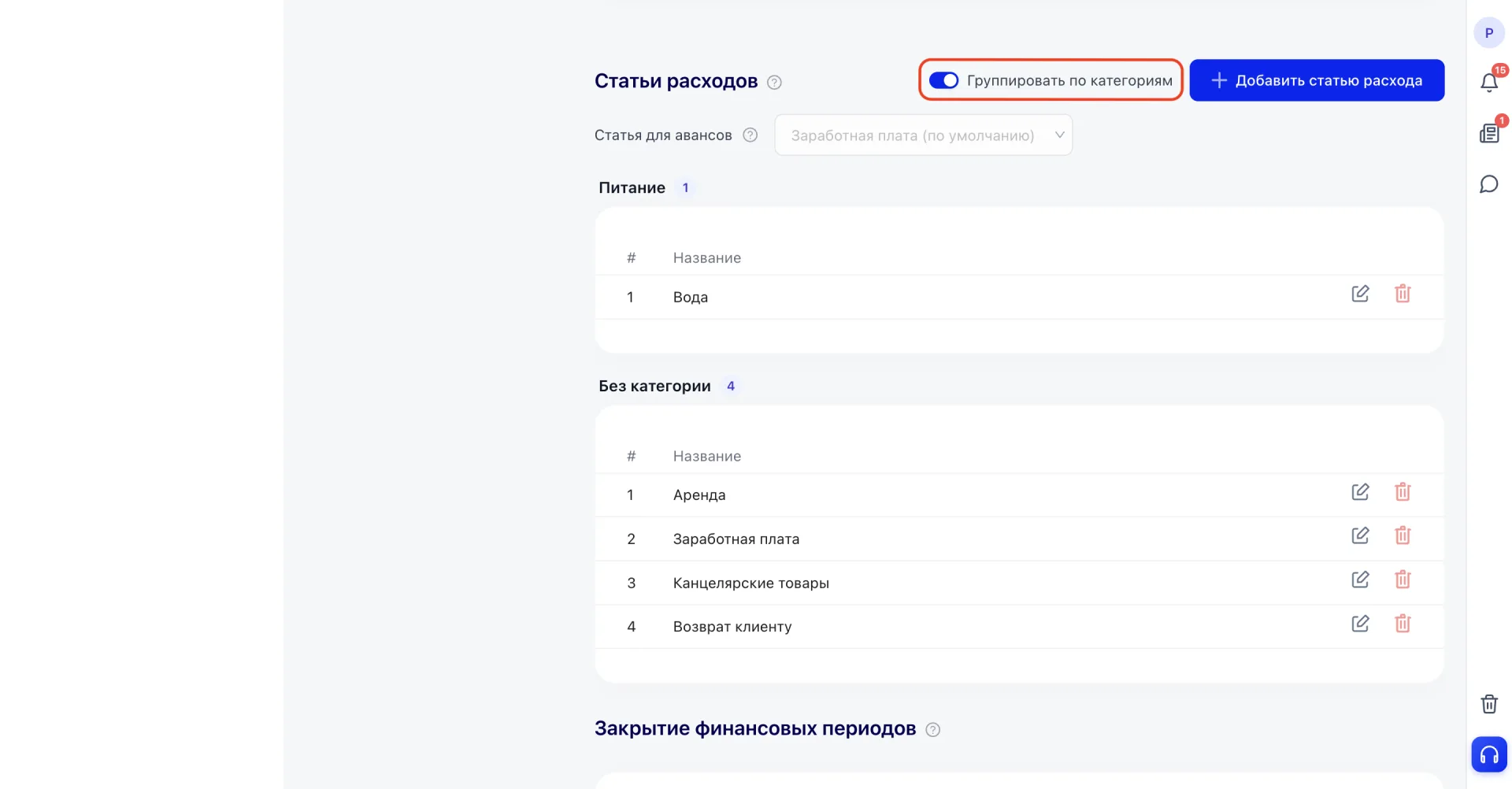
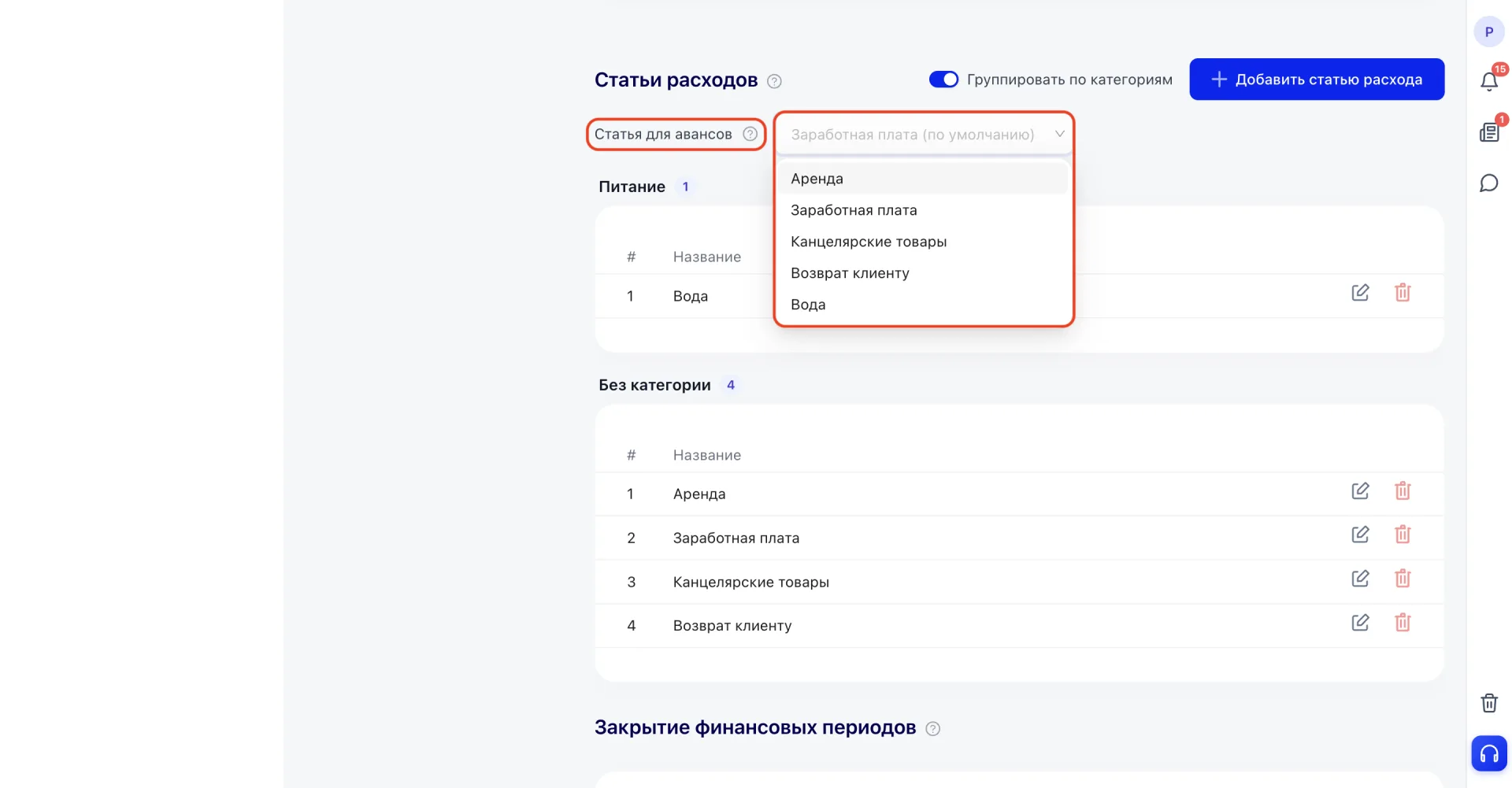
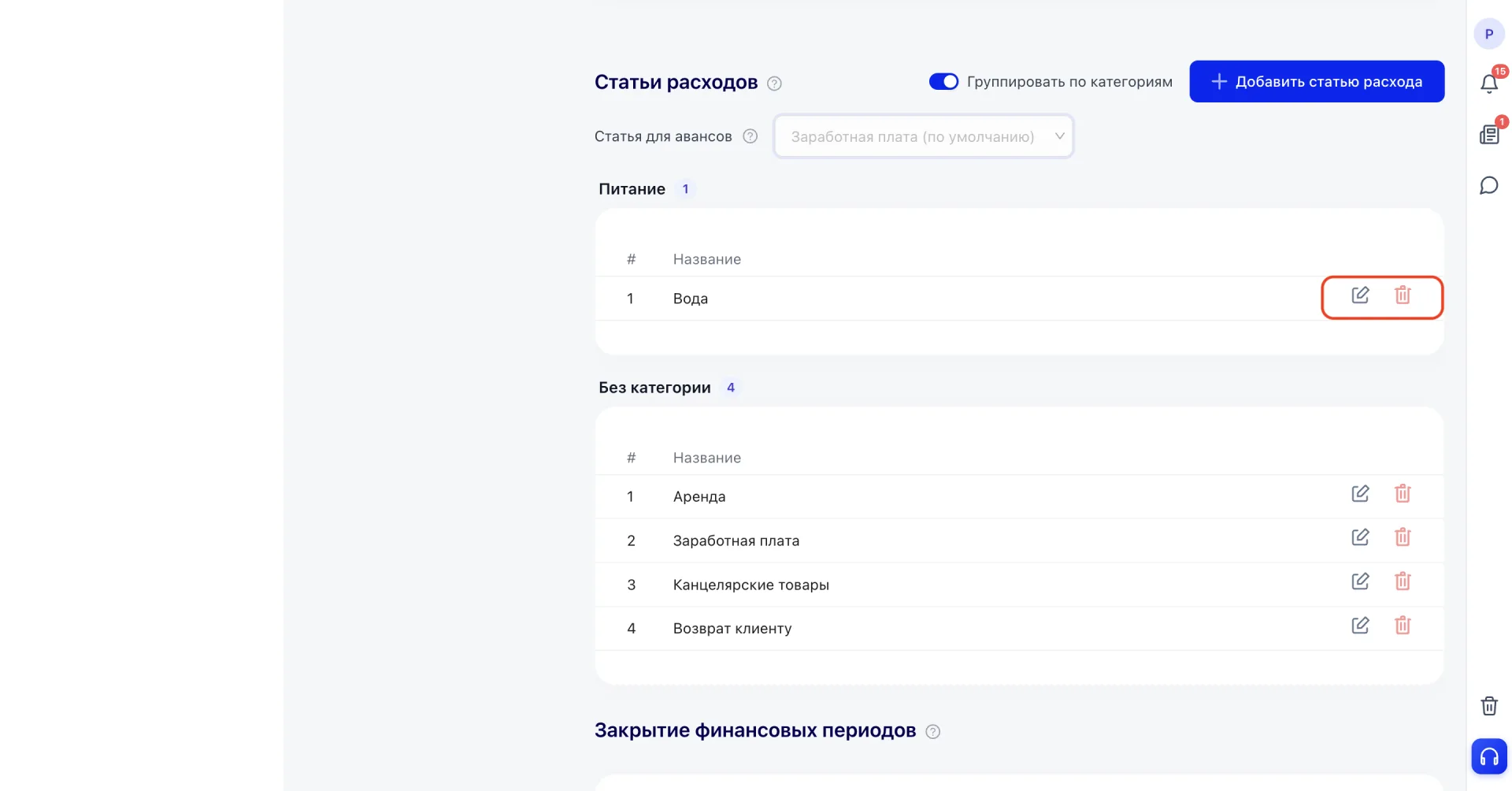
4. Closing financial periods (Закрытие финансовых периодов)
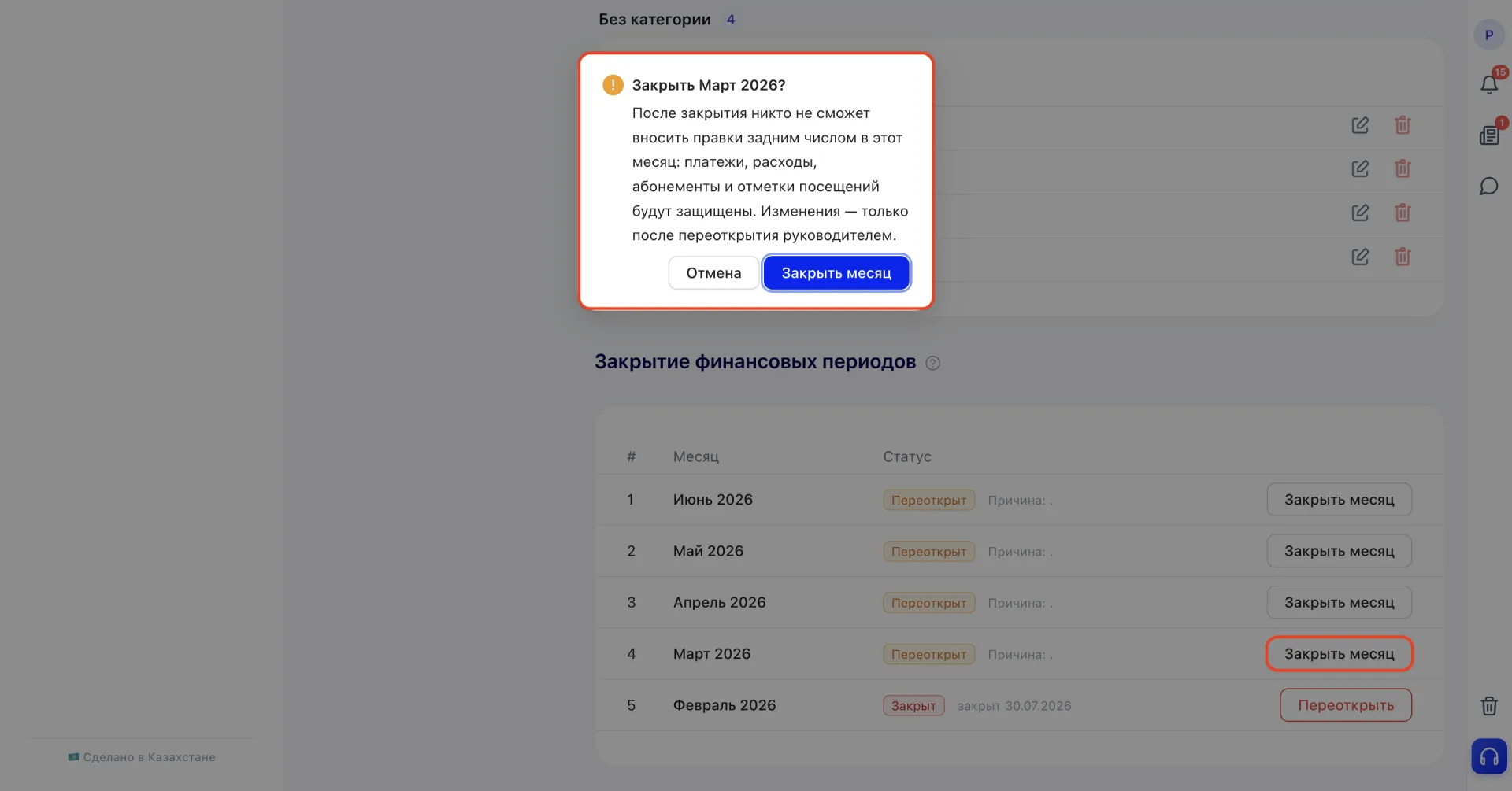
This block displays the list of months with their status and the date of closing or reopening.To close a month, click «Close month» next to the desired period and confirm the action. After closing, the month's status changes to "Closed." A closed period is protected from backdated edits, so you cannot accidentally change already consolidated financial reports: payments, expenses, Memberships and visit marks for that month become unavailable for editing.
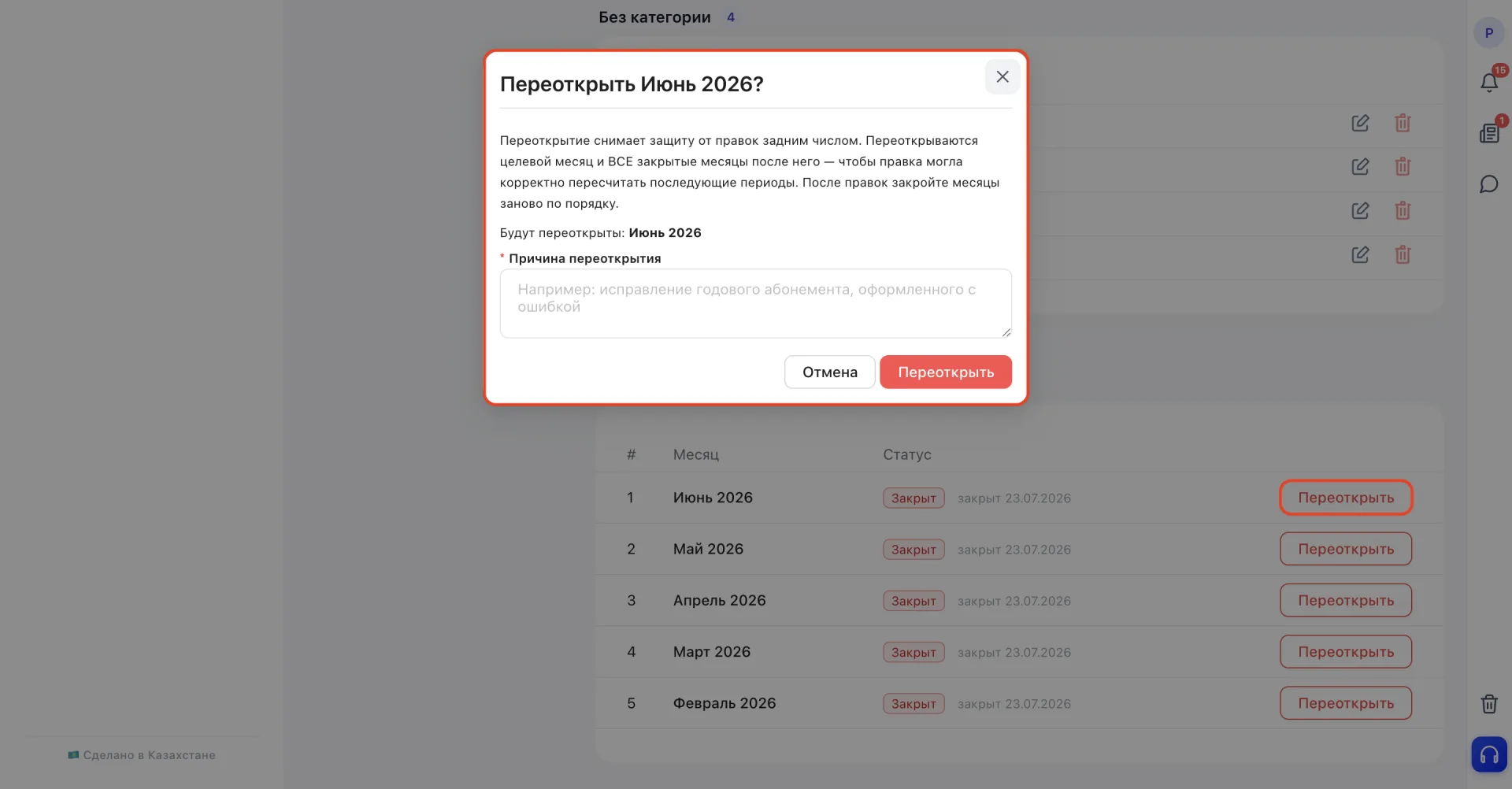
When reopening, protection is lifted not only for the selected month but also for all closed months after it. This is necessary so the system can correctly recalculate subsequent periods taking the correction into account. After making corrections, close the months again in order.
Important to consider
- Names should be clear and unique so they are easy to select when creating operations.
- Deleting an entry will remove it from the list and it will no longer be available for use.
- Before mass-using new sources or items, it is recommended to test them with a single operation.
- Grouping by categories is available only for income and expense items. Payment sources do not have categories.
- If a separate expense item is not selected for advances, the system will by default attribute them to the "Salary" item. Keep this in mind when analyzing payroll expenses.
- A closed period is protected from backdated edits, so you cannot accidentally change already consolidated financial reports. Payments, expenses, Memberships and visit marks for that month become unavailable for editing.
- Reopening a month lifts protection not only from the selected month but also from all closed months after it. This is necessary so the system can correctly recalculate subsequent periods taking the correction into account.
- After making corrections, close the months again in order, starting from the earliest reopened month.
- The reason for reopening is a required field; you cannot reopen a month without it.