
The tab shows all services and modules that can be integrated with the system to automate work, exchange data, and communicate with clients.
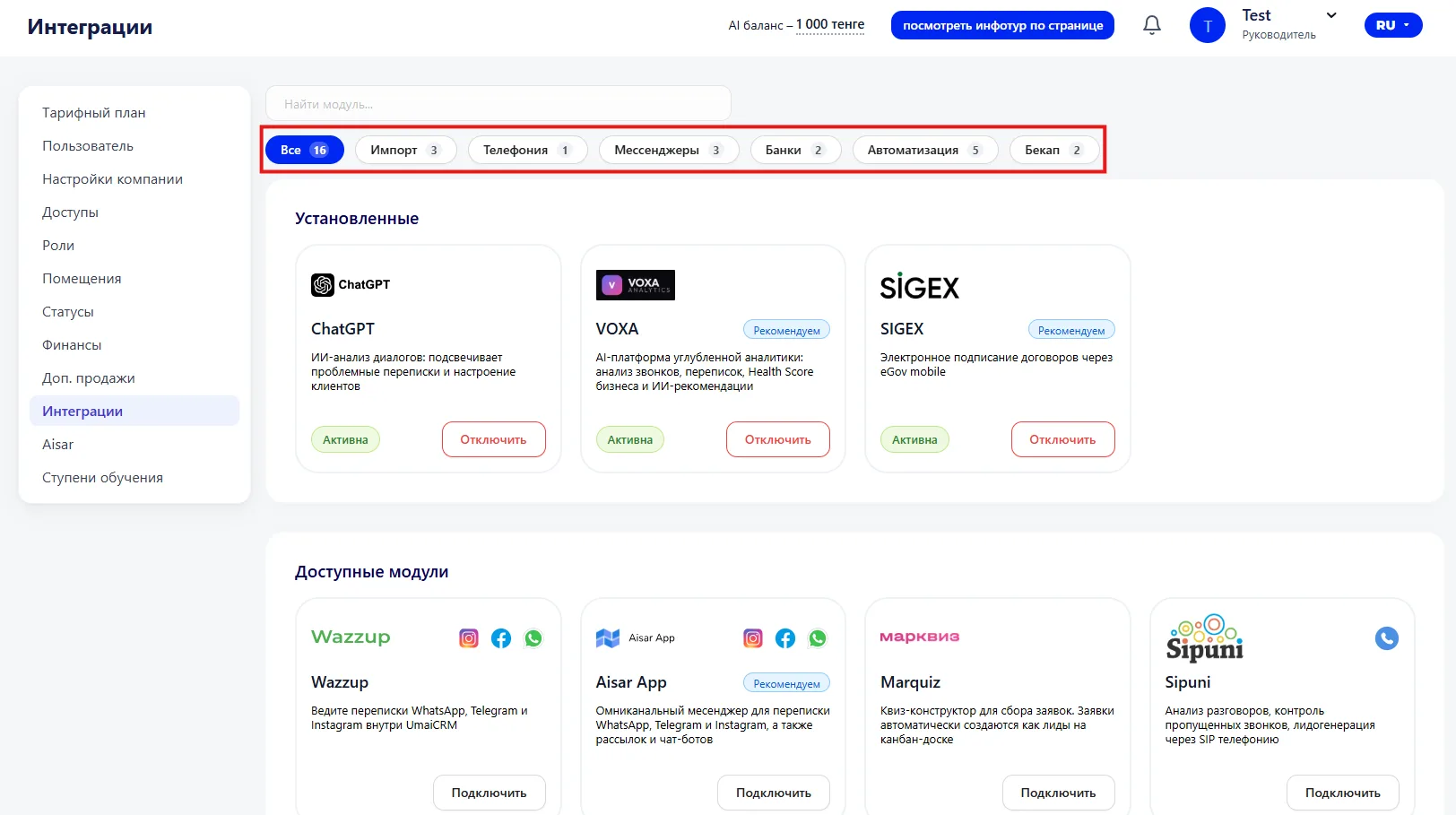
At the top of the page there is a search bar that allows you to quickly find the required module. Below you can filter modules by categories: All, Import, Telephony, Messengers, Banks, Automation, Backup.
Main sections:
- Installed modules (Установленные модули)
- Available modules (Доступные модули)
1. Installed modules (Установленные модули)
This section displays all integrations that are already active in the system. For each integration its name, a short description and current status (active or not) are shown.
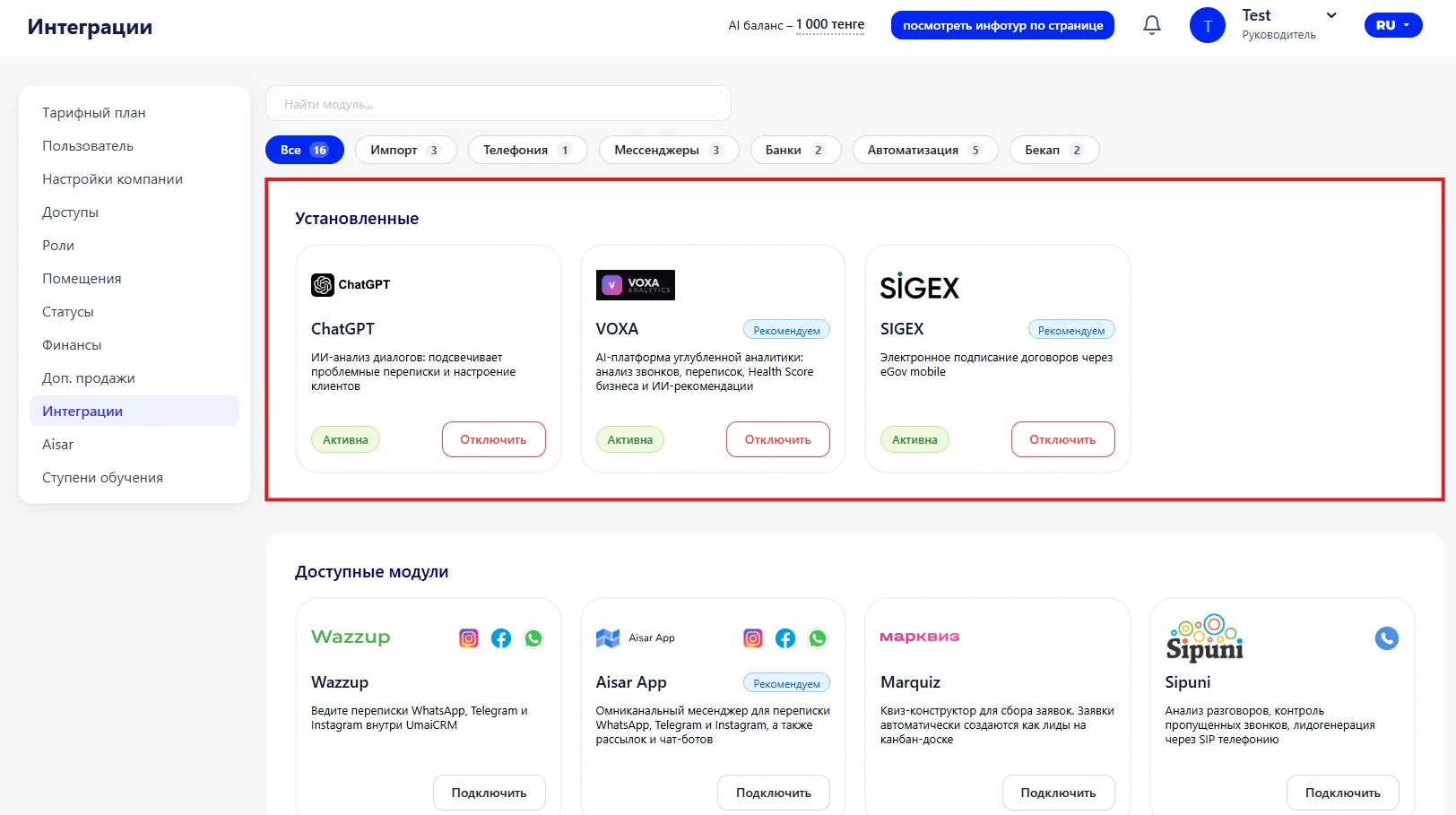
Available actions:
-
Activate or deactivate the module;
-
View recommendations or module details;
-
Disconnect the integration if necessary.
When you click on an installed module a settings window opens. Here you can top up the AI balance, as well as set parameters for analyzing dialogues and calls. After changing parameters the settings are saved with the "Update" button.
2. Available modules (Доступные модули)
Here are all the modules that can be connected to the system. For each one the name, a short description and a connect button are indicated.
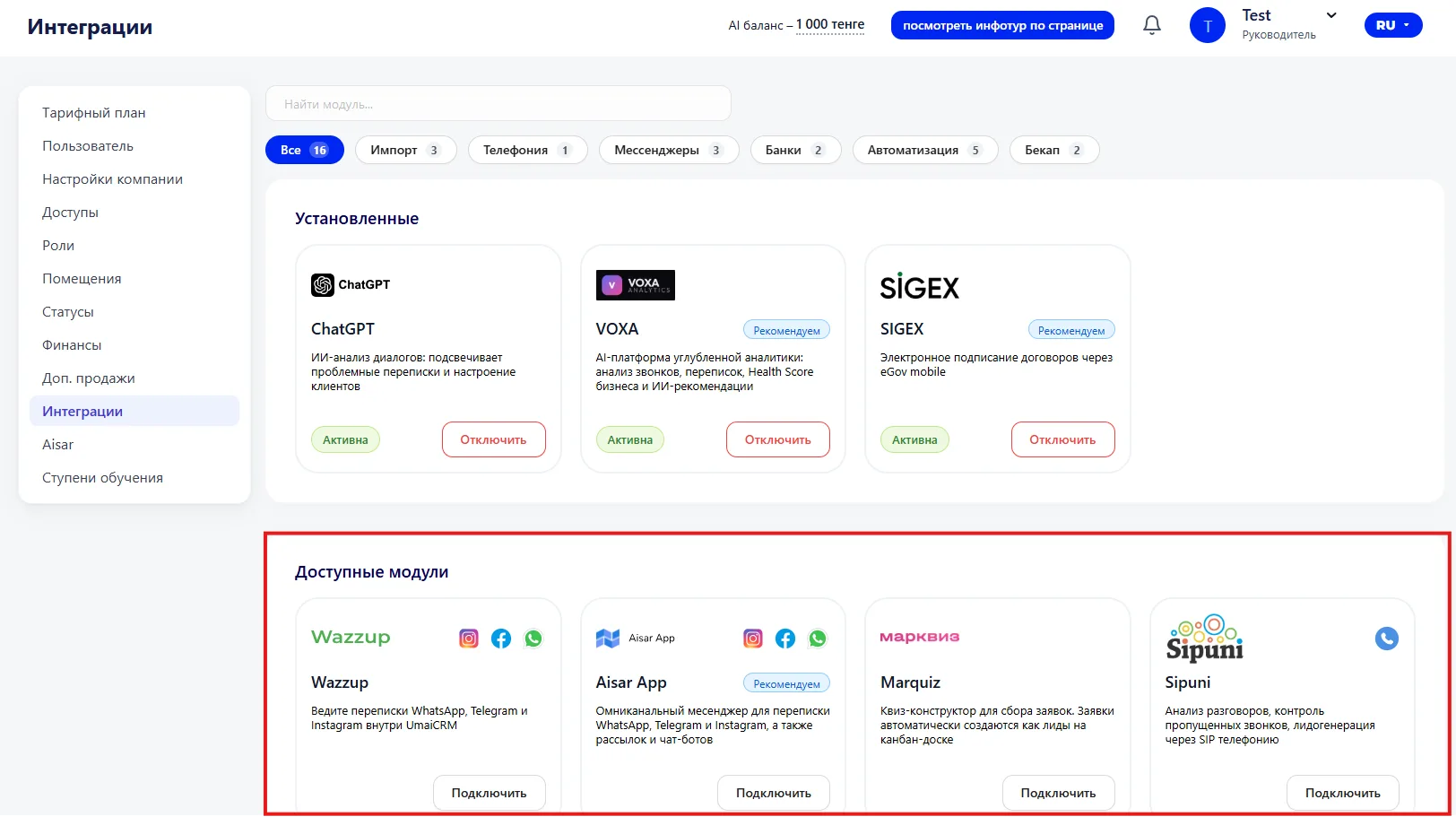
How it works:
-
To connect a new module, click "Connect" or "Import CSV" (if this is a data import);
-
The table shows a brief description of functions and compatibility with various channels (for example, messengers or telephony);
-
After connection the module moves to the "Installed" section.
Important to consider
-
Before connecting, make sure the selected service is compatible with your system;
-
Connecting some modules may require additional settings (for example, accounts in messengers or telephony);
-
Disconnecting a module may affect the operation of related processes, so check that all data is saved;
-
Use filters and search to quickly find the required module among a large list of available ones.