This section is used to create and manage educational programs. Here you can build the training structure by dividing it into sequential stages (ступени) and adding lessons to them. Each stage can contain a list of lessons, as well as the price for a group and an individual Class.
Main blocks:
- Table
- Creating a stage
- Adding lessons
1. Table (Таблица)
The page displays a list of created training stages. The main part of the screen is occupied by a table that shows:
- stage number;
- title;
- number of lessons;
- version.
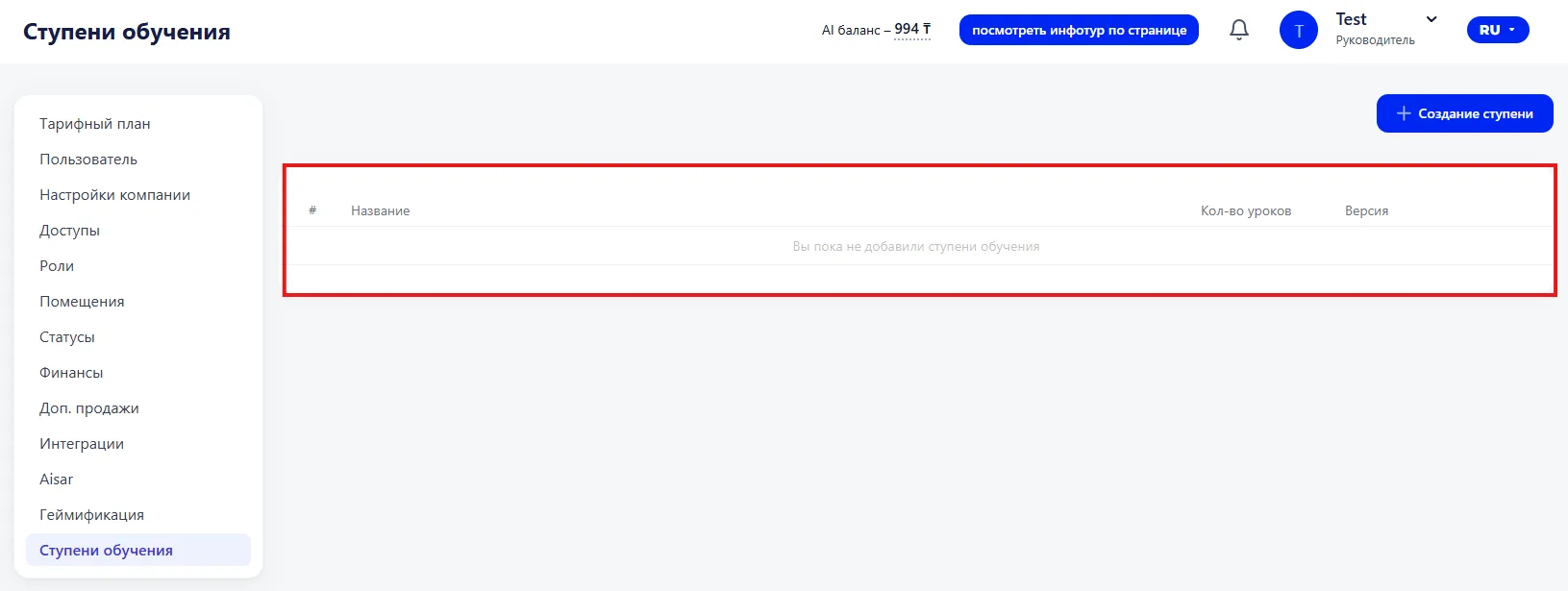
If no stages have been created yet, a corresponding notification is displayed in the table.
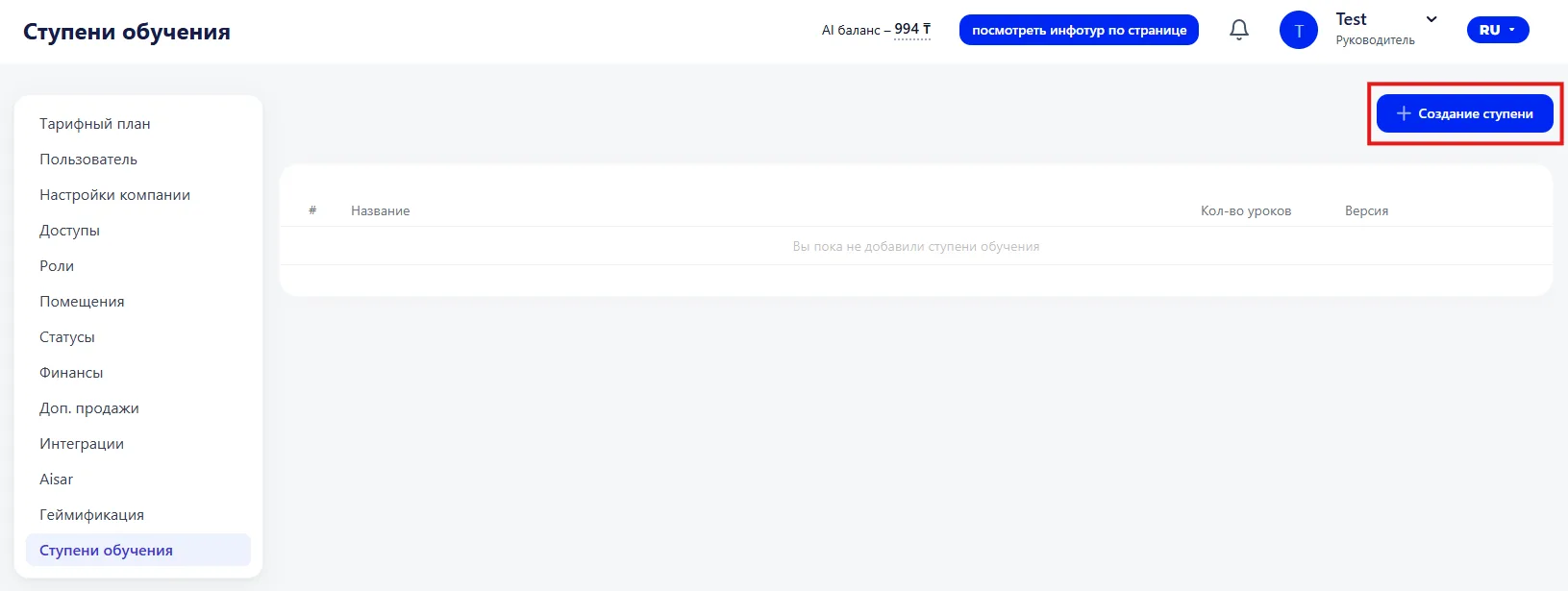
On the right side of the page there is a "Создание ступени" button, which allows you to add a new stage to the training.
Creating a stage
To create a new stage, click the "Создание ступени" button. A window will then open for filling in the stage parameters.
You need to specify the following fields:
- Title — the title of the training stage;
- Stage number — the sequential number in the training program;
- Version — the version of the stage;
- Group Class price — the price of a group Class;
- Individual Class price — the price of an individual Class.
Adding lessons
At the bottom of the window there is a "Lessons" block.
To add a lesson, click the "Add lesson" button, after which the lesson will appear in the stage list.
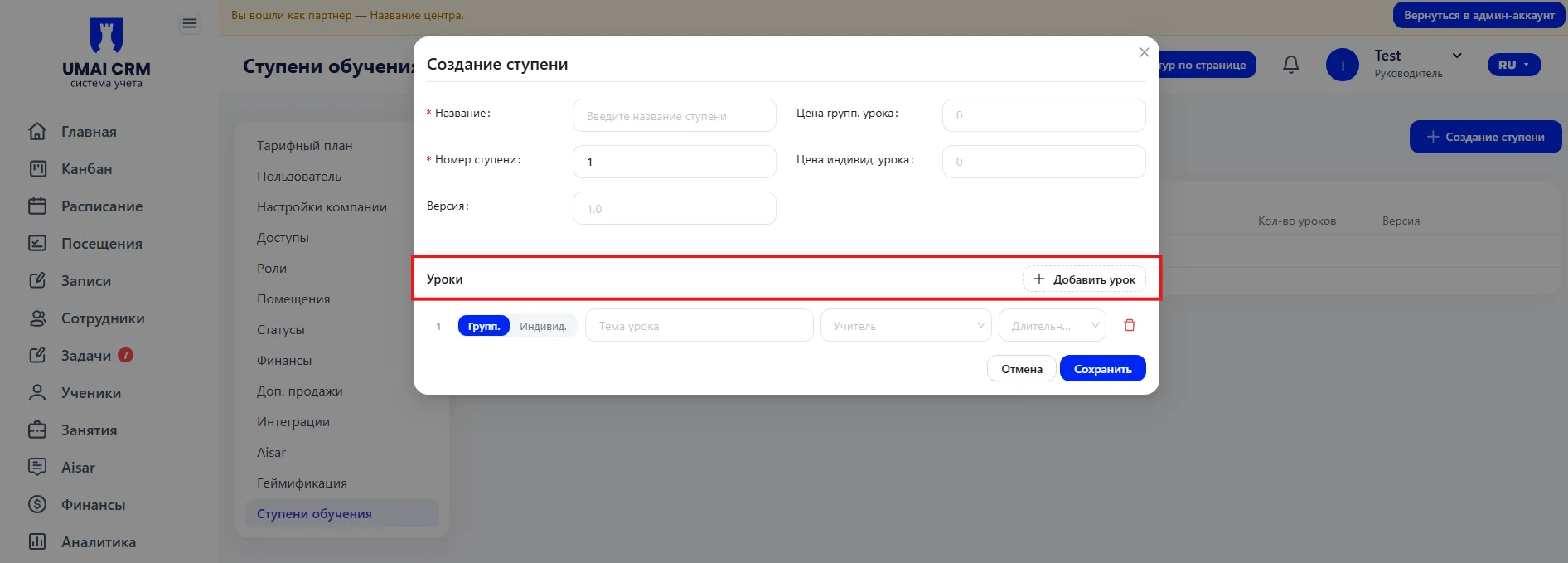
You can add several lessons to one stage.
After filling in all required data, click the "Save" button.
The new training stage will appear in the table on the section page.
Important to note
- Fields marked with the
*symbol are required. - Before saving, it is recommended to add all necessary lessons to the stage.
- The number of lessons is automatically displayed in the table after creating the stage