This section allows you to configure statuses for marking Students' attendance and Employees' work to properly account for attendance, deduction of Classes, and Payment.
Main blocks:
- Visit statuses (Статусы посещений)
- Employee statuses (Статусы сотрудников)
1. Visit statuses (Статусы посещений)
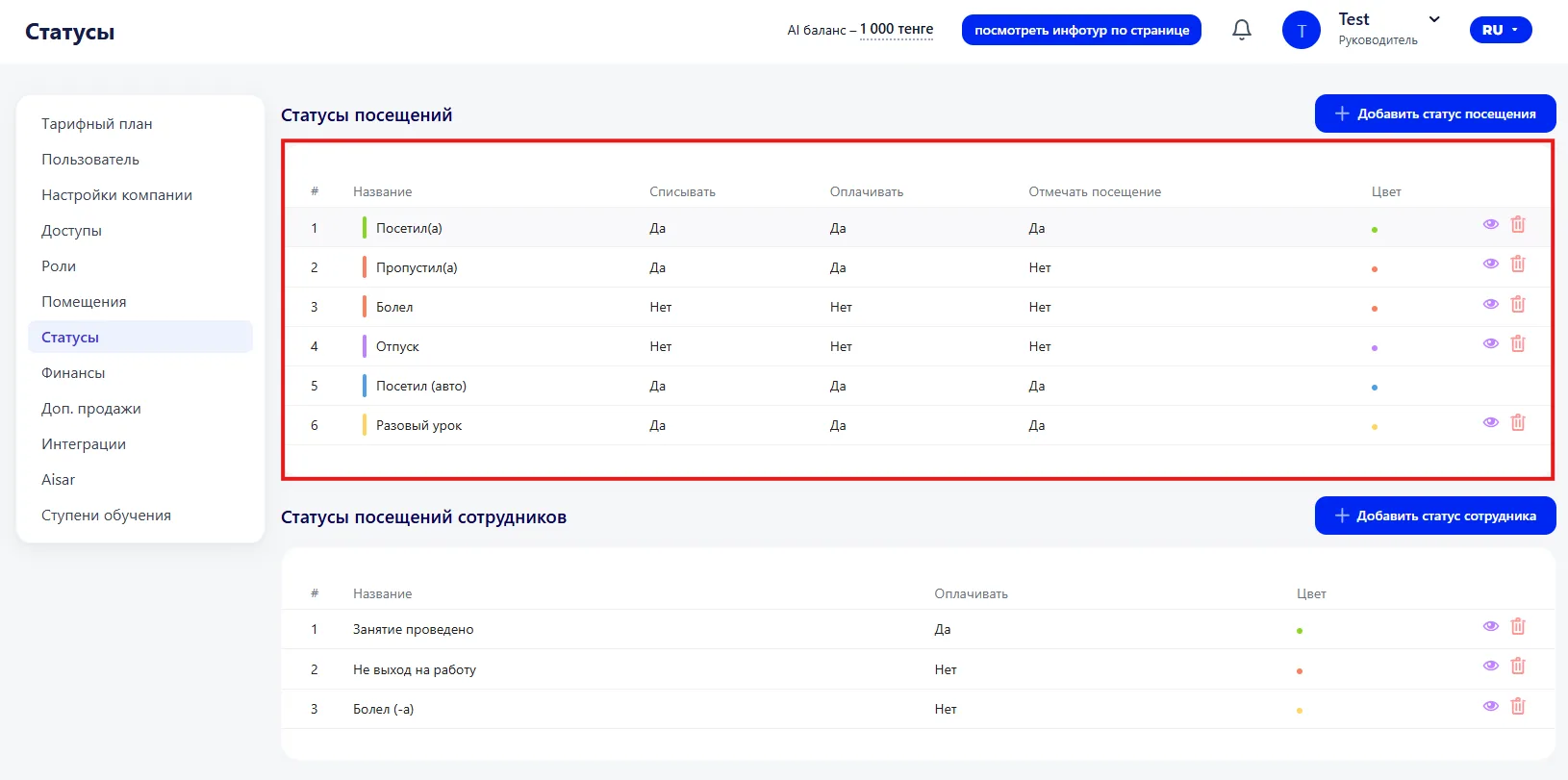
This block configures statuses used to mark a Student's presence or absence at Classes.
The table shows:
- # — serial number;
- Title — the name of the status (for example: attended, missed, was sick);
- Deduct — whether the Class is deducted from the Membership;
- Pay — whether the visit is counted as a paid visit;
- Count attendance — whether it is included in attendance statistics;
- Color — the color designation of the status;
- Edit and delete buttons — allow you to modify or remove the status.
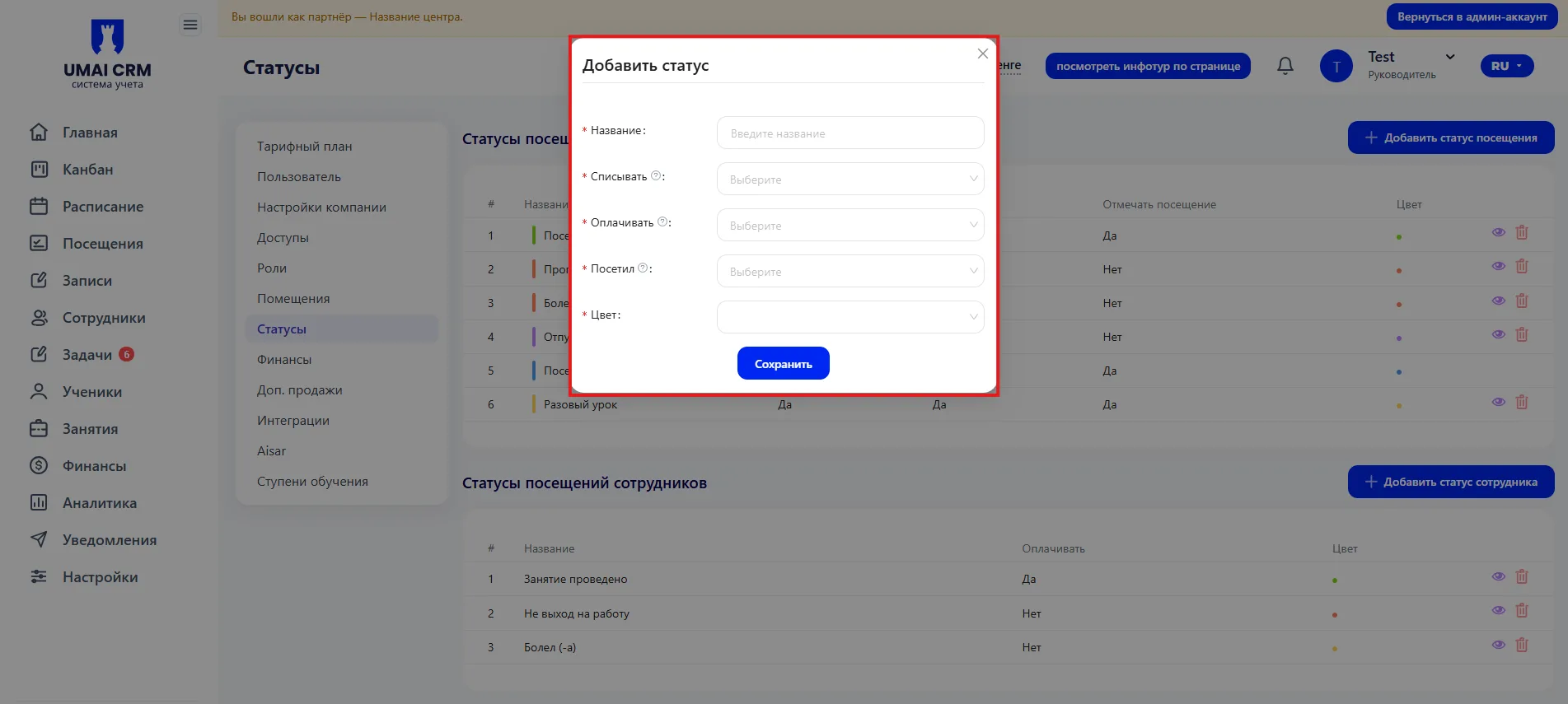
How to add a new status:
- Click "+Add visit status"
- Fill in the fields:
Title — the name of the status;
-
Deduct — enable if the Class should be deducted from the Membership;
-
Pay — enable if the visit should be counted as a paid visit;
-
Counted — enable if this visit is included in statistics;
-
Color — choose a color for the status.
2. Employee statuses (Статусы сотрудников)
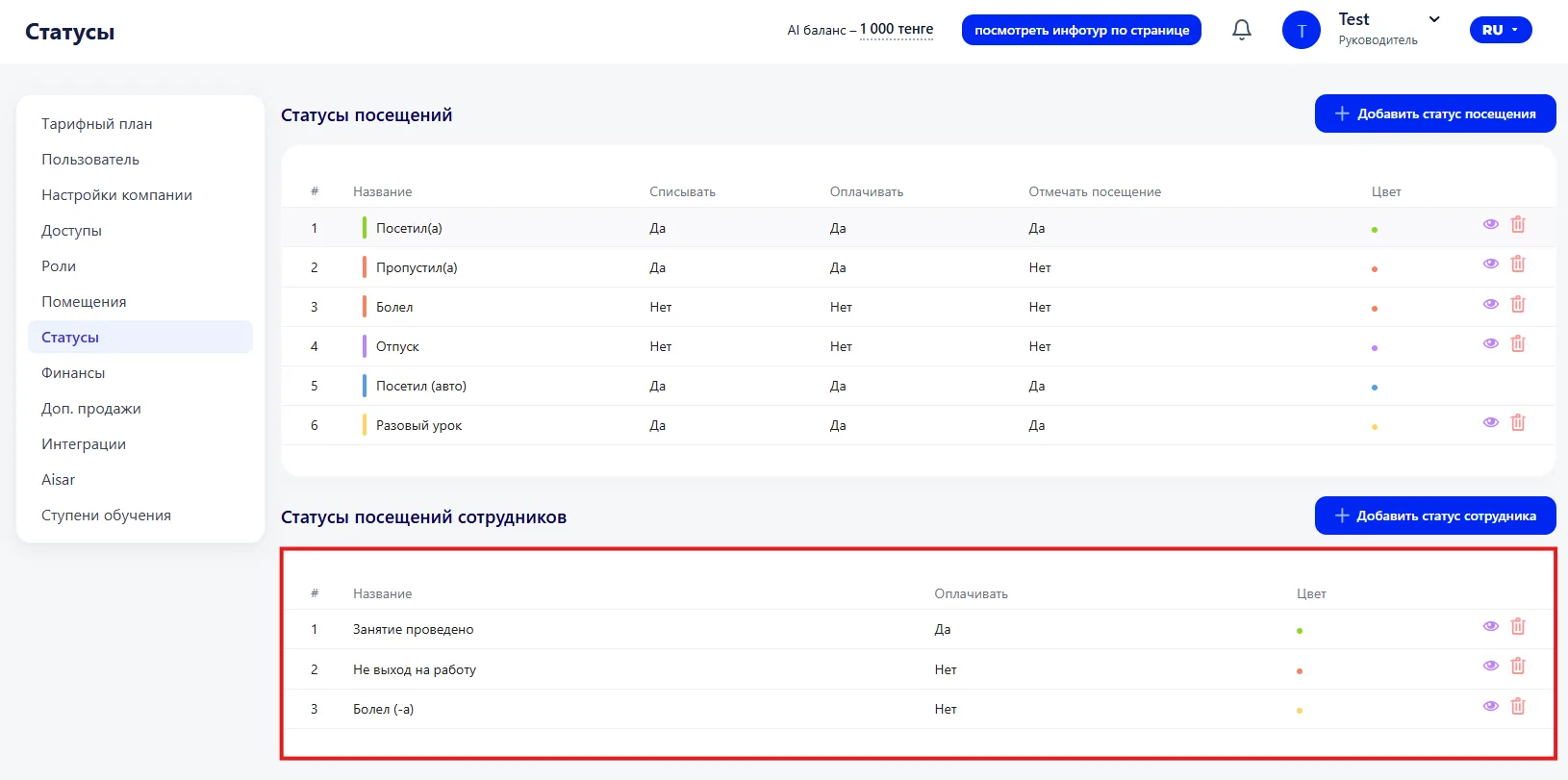
This block is used to mark Employees' actions during Classes and to account for their work.
The table shows:
- # — serial number;
- Title — the name of the status (for example: class held, no show, was sick);
- Pay — whether it affects payroll calculation;
- Color — color designation;
- Edit and delete buttons — allow you to modify or remove the status.
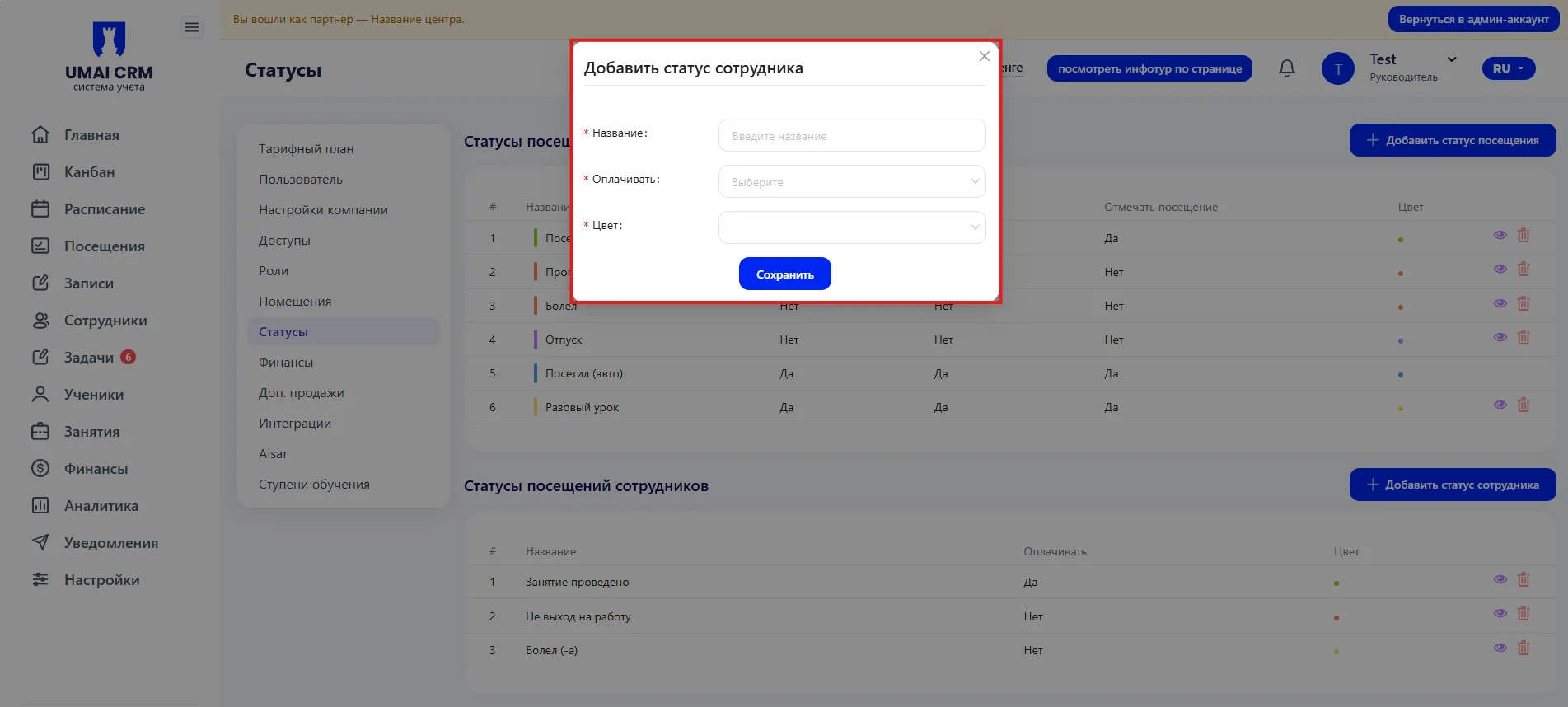
- Click "+Add employee status".
- Fill in the fields:
- Title — the name of the status;
- Pay — enable if the status is considered for payroll;
- Color — choose a color for visual designation.
Tip: correctly configured Employee statuses help accurately account for working time and payroll calculation.
Important to note
Status titles should be clear — this makes them easy to select when marking attendance or Employees' work.
-
The fields "Deduct", "Pay", and "Counted" affect Class balances, financial reports, and attendance statistics, so it is important to set them correctly.
-
The status color helps quickly visually distinguish different situations.
-
Deleting a status will remove it from the table and it will no longer be available for marking.
-
Before mass use of new statuses, it is recommended to check their operation on the example of a single Class or Employee.