This tab is intended for recording all financial accruals to an employee.
Here all financial accruals to the employee are displayed: salary, bonuses, and compensations.
Information is presented in a table with details:
- payout type — salary, bonus, compensation, or award;
- amount — the accrued amount;
- accrual date — when the operation was performed;
- description — additional information or a comment, for example the period the accrual covers or the bonus conditions.
The table allows filtering payouts by the selected period, making it easier to find the needed operation.
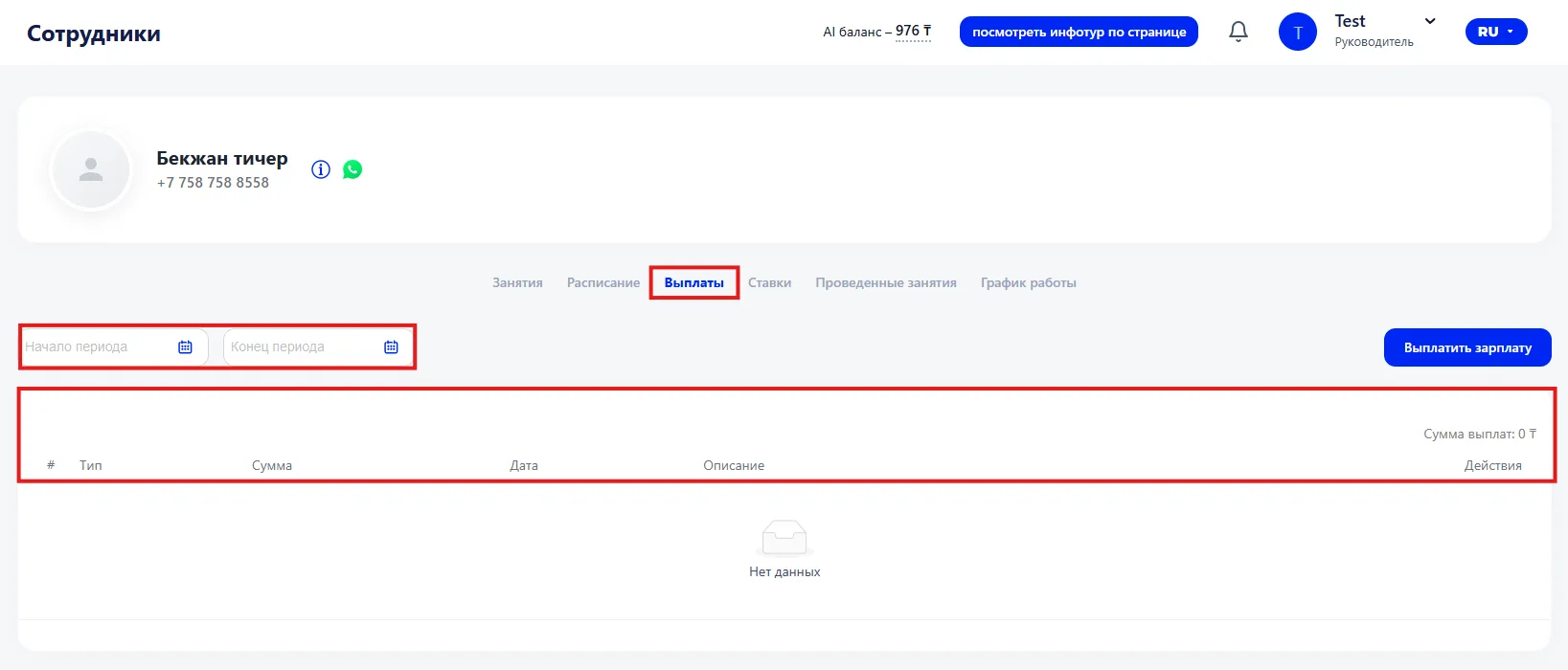
The "Pay salary" button opens a form to register a new accrual. The form allows specifying the pay period, including service payments, enabling or disabling automatic penalties if necessary, displaying the payroll, and also adding a bonus or penalty. The amount is calculated automatically and displayed on the screen. Additionally, you can choose an expense item from the dropdown list.
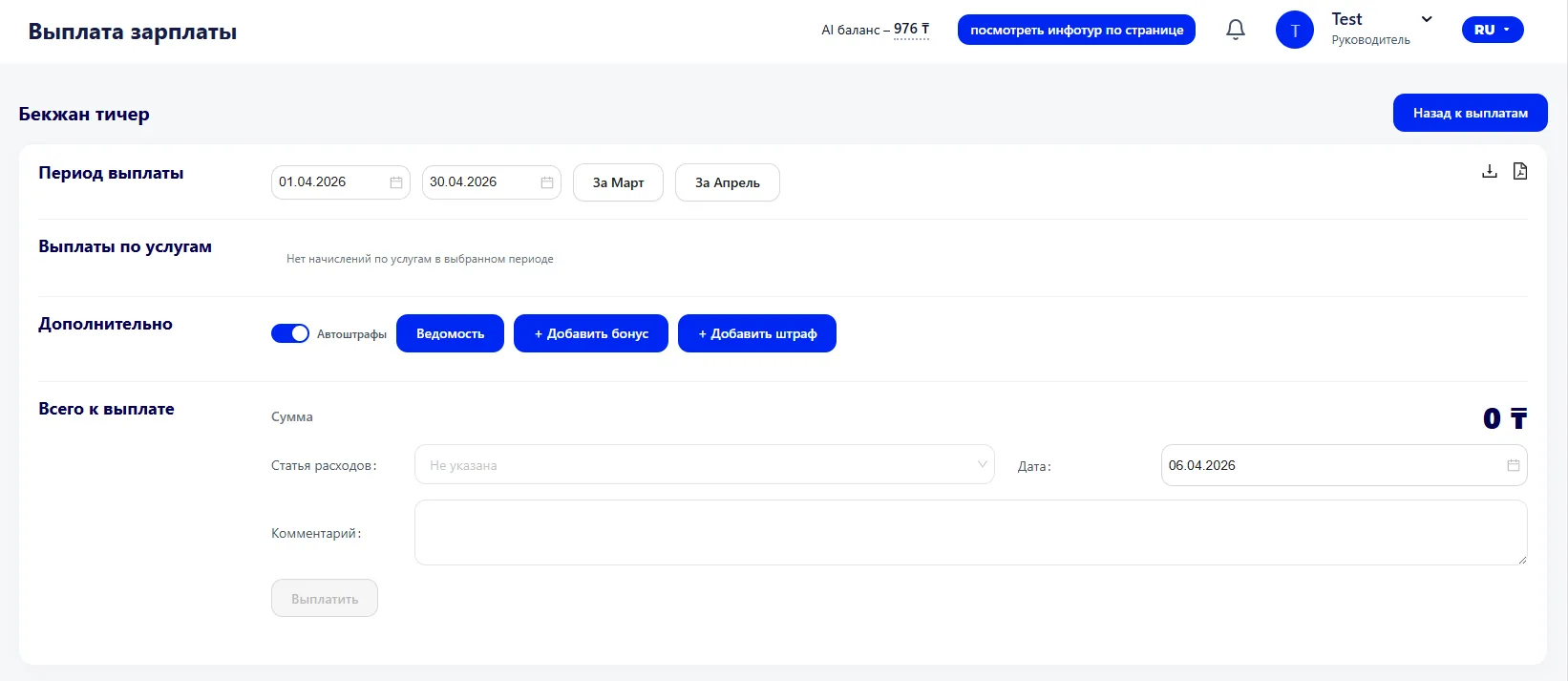
After saving, the entry appears in the table and is included in the employee's overall financial statistics.
Each payout can be opened for editing or deleted. Changes are immediately reflected in the overall information. Buttons are also available to download the report in CSV or PDF format.