The tab displays an employee's rates used to calculate their payouts. Rates determine the amount an employee receives for providing services or working with clients.
Information about rates is stored in the system and applied when calculating salary and other payouts.
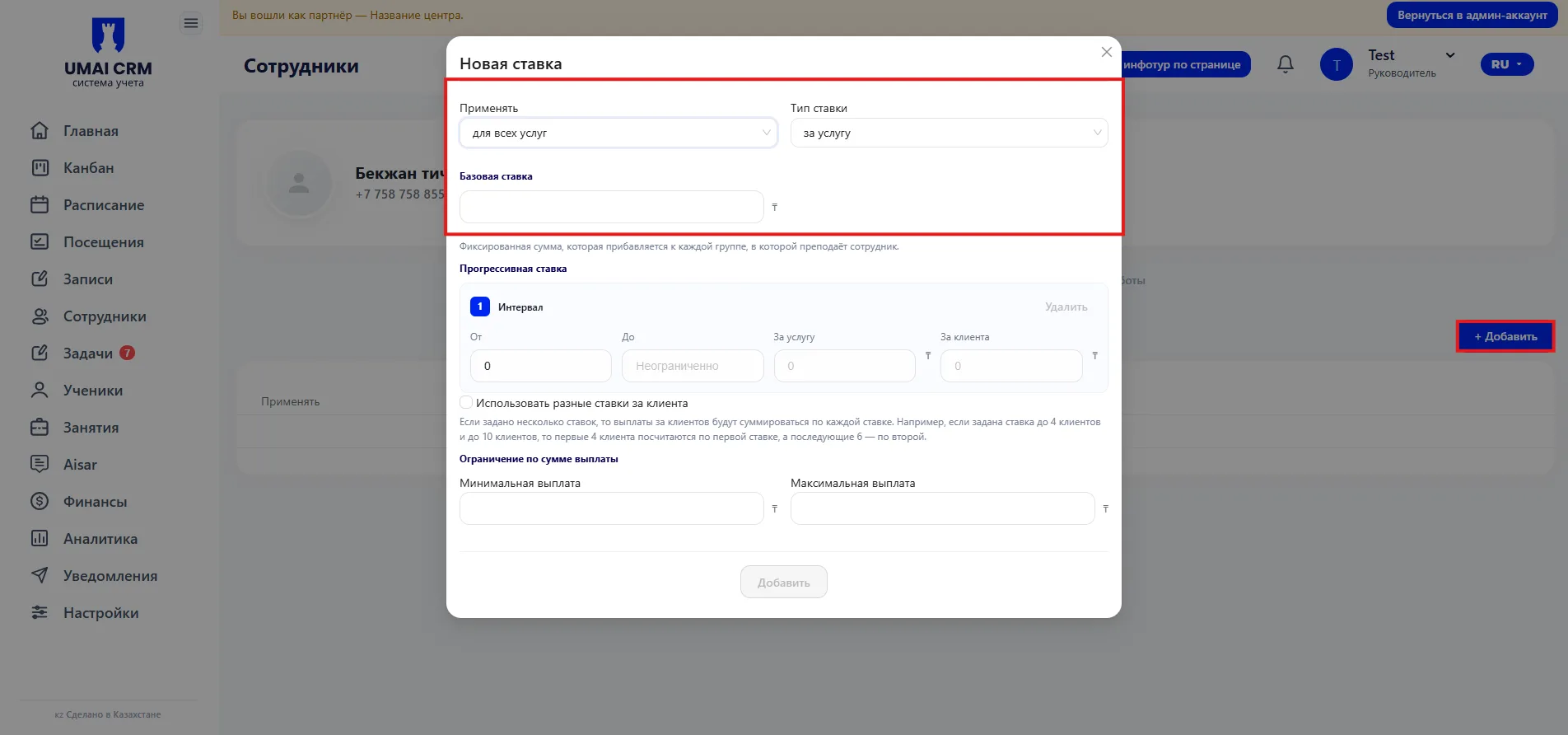
To add a new rate, click the "Add" button. A "New rate" window will open, where you need to fill in the following fields:
Apply to — specifies which services the rate will apply to.
You can choose the option for all services or set specific services for which this rate will be effective.
Rate type — defines the principle of payment calculation. For example, the rate can be charged per service.
Base rate — a fixed amount that is added to each group or service conducted by the employee.
Progressive rate
This block allows you to configure the dependence of the payout on the number of clients.
Here intervals are set within which the payment amount changes. For each interval specify:
- From — the minimum number of clients from which the rate starts to apply.
- To — the maximum number of clients in the interval.
- Per service — the payment amount for a service provided.
- Per client — an amount that is additionally accrued for each client.
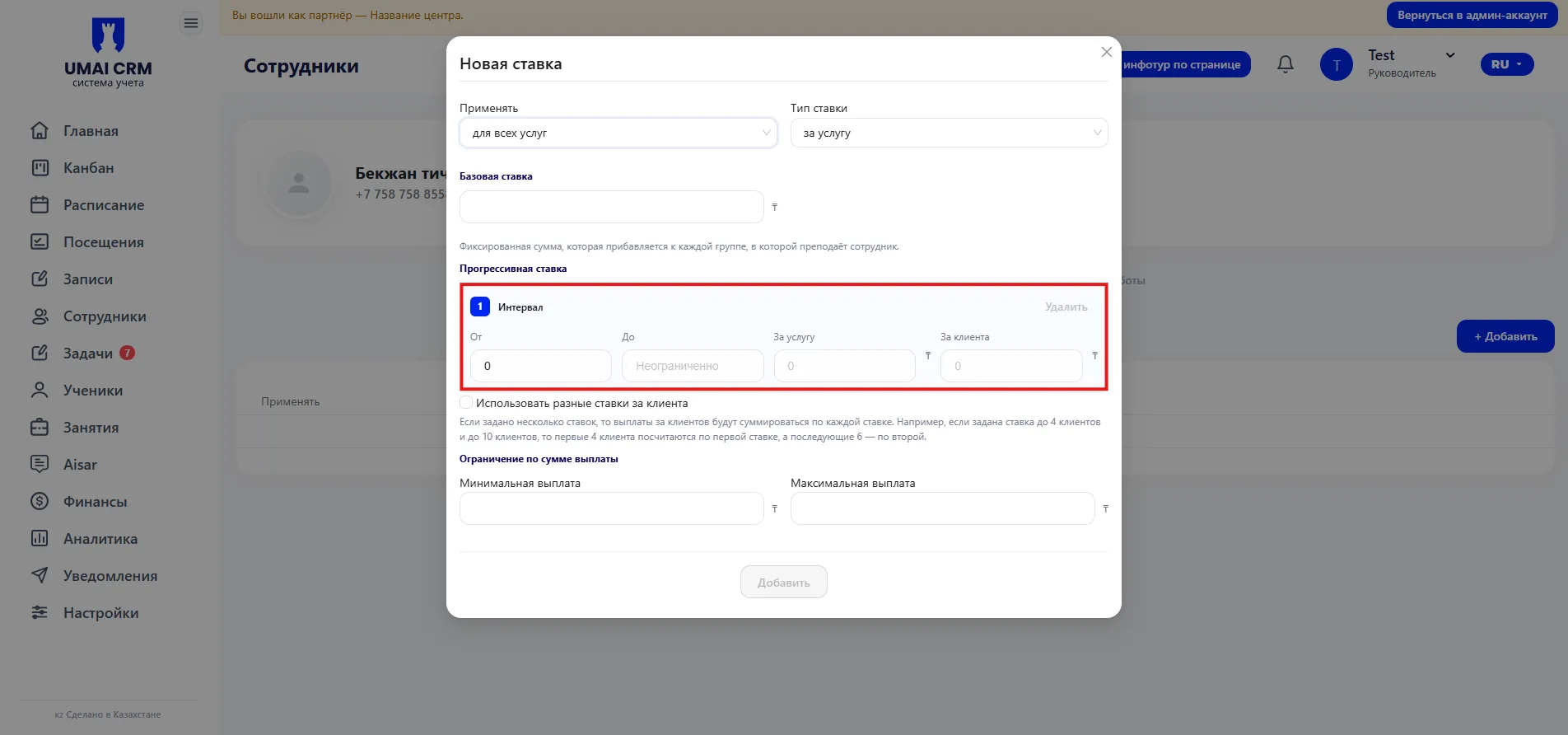
You can add several intervals so the system automatically increases the payout with a larger number of clients.
Use different rates per client — when this option is enabled, you can set different payout amounts for each client depending on the number of clients in a Class.
Payout limits
Allows you to set limits on accruals:
- Minimum payout — the minimum amount the employee will receive.
- Maximum payout — the maximum accrual amount.
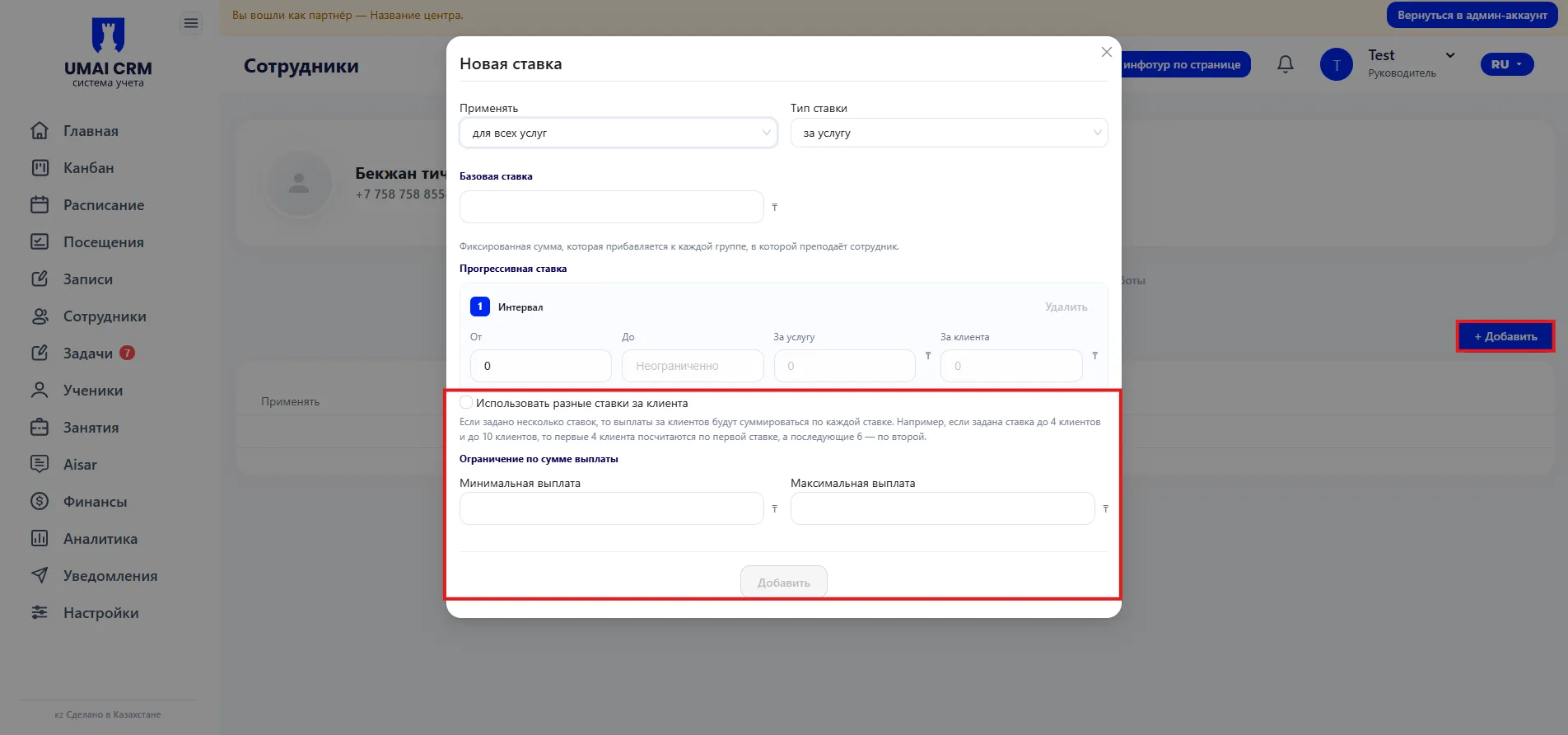
After filling in all parameters, click the "Add" button. The rate will be saved and will start to be applied when calculating payouts to the employee.