In this tab you configure the employee's work schedule. The information is presented as a table, where the days of the week are listed vertically, and for each day you can set a status and working hours.
The table contains three main columns:
- Day — the days of the week for which the schedule is configured.
- Status — determined using a toggle.
The enabled toggle displays the status «Work» — a working day.
The disabled toggle displays the status «Off» — a day off.
- Working hours — the time range during which the employee works on that day. You can change it by specifying the desired interval.
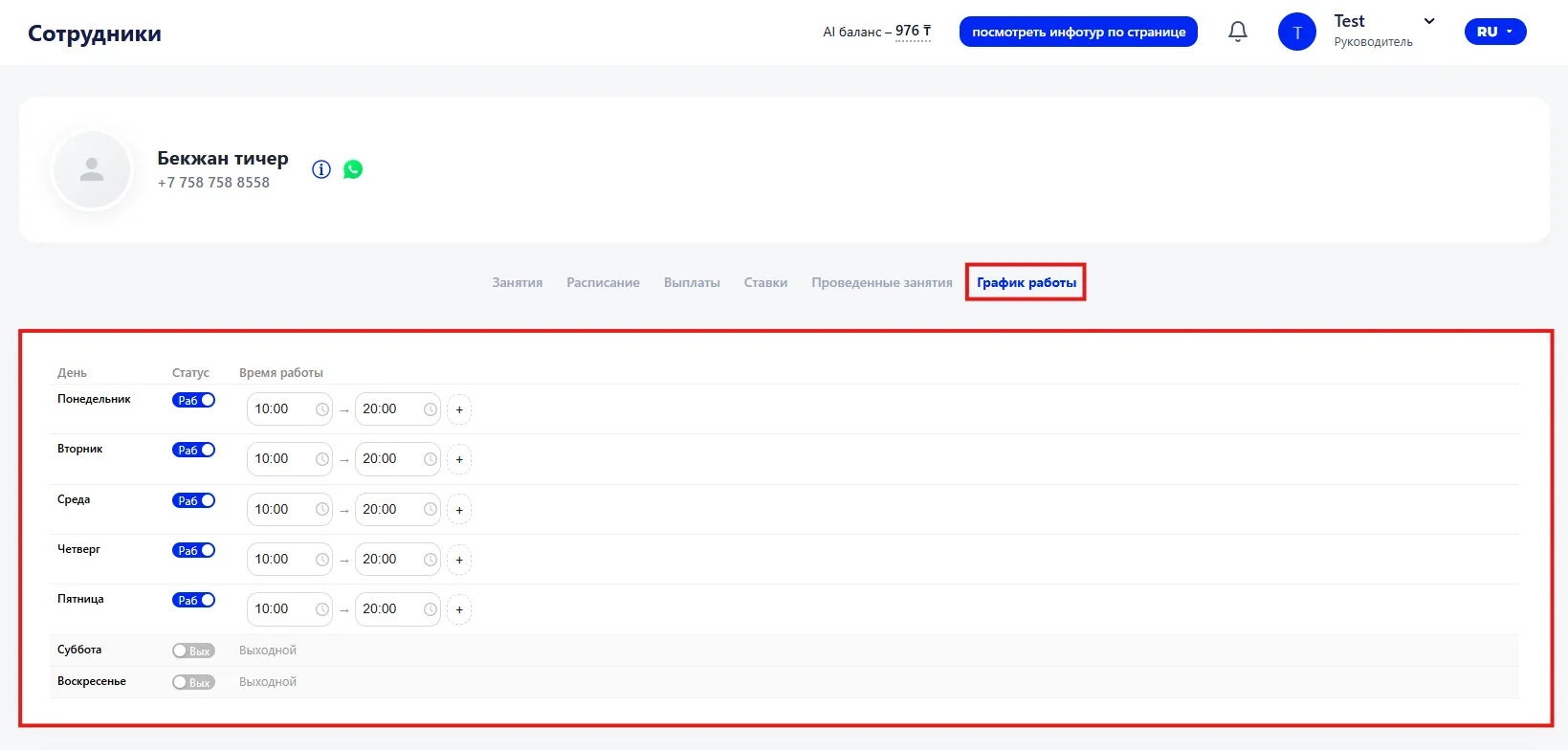
If there are multiple working intervals during the day (for example, a break between classes), you can add an additional time range. To do this, click the "plus" icon next to the specified time and set another work interval.
This configuration allows you to flexibly form the employee's schedule and take into account working hours on different days of the week.