- Access to the section
- File upload
- Column mapping
1. Access to the section
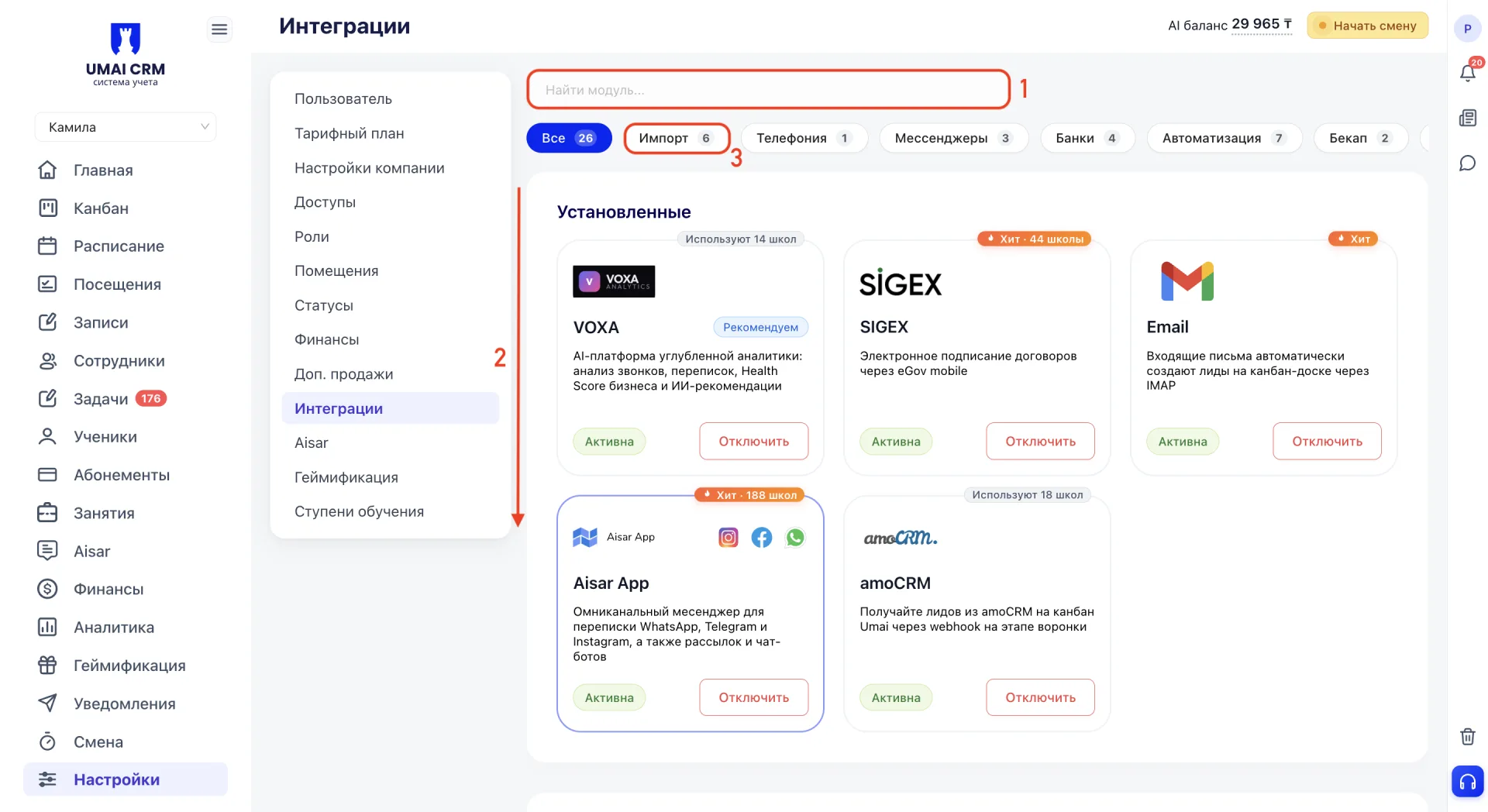
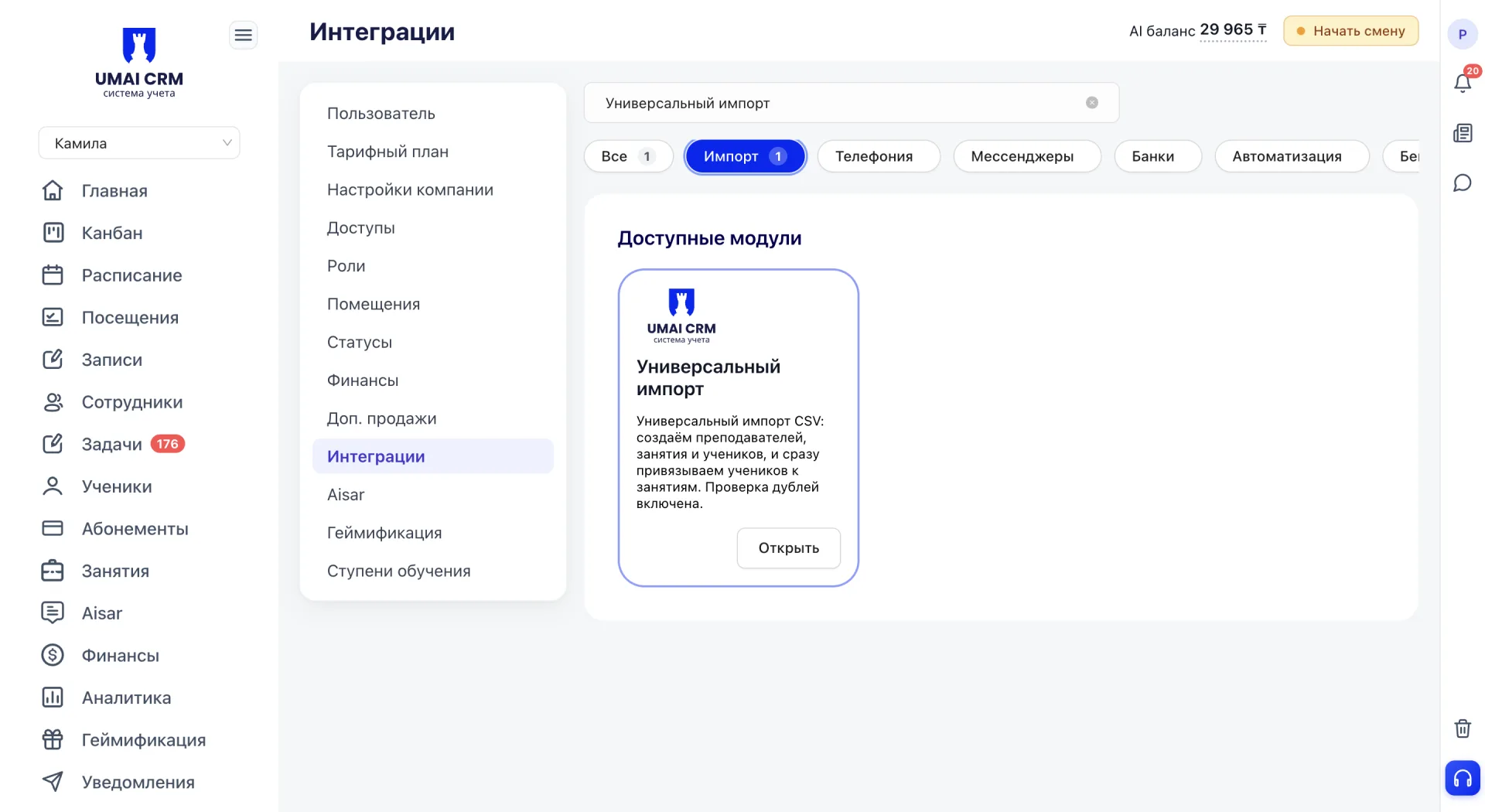
You can find “Universal import” in several ways:
- via the search field at the top of the Integrations (Интеграции) tab by entering the name;
- by scrolling through the full list of all integrations on the All (Все) tab;
- via the Import (Импорт) category, which will filter the list to show only integrations related to data import.
2. File upload
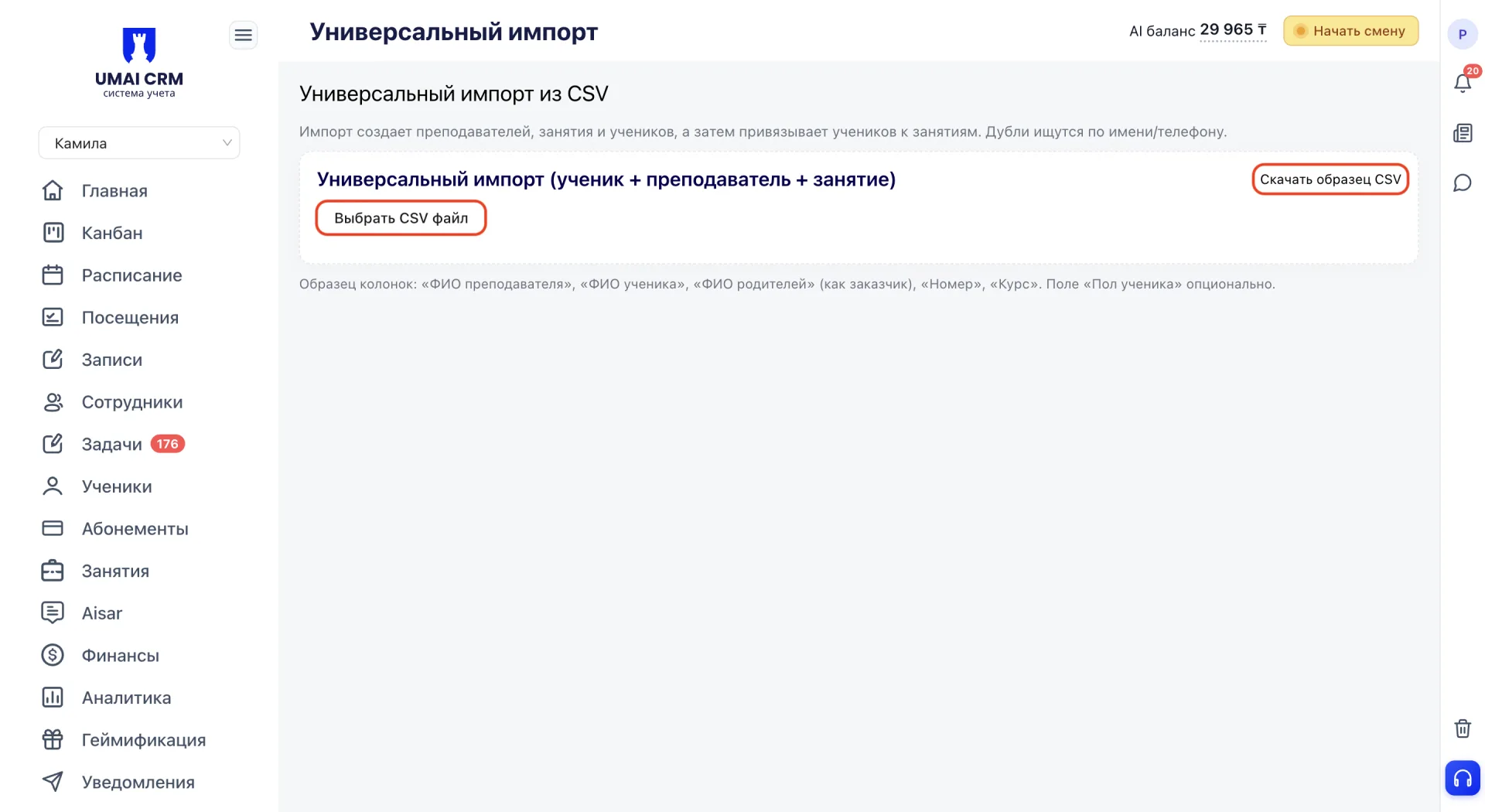
After opening the “Universal import” card click “Choose CSV file” and upload a CSV document. Next to the button there is a “Download sample CSV” link which lets you get a file template with the correct structure.
3. Column mapping
After uploading the file a “Column mapping” block appears, where you need to match the columns of the uploaded file to the system fields. The order of columns in the file does not matter; it is important that the table contains three required fields: Teacher full name, Student full name and Course (Class name).
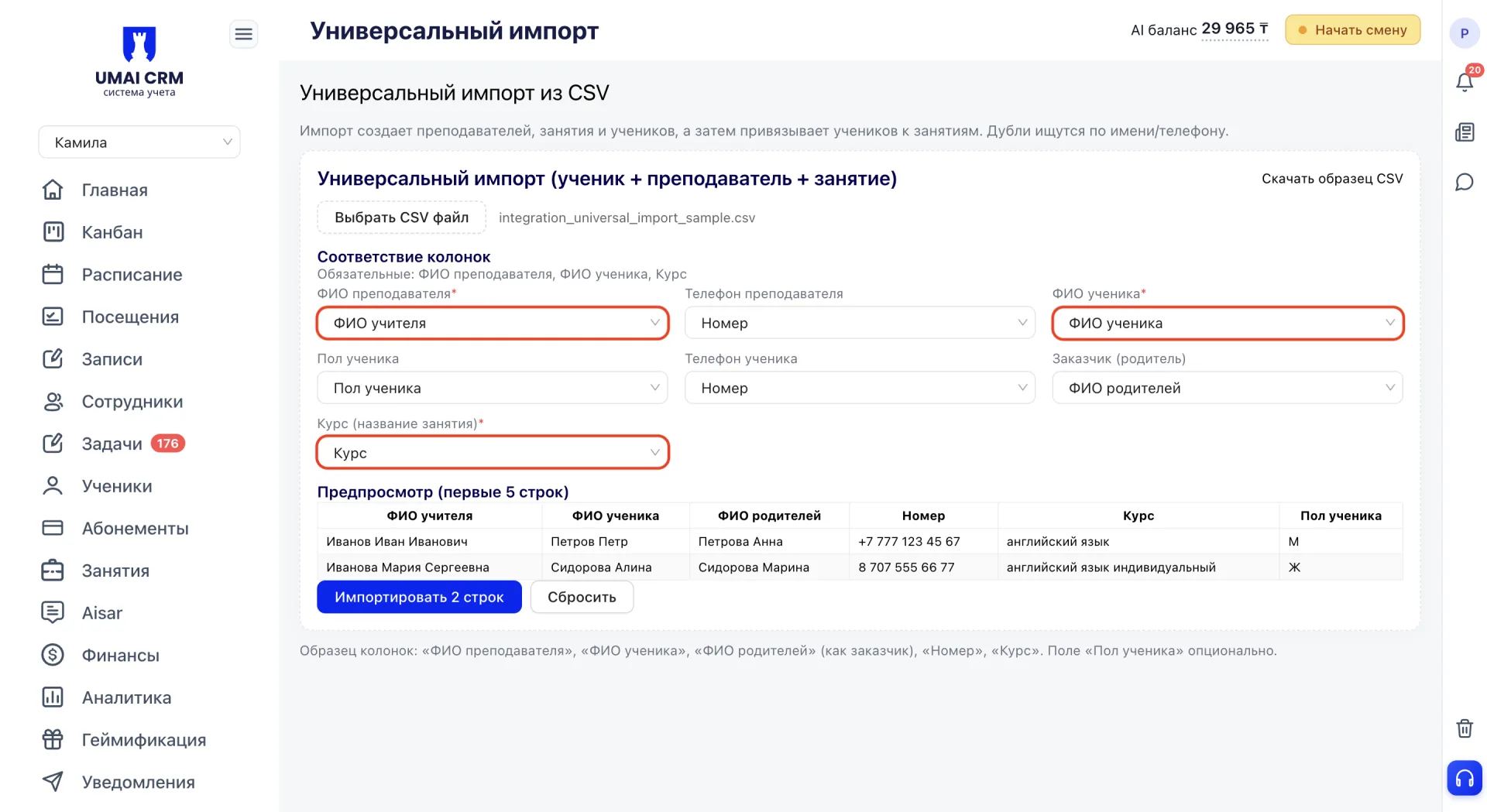
Other fields can be mapped if necessary:
- Teacher phone.
- Student gender.
- Student phone.
- Client (parent).
4. Preview and import
Below you will see a “Preview” block that shows the first 5 rows of the uploaded file as a table so you can check the data before importing.
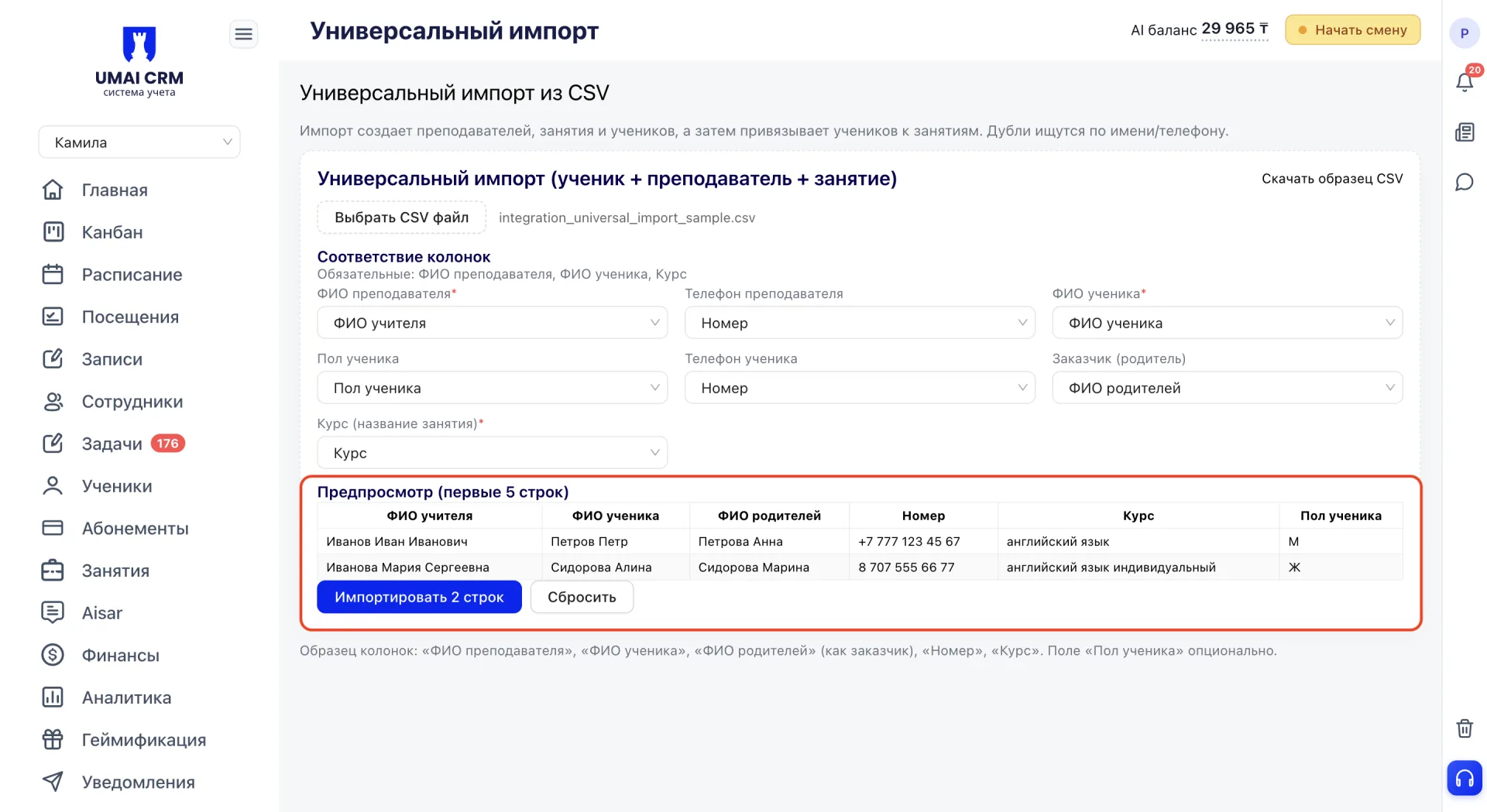
The “Import N rows” button starts the process of transferring data into the system. The “Reset” button cancels the upload and allows you to start over.
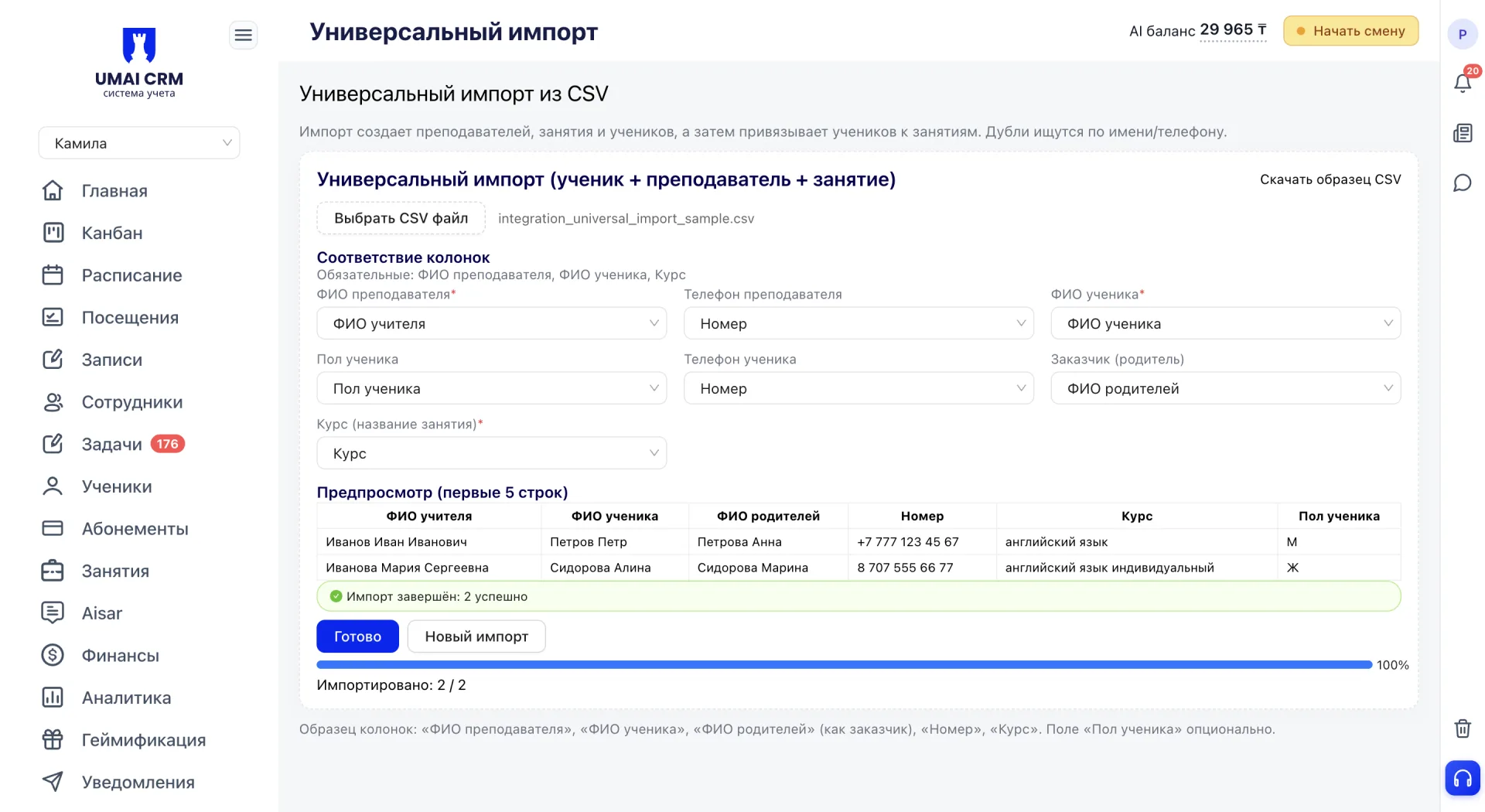
After the upload completes a progress indicator appears with the message “Import completed: N successful”. The “Done” button finishes the process; the “New import” button allows you to immediately upload the next file.
Important to consider
- The import creates Teachers, Classes and Students, and then assigns students to classes.
- A Class (Course) is created anew on import each time, even if a class with the same name already exists in the system. This may result in multiple classes with identical names if you run the import repeatedly with the same course.
- Required fields for mapping: Teacher full name, Student full name, Course (Class name). Without them the import cannot be started.