
Section «Access» is intended for managing system users and assigning them roles.
Here a list of all users who have access to the system is displayed.
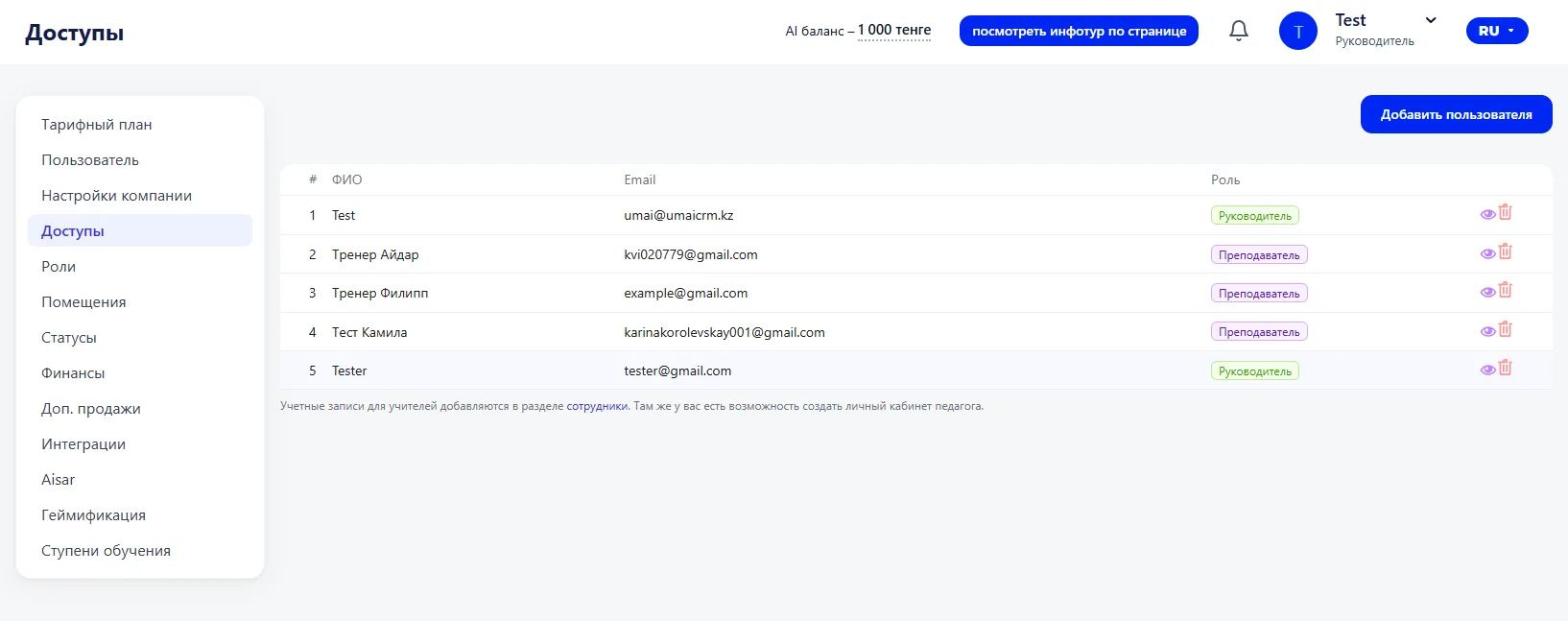
Adding a user (Добавление пользователя)
To grant access to a new user, click the “Add user” button.
In the opened window you must fill in:
- Full name — the user’s full name;
- Email — the email address for system login;
- Role — the user’s access level.
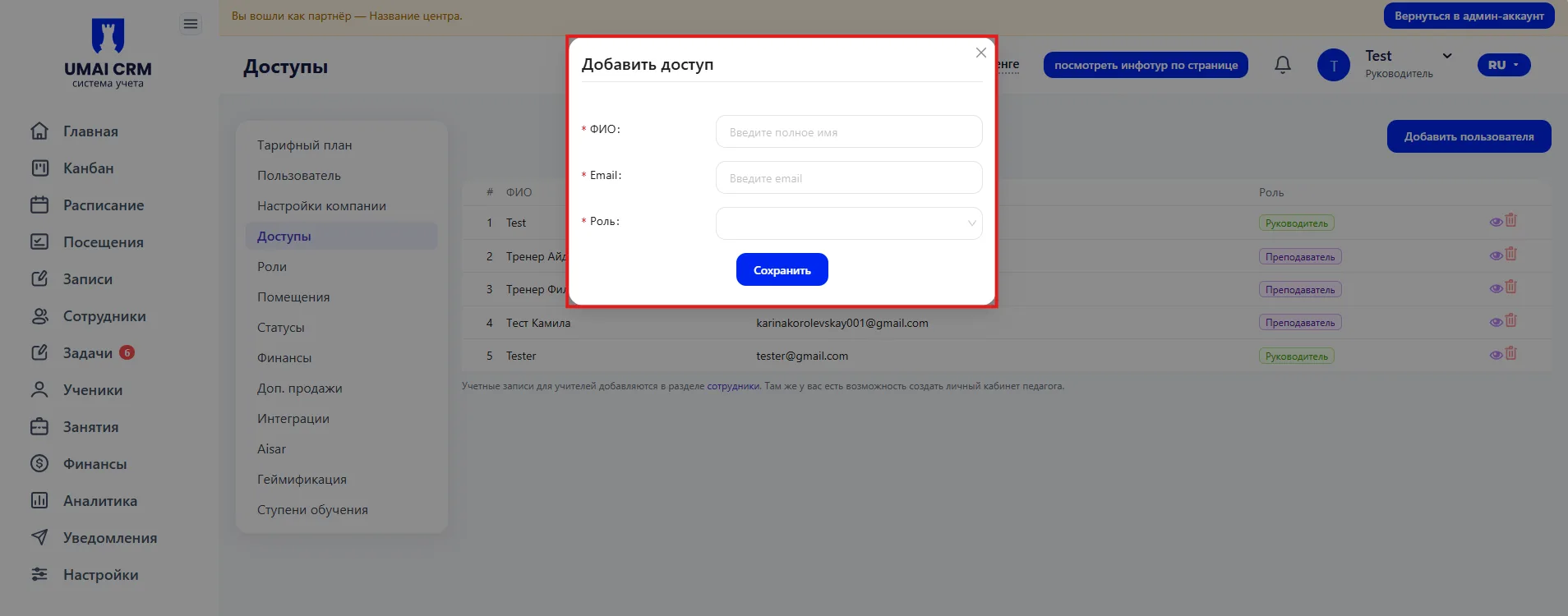
After saving, the user will appear in the list and will receive access to the system according to the assigned role.
Each user may have only one role, which determines the sections of the system available to them and the actions permitted.
Important to consider
- Access to the system is granted only to users added in this section.
- When adding a user, a role must be assigned. The role determines the sections of the system available and the permitted actions.
- One user can have only one role.
- If it is necessary to change a user’s rights, this can be done by changing their role or assigning a different one.