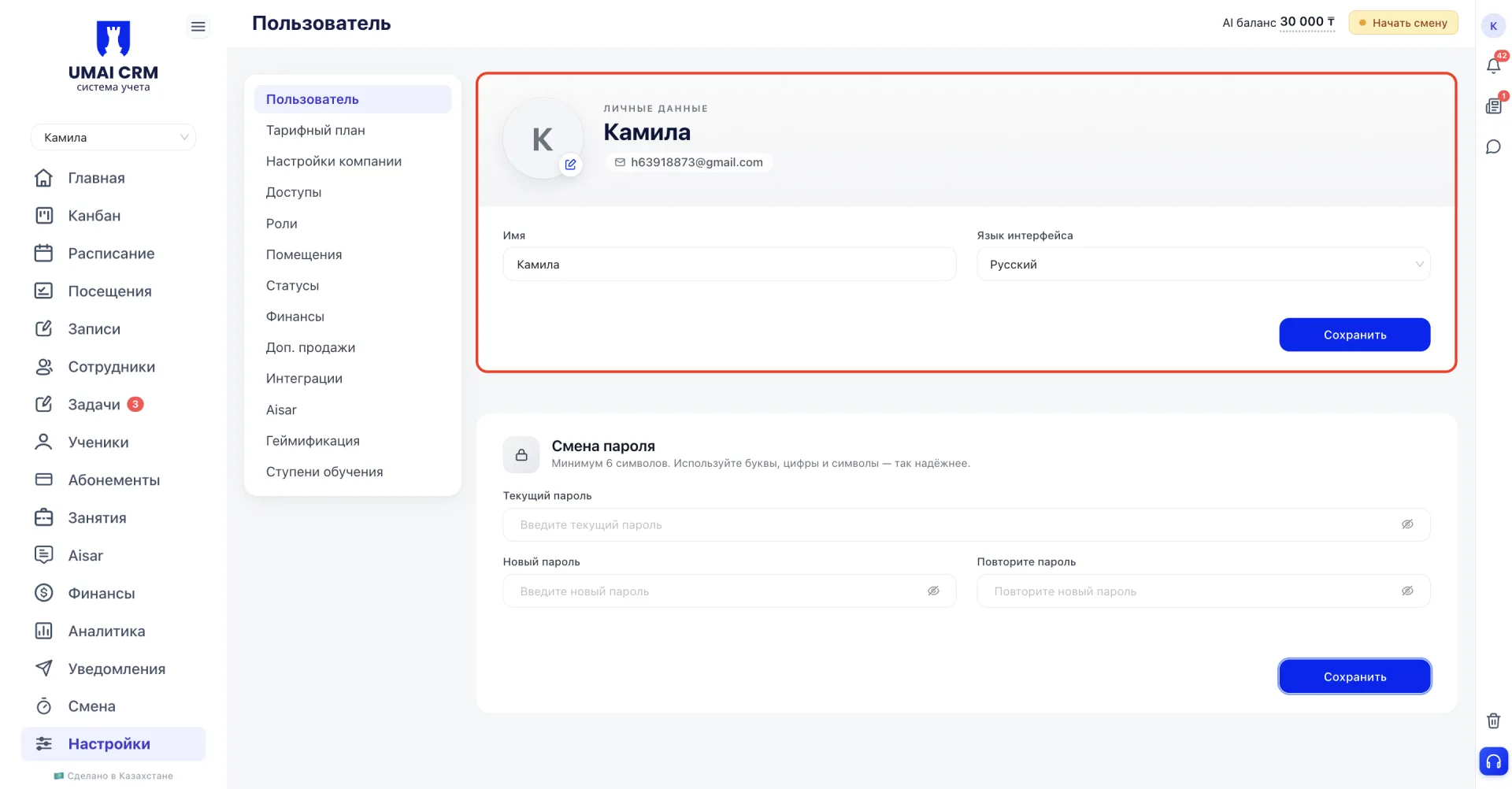
The section contains profile personal data and password change settings. It opens via the settings side menu, the first item in the list.
In the "Personal data (Личные данные)" block the user's profile data can be edited:
- Profile photo;
- Name;
- Email (displayed but not editable in this block);
- Interface language.
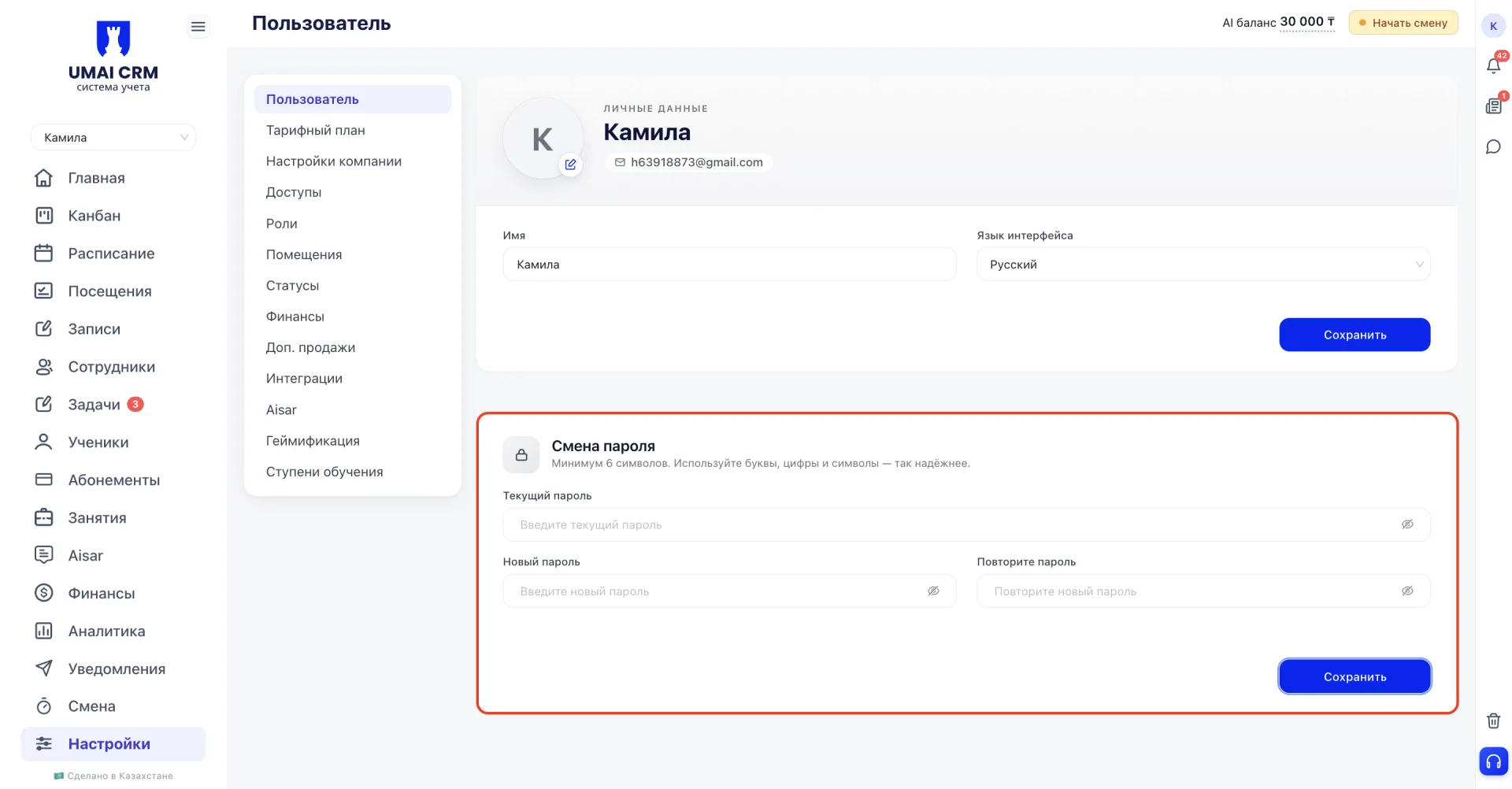
To change the password you must first enter the current password, then the new one and repeat it twice. Updated data is applied immediately after saving.
Important to note
- the "Personal data (Личные данные)" block allows editing of basic profile information (photo, name and interface language); the email is displayed only;
- subscription details (client number, tariff, expiration date) have been moved to the "Tariff plan (Тарифный план)" section and are not shown in this tab;
- when changing the password you must first provide the current password, then enter the new one and confirm it again;
- the system requires at least 6 characters, but for reliable account protection a longer password is recommended, with a combination of lowercase and uppercase letters, numbers and special characters. Avoid obvious combinations such as birth dates, names or sequences of numbers and letters, and do not use the same password on other services;
- all changes made are applied immediately after saving.