The section contains information about the center's current subscription, a pricing matrix with prices and feature sets, a comparative table of features by plans, and the payment history.
Main blocks:
- Access to the section
- Subscription
- My network of branches
- Bonus code
- Payment for subscription
- Comparison of plans
- Payment history
1. Access to the section
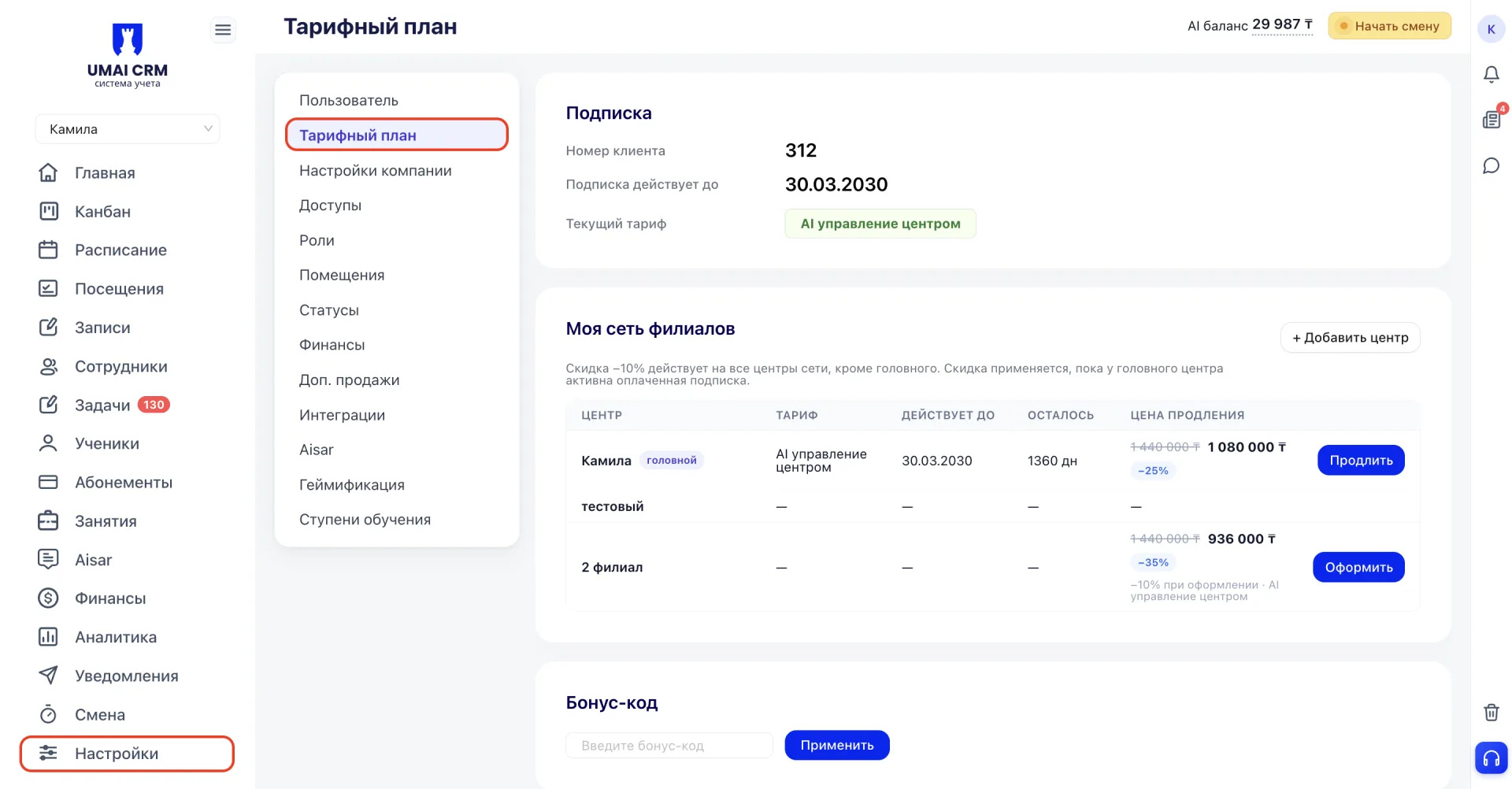
"Pricing plan (Тарифный план)" is located in the CRM sidebar, in Settings, under the "Pricing plan (Тарифный план)" tab.
The section is available to the director by default. Other employees can see it only if they have the corresponding access.
2. Subscription
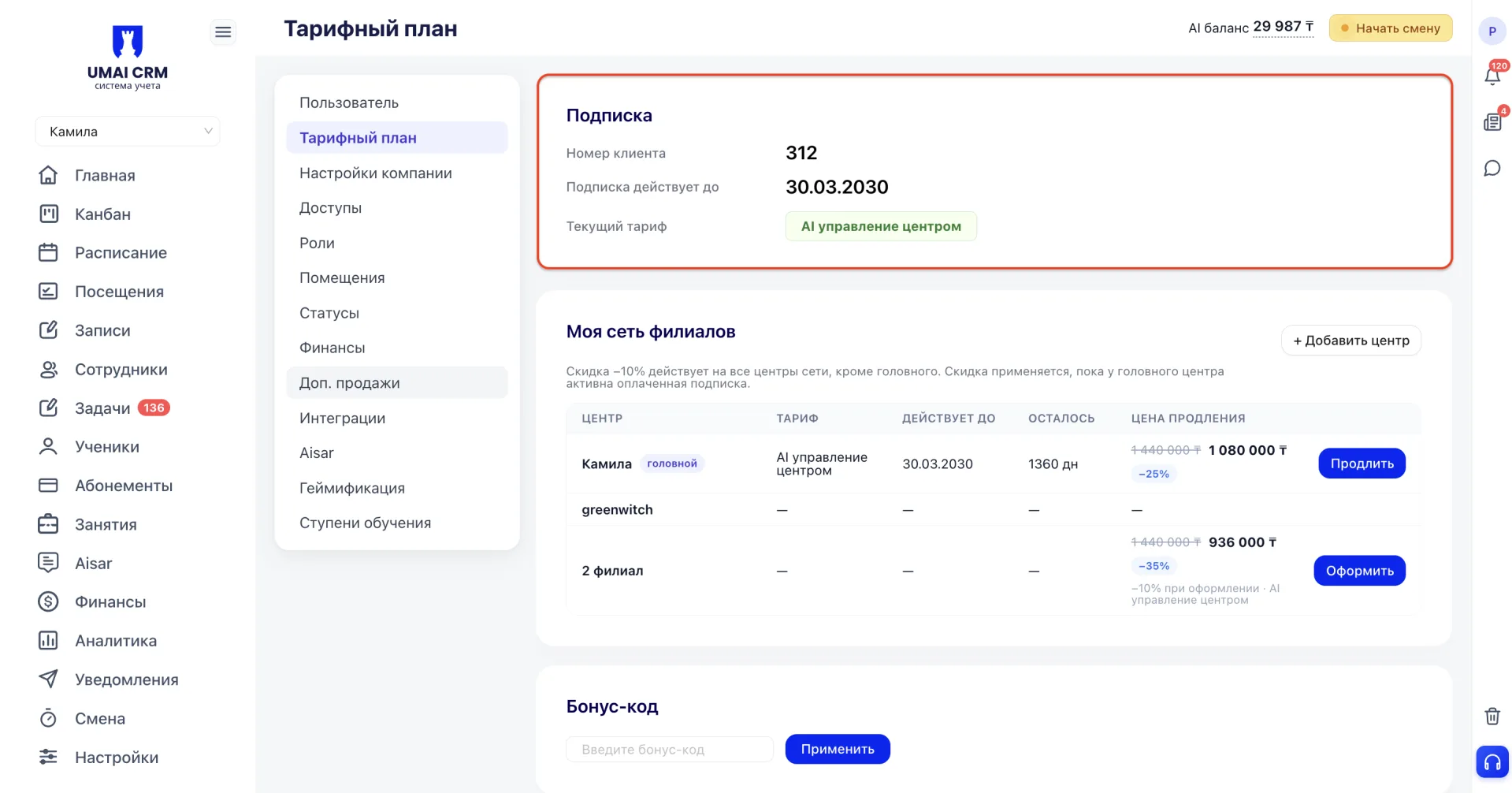
The current state of the center's subscription is displayed: client number, the date until which the subscription is valid, and the name of the current plan.
3. My network of branches
This block is intended for managing the subscription when a partner has multiple centers. The table shows each of them: plan, subscription expiry date, number of remaining days, and the renewal price.
One of the centers is marked as the "main" center. All other centers receive a 10% discount on the subscription price. The discount remains as long as the main center has an active paid subscription. If the main center's subscription expires and is not renewed, the discount for the other centers will stop applying.
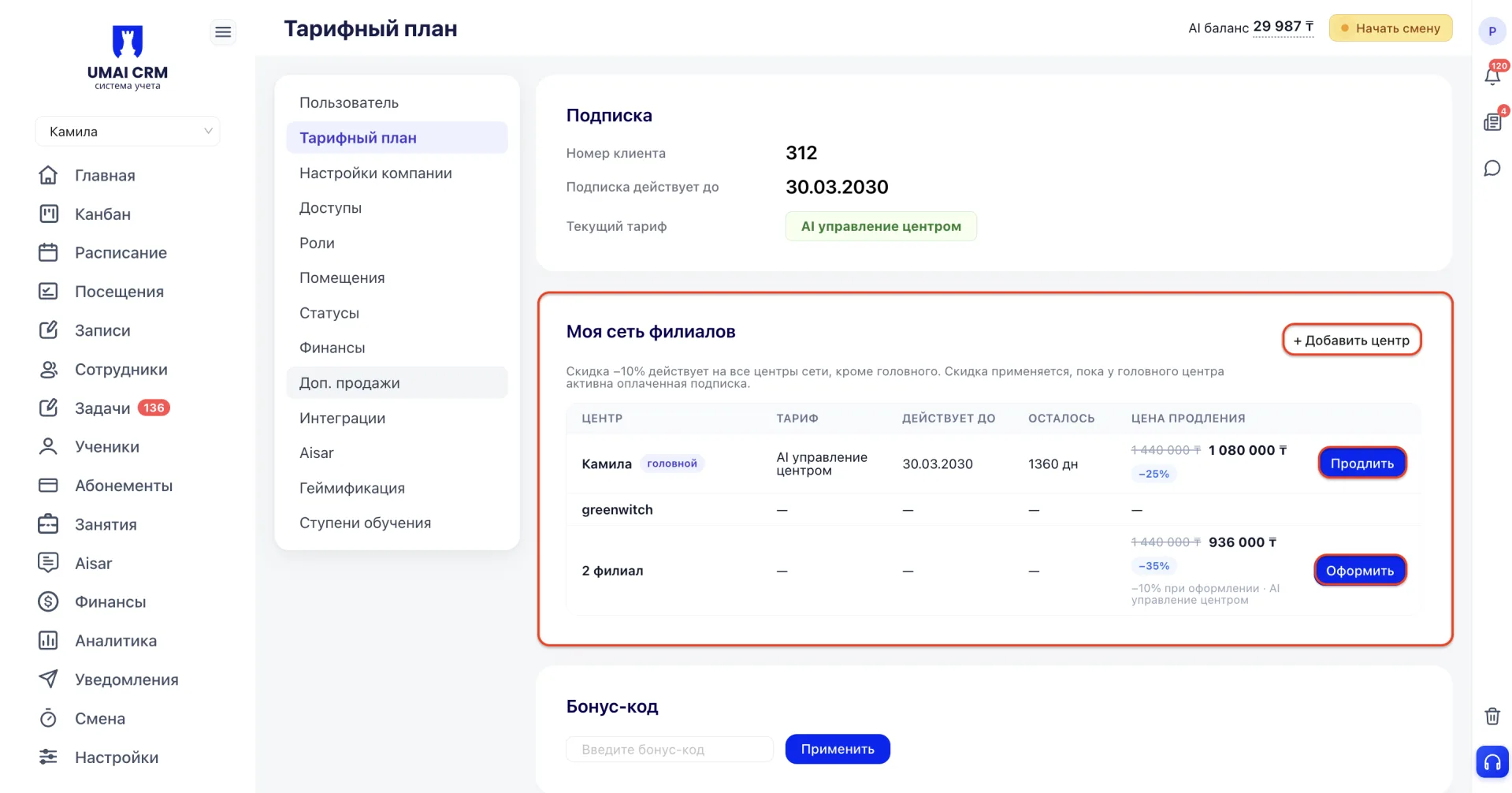
For the main center and for already connected other centers, a "Renew" button is available. If the subscription is not yet set up, an "Subscribe" button is shown instead.
You can add another center using the "+ Add center" button.
4. Bonus code
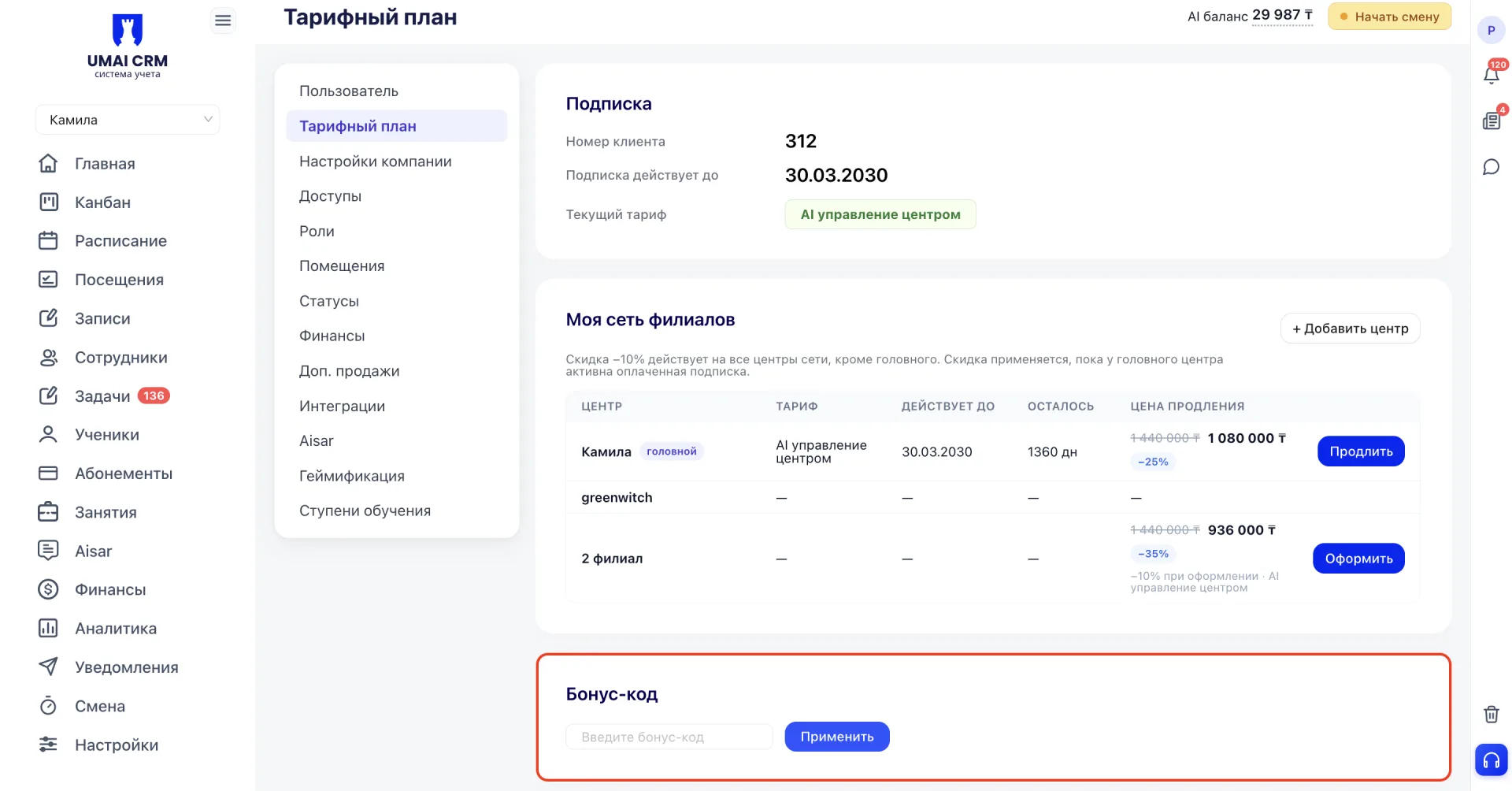
Enter the bonus code into the field and then activate it with the "Apply" button.
5. Payment for subscription
This block is designed to choose a plan and a payment period. The period switch sets the subscription duration: month, 6 months, or year. A longer payment period gives a discount on the total cost; the discount amount depends on the specific plan.
Plans are arranged by increasing functionality:
Basic — includes working with Students and Groups without limits, motivational gamification, inventory accounting, teacher app, Finance accounting (Payments, debts), flexible payroll calculation, display of assigned Tasks, student app and employee app.
Advanced — includes everything from the Basic plan, plus up to 5 Sales funnel — kanban of Leads and clients (integration with messengers must be enabled additionally), event-based autorobots, extended analytics, mailings and reminders.
Advanced+ — includes everything from the Advanced plan, deeper analytics, and integration of up to three channels with WhatsApp and Instagram for full functionality.
AI center management — includes everything from the "Advanced+" plan, as well as an intelligent AI chatbot, a time tracker for employees, automatic visit checker via QR, electronic contract signing and AI task automation.
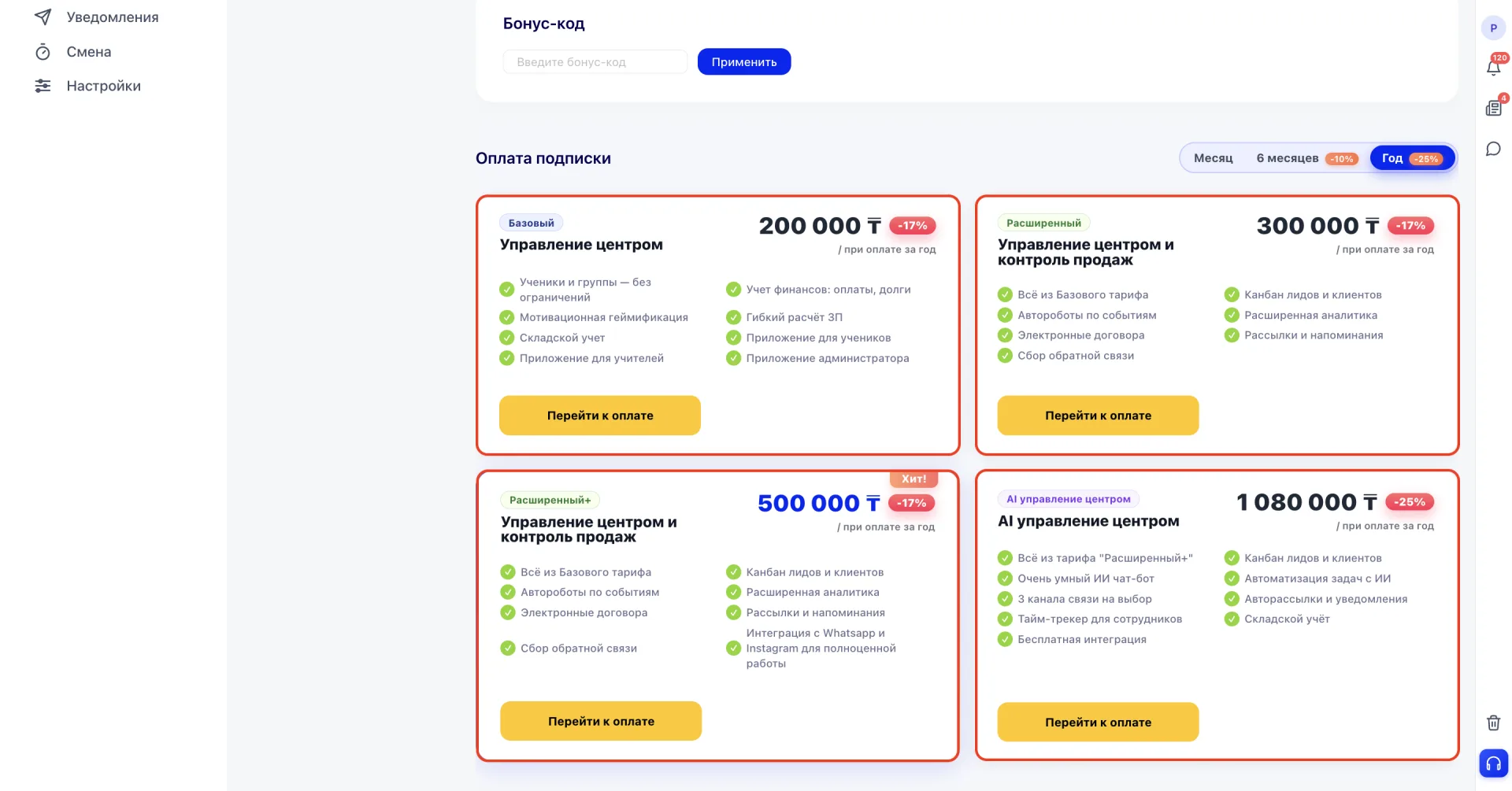
Proceed to payment for the selected plan by clicking the "Proceed to payment" button on the corresponding card.
6. Comparison of plans
The table provides a detailed comparison of plan features by categories: communications, management and sales, portals and apps, AI and automation, HR and accounting.
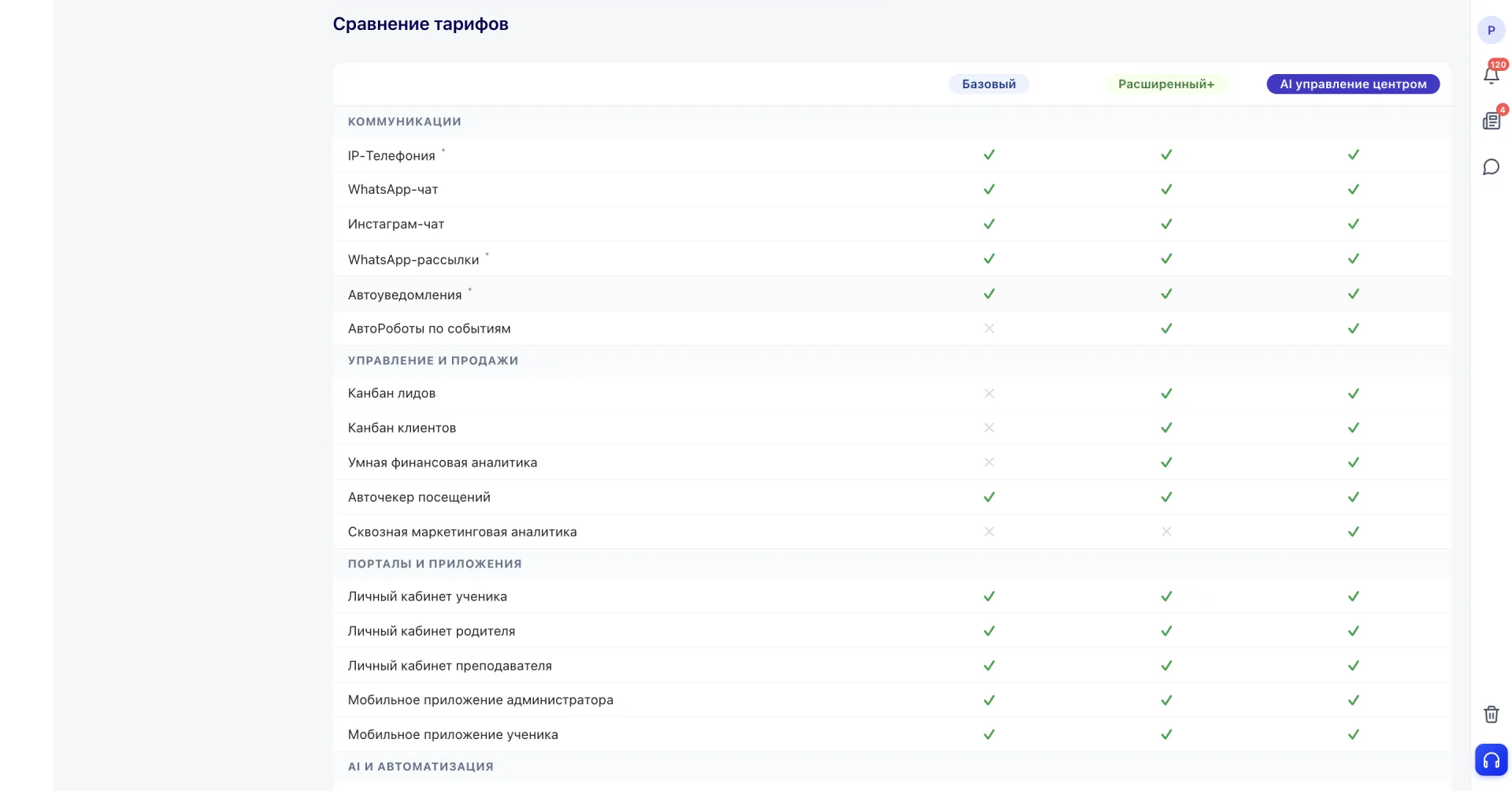
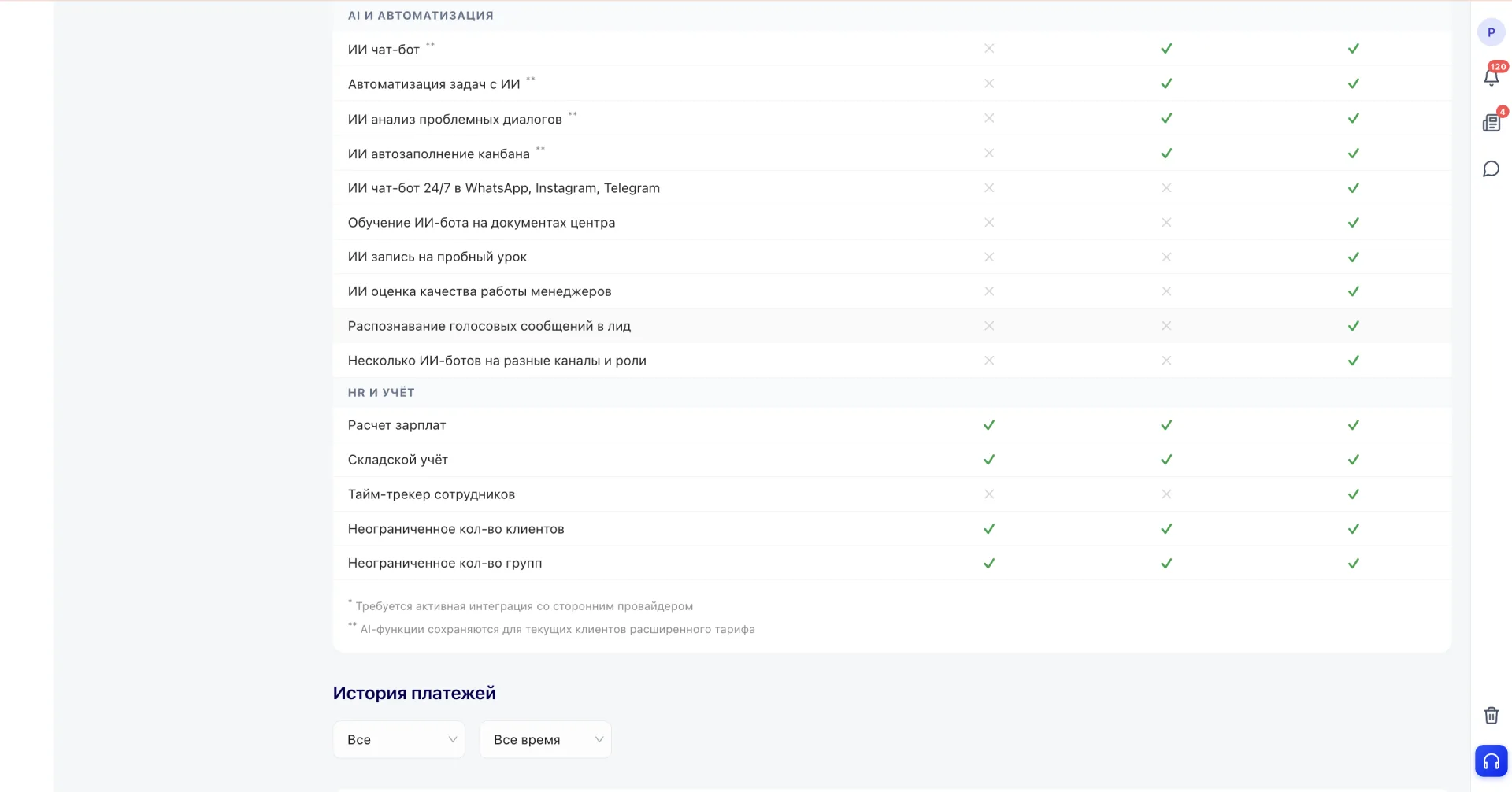
Some features are marked with footnotes: one star means that the feature requires an active integration with a third-party provider to work.
7. Payment history
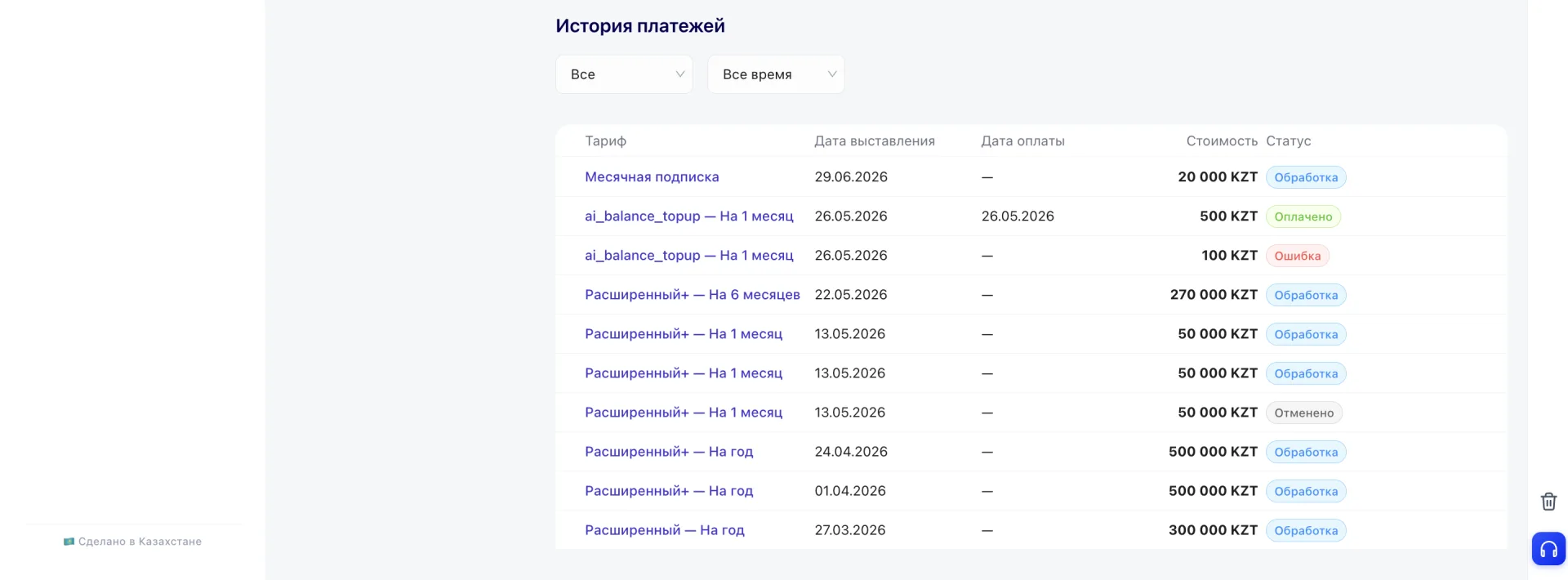
The block displays the list of issued and paid invoices for the subscription: plan, issue date, payment date, amount and payment status (for example, "Paid", "Processing", "Canceled" or "Error"). The list can be filtered by plan and by period.
Important to note:
- The network branch discount applies only while the main center has an active paid subscription, and is applied when payment is made by the branch itself.
- The set of available features depends on the selected plan: for example, AI chatbot, employee time tracker and end-to-end marketing analytics are available only in the "AI center management" plan.
- Some communication features require pre-configured integration with a third-party provider to work.